Resumir contenido con:




Actualizaciones de Famulor de diciembre de 2025: nuevos modelos de IA, disparadores de chat y control de llamadas más inteligente
Diciembre trae dos lanzamientos importantes de Famulor centrados en hacer que las experiencias de voz y texto sean más potentes, rápidas de automatizar y fáciles de operar a escala. A continuación, presentamos un resumen claro de las novedades, por qué son importantes y dónde puedes empezar a utilizarlas de inmediato.
Actualización: Lanzamiento de Navidad (17 de diciembre de 2025)
Modelos de IA nuevos y actualizados
GPT-5.2 ya disponible (integración exclusiva de Famulor)
GPT-5.2 ya está disponible en Famulor, aportando un razonamiento más sólido y una mejor capacidad para seguir instrucciones. Si priorizas tiempos de respuesta más rápidos, GPT-5.1 sigue siendo una opción recomendada para obtener el máximo rendimiento.
Realtime Mini actualizado
El modelo Realtime Mini se ha actualizado a:
gpt-realtime-mini-2025-12-15
Esta actualización mejora la estabilidad y la capacidad de respuesta para las interacciones de voz de baja latencia a través del motor en tiempo real de Famulor.
Nuevo modelo de audio nativo de Gemini (voz a voz)
Famulor ahora incluye el modelo de audio nativo de Google:
gemini-2.5-flash-native-audio-preview-12-2025
Lo encontrarás como Gemini 2.5 Flash Dialog New (Dec 2025), mientras que la versión anterior sigue estando disponible como Gemini 2.5 Flash Dialog (Oct 2025).
Manejo mejorado de flujos de trabajo complejos y llamadas a funciones
Disponible exclusivamente en modo voz a voz
Optimizado para el motor de voz de Famulor
Nuevo disparador de "Conversación creada" para automatizaciones de chat
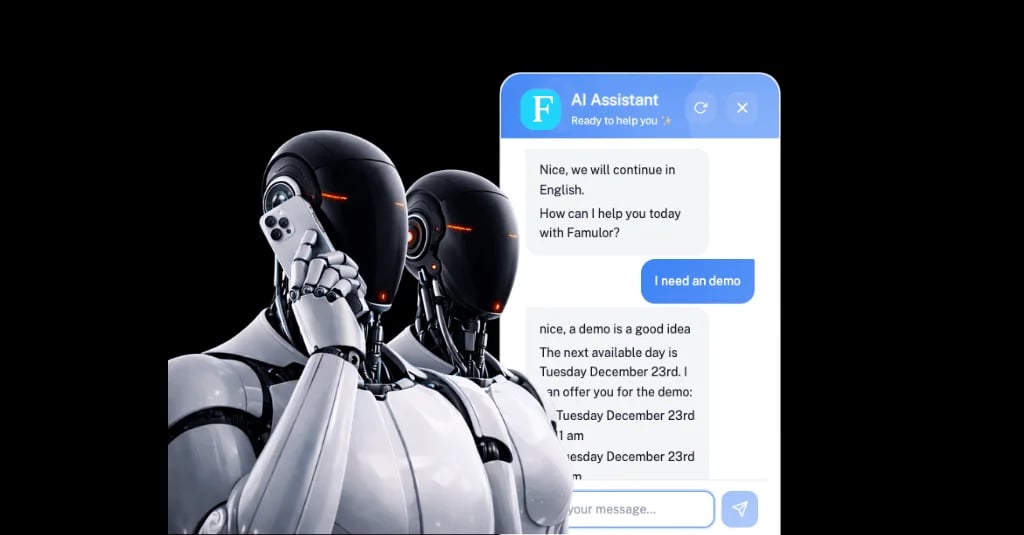
Ahora puedes iniciar automatizaciones en el momento en que comienza una nueva conversación de chat en el widget web, llevando la automatización de nivel de voz a las interacciones de texto.
Automatización instantánea cuando comienza un nuevo chat
Captura de variables de formulario previo (nombre, correo electrónico, teléfono y campos personalizados) de inmediato
Uso de datos capturados para crear leads, sincronizar con CRM, enviar notificaciones o lanzar flujos personalizados
Funciona a la perfección con el widget web de chat
Avisos de llamada y controles de comportamiento más inteligentes
Finalizar llamada en el buzón de voz: aviso personalizado
Ahora puedes definir un aviso personalizado que la IA utilizará al dejar un mensaje en el buzón de voz, de modo que tú controlas el tono, el contenido y la voz de la marca en lugar de depender del comportamiento genérico del sistema.
Mensajes de buzón de voz totalmente personalizables
Tono y redacción específicos de la marca
Mensajes conscientes del contexto utilizando el contexto de la conversación
Configuración de aviso de reenganche
Cuando se alcanza un intervalo de reenganche (silencio/sin respuesta), el asistente puede utilizar un aviso de reenganche personalizado para seguimientos más naturales y conscientes del contexto.
Personaliza cómo la IA realiza el seguimiento tras un silencio
Avisos más relevantes utilizando el contexto de la conversación
Experiencia de usuario más fluida para conversaciones reales
Múltiples opciones de sonido ambiente
Elige entre varias configuraciones de sonido ambiente para las llamadas de voz y así adaptarlas mejor a tu caso de uso y al tono de tus interacciones.
Múltiples opciones de sonido ambiente
Ajuste flexible para diferentes escenarios
Experiencia de audio de nivel profesional
Como siempre, estamos deseando ver lo que construyes con estas nuevas capacidades.
Actualización: Configuración de automatización y programación (14 de diciembre de 2025)
Inyección de datos simplificada para automatizaciones
Configurar automatizaciones es ahora más rápido e intuitivo con la inyección de datos simplificada.
Antes: Tenías que crear un flujo completo, realizar una llamada de prueba y solo entonces podías hacer referencia a los datos más recientes para la configuración.
Ahora: Con un solo clic en "Cargar datos" al añadir un disparador, Famulor obtiene automáticamente todas las variables personalizadas definidas en la configuración de tu asistente, incluidas las variables de entrada y las variables de evaluación/extracción posteriores a la llamada, para que empieces con una estructura de datos completa y precisa.
Resultado: Configuración más rápida, menos llamadas de prueba y un flujo de trabajo de creación de automatizaciones más fluido.
Integración con Calendly
Ahora puedes conectar calendarios de Calendly directamente a tus asistentes de Famulor, lo que permite reservar citas sin problemas dentro de tus flujos de IA.
Reserva citas directamente a través de los flujos de IA de Famulor
Ideal para llamadas de ventas, consultas, demostraciones y empresas de servicios
Funciona junto con las integraciones de calendario existentes para mayor flexibilidad
Estas mejoras reducen la fricción en los flujos de trabajo de automatización y amplían las opciones de programación, ayudándote a crear, probar y desplegar asistentes de manera más eficiente.

Autor en Famulor