Resumir contenido con:




La primera impresión cuenta: 15 plantillas de mensajes de bienvenida de WhatsApp para tu negocio
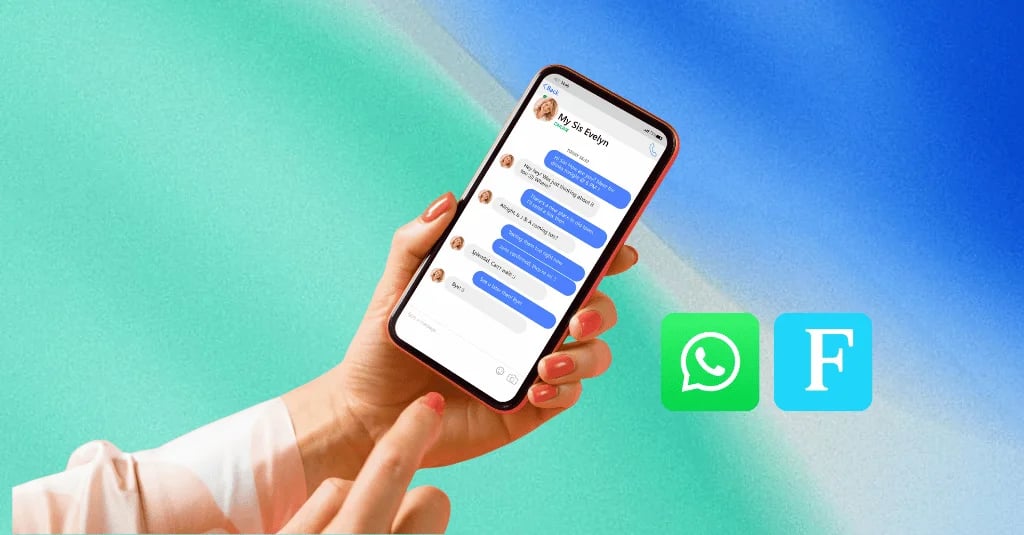
En un mundo donde los clientes esperan respuestas instantáneas, WhatsApp es mucho más que una aplicación de mensajería: es un canal fundamental para el servicio al cliente, las ventas y el marketing. El primer punto de contacto en esta plataforma personal sienta las bases de toda la relación con el cliente. Una respuesta genérica, tardía o inexistente puede alejar a un cliente potencial para siempre. Por el contrario, un mensaje de bienvenida profesional, útil e inmediato genera confianza, establece las expectativas adecuadas y convierte una simple consulta en una verdadera oportunidad de negocio.
Pero, ¿cómo redactar el mensaje de bienvenida perfecto? ¿Cómo asegurar que se envíe en el momento adecuado sin que un empleado tenga que estar pegado al móvil las 24 horas del día? La respuesta reside en una combinación de plantillas bien pensadas y automatización inteligente. En esta guía completa, te proporcionamos 15 plantillas probadas para diversos casos de uso y te mostraremos cómo no solo automatizarlas con una plataforma como Famulor, sino también transformarlas en diálogos inteligentes y autónomos.
Por qué es crucial un mensaje de bienvenida de WhatsApp bien pensado
Un mensaje de bienvenida automático es mucho más que un acuse de recibo digital. Es una herramienta estratégica que cumple varias funciones importantes:
- Demuestra profesionalidad: Una respuesta inmediata y bien formulada demuestra que tu empresa es organizada y está centrada en el cliente.
- Gestiona las expectativas: Haz saber al cliente cuándo puede esperar una respuesta personal. Esto reduce la incertidumbre y la frustración.
- Proporciona información inicial: Dirige a los clientes a las preguntas frecuentes (FAQ), a tu tienda online o a otros recursos útiles para ayudarles de inmediato.
- Recopila datos de cualificación: Haz una pregunta inicial (por ejemplo: "¿Sobre qué es tu consulta? 1 para Ventas, 2 para Soporte") para dirigir la solicitud al equipo adecuado.
- Guía la conversación: Ofrece al cliente los siguientes pasos claros y guíalo activamente a través del proceso, en lugar de esperar pasivamente a su siguiente mensaje.
La anatomía de un mensaje de bienvenida perfecto en WhatsApp
Independientemente del caso de uso específico, un mensaje de bienvenida eficaz debe incluir varios elementos clave:
- Saludo amable: Una bienvenida personal, idealmente con el nombre del cliente si está disponible.
- Confirmación de recepción: Una señal clara de que el mensaje ha sido recibido (por ejemplo: "¡Gracias por tu mensaje!").
- Información sobre el tiempo de respuesta: Proporciona una estimación realista de cuándo responderá un empleado (por ejemplo: "Te responderemos en un plazo de 2 horas").
- Recursos útiles (opcional): Un enlace a tu sitio web, una sección de preguntas frecuentes o un catálogo de productos relevante.
- Llamada a la acción (opcional): Una invitación para que el cliente proporcione más información y así acelerar el proceso.
- Branding y tono: El mensaje debe reflejar el tono y la voz de tu marca, ya sea informal y cercano o formal y profesional.
15 plantillas de mensajes de bienvenida de WhatsApp probadas
Aquí tienes 15 plantillas personalizables, divididas en diferentes categorías, que puedes utilizar directamente en tu negocio.
Categoría 1: Saludos generales y servicio
1. Bienvenida estándar (durante el horario laboral)
Objetivo: Una confirmación amable y eficiente que asegure al cliente que su consulta será atendida en breve.
¡Hola y bienvenido a [Nombre de la empresa]! 👋
Gracias por tu mensaje. Lo hemos recibido y uno de los miembros de nuestro equipo se pondrá en contacto contigo en breve. Mientras tanto, quizás encuentres la respuesta en nuestra sección de preguntas frecuentes: [Enlace a FAQ]
Saludos cordiales,
El equipo de [Nombre de la empresa]
2. Mensaje de ausencia (fuera del horario laboral)
Objetivo: Comunicar claramente que la consulta se recibió fuera del horario de trabajo y cuándo esperar una respuesta.
¡Hola! Gracias por contactar con [Nombre de la empresa].
Nos has contactado fuera de nuestro horario de atención. Estamos disponibles de [Horario de apertura, por ejemplo: lunes a viernes, de 9:00 a 17:00] y atenderemos tu consulta a primera hora del siguiente día laborable.
¡Esperamos poder ayudarte!
Tu equipo de [Nombre de la empresa]
3. Saludo con retraso esperado (por ejemplo, alto volumen de consultas)
Objetivo: Comunicar proactivamente un tiempo de espera mayor para mantener la satisfacción del cliente.
Hola [Nombre del cliente],
¡Gracias por contactarnos! Debido a un alto volumen de consultas, nuestra respuesta puede tardar un poco más de lo habitual. Agradecemos tu comprensión y te aseguramos que atenderemos tu solicitud lo antes posible. Te responderemos en un plazo de [Plazo, por ejemplo: 24 horas].
¡Gracias por tu paciencia!
Tu equipo de [Nombre de la empresa]
4. Mensaje de vacaciones o festivos
Objetivo: Informar a los clientes sobre los periodos de descanso de la empresa y proporcionar una fecha de reanudación del servicio.
¡Felices fiestas de parte de [Nombre de la empresa]! 🎄
Gracias por tu mensaje. Nuestro equipo se está tomando un pequeño descanso y volverá, con las pilas cargadas, el [Fecha]. Atenderemos tu consulta tan pronto como regresemos.
¡Te deseamos unos días maravillosos!
Tu equipo de [Nombre de la empresa]
Categoría 2: Ventas y generación de leads
5. Respuesta a una consulta sobre un producto
Objetivo: Reconocer el interés del cliente e iniciar inmediatamente los siguientes pasos para una consulta.
¡Hola! Es genial que te interese [Producto/Servicio].
Para ayudarte mejor, ¿tienes alguna pregunta específica o te gustaría reservar una consulta inicial gratuita? Puedes acceder a nuestro calendario directamente aquí: [Enlace al calendario]
¡Un experto de nuestro equipo se pondrá en contacto contigo en breve!
6. Tras la descarga de un lead magnet (por ejemplo, un e-book)
Objetivo: Dar la bienvenida al nuevo lead y destacar el valor de la oferta.
Hola [Nombre del cliente],
¡Aquí tienes tu e-book "[Título del e-book]"! Esperamos que te aporte información valiosa. Si tienes alguna pregunta después de leerlo o te gustaría discutir cómo implementar estas ideas, solo tienes que responder a este mensaje.
¡Feliz lectura!
[Tu nombre] de [Nombre de la empresa]
7. Bienvenida proactiva tras el opt-in (por ejemplo, a través de un formulario web)
Objetivo: Confirmar el canal de comunicación e iniciar activamente el diálogo.
Hola [Nombre del cliente], ¡bienvenido a [Nombre de la empresa] en WhatsApp! Nos alegra tenerte aquí. 😊
A partir de ahora recibirás ofertas exclusivas y noticias nuestras. ¿Hay algo específico en lo que podamos ayudarte ahora mismo? ¡No dudes en preguntar!
¡Saludos!
8. Oferta de consulta inicial
Objetivo: Ofrecer una oportunidad de baja fricción para la interacción directa.
¡Buen día! Hemos recibido tu consulta. La forma más rápida de responder a todas tus preguntas suele ser una breve llamada sin compromiso. ¿Tendrías 15 minutos para charlar en los próximos días?
No dudes en sugerir una hora o reservar directamente aquí: [Enlace al calendario]
¡Esperamos hablar contigo!
Categoría 3: E-commerce y pedidos
9. Bienvenida a nuevos clientes tras el primer contacto
Objetivo: Crear un incentivo especial para la primera compra.
Hola [Nombre del cliente], ¡bienvenido a nuestra comunidad! 🎉
Estamos encantados de tenerte aquí. Como pequeño agradecimiento por tu primer mensaje, te regalamos un 10% de descuento en tu próximo pedido con el código: WELCOME10.
Echa un vistazo a nuestros productos más vendidos aquí: [Enlace a la tienda]
Si tienes alguna pregunta, ¡siempre estamos aquí para ti!
10. Consulta sobre el estado del pedido
Objetivo: Hacer que el proceso de comprobación del estado del pedido sea lo más sencillo posible.
¡Hola! ¿Quieres saber dónde está tu pedido? ¡No hay problema!
Por favor, envíanos tu número de pedido (por ejemplo, #12345) y comprobaremos el estado por ti inmediatamente.
Tu equipo de servicio de [Nombre de la empresa]
11. Solicitud de soporte para un producto
Objetivo: Demostrar al cliente que su problema se toma en serio y solicitar la información necesaria.
Buen día, gracias por contactar con nuestro equipo de soporte.
Para ayudarte rápidamente, describe brevemente el problema y, si es posible, envíanos una foto o vídeo del mismo. Uno de nuestros expertos en servicio analizará el asunto de inmediato.
¡Encontraremos una solución!
Categoría 4: Sectores y casos de uso específicos
12. Solicitud de reserva de cita (por ejemplo, artesanos, consultas médicas, peluquerías)
Objetivo: Hacer que el proceso de reserva de citas sea eficiente y claro.
¡Bienvenido a [Nombre del negocio]! ¿Te gustaría programar una cita? ¡Estaremos encantados de ayudarte!
Para acelerar el proceso, por favor dinos qué servicio te interesa y qué días u horas te vienen mejor. Alternativamente, puedes ver y reservar citas disponibles directamente online: [Enlace al calendario online]
¡Esperamos verte pronto!
13. Consulta sobre hotel o alquiler vacacional
Objetivo: Solicitar toda la información relevante para un presupuesto de una sola vez.
¡Hola y gracias por tu interés en [Nombre del hotel/alquiler vacacional]! ☀️
Para comprobar la disponibilidad y crear una oferta adecuada para ti, necesitamos la siguiente información:
- Fechas de llegada y salida
- Número de adultos y niños
¡Nos pondremos en contacto contigo rápidamente con todos los detalles!
14. Registro e información de eventos
Objetivo: Confirmar el registro y proporcionar información esencial.
¡Fantástico! Te has registrado correctamente en [Nombre del evento]. ¡Esperamos verte allí!
Toda la información importante (dirección, horario, etc.) se puede encontrar aquí: [Enlace a la página del evento]
Si tienes alguna pregunta antes, estamos aquí para ayudarte. ¡Hasta pronto!
15. Solicitud de feedback tras el contacto
Objetivo: Solicitar feedback de forma proactiva una vez finalizada la conversación para mejorar el servicio.
Hola [Nombre del cliente],
Esperamos haber podido ayudarte con tu reciente consulta. ¿Has quedado satisfecho con nuestro servicio? ¡Tu opinión es muy importante para nosotros! Agradeceríamos una breve reseña: [Enlace a la página de reseñas]
¡Gracias y hasta la próxima!
La automatización es clave: cómo escalar los saludos de forma inteligente
Estas plantillas son un excelente punto de partida. Sin embargo, despliegan su verdadero potencial solo cuando se utilizan de forma inteligente y contextual: totalmente automatizadas. Copiar y pegar textos manualmente no es viable y es propenso a errores a medida que aumenta el volumen de consultas.
Las funciones estándar de la aplicación WhatsApp Business alcanzan rápidamente sus límites aquí. Solo permiten un mensaje de bienvenida sencillo y un mensaje de ausencia. Las conversaciones verdaderamente dinámicas requieren una solución más potente construida sobre la WhatsApp Business API.
Aquí es donde entran plataformas como Famulor. Famulor no es solo una herramienta para enviar mensajes, sino una plataforma de IA omnicanal completa. Te permite automatizar toda la comunicación con el cliente a través de canales como WhatsApp, teléfono y chat en vivo. En lugar de enviar solo un saludo estático, Famulor te permite crear un asistente de IA inteligente que:
- Entiende el contexto: El agente de IA reconoce si un cliente pregunta por un producto, quiere reservar una cita o necesita soporte.
- Responde de forma dinámica: Basándose en la solicitud del cliente, el agente puede proporcionar diferentes respuestas, hacer preguntas de seguimiento y recopilar datos.
- Completa tareas de forma autónoma: A través de la integración con más de 300 herramientas como tu CRM (por ejemplo, HubSpot), calendario (por ejemplo, Calendly) o sistema de e-commerce (por ejemplo, Shopify), el agente puede reservar citas directamente, crear registros de clientes o comprobar y comunicar el estado de los pedidos en tiempo real. Lee más en nuestra guía definitiva sobre la automatización con WhatsApp Business y la IA.
- Transfiere sin problemas a humanos: Si la IA alcanza sus límites o el cliente lo solicita, la conversación puede transferirse sin problemas a un agente humano que puede ver todo el historial de la conversación.
Con el No-Code Flow Builder visual de Famulor, puedes crear fácilmente diálogos complejos mediante arrastrar y soltar, convirtiendo un simple saludo en un proceso automatizado que aporta valor. Aprende cómo Famulor está revolucionando la comunicación con el cliente con su integración de WhatsApp.
Conclusión: de texto reactivo a conversación proactiva
Un mensaje de bienvenida profesional en WhatsApp es el primer paso hacia un excelente servicio al cliente. Las 15 plantillas proporcionadas aquí ofrecen una base sólida para los escenarios empresariales más comunes. Sin embargo, la verdadera ventaja competitiva llega cuando das el siguiente paso: pasar de plantillas estáticas a una automatización dinámica impulsada por IA.
Plataformas como Famulor te permiten transformar tu canal de WhatsApp de una bandeja de entrada pasiva a un asistente inteligente y proactivo que cualifica leads, responde preguntas y completa tareas las 24 horas del día. Esto no solo te ahorra tiempo y recursos valiosos, sino que también crea una experiencia de cliente excepcional que será recordada.
¿Estás listo para llevar tu comunicación de WhatsApp al siguiente nivel? Descubre las posibilidades de la automatización impulsada por IA con Famulor y convierte cada consulta de cliente en una historia de éxito. Empieza hoy mismo.
FAQ – Preguntas frecuentes sobre los mensajes de bienvenida de WhatsApp
¿Cuál es el mejor mensaje de bienvenida de WhatsApp?
El "mejor" mensaje depende del contexto. Sin embargo, una buena bienvenida siempre es rápida, personal, establece expectativas claras sobre los tiempos de respuesta y, si es posible, ofrece valor inmediato (por ejemplo, un enlace a las preguntas frecuentes). Para las empresas, el mejor mensaje es aquel que sirve como punto de partida para un proceso eficiente y automatizado.
¿Cómo configuro un mensaje de bienvenida automático en WhatsApp Business?
En la aplicación gratuita WhatsApp Business, puedes configurar un mensaje predeterminado sencillo en `Ajustes > Herramientas para la empresa > Mensaje de bienvenida`. Para reglas más avanzadas (por ejemplo, diferentes mensajes según la consulta), necesitas la WhatsApp Business API y una plataforma como Famulor, que te permite crear flujos de trabajo complejos impulsados por IA sin necesidad de código.
¿Puedo escribir a los clientes por WhatsApp sin más?
No. De acuerdo con el RGPD y las políticas de uso de WhatsApp, necesitas el consentimiento explícito y verificable (opt-in) del cliente antes de poder contactarlo con fines de marketing o servicio proactivo. Sin embargo, si un cliente te escribe primero, tienes permitido responderle dentro de esa conversación.
¿Puede una IA responder a los mensajes de WhatsApp?
Sí, absolutamente. Con la WhatsApp Business API y una plataforma de IA avanzada como Famulor, los agentes de IA no solo pueden enviar saludos sencillos, sino también mantener diálogos completos. Pueden entender las solicitudes de los clientes, recuperar información de sistemas internos, reservar citas, realizar un seguimiento de pedidos y mucho más, todo en lenguaje natural y durante las 24 horas del día.

Autor en Famulor