Resumir contenido con:




Agentes de IA de voz: cómo ahorrar costes y maximizar la eficiencia
La introducción de los agentes de IA de voz está revolucionando la comunicación con el cliente. Las empresas pueden garantizar la accesibilidad 24/7, gestionar consultas de forma autónoma y liberar a sus equipos. Pero, a pesar de todo el entusiasmo por las posibilidades tecnológicas, para todo responsable de la toma de decisiones queda una pregunta central: ¿qué cuesta esto? ¿Y cómo podemos controlar y optimizar estos costes? La preocupación por el aumento de los presupuestos debido a conversaciones ineficientes o excesivamente largas es legítima. Sin embargo, la solución no es renunciar a la tecnología, sino diseñarla de forma inteligente.
Plataformas como Famulor, que ofrecen un modelo de facturación transparente por segundos (por ejemplo, en el plan Scale desde 5 céntimos por minuto), crean la base perfecta para la optimización de costes. Porque aquí, cada segundo ahorrado es dinero ahorrado. En esta guía, te mostramos cómo reducir drásticamente la duración de las conversaciones de tus agentes de IA de voz mediante un diseño estratégico de flujos de trabajo en el Famulor Flow Builder y mediante integraciones inteligentes, ahorrando así costes y mejorando al mismo tiempo la experiencia del cliente.
Fundamentos de los costes de los agentes de IA de voz: por qué cada segundo cuenta
El principal factor de coste al utilizar IA de voz es la duración activa de la conversación. Los modelos que cobran una tarifa plana por llamada o en bloques de tiempo amplios penalizan la eficiencia. Una llamada de 30 segundos cuesta entonces lo mismo que una de 59 segundos. El enfoque de Famulor de facturación por segundo invierte este principio: premia la eficiencia. Si acortas una llamada de 90 a 40 segundos, ahorras más del 55% del coste de esa interacción. El objetivo es claro: resolver la solicitud de quien llama de la forma más rápida y precisa posible.
Esto requiere replantear el diseño del diálogo. No se trata de ser lo más humano y conversacional posible, sino de alcanzar un objetivo claro de la forma más directa, sin sacrificar la fluidez natural de la conversación. La clave reside en el diseño visual del flujo de trabajo con una herramienta como el Famulor Flow Builder.
Estrategia 1: Optimización del flujo de conversación en el Flow Builder
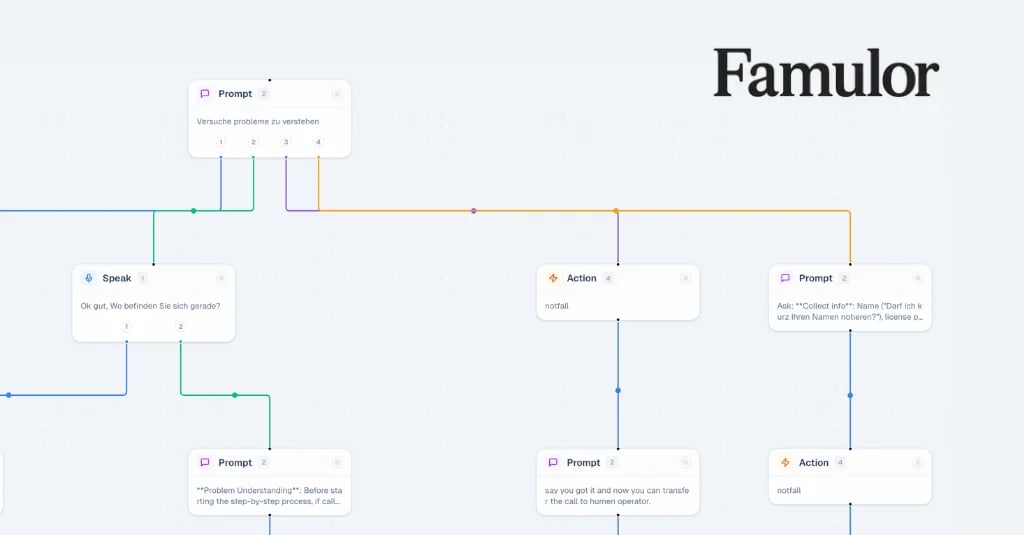
El Flow Builder visual es tu herramienta más potente para el control de costes. Aquí defines el camino exacto que debe seguir una conversación. Cada nodo, cada ramificación y cada módulo de diálogo influye en la duración total.
1. Concisión en los saludos y la orientación
Las primeras impresiones cuentan, pero no tienen por qué ser largas. Evita saludos prolijos y enrevesados. Ve directo al grano.
- Mal: "Bienvenido a Mustermann GmbH. Nos complace recibir su llamada. Nuestro asistente digital le ayudará ahora con su solicitud. Para ofrecerle la mejor asistencia posible, díganos qué necesita". (aprox. 15 segundos)
- Bien: "Bienvenido a Mustermann GmbH. ¿En qué puedo ayudarle?" (aprox. 4 segundos)
Estos 11 segundos de diferencia pueden parecer mínimos, pero suman cantidades significativas a lo largo de miles de llamadas. Utiliza frases concisas y llamadas a la acción claras para guiar a quien llama directamente al núcleo de su consulta. Puedes encontrar inspiración para introducciones exitosas en nuestras 11 plantillas de guiones de saludo para asistentes telefónicos de IA.
2. Reducción del "tiempo de pensamiento" de la IA con prompts inteligentes
Cada vez que tu agente envía una solicitud a un modelo de lenguaje extenso (LLM) como GPT o Gemini, hay un pequeño retraso: el "tiempo de pensamiento". Estas pausas pueden acumularse. Optimízalas utilizando la tecnología adecuada para la tarea específica.
- Lógica simple en lugar de LLM complejo: Si solo necesitas saber si el cliente dice "sí" o "no", no necesitas una llamada compleja a un LLM. Un nodo de "Condición" simple en el Flow Builder, que busque palabras clave, es casi instantáneo y significativamente más barato.
- Prompts estructurados: Dale al LLM instrucciones y contexto claros. Un prompt bien formulado conduce a una respuesta correcta más rápido y evita bucles de seguimiento.
- Uso inteligente del Barge-in: Permite que quien llama interrumpa al agente ("barge-in") tan pronto como esté claro cuál será la siguiente pregunta. De este modo, el cliente no tiene que esperar a que el agente termine su frase, ahorrando segundos valiosos.
3. Recopilación eficiente de datos
Evita preguntas innecesarias. Cada secuencia de pregunta-respuesta cuesta tiempo. En lugar de hacer preguntas abiertas ("¿Cuál es su número de cliente?"), utiliza siempre que sea posible preguntas cerradas o de confirmación que puedan procesarse más rápido ("¿Es su número de cliente 12345?"). Sin embargo, la mejor estrategia es eliminar estas preguntas por completo mediante integraciones.
Estrategia 2: Ahorro de tiempo mediante integraciones profundas
Un agente de IA de voz solo despliega todo su potencial de ahorro cuando no opera de forma aislada, sino que está profundamente integrado en tus sistemas existentes. Las integraciones profundas son la clave para procesos reales y autónomos.
Conexión con CRM y Helpdesk
Conecta Famulor con tu CRM (por ejemplo, HubSpot, Salesforce) o helpdesk. Si el sistema reconoce el número de teléfono de quien llama, el agente puede saludarle personalmente ("Hola, Sr. Smith") y acceder directamente a sus pedidos o tickets recientes. Las preguntas sobre el nombre, el correo electrónico o el número de cliente se vuelven superfluas. Esto no solo ahorra entre 20 y 30 segundos por llamada, sino que también crea una experiencia de cliente excelente.
Integración de calendario para la reserva autónoma de citas
Un caso de uso común es la programación de citas. En lugar de que el agente pregunte: "¿Cuándo estaría disponible?", y luego comprobarlo manualmente, una integración directa con el calendario (por ejemplo, Google Calendar, Calendly) puede automatizar el proceso. El agente comprueba los espacios disponibles en tiempo real y sugiere proactivamente la siguiente cita posible: "Mañana a las 10:00 hay un hueco libre. ¿Le viene bien?". Un "sí" es suficiente y la cita queda reservada: de forma rápida, eficiente y sin errores.
Bases de conocimiento (RAG) para respuestas rápidas
Para las consultas de soporte, la conexión a una base de conocimiento mediante Generación Aumentada por Recuperación (RAG) es un punto de inflexión. En lugar de crear complejos árboles de diálogo para cientos de posibles preguntas, el agente busca la respuesta en tiempo real dentro de tus documentos (preguntas frecuentes, manuales, etc.) y se la proporciona directamente al cliente. Esto acorta significativamente el tiempo de resolución y, por tanto, la duración de la llamada.
Estrategia 3: Elección de la tecnología de IA adecuada para la tarea
No toda la IA es igual. Una plataforma agnóstica como Famulor te da la libertad de elegir los modelos más adecuados (y rentables) para el reconocimiento de voz (Speech-to-Text), la lógica de IA (LLM) y la síntesis de voz (Text-to-Speech) para tu caso de uso.
- Selección de LLM: Para tareas sencillas como clasificar una consulta ("ventas" o "soporte"), un modelo rápido y económico como Gemini Flash de Google suele ser una mejor opción que un modelo grande y más lento. La menor latencia conduce a una conversación más fluida y a llamadas más cortas.
- Selección de TTS (Text-to-Speech): La voz también influye en los costes. Los motores de TTS más rápidos con baja latencia reducen las pausas antes de que el agente empiece a hablar. Plataformas como Famulor integran proveedores líderes, lo que te permite encontrar el equilibrio perfecto entre calidad de voz y velocidad.
Comparación: flujo de trabajo no optimizado frente a optimizado
La siguiente tabla muestra un ejemplo de cómo las optimizaciones pueden afectar a un flujo de trabajo sencillo de reserva de citas.
| Paso | Flujo no optimizado (segundos) | Flujo optimizado (segundos) | Método de optimización |
|---|---|---|---|
| Saludo | 15 (Saludo largo y engorroso) | 5 (Corto, conciso y directo) | Lenguaje conciso |
| Identificación | 25 (Pide nombre, correo, número de cliente) | 4 (Búsqueda automática en CRM por número de teléfono) | Integración CRM |
| Clarificar consulta | 10 (Pregunta abierta: "¿Cuál es su consulta?") | 5 (Pregunta dirigida: "¿Desea reservar una cita?") | Diseño de flujo |
| Buscar cita | 30 (Ida y vuelta manual buscando huecos) | 15 (El agente comprueba el calendario y sugiere el primer hueco) | Integración de calendario |
| Confirmación | 15 (Lee todos los datos lentamente) | 8 (Confirmación breve + envío de SMS/email) | Conclusión eficiente |
| Duración total | 95 segundos | 37 segundos | ~61% de ahorro de tiempo |
Conclusión: el control de costes es una cuestión de diseño
Implementar agentes de IA de voz no tiene por qué ser un riesgo de costes impredecible. Con una plataforma como Famulor que apuesta por un modelo de facturación transparente por segundos, tienes el control total. Cada paso de optimización en el diseño de tu flujo de trabajo se traduce directamente en menores costes. Al centrarte en diálogos concisos, integraciones profundas en los sistemas y la selección correcta de tecnologías de IA, creas un empleado digital altamente eficiente que no solo aumenta la satisfacción del cliente, sino que también ahorra activamente en tu presupuesto.
El retorno de la inversión (ROI) de un agente de IA no solo viene determinado por el ahorro en costes de personal, sino significativamente por su eficiencia operativa. Empieza hoy mismo a diseñar de forma inteligente tus procesos de comunicación. Prueba Famulor y descubre cómo puedes reducir costes con un Flow Builder inteligente mientras ofreces un servicio de primera clase.
Preguntas frecuentes (FAQ)
¿Cómo calcula Famulor los costes de los agentes de IA de voz?
Famulor factura por segundos. Esto significa que solo pagas por la duración real de la conversación de tu agente de IA de voz. Este modelo justo permite un control de costes transparente y preciso, donde la eficiencia se premia directamente.
¿Cuál es el factor más importante para la optimización de costes en la telefonía con IA?
Con diferencia, el factor más importante es la duración de la conversación. Cada segundo que ahorras mediante un flujo de conversación eficiente, claro y bien integrado reduce directamente tus costes operativos. El objetivo es resolver la solicitud del cliente de la forma más rápida y precisa posible.
¿Cómo ayuda un Flow Builder a ahorrar costes?
Un Flow Builder visual como el de Famulor te da un control total sobre el flujo de la conversación. Puedes acortar diálogos específicamente, evitar bucles de retroalimentación innecesarios y saltarte pasos completos del proceso mediante la integración con sistemas como CRM o calendarios, haciendo que las llamadas sean más rápidas y, por tanto, más rentables.
¿Los modelos de IA más rápidos (LLM/TTS) realmente ahorran dinero?
Sí, absolutamente. Los modelos de IA con menor latencia (tiempo de respuesta más rápido) reducen las pausas silenciosas en la conversación y aceleran toda la interacción. Con la facturación por segundos, esto conduce a un ahorro de costes directo y medible por llamada.

Autor en Famulor