Summarize Content With:




Building AI Phone Assistants Yourself: Dream of Flexibility or Expensive Nightmare?
The idea of designing an intelligent AI phone assistant exactly according to your own vision is tempting. Full control over functionality, branding, and integration capabilities sounds like the ultimate solution for modern businesses. However, the path to a DIY Voice AI Agent is often rockier than it first appears. What starts as a project with seemingly unlimited flexibility can quickly turn into a complex and costly endeavor that devours IT resources and drags out time-to-value. In this article, we shine a light on the fascination of the do-it-yourself approach, uncover its hidden challenges, and present Famulor as the intelligent, efficient, and scalable alternative that empowers businesses to implement state-of-the-art voice AI without the complexity and risks of building it themselves.
What does "Building AI Phone Assistants Yourself" mean?
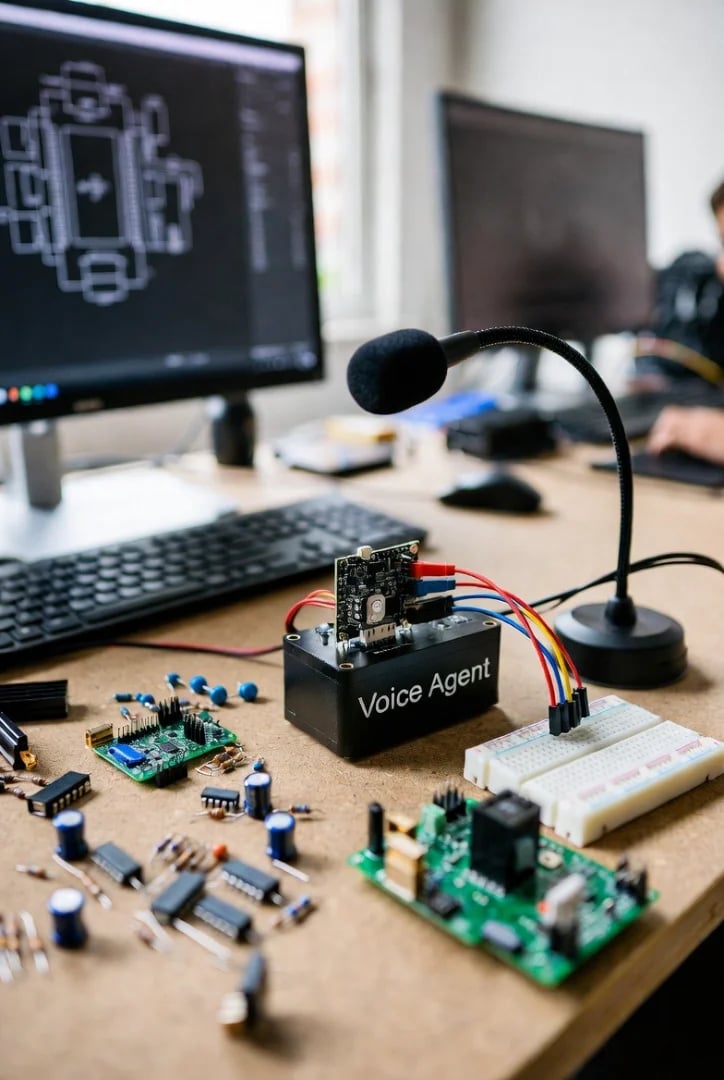
When we talk about "creating AI phone assistants yourself," we usually refer to the attempt to assemble a Voice AI solution from various individual components. This involves manually integrating and configuring specialized APIs and services to create a fully functional phone assistant. Typically, the following building blocks are used:
Speech-to-Text (STT) APIs: These convert spoken language into text. Providers like Google Cloud Speech-to-Text, Deepgram, or Azure Cognitive Services are common options here.
Large Language Models (LLMs): They form the "brain" of the assistant, understanding the caller's intent, generating responses, and conducting complex dialogues. Examples include OpenAI (GPT models), Anthropic (Claude), or local, specialized LLMs.
Text-to-Speech (TTS) APIs: These convert the text responses generated by the LLMs back into natural-sounding speech. Well-known services include ElevenLabs, Google Cloud Text-to-Speech, or Amazon Polly.
Automation and Integration Platforms: Tools like n8n, Zapier, or Make.com are needed to orchestrate the various APIs, connect external systems (CRM, calendar, ERP), and define complex workflows.
Telephony Infrastructure (SIP Trunks): For connection to the telephone network, SIP trunk providers like Twilio or Telnyx are often necessary to receive and make calls.
The appeal of this Do-It-Yourself (DIY) approach lies in the supposedly unlimited customizability and the possibility of tailoring every component precisely to one's own needs. Companies hope for maximum control and flexibility.
The Hidden Challenges of the DIY Approach
What sounds like an ideal solution on paper often turns out to be a source of considerable difficulties in practice. The complexity behind a truly effective AI phone assistant is quickly underestimated in the DIY approach.
Technical Effort and Expertise
Building it yourself requires deep technical understanding. You need internal or external experts for:
API Integration and Programming: Every API has its own documentation and requires specific code implementations. Smooth communication between STT, LLM, TTS, and your business logic must be programmed.
Network Configuration: Connection to SIP trunks, firewall rules, and latency optimization are crucial for good call quality.
Troubleshooting and Monitoring: If a part of the chain fails, it can be difficult to quickly find and fix the cause. Dedicated monitoring is essential.
DevOps Practices: Rollouts, versioning, and infrastructure scaling require advanced DevOps knowledge.
Time and Resource Investment
Building a production-ready AI phone assistant from scratch is a time-consuming process. This includes:
Development: Initial programming and integration can take weeks or months.
Testing and Optimization: AI models must be extensively tested and iteratively improved to ensure natural and effective conversations.
Maintenance: APIs change, new versions are released, security gaps must be closed. All of this requires ongoing maintenance work.
Content Management: Developing and maintaining prompts and knowledge bases is a continuous process.
These investments tie up valuable specialists who could often be working on strategically more important projects.
Ongoing Costs and Scalability
The costs of a DIY Voice AI agent are rarely transparent and can quickly explode. A detailed cost comparison often shows that the DIY approach is more expensive in the long run than a specialized platform. The blog article "DIY Voice Agent vs. Famulor: A Head-to-Head Cost Comparison" reveals that hidden development and maintenance costs can far exceed the seemingly cheaper API per-minute prices. Each component (STT, LLM, TTS, SIP Trunk) is billed individually, often with complex pricing models. Scaling here means that costs for each of these components rise proportionally to usage, without efficiency gains from bundled services. With high call volumes, these individual costs add up quickly.
To efficiently manage costs for Voice AI Agents, a sound understanding of the various cost drivers is essential. The guide "Building Cost-Effective Voice AI Agents: The Ultimate Optimization Guide" offers valuable insights here.
Try our AI Assistant
Experience how natural our AI phone assistant sounds.
Enter your details and receive a call from our AI agent within seconds.
Agent is trained to discuss Famulor services and book appointments.

Demo AI agent
Famulor representative
Complexity of Conversation Design
An AI phone assistant should do more than just read out text or execute simple commands. It must sound natural, understand contexts, handle interruptions, and react to unexpected statements. Implementing these capabilities in a DIY build is extremely demanding:
Natural Language Processing (NLP): Understanding the nuances of human language, dialects, and emotions requires highly sophisticated LLMs and precise prompt development.
Turn Detection and Interruption Handling: A natural conversation requires the assistant to recognize when the caller has finished speaking or wants to interrupt the assistant. Without these capabilities, interactions feel stiff and frustrating. The Famulor blog post "The Art of Listening: Mastering Turn Detection and Interruption Handling in Voice AI Applications" highlights how crucial these technologies are for a convincing user experience.
Context Management: The assistant must remember the course of the conversation and respond in context, even across multiple conversation phases.
Data Security and Compliance (especially GDPR)
For European companies, compliance with the General Data Protection Regulation (GDPR) is of utmost importance. When building it yourself, you must ensure that every single component – from the STT engine to the LLM to the storage of conversation data – meets strict GDPR requirements. This involves questions about hosting locations, data processing, and data deletion. The complexity of contracts and the need to audit and manage all service providers individually is a huge burden.
Famulor: The Intelligent Alternative to DIY
Instead of getting lost in the jungle of APIs and integrations, Famulor offers a specialized, turnkey platform that bundles the power of cutting-edge AI voice technologies and paves a fast, cost-efficient, and GDPR-compliant way for companies to deploy intelligent phone assistants.
The Simplicity of the No-Code/Low-Code Platform
Famulor was designed to democratize the creation of complex AI phone assistants. With the intuitive visual Flow Builder, you can create conversation logic, integrations, and scenarios via drag-and-drop – without a single line of code. This drastically shortens development time and allows departments without deep programming knowledge to design their own assistants. The article "From Code to Click: The Famulor Flow Builder as a Master Tool for Intelligent Conversation Automation" gives a detailed insight into the possibilities.
Pre-built Integrations and Flexibility
A core piece of Famulor is the powerful No-Code Automation Platform, offering over 300 integrations to major business tools. Similar to Zapier or Make.com, you can seamlessly connect your AI assistant with your CRM (HubSpot, Salesforce, Pipedrive), calendar (Google Calendar, Calendly, Cal.com), helpdesk system, or any other application. This means your assistant can not only speak but also actively act: book appointments, update customer data, place orders, or create support tickets. A comprehensive overview of integration possibilities can be found in the Famulor documentation on integrations.
Scalability and Cost Transparency
Famulor is designed for scalability from the ground up. Whether you need to handle 100 or 100,000 calls per month, the platform adapts dynamically. The cost structure is transparent and calculable, often based on a simple per-minute price. This eliminates uncertainty and hidden costs that arise when assembling individual APIs. With support for over 40 languages and accents, Famulor Voice Agents are also deployable globally and convince locally through authentic communication.
Robust Conversation Handling through Advanced AI
Famulor integrates the best available AI models, including Large Language Models (LLMs), to ensure human-like and intelligent conversation management. Features like advanced Turn Detection and Interruption Handling enable fluid, natural dialogues that are hardly distinguishable from a human conversation. The platform handles the technical complexity so you can concentrate on designing the conversation strategy. The article "The Third Generation is Here: How Famulor's Voice AI with LLMs Revolutionizes Telephony" explains the technological foundations in detail.
Compliance and Security
Famulor places the highest value on data security and GDPR compliance. With hosting in the European Economic Area (EEA) and zero-retention guarantees for call data, Famulor offers a secure environment for your customer communication. This relieves companies of the burden of having to take care of the complex legal and technical aspects of data sovereignty themselves.
How to Create Your AI Phone Assistant with Famulor (Step-by-Step Approach)
Creating an AI phone assistant with Famulor is incredibly simple thanks to the no-code approach. Here is an overview:
Create Account and Assistant: Log in to Famulor and create a new assistant in your dashboard.
Configure Basic Settings: Define the name of the assistant, choose the desired language and, if necessary, a specific accent.
Prompt Engineering: Here you define the personality, role, and main tasks of your assistant. Use the AI Prompt Editor to give precise instructions. A detailed guide to effective prompt engineering can be found in the General Prompt Engineering Guide in the Famulor documentation.
Select Language and Voice: Choose from a variety of natural-sounding voices and languages. The voice selection in the Famulor docs helps you find the matching voice.
Design Conversation Flow: Use the Famulor Flow Builder to visually define the conversation flow. Drag and drop nodes for questions, answers, data collection, and actions onto the canvas and connect them logically.
Set Up Integrations: Connect your assistant with your existing systems. Do you want the assistant to book appointments? Integrate your calendar. Should it save leads in the CRM? Connect your CRM. The Famulor platform makes this possible via simple configurations.
Test and Refine: Conduct test calls to verify the assistant. Listen to the recordings, analyze transcripts, and optimize your prompts and flows if necessary to improve conversation quality and efficiency.
Go Live: When your assistant is ready, you can put it into operation. This is usually done by setting up call forwarding from your existing phone number to your assistant's Famulor number.
Use Cases: Where Famulor Makes the Difference
Famulor's AI phone assistants revolutionize communication across various industries and use cases:
Lead Qualification and Appointment Booking: An assistant can take incoming calls from potential customers, ask qualifying questions, capture information, and book appointments directly into your calendar – all fully automated and 24/7.
Customer Service and FAQ Answering: Frequently asked questions (FAQs) can be answered by the AI, relieving human agents and shortening wait times for customers. For more complex inquiries, the assistant can intelligently forward calls to the right human employee.
Outbound Campaigns: Use AI assistants for proactive calls, e.g., for appointment confirmation, surveys, lead nurturing, or even cold calling. The article "Revolutionize Your Sales and Marketing Strategies with Famulor AI Outbound Campaigns" highlights the potential.
Internal Processes: Internal hotlines for IT support, HR inquiries, or internal room bookings can also be optimized by AI assistants, increasing efficiency and relieving employees.
Emergency Centers and Crisis Management: In critical situations, AI assistants can gather initial information, remain calm, and route callers to the right places, saving valuable time.
Conclusion
Building an AI phone assistant yourself might seem tempting at first glance, promising maximum control. But reality shows that this approach comes with enormous technical hurdles, high development costs, and ongoing maintenance efforts. For companies that want to benefit from Voice AI without getting bogged down in a complex project, a specialized platform like Famulor is the superior choice.
Famulor offers you the full power of modern AI telephony – with the simplicity of a no-code platform, pre-built integrations, transparent cost structure, and highest data security. You save valuable time and resources, benefit from immediate scalability, and ensure that your customer communication is always state-of-the-art.
Instead of investing precious time in building it yourself, concentrate on what really matters: your customers. Discover now how Famulor can transform your business and book a free demo today!
FAQ – Frequently Asked Questions about Creating AI Phone Assistants
Can I create an AI phone assistant without programming skills?
Yes, with platforms like Famulor, you can create AI phone assistants without any programming knowledge. The intuitive No-Code Flow Builder allows for the visual design of complex conversation flows and integrations via drag-and-drop.
What components do I need to build an AI phone assistant myself?
To build an AI phone assistant yourself, you typically need Speech-to-Text (STT) APIs, Large Language Models (LLMs), Text-to-Speech (TTS) APIs, an automation platform (e.g., n8n, Zapier), and a telephony infrastructure (SIP Trunk).
How do the costs of a DIY AI phone assistant compare to a platform like Famulor?
The initial API costs of a DIY approach may appear lower, but the true total costs, including development, maintenance, troubleshooting, and scaling, are usually significantly higher than the transparent pricing of an all-in-one platform like Famulor. Famulor offers per-second billing and access to the best AI models at a fixed per-minute price, which often more than halves the total costs.
Can a self-built AI assistant be GDPR compliant?
Ensuring GDPR compliance for a self-built assistant is extremely laborious, as every single integrated component and every data flow must be checked and compliant. Platforms like Famulor offer inherent GDPR compliance through EU hosting and special data protection measures, giving companies legal certainty.
How long does it take to implement an AI phone assistant with Famulor?
Thanks to Famulor's no-code approach, you can configure and launch a basic AI phone assistant in a few hours or days, instead of needing weeks or months for in-house development.

Writer at Famulor