Résumer le contenu avec:




Agents IA multimodaux pour WhatsApp : le guide du développeur pour une intégration produit rapide
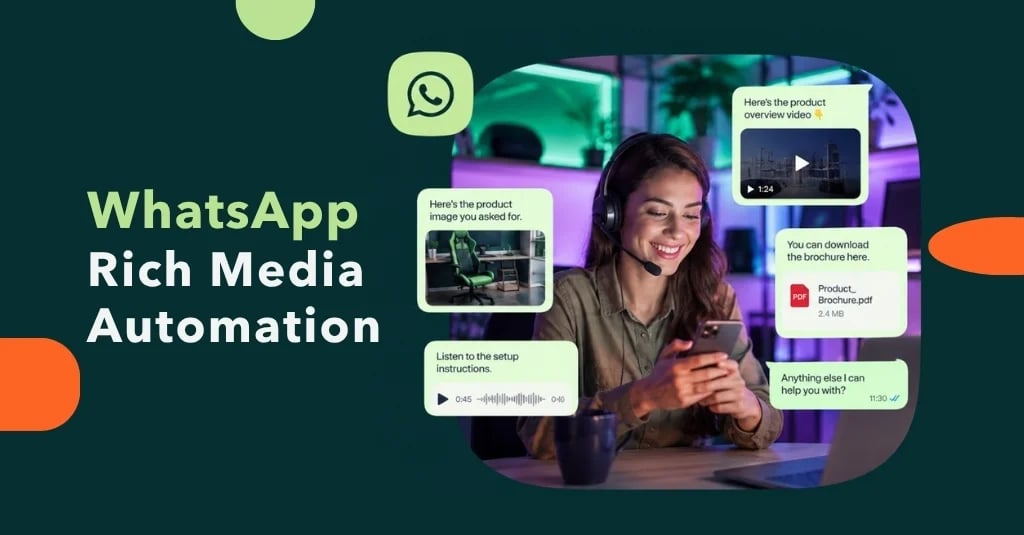
WhatsApp est bien plus qu'une simple application de messagerie ; avec plus de trois milliards d'utilisateurs dans le monde, c'est un canal de communication critique que les entreprises ne peuvent ignorer. Pour les développeurs et les chefs de produit, la question n'est plus de savoir si il faut intégrer WhatsApp, mais comment le faire le plus rapidement et le plus intelligemment possible. L'ère des simples chatbots textuels laisse place à une nouvelle génération d'assistants : des agents IA multimodaux capables non seulement de comprendre le texte, mais aussi de traiter des images, des documents, de l'audio et bien plus encore.
Cependant, l'intégration directe via la plateforme WhatsApp Business est complexe et gourmande en ressources. Elle exige des connaissances techniques approfondies, une maintenance constante et le développement complexe de fonctions d'IA. C'est précisément là qu'interviennent des plateformes comme Famulor. Elles offrent une couche d'abstraction qui permet aux développeurs de créer de puissants agents WhatsApp multimodaux en une fraction du temps et de les intégrer à n'importe quel produit. Ce guide vous montre le moyen le plus rapide de connecter votre application aux trois milliards d'utilisateurs de WhatsApp dès aujourd'hui.
Que sont les agents IA multimodaux et pourquoi sont-ils cruciaux pour WhatsApp ?
Un chatbot simple suit un script. Un agent IA peut mener un dialogue intelligent. Un agent IA multimodal, quant à lui, peut comprendre et répondre à une conversation à travers divers formats de médias. Il transforme WhatsApp d'un simple canal textuel en une interface interactive pour résoudre des problèmes complexes.
Au-delà du texte : une définition
La multimodalité signifie que l'agent IA est capable de recevoir, traiter et répondre à différents types d'informations (modalités). Pour WhatsApp, cela inclut généralement :
- Texte : La base de toute conversation, comprise grâce à la compréhension du langage naturel (NLU).
- Images (JPG, PNG) : Réception de photos pour confirmation visuelle, documentation de dommages ou vérification d'identité.
- Documents (PDF) : Traitement de factures, contrats, bons de livraison ou formulaires officiels.
- Données de localisation : Réception de coordonnées géographiques pour trouver le point de vente le plus proche ou planifier un retrait.
- Messages audio : Transcription de messages vocaux pour un traitement ultérieur dans le système.
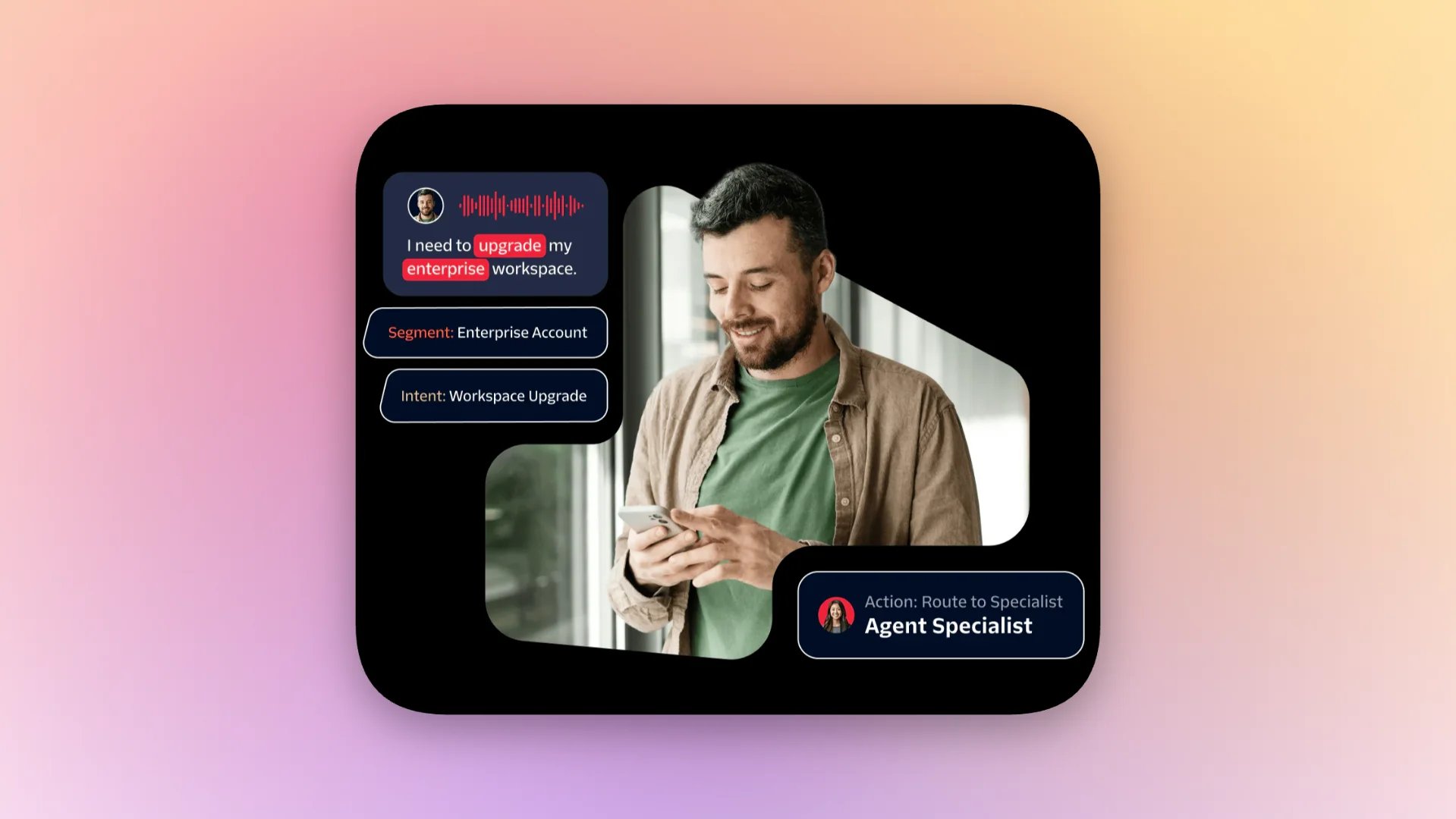
Un véritable agent multimodal peut non seulement recevoir ces entrées, mais aussi les intégrer dans le contexte de la conversation et déclencher les actions correspondantes dans les systèmes connectés.
L'avantage commercial : problèmes réels, solutions réelles
La capacité à traiter divers médias résout des problèmes commerciaux concrets et automatise des processus qui nécessitaient auparavant une intervention manuelle. Au lieu de demander à un client d'envoyer un e-mail avec une pièce jointe, l'ensemble du processus peut être réalisé au sein d'une seule discussion WhatsApp.
- Assurance : Un client signale un dommage sur son véhicule en téléchargeant des photos des dégâts et une copie du rapport de police au format PDF directement dans la discussion.
- E-commerce : Un client souhaite retourner un article. L'agent IA demande une photo du produit et du bon de livraison, valide les données et déclenche automatiquement le processus de retour.
- Ressources humaines : Un candidat soumet son CV au format PDF et envoie une photo de sa pièce d'identité pour vérification, le tout via WhatsApp.
- Logistique : Un chauffeur confirme une livraison en envoyant une photo des marchandises livrées à destination, horodatée et géolocalisée.
Le défi pour les développeurs : l'intégration directe de la plateforme WhatsApp Business
Bien que la plateforme WhatsApp Business (WBP) offre une API puissante, le chemin vers une solution aboutie est ardu. Les développeurs qui choisissent l'approche « faire soi-même » font face à des obstacles importants qui prolongent le temps de développement et augmentent les coûts de maintenance.
- Configuration complexe : La création d'un compte WhatsApp Business (WABA), la vérification des numéros de téléphone et la configuration des webhooks pour le traitement des messages sont chronophages.
- Règles strictes sur les modèles : Chaque conversation initiée par une entreprise doit utiliser un modèle de message pré-approuvé par Meta. La gestion et l'utilisation correcte de ces modèles sont sources d'erreurs.
- Gestion de l'état : L'API elle-même est sans état. Cela signifie que les développeurs doivent construire leur propre logique pour maintenir le contexte d'une conversation sur plusieurs messages.
- Développement de la logique IA : L'API pure ne propose aucune IA. La compréhension des intentions de l'utilisateur, le traitement des images ou l'extraction de données à partir de PDF doivent être développés à partir de zéro et liés à des services d'IA externes.
- Mise à l'échelle et limitation de débit : La gestion des limites de débit et la garantie d'une infrastructure évolutive pour des milliers de conversations simultanées nécessitent une architecture rigoureuse.
Cette approche conduit souvent à des mois de travail de développement avant que le premier agent productif ne puisse être mis en ligne. Pour une vision plus approfondie de la maîtrise des flux de travail d'automatisation, lisez notre guide sur l'automatisation WhatsApp et ses flux de travail.
Le chemin le plus rapide vers l'intégration : Famulor comme couche d'abstraction et moteur d'IA
Famulor a été conçu pour éliminer précisément cette complexité. En tant que plateforme complète pour agents IA autonomes, Famulor fournit aux développeurs les outils nécessaires pour réduire le temps d'intégration de quelques mois à quelques jours, tout en créant des agents bien plus puissants.
API unifiée et constructeur de flux no-code
Au lieu de gérer les subtilités de l'API WhatsApp, les développeurs interagissent avec une API Famulor unique et propre. Les actions complexes telles que démarrer une conversation, envoyer des médias ou attendre une réponse de l'utilisateur deviennent de simples appels API. En parallèle, le constructeur de flux d'agents IA omnicanaux de Famulor permet aux experts métier et aux développeurs de concevoir visuellement des flux de conversation par glisser-déposer. Cela dissocie la logique métier du code et permet une adaptation ultra-rapide des dialogues sans redéploiement.
Capacités multimodales intégrées
Le traitement des images et des documents est nativement intégré à Famulor. Au lieu d'implémenter des services séparés pour le traitement des fichiers, vous pouvez simplement ajouter un nœud dans le constructeur de flux qui attend une entrée média de l'utilisateur. Le fichier reçu est stocké en toute sécurité et disponible en tant que variable pour un traitement ultérieur, qu'il s'agisse d'un transfert vers un CRM, d'une analyse par une IA externe ou d'un stockage dans le cloud.
Intégrations prêtes à l'emploi et flux de travail d'automatisation
Un agent IA n'est utile que s'il est connecté aux bons systèmes. Famulor inclut une plateforme d'automatisation no-code interne avec plus de 300 intégrations vers des outils comme Salesforce, HubSpot, Zendesk, Google Calendar et bien d'autres. Au lieu de programmer manuellement chaque point de terminaison, vous pouvez configurer des actions telles que « créer un contact dans le CRM », « envoyer une invitation de calendrier » ou « créer un ticket de support » directement dans l'éditeur visuel. Pour une comparaison de cette approche intégrée avec des solutions DIY comme n8n, lisez notre comparaison entre n8n et Famulor.
Étape par étape : implémenter un agent WhatsApp multimodal avec Famulor
Voici un guide conceptuel sur la façon dont un développeur créerait un agent multimodal pour traiter des demandes de support avec téléchargement d'image.
- Configuration : connecter le canal WhatsApp
Au sein de la plateforme Famulor, connectez votre compte WhatsApp Business ou laissez Famulor en fournir un pour vous. Cette étape encapsule toute la complexité de la configuration WABA. - Conception du dialogue dans le constructeur de flux
Vous créez un nouveau flux et commencez par un déclencheur, par exemple « Message WhatsApp entrant ». Vous ajoutez un nœud IA qui salue l'utilisateur et lui demande son numéro de client ainsi qu'une description du problème. - Insérer la logique multimodale
Une fois le problème décrit, vous ajoutez un nœud spécial : « Attendre un média de l'utilisateur ». Vous pouvez le configurer pour n'accepter que les images et inviter l'utilisateur avec un message tel que « Veuillez m'envoyer une photo de l'article endommagé ». - Traitement des données via l'automatisation
Une fois l'image reçue, un flux de travail d'automatisation est déclenché. Ce flux peut inclure les étapes suivantes :- Créer un nouveau ticket dans le système de helpdesk (par ex. Zendesk).
- Saisir le texte de la conversation et le numéro de client dans le ticket.
- Ajouter l'URL de l'image téléchargée en tant que pièce jointe au ticket.
- Générer une réponse et terminer la conversation
Une fois le flux de travail terminé avec succès, l'agent envoie un message de confirmation à l'utilisateur : « Merci. J'ai créé votre ticket sous le numéro [ID du ticket]. Notre équipe de support vous contactera sous peu. » - Déploiement et appel externe via API
L'agent est maintenant en ligne. Vous pouvez également initier proactivement des conversations depuis votre propre système. Par exemple, après une commande, vous pourriez demander à l'agent via un appel API de démarrer une conversation avec le client et de l'interroger sur sa satisfaction. Des informations détaillées sont disponibles dans notre documentation API officielle.
Tout ce processus peut être configuré et testé en quelques heures, au lieu de semaines ou de mois pour un développement sur mesure.
Des cas d'utilisation qui inspirent les développeurs
La combinaison d'une API simple, d'un constructeur visuel et de capacités multimodales ouvre d'innombrables possibilités d'intégration dans les produits et services existants.
| Secteur | Cas d'utilisation | Médias traités | Valeur commerciale |
|---|---|---|---|
| Services financiers | Onboarding & KYC (Know Your Customer) | Image (ID), PDF (Justificatif de domicile) | Accélération du processus d'onboarding, réduction des vérifications manuelles. |
| Santé | Prise de rendez-vous & téléchargement de documents | PDF (Ordonnance), Image (Carte de mutuelle) | Gestion efficace des documents patients, soulagement de l'accueil. |
| Immobilier | Qualification des candidats à la location | PDF (Fiches de paie, rapport de solvabilité) | Présélection automatisée des candidats, processus de location plus rapides. |
| Commerce de détail | Recherche visuelle de produits | Image (Photo d'un produit) | Amélioration de l'expérience client, augmentation du taux de conversion. |
Conclusion : accélérez votre mise sur le marché avec Famulor pour WhatsApp
L'intégration d'agents intelligents et multimodaux dans WhatsApp n'est plus un rêve futuriste, mais une nécessité stratégique pour rester compétitif. Bien que le chemin direct via la plateforme WhatsApp Business soit long et complexe, Famulor offre une couche d'abstraction robuste et conviviale pour les développeurs. Vous bénéficiez d'une réduction drastique du temps de développement, d'une évolutivité infinie et de la flexibilité nécessaire pour adapter une logique métier complexe sans écrire de code.
Au lieu de réinventer la roue, les développeurs peuvent se concentrer sur ce qu'ils font de mieux : développer d'excellents produits. Famulor prend en charge la complexité de l'infrastructure de communication et de l'IA.
Mettez votre intégration WhatsApp en ligne en quelques jours au lieu de quelques mois. Découvrez les possibilités offertes par Famulor et consultez notre documentation API pour commencer dès aujourd'hui.
Foire aux questions (FAQ) pour les développeurs
Ai-je besoin de mon propre compte WhatsApp Business (WABA) ?
Vous pouvez connecter un compte WABA existant à Famulor ou laisser Famulor gérer l'ensemble du processus pour vous. Notre plateforme simplifie la configuration et la gestion, afin que vous n'ayez pas à vous soucier des détails du Meta Business Manager.
Comment Famulor gère-t-il les modèles de messages WhatsApp ?
Famulor fournit une interface pour gérer et soumettre vos modèles de messages à l'approbation de Meta. Au sein des flux de travail d'automatisation, vous pouvez facilement sélectionner ces modèles et les remplir avec des variables dynamiques (par ex. noms des clients, numéros de commande) pour initier des conversations personnalisées à l'initiative de l'entreprise.
Puis-je contrôler et gérer l'agent IA via une API ?
Oui. L'API Famulor est un élément central de la plateforme. Vous pouvez démarrer des conversations, transmettre des données à des dialogues en cours, mettre à jour les configurations des agents et récupérer les données de conversation ainsi que les transcriptions pour un traitement ultérieur dans vos propres systèmes.
Quels types de fichiers sont pris en charge par les agents multimodaux ?
Famulor prend en charge tous les types de fichiers courants autorisés par WhatsApp, y compris les images (JPEG, PNG), les documents (PDF, DOCX, XLSX) et les formats audio. La plateforme est conçue pour reconnaître ces entrées et les rendre disponibles pour un traitement ultérieur dans le flux de travail.
Qu'en est-il de l'évolutivité et des limites de débit ?
L'infrastructure de Famulor est conçue pour les charges élevées et évolue automatiquement selon vos besoins. Nous gérons intelligemment l'interaction avec les serveurs WhatsApp pour utiliser de manière optimale les limites de débit et garantir un fonctionnement fluide, même avec des milliers de conversations simultanées.
La solution est-elle conforme au RGPD ?
Oui, Famulor est une plateforme entièrement conforme au RGPD avec un hébergement au sein de l'Union européenne. Nous accordons une grande importance à la protection des données et à la sécurité, ce qui fait de nous un choix idéal pour les entreprises européennes, comme expliqué dans notre article sur les avantages d'un assistant IA conforme au RGPD.

Rédacteur chez Famulor