Inhoud samenvatten met:




AI Voice Agent Latency: How Fast Your Phone Bot Must Reply
An AI voice agent feels natural the moment it replies in under one second. Here is the short answer up front: if total latency – the time between the caller finishing their sentence and the agent starting to respond – stays below roughly 800 milliseconds, most callers experience the conversation as smooth. Between 800 and 1,200 milliseconds it is still acceptable for business calls. Above 1,500 milliseconds a noticeable pause appears, and the person on the other end realizes they are talking to a machine.
Latency is therefore not a technical detail for engineers but the single most important factor in the perceived quality of an AI voice agent. In this guide we explain where latency comes from, which numbers are realistic in 2026, how the delay breaks down component by component, how to measure the right metrics, and which concrete steps reduce it. Using the fictional but typical example of Becker Dental (a 60-person practice handling around 200 calls a day), we show why every half second decides between a booked appointment and an abandoned call.
Why is this so critical in the first place? Because telephony is a synchronous, impatient channel. Unlike chat, where a short delay barely registers, the caller on the phone is waiting actively and in real time. Even one or two seconds of silence feel like an eternity on the line – the caller starts to wonder whether the connection dropped, whether they were understood, or whether they should speak again. These are exactly the moments that produce double-talk, interruptions, and ultimately abandoned calls. An AI voice agent that masters this timing feels composed; one that misses it feels overwhelmed.
What does latency mean for an AI voice agent?
Latency is the delay between the end of the caller's utterance and the start of the agent's reply. In technical terms this is called "end-to-end latency" or "turn latency." It should not be confused with speaking speed or the length of an answer – what matters is only how long the silence between conversational turns lasts.
For comparison: in a natural conversation between two people, the gap between speaker turns averages around 200 milliseconds. Our brains are tuned to this timing. When a conversational partner reacts noticeably slower, we unconsciously read it as hesitation, uncertainty, or a failure to understand. This is exactly the effect that makes a poorly tuned voice agent feel "robotic" or "slow on the uptake" – even when the actual answer is perfectly correct.
Equally important is the distinction between median latency and tail latency (P95/P99). An agent can be fast on average yet produce a clear delay on every twentieth call. These outliers shape perception, because a single embarrassingly long pause is what sticks in the caller's memory.
How fast is "fast enough"? The 2026 benchmarks
The most important question first: what latency should an AI voice agent achieve? Research into human turn-taking shows that response gaps under 500 milliseconds almost feel interruptive, while gaps over 1,500 milliseconds feel inattentive. The natural window therefore sits roughly between 500 and 1,200 milliseconds. For production voice agents, the following classification has become standard:
| Total latency | Perception | Best fit |
|---|---|---|
| under 500 ms | lightning-fast, sometimes interruptive | Premium experience, very demanding use cases |
| 500–800 ms | natural and smooth | Ideal for customer service and booking |
| 800–1,200 ms | acceptable, slightly noticeable | Solid for most business calls |
| 1,200–1,500 ms | noticeable pause | Borderline, conversion drops |
| over 1,500 ms | awkward, feels "broken" | Not recommended |
The reality, however, is sobering: many voice AI systems deliver a median of 1,400 to 1,700 milliseconds – landing precisely in the range where callers perceive the agent as slow. Being 600 to 800 milliseconds faster than that earns a measurable advantage in call completion and customer satisfaction. Famulor is optimized for exactly this low-latency window and combines several levers to get there, which we explain below.
Where does latency come from? The latency budget, component by component
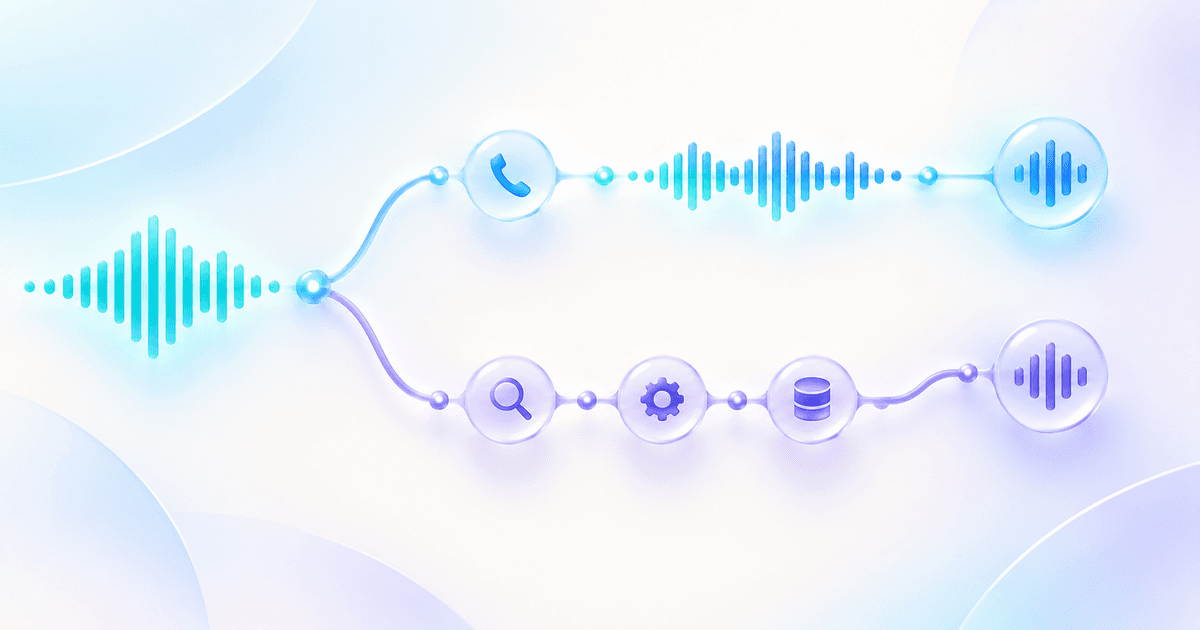
An AI voice agent is a chain of processing steps. Each step costs time, and the sum is the total latency. To optimize, you need to know where the milliseconds actually disappear. The following "latency budget" shows typical values for a modern production stack:
| Component | Job | Typical latency |
|---|---|---|
| Network (round-trip) | Audio to the server and back | 30–80 ms |
| Endpointing / turn detection | Detecting that the caller has finished | 150–300 ms |
| Speech-to-Text (STT) | Final transcript | 50–150 ms |
| LLM (time-to-first-token) | Generating the first word of the reply | 150–400 ms |
| Text-to-Speech (TTS) | Producing the first audio | 100–200 ms |
The key takeaway: in modern stacks, STT and TTS are not the bottleneck. The two places where latency really accumulates are turn detection (recognizing when the caller has stopped speaking) and the language model's time-to-first-token. Optimizing there recovers the most time. How turn detection and interruption handling work cleanly is covered in depth in our article on mastering turn detection and interruption handling.
A second, often underestimated factor is architecture. Older "pipeline" approaches pass audio sequentially through separate services, while modern realtime models parallelize or merge steps. Which approach makes sense when is compared in our realtime vs. pipeline architecture guide.
How to reduce latency, step by step
Latency cannot be halved with a single switch. It is the sum of many small optimizations. This order has proven effective:
- Tune endpointing. Configure silence detection so the agent reacts early but not prematurely. Too aggressive causes interruptions; too conservative causes lags. Semantic endpointing that considers content beats rigid timers.
- Stream end to end. STT, LLM, and TTS should stream their results word by word instead of waiting for the previous step to finish. That way speech output begins while the model is still composing the rest of the sentence.
- Pick the right model for the job. A smaller, fast language model with low time-to-first-token is better for most phone calls than a large, slow one. Complex tasks can be offloaded deliberately.
- Use TTS with low time-to-first-audio. A voice that delivers the first audible audio in around 150 milliseconds feels instantly more responsive. The Famulor Voice Library offers voices optimized for exactly this.
- Use filler audio for the last gap. Short, natural fillers like "One moment, let me check that" bridge the time a database or calendar lookup needs without creating silence. Famulor provides Filler Audio as a ready-made feature.
- Place infrastructure regionally. The closer processing sits to the caller, the smaller the network round-trip. With SIP integration you can connect telephony cleanly to existing systems without unnecessary detours.
How to measure latency correctly
You can only optimize what you measure. Before touching endpointing or models, you need a reliable picture of your current latency. Three things are essential here.
First: measure the right quantity. What matters is end-to-end latency from the end of the caller's utterance to the agent's first audible audio – not the internal processing time of a single service. Only that reflects what the caller actually experiences. Second: collect distributions, not single values. Record median, P95, and P99 across several hundred real or simulated conversations. A single fast test call says little; only the distribution reveals whether your agent is reliably fast or merely looks good on average.
Third: test under realistic conditions. Latency typically rises as soon as tool calls enter the picture – a calendar lookup, a CRM query, or a knowledge base search. So do not measure only simple small-talk turns; measure precisely those conversational steps where the agent fetches external data. These turns are the hidden latency drivers and, at the same time, the most important places for filler audio. Regular measurement also catches regressions early: a new model, a longer prompt, or an extra integration step can push latency up unnoticed. A fixed measurement routine – say a weekly sample – keeps quality on track over time and makes improvements objectively provable.
Best practices and common mistakes
The most common mistake is looking only at median latency. Consistency is what matters: an agent that reliably sits at 900 milliseconds beats one that averages 700 but regularly spikes to 2,500. Always measure P95 and P99, not just the average.
A second classic is overloading the system prompt. Very long instructions and huge contexts increase time-to-first-token. Keep prompts focused and move factual knowledge into a knowledge base instead of writing everything into the prompt. Third, tool calls – such as a calendar lookup – are often run unmasked, creating awkward silence mid-conversation. This is exactly what filler audio addresses. Fourth, it pays to use the Flow Builder to model deterministic steps without unnecessary model calls: anything that can be expressed as fixed logic does not need to pass through the language model.
Industry examples: why every half second counts
At Becker Dental, latency directly drives the booking rate. When a patient calls on a Wednesday at 2 p.m. to reschedule and the agent hesitates two seconds after every question, some hang up in frustration – a lost appointment and an unhappy patient. With a response time under 800 milliseconds, the same call feels like a conversation with an attentive receptionist.
In the e-commerce support of an online retailer with inventory lookups, filler audio is the decisive lever: while the agent checks the order status, it says "One moment, I'm looking up your order" – instead of a second of silence. In outbound sales, in turn – for example when qualifying leads – a fast, natural reaction signals competence and keeps the drop-off rate low. In all three cases the technical cause is the same, and the same levers apply.
What does latency cost – and what does optimization deliver?
Latency has a direct business impact. Every call abandoned because of a delay perceived as awkward is a lost appointment, a lost order, or a lost lead. If smoother conversations cut the abandonment rate by even a few percentage points, that quickly adds up to a meaningful revenue contribution at 200 calls a day. To see how the return on investment works out for your call volume specifically, check the pricing overview and the calculator below.
Bereken je ROI met geautomatiseerde gesprekken
Ontdek hoeveel je per maand bespaart via AI voice agents.
ROI Resultaat
ROI 0%
Geen creditcard nodig
Conclusion
Latency is the underrated lever for the quality of an AI voice agent. The target is clear: total latency under one second, ideally between 500 and 800 milliseconds, with stable tail values at the same time. This is achieved not through a single silver bullet but through clean endpointing, end-to-end streaming, the right language model, a fast voice, and intelligent filler audio for unavoidable lookups. Famulor bundles these levers into a no-code platform optimized for exactly that low-latency window – so every call feels like a conversation with an attentive human. The next step: test a Famulor agent live and hear the difference for yourself.
Probeer onze AI-assistent
Ervaar hoe natuurlijk onze AI-telefoonassistent klinkt.
Vul uw gegevens in en ontvang binnen enkele seconden een oproep van onze AI-agent.
De agent is getraind om over Famulor-diensten te praten en afspraken te maken.

Demo AI agent
Famulor representative
FAQ
What latency should an AI voice agent have?
Under one second of total latency is considered natural. The ideal is 500 to 800 milliseconds; 800 to 1,200 milliseconds is acceptable for business calls. From 1,500 milliseconds the pause becomes uncomfortably noticeable.
Why does my voice agent feel slow?
Usually it is not speech-to-text or text-to-speech but turn detection and the language model's time-to-first-token. An overloaded system prompt and unmasked tool calls also lengthen the perceived wait.
What is end-to-end latency?
It is the time between the moment the caller stops speaking and the moment the agent starts to reply. It is the most important measure of how natural a conversation feels.
How fast do humans respond in conversation?
The average gap between speaker turns is about 200 milliseconds. Our sense of a natural conversation is calibrated to this timing.
What is filler audio and how does it help?
Filler audio are short, natural interjections like "One moment, let me check." They bridge the time needed for database or calendar lookups, so no distracting silence appears and the conversation stays smooth.
Should I focus on median or tail latency?
Both, but tail values (P95/P99) are decisive for perception. A single long lag sticks in the caller's memory more than a good average does.
Does a long system prompt increase latency?
Yes. Very long instructions and large contexts increase time-to-first-token. Keep prompts focused and move factual knowledge into a knowledge base.
Does lower latency really reduce the abandonment rate?
Yes. Smoother conversations are ended early less often. Even a few percentage points fewer abandonments mean noticeably more completed appointments, orders, and leads at high call volume.
Auteur bij Famulor