Résumer le contenu avec:




Bien plus que de simples mots : comment la saisie au clavier révolutionne votre téléphonie par IA
Imaginez votre meilleur commercial demandant à un client au téléphone de dicter à voix haute son numéro de carte bancaire à 16 chiffres. Ou un agent de support tentant de déchiffrer un numéro de ticket complexe de 12 chiffres dans une phrase marmonnée. En pratique, ces scénarios sont sources d'erreurs, peu sécurisés et inconfortables pour le client. Si l'intelligence artificielle maîtrise parfaitement le langage humain, il existe des moments où le bon vieux clavier téléphonique reste imbattable. C'est précisément là que la fonctionnalité « Collect Keypad Input » de Famulor entre en jeu.
Cette fonctionnalité, également connue sous le nom de saisie DTMF (Dual-Tone Multi-Frequency), est bien plus qu'un gadget technique. C'est le pont entre des conversations fluides et naturelles et la nécessité de capturer des données structurées, précises et sensibles. Grâce à la combinaison intelligente du dialogue vocal et de la saisie au clavier, les entreprises peuvent créer des processus non seulement plus efficaces, mais aussi plus sécurisés et conviviaux. Dans cet article, nous explorons en profondeur les diverses applications de la saisie au clavier et vous montrons comment utiliser cette fonctionnalité puissante pour élever votre communication client à un niveau supérieur.
Qu'est-ce que la « saisie au clavier » (DTMF) exactement ? Un rappel
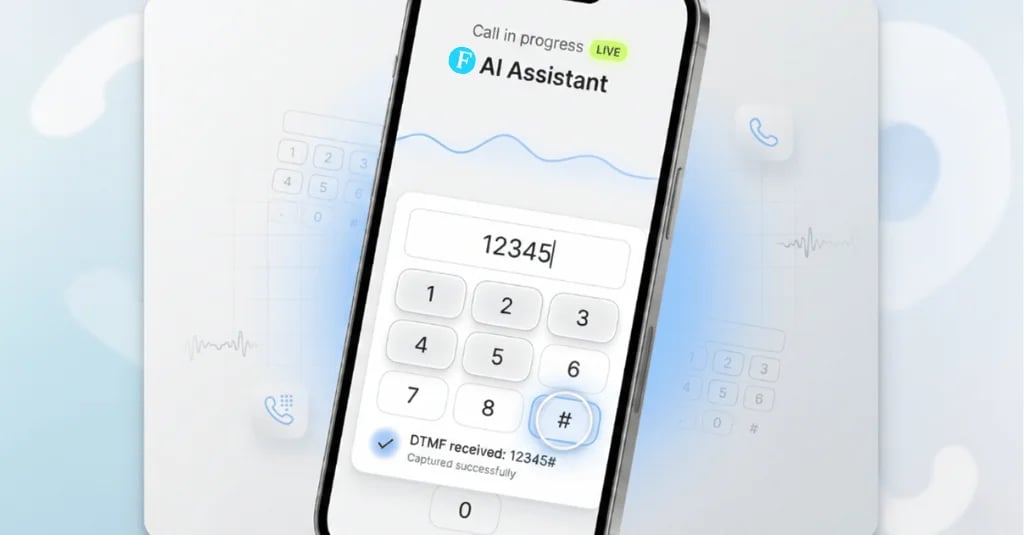
Chaque fois que vous composez un numéro sur votre téléphone, chaque touche produit une tonalité unique composée de deux fréquences, d'où le nom « Dual-Tone Multi-Frequency ». Ces tonalités sont transmises sur la ligne téléphonique et interprétées par les systèmes à l'autre bout. Développé à l'origine pour la numérotation, le DTMF est rapidement devenu la norme pour interagir avec les systèmes automatisés, connus sous le nom de SVI (Serveur Vocal Interactif).
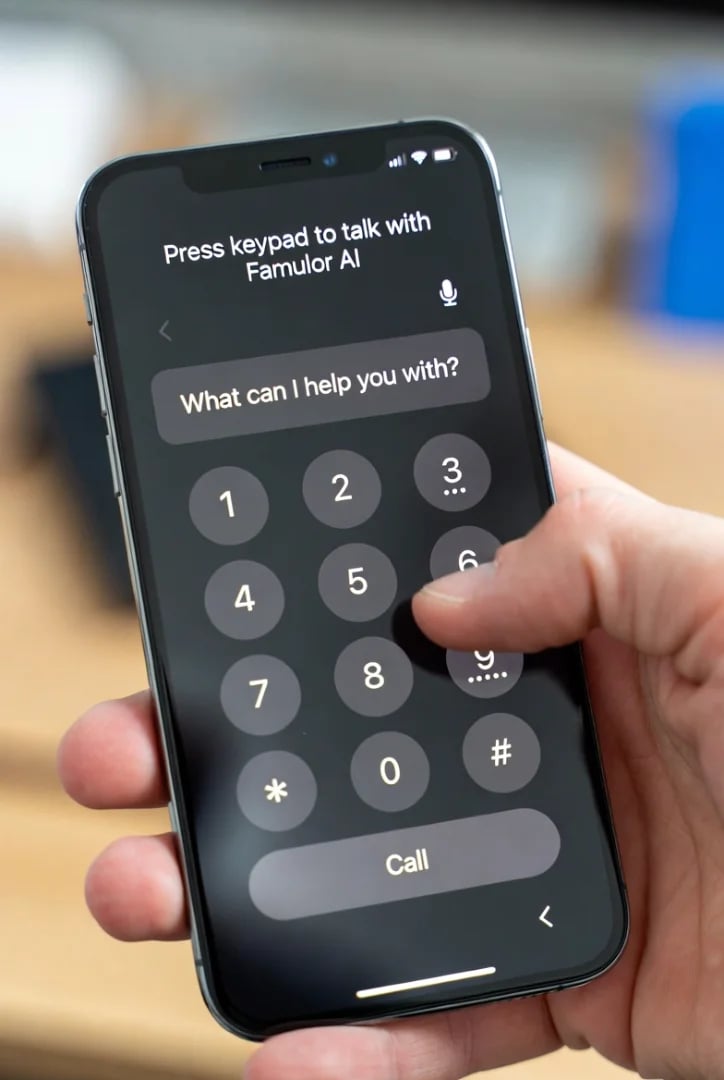
Les plateformes d'IA modernes comme Famulor ont revitalisé cette technologie. Au lieu de forcer les clients à traverser des menus rigides et interminables (« Appuyez sur 1 pour..., appuyez sur 2 pour... »), la saisie DTMF est utilisée de manière stratégique comme un outil au sein d'un dialogue intelligent contrôlé par la voix. L'assistant IA peut mener une conversation naturelle et, au moment précis où une saisie numérique précise est requise, demander à l'appelant d'utiliser le clavier. Les avantages sont clairs :
Précision : La saisie est souvent plus précise pour les séquences de chiffres comme les numéros de client ou de commande que la parole, surtout en présence de bruit de fond ou d'accents.
Sécurité : Les données sensibles telles que les codes PIN, les mots de passe ou les informations de paiement peuvent être saisies discrètement sans avoir à les prononcer à voix haute.
Efficacité : Les décisions claires par oui/non ou les sélections de menu via le clavier sont souvent plus rapides qu'une réponse vocale.
Contrôle utilisateur : L'appelant a le choix de la manière dont il souhaite interagir, ce qui augmente l'acceptation et la satisfaction.
Comme nous l'avons déjà présenté dans notre article « Taper au lieu de parler », cette fonctionnalité fait partie intégrante d'une stratégie de communication hybride moderne.
Les 7 cas d'usage les plus importants pour la saisie au clavier dans votre assistant IA
La théorie est claire, mais le véritable potentiel de la saisie au clavier se révèle dans l'application pratique. Voici sept scénarios concrets qui montrent comment vous pouvez utiliser cette fonction de manière rentable.
1. Segmentation intelligente des appels (SVI de nouvelle génération)
Le menu classique au clavier n'est pas mort, il est devenu plus intelligent. Au lieu de submerger l'appelant avec d'innombrables options dès le début, l'IA peut d'abord comprendre la demande par la voix, puis proposer des options ciblées au clavier.
Exemple pratique : Un appelant dit : « J'ai une question concernant ma dernière facture et je souhaite peut-être modifier mon abonnement. »
L'assistant Famulor répond : « Compris. Pour parler directement à notre expert IA pour les questions de facturation, veuillez appuyer sur 1. Pour accéder à notre assistant contrat, veuillez appuyer sur 2. »
Conseil de pro : Utilisez la saisie au clavier pour combler les temps d'attente. « Nos agents de support sont actuellement occupés. Le temps d'attente moyen est de 10 minutes. Si vous le souhaitez, vous pouvez clarifier votre demande immédiatement avec notre assistant intelligent. Appuyez simplement sur 1. »
2. Capture sécurisée des données client et des identifiants
C'est l'un des cas d'usage les plus puissants. Dès qu'il s'agit de capturer des chiffres sans erreur, la saisie au clavier excelle.
Numéro client/Numéro de contrat : « Afin que je puisse accéder à votre compte, veuillez saisir votre numéro client à 8 chiffres à l'aide du clavier. »
Numéro de commande en e-commerce : « Pour vérifier le statut de votre livraison, veuillez saisir le numéro de commande que vous trouverez dans votre e-mail de confirmation. »
Code postal pour la recherche de localisation : « Pour trouver l'agence la plus proche de chez vous, veuillez saisir votre code postal à 5 chiffres. »
Les données capturées peuvent être transférées directement via la plateforme d'automatisation Famulor vers votre système CRM ou ERP pour récupérer le dossier correspondant.
3. Obtention de consentements juridiquement contraignants (Opt-ins)
Dans de nombreux secteurs, le consentement explicite du client est crucial, par exemple pour l'enregistrement des appels ou les appels marketing (conformité RGPD).
Exemple pratique : « Pour des raisons d'assurance qualité et de formation, nous souhaitons enregistrer cet appel. Si vous êtes d'accord, veuillez appuyer sur 1. Si vous ne le souhaitez pas, veuillez appuyer sur 2. »
La pression sur la touche est enregistrée dans le système et sert de preuve vérifiable du consentement, une solution propre et sans ambiguïté.
4. Décisions rapides par oui/non et confirmations
Pour les requêtes binaires simples, une pression sur une touche est souvent le moyen le plus rapide et évite les malentendus dus à des réponses verbales peu claires comme « euh, oui » ou « mhm ».
Exemple pratique de confirmation de rendez-vous : « Nous souhaitons confirmer votre rendez-vous médical avec le Dr Muster le mardi à 14h30. Ce rendez-vous vous convient-il toujours ? Veuillez appuyer sur 1 pour Oui ou sur 2 pour Non. »
Pour un « 2 », l'assistant IA peut immédiatement passer au dialogue pour reprogrammer un rendez-vous, sans nécessiter d'intervention humaine.
5. Feedback client structuré et enquêtes
Recueillir des commentaires immédiatement après un appel de service est précieux. La saisie au clavier fournit des données structurées et quantifiables.
Exemple pratique : « Nous espérons avoir pu vous aider. Dans quelle mesure avez-vous été satisfait de la résolution de votre demande ? Veuillez nous noter sur une échelle de 1 pour 'pas du tout satisfait' à 5 pour 'très satisfait'. »
Ces données numériques peuvent alimenter directement vos outils d'analyse et contribuer à l'amélioration continue de votre qualité de service.
6. Support multilingue dès la première seconde
Pour les entreprises opérant à l'international, il est crucial d'assigner immédiatement l'appelant au support linguistique correct.
Exemple pratique : Dès le début de l'appel : « Bonjour et bienvenue chez Famulor. Pour le français, veuillez appuyer sur 1. For English, please press 2. »
Sur la base de la sélection, l'appel est transféré à un assistant IA configuré avec le modèle linguistique approprié (TTS et STT), ce qui améliore considérablement la qualité de l'appel.
7. Transfert d'appel et gestion de l'escalade
Un assistant IA bien conçu doit toujours offrir une porte de sortie vers un agent humain. La saisie au clavier est un moyen discret et efficace d'exprimer ce souhait sans interrompre la conversation.
Exemple pratique : « Je suis là pour vous aider avec la plupart de vos questions. Cependant, si à tout moment vous ressentez le besoin de parler à un collègue humain, vous pouvez appuyer sur 0 pendant toute la durée de notre conversation. »
Cela donne à l'appelant un sentiment de sécurité et de contrôle. Comme décrit dans notre guide sur le transfert d'appel intelligent, cela peut être configuré comme un « transfert à froid » ou un « transfert à chaud ».
Mise en œuvre dans le Famulor Flow Builder : un guide simple
La configuration de la saisie au clavier ne nécessite aucune connaissance en programmation. Grâce au Famulor Flow Builder visuel, vous pouvez intégrer cette fonctionnalité par glisser-déposer dans vos flux de conversation.
Sélectionner le nœud : Faites glisser le nœud « Collect Keypad Input » depuis la barre d'outils sur votre zone de travail.
Configurer l'invite audio : Dans le nœud, définissez ce que l'assistant IA doit dire. Par exemple : « Veuillez saisir votre numéro de référence à 6 chiffres et terminez votre saisie par la touche dièse. »
Définir les paramètres : Définissez des paramètres importants tels que le nombre maximal de chiffres attendus, le terminateur (par ex. #) et le délai d'expiration (combien de temps le système attend une saisie).
Assigner une variable : Stockez la saisie de l'appelant dans une variable, par exemple `process_number`.
Connecter le flux de travail : Utilisez cette variable à l'étape suivante. Par exemple, vous pouvez l'envoyer via API à votre backend pour valider le numéro ou orienter le flux de conversation en fonction du chiffre saisi (par ex. 1 ou 2).
Meilleures pratiques : les choses à faire et à éviter pour une utilisation optimale
Pour que la saisie au clavier soit une expérience positive, vous devez respecter quelques règles de base.
À faire :
Instructions claires : Dites exactement à l'appelant ce qu'il doit faire. « Saisissez le numéro » est bien. « Saisissez votre code postal à 5 chiffres » est mieux.
Définir un terminateur : Demandez à l'appelant de confirmer sa saisie avec une touche comme le dièse (#). Cela signale au système que la saisie est terminée.
Mettre en place des chemins de repli : Que se passe-t-il si aucune saisie n'est reçue ? Configurez un chemin pour le cas de délai d'expiration, par exemple : « Je n'ai malheureusement reçu aucune saisie. Souhaitez-vous réessayer ? »
Soyez concis : Limitez le nombre de choix. Les gens retiennent rarement plus de 3 ou 4 options à la fois.
À éviter :
Pas d'impasse : Chaque chemin après une saisie au clavier doit mener à une étape logique suivante.
Ne pas remplacer, mais compléter la voix : Ne forcez pas l'utilisateur à utiliser le clavier si une réponse vocale serait plus naturelle (par exemple, pour énoncer un nom).
Requêtes trop complexes : Évitez de demander de longues chaînes de saisies au clavier les unes après les autres. Décomposez le processus en étapes logiques.
Conclusion : une synergie intelligente pour une meilleure expérience client
La fonctionnalité « Collect Keypad Input » est la preuve que la technologie la plus avancée est souvent celle qui intègre intelligemment des méthodes éprouvées dans de nouveaux processus. Au lieu de voir la voix et le clavier comme des concurrents, Famulor permet une synergie transparente qui combine le meilleur des deux mondes. Vous augmentez la précision des données, renforcez la sécurité des informations sensibles et donnez à vos clients le contrôle sur l'interaction.
De la simple sélection de menu à la vérification complexe de données, les applications sont aussi diverses que vos processus métier. En intégrant stratégiquement la saisie au clavier dans vos flux téléphoniques pilotés par l'IA, vous créez une expérience client plus robuste, efficace et, en fin de compte, plus satisfaisante.
Êtes-vous prêt à prendre le contrôle total de votre automatisation téléphonique ? Découvrez le Famulor Flow Builder et implémentez dès aujourd'hui des fonctionnalités de saisie au clavier intelligentes. Commencez maintenant et créez l'équilibre parfait entre conversation et précision.
FAQ : Questions fréquemment posées sur la saisie au clavier (DTMF)
Qu'est-ce que le DTMF ?
DTMF signifie Dual-Tone Multi-Frequency. C'est la norme technique qui permet de générer des tonalités en appuyant sur les touches d'un téléphone, lesquelles peuvent ensuite être interprétées par un système informatique à l'autre bout de la ligne pour exécuter des commandes ou saisir des données.
La saisie de données sensibles via le clavier est-elle sécurisée ?
Oui, c'est même plus sécurisé que la saisie vocale. Comme les données ne sont pas prononcées à voix haute, elles ne peuvent pas être entendues par les personnes à proximité. La transmission des tonalités fait partie de la connexion téléphonique sécurisée. Pour les données de paiement, les plateformes doivent également être conformes à la norme PCI-DSS.
Puis-je combiner la saisie au clavier et la saisie vocale dans le même appel ?
Absolument. C'est la grande force des plateformes comme Famulor. Un assistant IA peut mener une conversation fluide et, à certains moments, demander spécifiquement une saisie au clavier avant de revenir de manière transparente au dialogue vocal.
Que se passe-t-il si un appelant ne saisit rien ?
Dans le Famulor Flow Builder, vous pouvez définir un « délai d'expiration ». Une fois ce temps écoulé sans saisie, un chemin de repli prédéfini est déclenché. L'assistant peut alors, par exemple, répéter la question ou proposer une option alternative, comme une mise en relation avec un agent.
Famulor prend-il en charge toutes les touches du téléphone ?
Oui, la fonctionnalité « Collect Keypad Input » peut reconnaître et traiter toutes les touches numériques standard (0-9) ainsi que les touches astérisque (*) et dièse (#), vous permettant de concevoir des flux de travail flexibles et robustes.
Essayez notre Assistant IA
Découvrez à quel point notre assistant téléphonique IA sonne naturel.
Entrez vos coordonnées et recevez un appel de notre agent IA en quelques secondes.
L'agent est formé pour parler des services Famulor et prendre des rendez-vous.

Agent IA de démo
Représentant Famulor

Rédacteur chez Famulor