Inhoud samenvatten met:




Een AI-telefoonagent is pas echt productief als er na het gesprek ook daadwerkelijk iets gebeurt: de lead wordt bijgewerkt, de afspraak wordt gedocumenteerd, er volgt een opvolging via WhatsApp of sms, en het operatieteam kan inzien welke gesprekken zijn geëscaleerd, gewonnen of verloren.
Dat is het doel van de post-call automatiseringslus. Famulor koppelt webhooks, gesprekshistorie, Mid-call Actions, WhatsApp, sms en, via MCP, AI-clients zoals ChatGPT en Claude aan een workflow die na elk gesprek blijft doorwerken.
Waarom post-call automatisering een eigen systeem vereist
Veel Voice AI-projecten beginnen met de vraag: kan de assistent een gesprek voeren? Bij productieteams is de betere vraag: wat gebeurt er met het resultaat? Een goede opzet behandelt elk gesprek als een gebeurtenis met data, eigenaarschap en een volgende actie.
- Sales: uitkomst, bezwaar, budget en volgende stap komen in het CRM terecht.
- Support: probleem, prioriteit en context worden overgedragen aan de helpdesk of backoffice.
- Operations: volume, redenen voor afhaken, escalaties en automatiseringsgraad worden meetbaar.
- Compliance: transcriptie, tijdstippen en systeembeslissingen blijven traceerbaar.
Het verschil met een simpele e-mailnotificatie is de structuur: een webhook is machineleesbaar en kan betrouwbaar downstream-systemen aansturen.
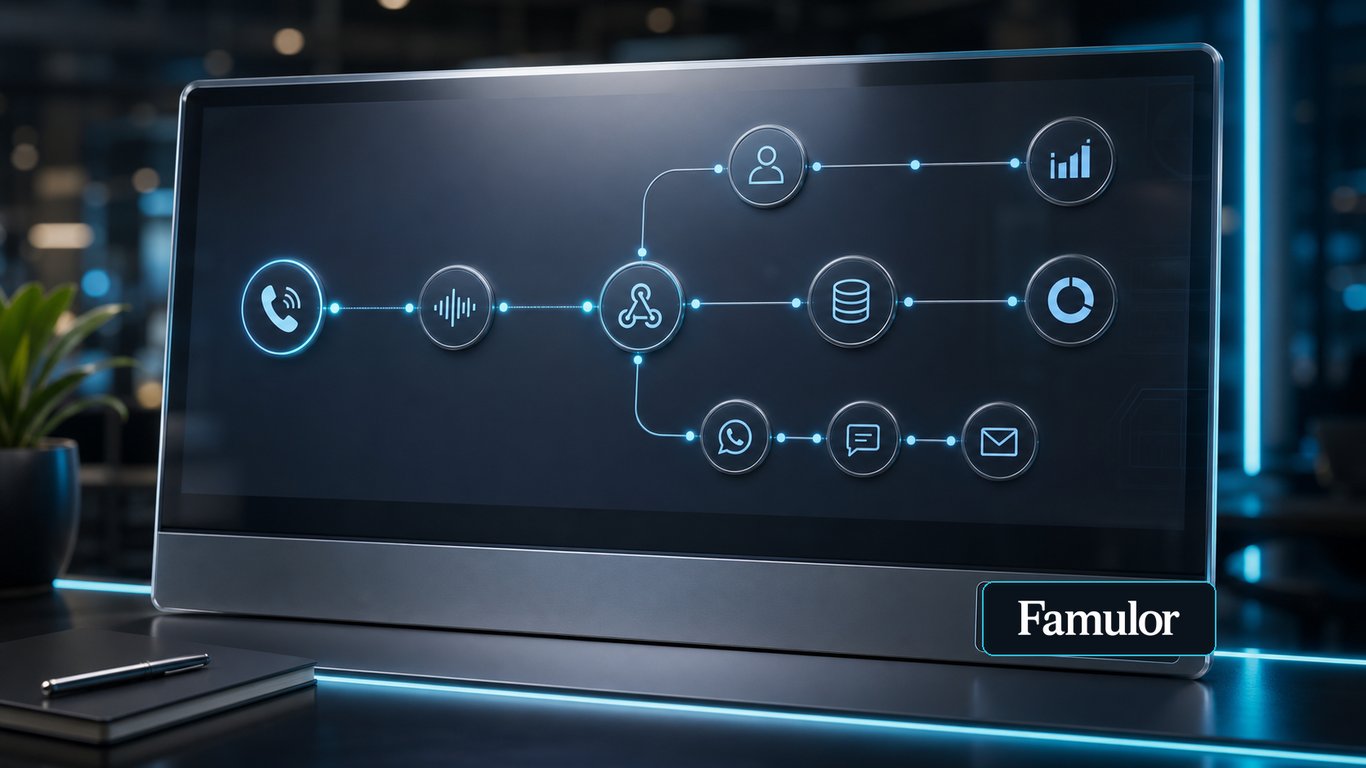
De referentiearchitectuur: van gesprek naar volgende stap
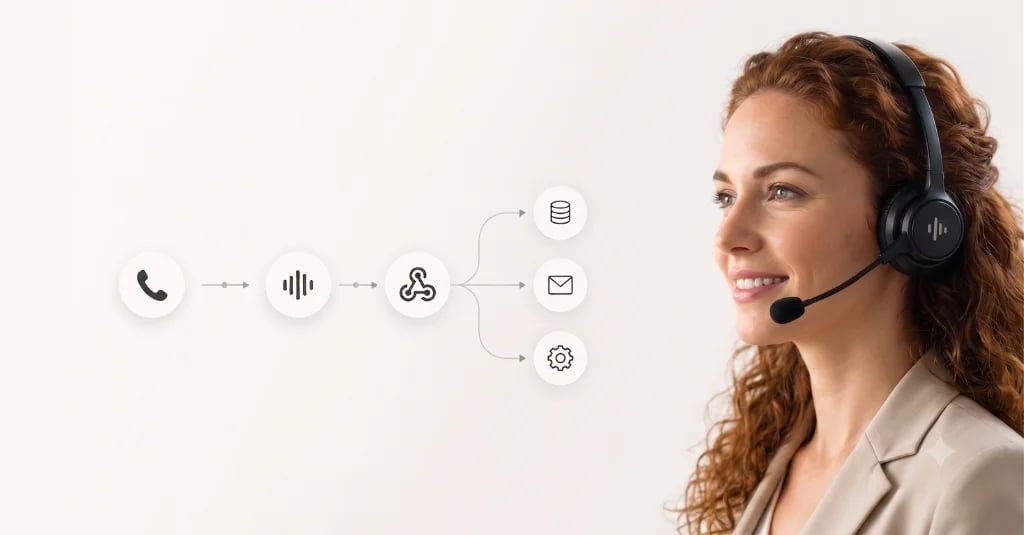
Een betrouwbare enterprise-flow scheidt het live gesprek van de naverwerking. Tijdens het gesprek gebruikt de assistent Mid-call Actions om data op te zoeken of acties uit te voeren. Na het gesprek regelt de webhook de gedocumenteerde afhandeling.
- Gesprek beëindigd: Famulor genereert gespreksstatus, duur, transcriptie, evaluatie en geëxtraheerde variabelen.
- Webhook-event: De data wordt verzonden naar een automatisering, interne backend of iPaaS.
- Normalisatie: telefoonnummer, lead-ID, campagne, gespreksuitkomst en toestemmingsstatus worden gematcht.
- Acties: CRM bijwerken, ticket aanmaken, afspraak bevestigen, WhatsApp/sms sturen of terugbelverzoek inplannen.
- Rapportage: uitkomstdata stroomt naar dashboards, prognoses, kwaliteitscontroles of coachingslijsten.
Belangrijk: de webhook moet niet alleen ruwe data doorgeven. Het moet een duidelijke zakelijke beslissing triggeren: gekwalificeerd, niet bereikt, terugbellen, escalatie, geboekt, afgewezen of handmatige beoordeling.
Welke systemen moet Voice AI verbinden?
Selecteer je tools en krijg een snelle integratieroute.
Famulor
Voice AI
Geselecteerde integraties: 4
Welke data hoort in de lus thuis
De documentatie en productupdates van Famulor benadrukken momenteel gespreksdata, media-bijlagen en herhaalbare workflows. Voor enterprise-teams vertaalt zich dat naar een praktische checklist:
| Datapunt | Waarom het ertoe doet | Typische bestemmingen |
|---|---|---|
| Gespreks-ID en tijdstippen | Controleerbaarheid en ontdubbeling | Data warehouse, CRM, helpdesk |
| Lead of contactpersoon | Koppeling aan een bestaand account | HubSpot, Salesforce, Pipedrive |
| Transcriptie en samenvatting | Kwaliteitsborging zonder elk gesprek te beluisteren | QA-bord, ticket, CRM-notitie |
| Geëxtraheerde variabelen | Automatische segmentatie en vervolgacties | Automatiseringsplatform, Sheets, BI |
| Media-bijlagen | Reconstructie van chat- of WhatsApp-gesprekken | Helpdesk, compliance-archief |
| Evaluatie en uitkomst | Coaching, campagnebeheer en prognoses | Dashboard, Sales Ops, RevOps |
Outbound: leadstatus in plaats van lijstbeheer
Voor outbound-campagnes bepaalt de post-call lus of automatisering echt schaalt. Na elk gesprek moet de lead automatisch in de juiste status terechtkomen: niet bereikt, geïnteresseerd, afspraak geboekt, bezwaar openstaand of niet gekwalificeerd. Dat vermindert handmatig lijstbeheer en maakt campagnes makkelijker aan te sturen.
Een sterke combinatie is die van campagnes, leadlijsten en opvolgkanalen: de AI-telefoonagent kwalificeert telefonisch, de webhook werkt de lead bij en, bij toestemming, vindt het volgende contact plaats via WhatsApp of sms.
Inbound: context voor het team in plaats van losse gespreksnotities
Bij inbound-scenario's is de kwaliteit van de overdracht cruciaal. Wanneer een gesprek escaleert, moet het team niet alleen zien dat er een gesprek heeft plaatsgevonden, maar ook waarom. Het post-call event moet daarom prioriteit, probleem, klanttype, volgende actie en de relevante samenvatting van het gesprek bevatten.
Voor complexere opzetten voegt MCP een extra laag toe: operations- of support-leads kunnen Claude, ChatGPT of een andere MCP-client vragen stellen over recente gesprekken, patronen detecteren en de bevindingen direct gebruiken om assistenten, kennisbanken of campagnes te verbeteren.
Governance: geen automatisering zonder kaders
Post-call automatisering raakt klantdata, communicatiekanalen en soms juridisch gevoelige processen. Elke workflow heeft daarom duidelijke vangrails nodig:
- Ontdubbeling: gebruik gespreks-ID of conversatie-ID als unieke sleutel.
- Idempotentie: herhaalde webhook-levering mag geen dubbele sms-berichten, tickets of deals aanmaken.
- Toestemming: WhatsApp, sms en e-mail worden alleen getriggerd als de juiste status aanwezig is.
- Menselijke beoordeling: onduidelijke of risicovolle uitkomsten gaan naar een beoordelingswachtrij in plaats van naar een onomkeerbare actie.
- Monitoring: mislukte webhook-leveringen moeten zichtbaar en opnieuw uitvoerbaar zijn.
Een praktisch uitrolplan
De snelste weg is niet om direct elk systeem te koppelen. Begin met één waardevolle uitkomst en breid van daaruit uit.
- Kies één use case: leadkwalificatie, afspraken boeken, support-triage of terugbelbeheer.
- Definieer vijf tot zeven uitkomsten die na elk gesprek duidelijk moeten worden vastgelegd.
- Koppel die uitkomsten aan CRM-velden, statuskolommen of ticketprioriteiten.
- Bouw de webhook-flow en test op herhalingen, foutgevallen en dubbelingen.
- Voeg WhatsApp/sms-opvolging pas toe zodra de toestemming en statuslogica op orde zijn.
Probeer onze AI-assistent
Ervaar hoe natuurlijk onze AI-telefoonassistent klinkt.
Vul je gegevens in en ontvang binnen enkele seconden een oproep van onze AI-agent.
De agent is getraind om over Famulor-diensten te praten en afspraken te maken.

Demo AI-agent
Famulor medewerker
Conclusie
Voice AI wint in de enterprise niet door individuele goede gesprekken, maar door de herhaalbare lus daarna. Wanneer elk gesprek automatisch wordt gedocumenteerd, geëvalueerd, gesynchroniseerd en vertaald naar de volgende actie, wordt een AI-telefoonagent een besturingssysteem.
Famulor is hierin bijzonder sterk omdat telefonie, WhatsApp, sms, Mid-call Actions, webhooks, MCP en no-code automatisering samenwerken in één platform. De beste eerste stap is een strak gedefinieerde lus met een helder uitkomstmodel voordat er meer kanalen en systemen worden toegevoegd.

Auteur bij Famulor