Résumer le contenu avec:




Si vous gérez un agent vocal IA, vous connaissez le problème : le script est bon, la réponse est correcte, le client a obtenu les informations nécessaires, et pourtant, le bot sonne toujours comme un robot. Monotone, trop rapide, trop lisse. Les modèles TTS modernes comme Gemini 3.1 Flash TTS, Cartesia Sonic, ElevenLabs v3 et MiniMax interprètent les prompts de manière sémantique plutôt que purement phonétique. Cela ouvre de nouvelles opportunités, mais crée aussi de nouveaux modes de défaillance.
Cet article est un guide pratique pour concevoir les prompts des moteurs TTS modernes comme Gemini 3.1 Flash TTS, afin que votre agent vocal IA sonne réellement humain : chaleureux, clair et adapté à la situation. Nous aborderons les règles, les pièges courants, un exemple complet et fonctionnel, ainsi que la manière de déployer le tout en production avec Famulor.
Pourquoi Gemini 3.1 Flash TTS est différent
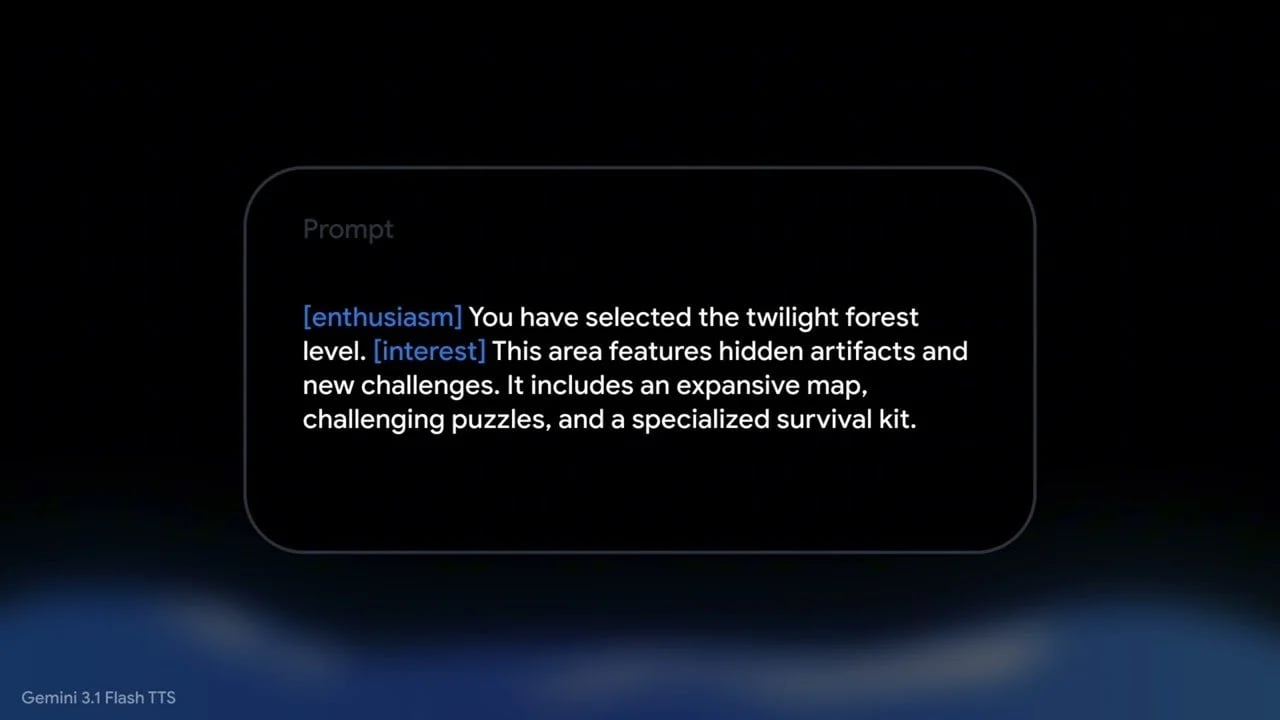
Les moteurs TTS classiques sont basés sur les phonèmes : vous entrez du texte, vous obtenez de la parole. Vous fournissez de la ponctuation, peut-être du SSML, et vous contrôlez le rythme et la hauteur via des paramètres. Gemini 3.1 Flash TTS fait cela aussi, mais c'est également un LLM. Il traite l'intégralité de votre prompt comme un contexte, et non comme un simple script à lire.
Cela entraîne deux conséquences :
L'avantage : Vous pouvez donner des instructions en langage naturel. Des phrases comme « chaleureux et sans précipitation » ou « un peu hésitant, comme quelqu'un qui réfléchit à voix haute » fonctionnent réellement.
L'inconvénient : Le modèle doit décider ce qui relève de la direction d'acteur et ce qui relève du texte parlé. Sans discipline, il lira simplement vos instructions à haute voix, y compris les « Notes du réalisateur », « Style : » ou « Rythme : ».
C'est pourquoi un schéma de prompt éprouvé est essentiel. La structure qui fonctionne le plus efficacement pour nos clients chez Famulor, sur des centaines de configurations d'agents vocaux, repose sur une idée simple : séparer clairement les instructions de la transcription.
La structure de prompt canonique qui fonctionne réellement
Ce modèle réduit considérablement le risque que Gemini 3.1 Flash TTS ne lise vos notes d'instruction à voix haute :
Synthétisez la parole pour la performance définie ci-dessous. Le profil, la scène, les notes de performance et le contexte sont uniquement des instructions. Ne les prononcez PAS. Prononcez UNIQUEMENT les lignes sous #### TRANSCRIPT.
# PROFIL AUDIO : Maria S.
## "La réceptionniste amicale"
## SCÈNE : Fin d'après-midi à l'accueil de la clinique
Atmosphère calme de salle d'attente, le combiné est décroché sereinement.
### PERFORMANCE
Style : Chaleureux et confiant, timbre calme, sans précipitation.
Rythme : Flux respiratoire naturel, une courte pause de mise en place au début.
Accent : Anglais américain standard avec un léger timbre du Midwest.
### CONTEXTE
Maria prend les rendez-vous et rassure les appelants nerveux.
#### TRANSCRIPT
[warmly] Cabinet du Dr. Becker, [thoughtfully] Maria à l'appareil, [warmly] comment puis-je vous aider ?
Trois composants sont porteurs :
Le préambule de synthèse vocale tout en haut. Cette phrase déclenche le chemin du classificateur de synthèse vocale au sein du modèle. Sans elle, Gemini lit fréquemment l'intégralité de votre prompt à voix haute.
Le délimiteur
#### TRANSCRIPTavec exactement quatre dièses. D'autres variantes fonctionnent parfois, mais celle-ci correspond à la documentation officielle et reste la plus fiable en production.Étiquettes de section courtes. Utilisez ### PERFORMANCE plutôt que ### DIRECTOR'S NOTES. Nous avons littéralement entendu le mot "DIRECTOR'S" être prononcé lors de nos tests. Les apostrophes et les en-têtes composés de plusieurs mots sont des risques pour le classificateur.
Les neuf règles pour un prompting TTS au rendu naturel
À partir de centaines de déploiements clients chez Famulor, des cabinets dentaires aux centres d'appels B2B sortants, nous avons extrait neuf règles qui séparent le "passable" du "réellement humain".
1. Préparez toujours un préambule de synthèse vocale
Ce simple paragraphe déclenche le chemin de synthèse vocale plutôt que le chemin de "lecture intégrale". Si vous l'omettez, vous rencontrerez des échecs sporadiques où votre bot lira toutes vos instructions à voix haute, parfois avec un ton très sérieux. Pour les bots entrants dans le secteur de la santé ou des services, c'est un risque majeur pour votre réputation.
2. Utilisez #### TRANSCRIPT exactement comme délimiteur
La documentation officielle de Google utilise cette orthographe précise. D'autres en-têtes (##### TRANSCRIPT, ### Speak from here) fonctionnent parfois, mais manquent de fiabilité. Tenez-vous-en à la norme documentée.
3. Utilisez des étiquettes de section courtes et neutres
Évitez les en-têtes dramatiques composés de plusieurs mots comme ### DIRECTOR'S NOTES ou ### SAMPLE CONTEXT. Utilisez :
### PERFORMANCEpour le style, le rythme et l'accent### CONTEXTpour l'arrière-plan du personnage
Les apostrophes dans les en-têtes sont particulièrement risquées : le modèle adore les lire à voix haute.
4. Classez le registre émotionnel avant de choisir vos balises
Il n'existe pas de modèle de balises universel. Classez d'abord le contexte émotionnel, puis choisissez les balises audio appropriées. Ce tableau fonctionne très bien dans nos configurations d'agents vocaux sans code :
Registre | Quand | Balises sûres | À éviter |
|---|---|---|---|
EMPATHIE | Client contrarié, excuses, reconnaissance d'un problème | [sighs], [warmly], [thoughtfully], [gently] | [soft laugh], [cheerfully] |
CLARIFY_PROBLEM | Confirmer les détails du problème d'un client | [thoughtfully], [warmly], [gently] | [soft laugh], [cheerfully], [sighs] |
TRANSACTIONAL | Politique, transferts, dépannage, planification | [warmly], [thoughtfully] | [soft laugh], [sighs], [cheerfully] |
WARM_FRIENDLY | Salutations, clôtures, confirmations, ventes incitatives | [warmly], [thoughtfully], [cheerfully], [soft laugh] (maximum un) | (aucun) |
Ne riez jamais face à un client contrarié. C'est le moyen le plus rapide de rendre une voix d'IA profondément inappropriée.
5. Tenez-vous-en aux balises audio documentées
Les balises d'émotion personnalisées comme [apologetically], [helpfully] ou [carefully] sonnent moins bien en pratique que l'ensemble documenté. Nous les avons testées systématiquement : la prosodie est nettement moins bonne. Pour l'émotion, privilégiez :
[warmly][thoughtfully][sighs][gently][soft laugh][cheerfully]
Pour les modificateurs non émotionnels (rythme, volume, personnage), les balises personnalisées conviennent parfaitement : [whispers], [very slow], [like a cartoon dog] fonctionnent toutes.
6. Écrivez une scène, pas une étiquette de rôle
Comparez ces deux approches :
Mauvais : "Un représentant du service client chaleureux expliquant quelque chose clairement." – trop abstrait, le modèle n'a rien à quoi se raccrocher.
Bon : "Fin d'après-midi à la réception d'un cabinet dentaire. Maria a le calendrier ouvert, un stylo à la main, et elle est légèrement satisfaite d'un rendez-vous facile."
Les détails sensoriels concrets renforcent significativement le réalisme. Les étiquettes de rôle génériques, elles, ne le font pas. Lorsque vous créez un agent de centre d'appels IA, décrivez la scène dans laquelle se trouve le personnage, pas seulement son intitulé de poste.
7. Ne demandez jamais de la platitude
C'est un piège classique. Vous souhaitez un moment d'empathie calme et vous écrivez "calme, sans précipitation, posé". Gemini prend cela au pied de la lettre, tue la prosodie, et le bot finit par sonner comme une messagerie vocale fatiguée. Évitez :
"calme", "tranquillement"
"plat", "monotone"
"sans précipitation" (interprété comme "lent et plat")
"prudent" (interprété comme "trop précis, rigide")
"chuchoté" (sauf si vous souhaitez réellement un chuchotement)
Meilleures formulations pour des tons plus calmes :
"chaleureux et sincère"
"voix abaissée d'une demi-octave mais pleine d'émotion"
"patient et sans précipitation"
"mesuré mais présent"
8. Privilégiez les virgules aux points dans la transcription
Pour certains moteurs TTS, davantage de points produisent des pauses plus naturelles. Pour Gemini 3.1 Flash TTS, c'est l'inverse. Les points entre les clauses balisées rendent la sortie hachée.
Mauvais – son haché :
[warmly] D'accord. [thoughtfully] Donc votre rendez-vous. [warmly] C'est noté. [cheerfully] Mardi. [warmly] À trois… [thoughtfully] heures.
Bon – flux naturel, les balises marquent uniquement les pivots émotionnels :
[warmly] D'accord, [thoughtfully] donc votre rendez-vous, [warmly] c'est noté. [cheerfully] Mardi, [warmly] à trois… [thoughtfully] heures.
Règle d'or : utilisez des virgules entre les clauses balisées au sein d'une phrase, des points uniquement là où le texte original se termine réellement, des points de suspension (...) pour une ou deux fins de phrases naturelles par énoncé, et des tirets (—) pour une micro-pause au milieu d'une pensée.
9. Ne citez pas littéralement les mots de la transcription dans Style/Rythme
Le modèle les lit parfois à voix haute. Mauvais :
Rythme : une légère montée sur le « oh » au début, comme si la pensée venait de surgir.
Bien :
Rythme : une légère montée à l'ouverture, comme si la pensée venait de surgir.
Décrivez le rythme, ne nommez pas les mots. Cela est d'autant plus crucial lorsque vous déployez des scripts d'agents vocaux dans Famulor qui sont alimentés par des variables dynamiques lors de l'exécution.
Exemple complet et fonctionnel
Voici un prompt d'empathie prêt pour la production, similaire à celui que nous utilisons pour une hotline juridique entrante :
Synthétisez la parole selon la performance définie ci-dessous. Le profil, la scène, les notes de performance et le contexte ne sont que des indications. Ne les prononcez pas. Prononcez UNIQUEMENT les lignes sous #### TRANSCRIPT.
# PROFIL AUDIO : Maria J.
## « La représentante support senior »
## SCÈNE : Un moment difficile dans l'appel
Le client a partagé une frustration. Maria se rapproche un peu du micro, sa voix transmettant un sentiment réel, le genre d'excuse que l'on pense vraiment.
### PERFORMANCE
Style : chaleureux et sincère. Une préoccupation authentique. La voix porte de l'émotion, sans monotonie. Un léger soupir à l'ouverture est réel, non théâtral. Jamais amusé, jamais désinvolte.
Rythme : naturel, avec une courte pause de réflexion au début. Le temps nécessaire pour quelqu'un qui assimile réellement ce qu'il vient d'entendre.
### CONTEXTE
Maria est la représentante qui écoute vraiment, et les appelants peuvent entendre la différence. Elle prend la responsabilité de résoudre les problèmes.
#### TRANSCRIPT
[sighs] Oh. [gently] Je suis vraiment désolée d'entendre cela. [warmly] Laissez-moi voir [thoughtfully] ce que je peux faire. [warmly] Nous allons régler cela [gently] pour vous... [warmly] immédiatement.
Les échecs les plus courants et comment les corriger
Symptôme | Cause | Correction |
|---|---|---|
« DIRECTOR'S » lu à voix haute | En-tête de section lu comme une transcription | Raccourcir l'en-tête vers |
Audio monotone ou sans vie | « quiet », « flat », « no rush » dans le Style | Réécrire le Style sans termes évoquant la platitude |
Nom du personnage prononcé à voix haute | Collision phonétique avec l'ouverture de la transcription | Renommer le personnage (Kiara D. → Morgan P.) |
Un mot du CONTEXTE s'immisce dans la transcription | Délimitation de section ambiguë | Supprimer le mot en collision, reformuler le CONTEXTE |
| Bug documenté en phase de prévisualisation | Réessayer jusqu'à 5 fois avec backoff |
Débit robotique malgré un contenu de qualité | Fragments séparés par des points | Réécrivez la TRANSCRIPTION en insérant des virgules entre les clauses balisées |
Rire lors d'une excuse | Modèle de balise universel pour tous les scénarios | Classez d'abord le registre émotionnel, puis utilisez une palette spécifique à ce registre |
Les balises personnalisées comme [apologetically] manquent de naturel | Couverture d'entraînement insuffisante | Tenez-vous en au jeu de balises documenté |
Déploiement productif avec Famulor
Les règles ci-dessus sont précieuses pour n'importe quelle pile TTS, mais elles portent leurs fruits lorsqu'elles sont intégrées systématiquement dans votre pipeline d'agent vocal. Famulor fournit les briques nécessaires pour y parvenir :
Éditeur No-Code : Dans l'Agent vocal IA No-Code, vous gérez séparément la personnalité, la scène, les notes de performance et la transcription. Les variables issues de votre CRM ou de votre calendrier sont injectées uniquement dans la transcription au moment de l'exécution, jamais dans les instructions de direction.
Backbone multi-TTS : Basculez entre Gemini 3.1 Flash TTS, Cartesia Sonic, ElevenLabs et MiniMax sans réécrire vos prompts. Famulor gère l'adaptation spécifique à chaque moteur.
40 langues et accents régionaux : Allemand standard, suisse, viennois, bavarois, anglais US/UK, espagnol, français, néerlandais et bien d'autres. Les indications d'accent doivent figurer dans
### PERFORMANCE, et non dans la transcription.Trunking SIP et téléphonie : Connectez votre fournisseur VoIP/PBX existant via un trunk SIP afin que votre centre d'appels IA conserve ses numéros de téléphone.
Plus de 300 intégrations : Les intégrations Famulor, semblables à Zapier ou Make, connectent le bot aux calendriers, CRM, services de support et webhooks. Connecteurs natifs n8n et Make inclus.
Bonnes pratiques : du prompt à la ligne directe de production
Passer d'un prompt testé à une ligne directe opérationnelle nécessite quelques disciplines supplémentaires :
Maintenez une fiche de persona. Centralisez le profil, la scène, les paramètres de performance par défaut et le CONTEXTE pour chaque persona vocal. Le style reste cohérent, même lorsque plusieurs membres de l'équipe modifient les scripts.
Effectuez des tests A/B sur des appels réels. Ne comparez pas les variantes uniquement dans le studio TTS. Le bruit de fond, la compression des codecs et la latence modifient la perception. Réalisez vos tests A/B sur de la téléphonie réelle.
Évitez l'inflation des balises. Plus de balises ne signifie pas un meilleur résultat. Utilisez les balises comme des accents : avec parcimonie, au bon endroit, et non dans chaque phrase.
Définissez des branches de secours. Pour chaque réponse empathique, prévoyez une variante TRANSACTIONNELLE au cas où l'appel basculerait d'un ton émotionnel vers un ton administratif, avec son propre jeu de balises.
Enregistrez les erreurs de classification. Lorsqu'un bot lit une instruction à voix haute, sauvegardez le prompt. Ces cas sont précieux pour votre prochaine phase d'optimisation.
Exemples sectoriels : quand le prompting TTS fait bouger les indicateurs clés de performance
Ces règles ne sont pas théoriques, elles font évoluer les indicateurs métier réels. Voici trois exemples issus de configurations Famulor classiques :
Cabinet dentaire (prise de rendez-vous entrants) : Les patients sont souvent anxieux. Un accueil WARM_FRIENDLY associé à un mode EMPATHY pour les appels liés à des douleurs réduit de manière mesurable le taux de raccrochage. Concrètement : en cas de douleur, remplacez "[cheerfully] Bonjour !" par "[warmly] Cabinet du Dr Becker, [thoughtfully] merci de votre appel."
Artisans / services à domicile (rappels sortants) : Les clients n'ont pas eu de nouvelles depuis deux jours. Un registre TRANSACTIONAL avec une ouverture chaleureuse fonctionne bien mieux qu'un ton commercial "[cheerfully]" : cela permet une poursuite de la conversation nettement plus efficace.
E-commerce (retours) : Le registre EMPATHY avec un léger
[sighs]au début indique "Je vous écoute". Le[soft laugh]est ici proscrit : il sonne cynique et pousse les clients dans une boucle de réclamation.Cabinets d'avocats : TRANSACTIONAL avec une autorité calme. Des nuances d'accent comme "timbre doux du Midwest" dans
### PERFORMANCErenforcent la crédibilité.
Comparaison : Gemini 3.1 Flash TTS face aux alternatives
Gemini n'est pas la seule option TTS expressive. Voici un aperçu pragmatique :
Modèle | Points forts | Points faibles | Idéal pour |
|---|---|---|---|
Gemini 3.1 Flash TTS | Très expressif, prompting sémantique | Latence de réponse plus élevée en version preview, lit parfois les instructions à voix haute | Hotlines axées sur l'empathie, santé, juridique |
Cartesia Sonic | Latence très faible, stable | Balises émotionnelles moins granulaires | Centres d'appels sortants, configurations temps réel |
ElevenLabs v3 | Clonage vocal, nombreuses langues | Coût, contrôle émotionnel moins granulaire | Voix de marque, marques premium |
MiniMax | Langues asiatiques, bon rapport prix/performance | Accents occidentaux moins expressifs | Configurations multilingues internationales |
Avec Famulor, vous n'êtes pas lié à un seul fournisseur : choisissez le moteur adapté pour chaque agent vocal tout en conservant le même schéma de prompt partout.
Checklist rapide avant chaque déploiement
Préambule de synthèse vocale en haut ?
Délimiteur
#### TRANSCRIPTorthographié exactement ?Étiquettes de section :
### PERFORMANCE,### CONTEXT– sans apostrophes ni en-têtes composés ?Scène concrète et sensorielle, plutôt qu'un rôle abstrait ?
Style et rythme exempts de termes plats ("calme", "plat", "sans précipitation") ?
Style et rythme exempts de citations littérales ?
Balises audio adaptées au registre (pas de rire face à des clients mécontents) ?
Balises audio issues de l'ensemble documenté ?
Transcription : virgules entre les propositions, points uniquement à la fin des phrases ?
Test A/B effectué sur un codec de téléphonie réel ?
Essayez notre Assistant IA
Découvrez à quel point notre assistant téléphonique IA sonne naturel.
Entrez vos coordonnées et recevez un appel de notre agent IA en quelques secondes.
L'agent est formé pour parler des services Famulor et prendre des rendez-vous.

Agent IA de démo
Représentant Famulor
Gemini 3.1 Flash TTS est l'un des modèles de synthèse vocale les plus expressifs pour les agents vocaux en production. Il est capable de transmettre de l'empathie, des variations de rythme et des pauses subtiles qui étaient autrefois le domaine réservé des voix humaines. Mais la qualité dépend entièrement de la structure de votre prompt. Appliquez ces neuf règles, classifiez le registre émotionnel et utilisez les jeux de balises avec rigueur : votre agent vocal IA passera du stade de "robot évident" à celui de "attendez, est-ce une vraie personne ?".
Si vous préférez éviter de concevoir tout cela vous-même et privilégiez une plateforme prête à l'emploi qui intègre déjà ces bonnes pratiques, Famulor est votre premier choix. Vous bénéficiez d'une plateforme no-code dotée d'une infrastructure multi-TTS, de 40 langues, du trunking SIP, de plus de 300 intégrations et d'une configuration d'agent vocal opérationnelle en quelques minutes, et non en quelques semaines. Consultez la tarification ou lancez-vous directement dans une démonstration pour votre centre d'appels IA.
FAQ – Questions fréquentes sur le prompting TTS pour les agents vocaux IA
Qu'est-ce que Gemini 3.1 Flash TTS ?
Gemini 3.1 Flash TTS est un modèle de synthèse vocale Google reposant sur un LLM qui interprète les prompts de manière sémantique. Il peut suivre des instructions en langage naturel comme "chaleureux et posé" au lieu de simplement convertir du texte en parole.
Pourquoi mon modèle TTS lit-il les notes d'instruction à voix haute ?
Parce que sans une structure claire, le classificateur de synthèse vocale ne peut pas distinguer de manière fiable les instructions de la transcription. Un préambule de synthèse vocale associé à un délimiteur #### TRANSCRIPT propre permet d'éliminer ce problème dans la plupart des cas.
Quelles balises audio fonctionnent le mieux avec Gemini 3.1 Flash TTS ?
Les balises documentées [warmly], [thoughtfully], [sighs], [gently], [soft laugh] et [cheerfully] offrent la prosodie la plus fiable. Les balises d'émotion personnalisées sonnent souvent de manière plus monotone.
Dois-je utiliser des points ou des virgules entre les clauses balisées ?
Pour Gemini 3.1 Flash TTS spécifiquement, utilisez des virgules. Les points entre les balises hachent la sortie audio. N'utilisez les points que là où le texte original se termine réellement.
Comment éviter que mon agent vocal IA ne rie pendant des excuses ?
Classez d'abord le registre émotionnel (par exemple EMPATHIE) et n'utilisez que les balises appropriées à ce registre. [soft laugh] n'a pas sa place dans un passage empreint d'empathie.
Le schéma de prompt fonctionne-t-il aussi pour les agents vocaux non anglophones ?
Oui. Conservez les instructions (Profil, Scène, Performance, Contexte) en anglais, car le modèle est plus stable ainsi, et rédigez le bloc de transcription dans votre langue cible. Famulor prend en charge 40 langues, y compris les accents régionaux.
Puis-je changer de moteur TTS au sein de Famulor ?
Oui. Choisissez le moteur adapté pour chaque agent vocal, qu'il s'agisse de Gemini 3.1 Flash TTS, Cartesia Sonic, ElevenLabs ou MiniMax, sans avoir à réécrire vos prompts.
Comment intégrer Famulor à mon système téléphonique existant ?
Via le trunking SIP. Connectez votre fournisseur VoIP/PBX actuel et conservez vos numéros de téléphone existants. Les détails sont disponibles dans la section intégrations Famulor.
Combien coûte un agent vocal IA sur Famulor ?
Famulor utilise une tarification transparente à la minute, avec des plans optionnels pour les déploiements en entreprise. Consultez la page de tarification pour plus de détails.
Combien de temps prend un déploiement opérationnel ?
Avec une configuration sans code, un cas d'usage clairement défini et une fiche de personnage prête, les premiers appels productifs sont réalisables en 1 à 2 jours. Les scénarios multicanaux plus complexes nécessitent généralement 1 à 2 semaines selon la profondeur de l'intégration.

Rédacteur chez Famulor