Summarize Content With:




Choosing the right phone number is crucial for your professional appearance and maintaining customer trust. Previously, companies faced a dilemma when introducing AI telephony: either acquire new, unknown numbers via the AI platform (which often caused confusion among regular customers) or set up complicated and error-prone call forwarding within their existing PBXs. With the brand new "Import a number" (Bring Your Own Carrier – BYOC) feature in Famulor, this challenge is finally a thing of the past.
From now on, you can not only flexibly obtain new phone numbers in Famulor, but you can also seamlessly import your existing, established numbers from carrier accounts like Twilio or Telnyx into our platform in just a few minutes. This in-depth guide shows you exactly how the guided import wizard works, what massive strategic advantages the BYOC model brings to your business, and how you can effortlessly link your existing communication infrastructure with the best phone solution in 2026. The goal: Maximum control, reduced costs, and a seamless experience for your customers.
What is Bring Your Own Carrier (BYOC) and why is it a gamechanger?
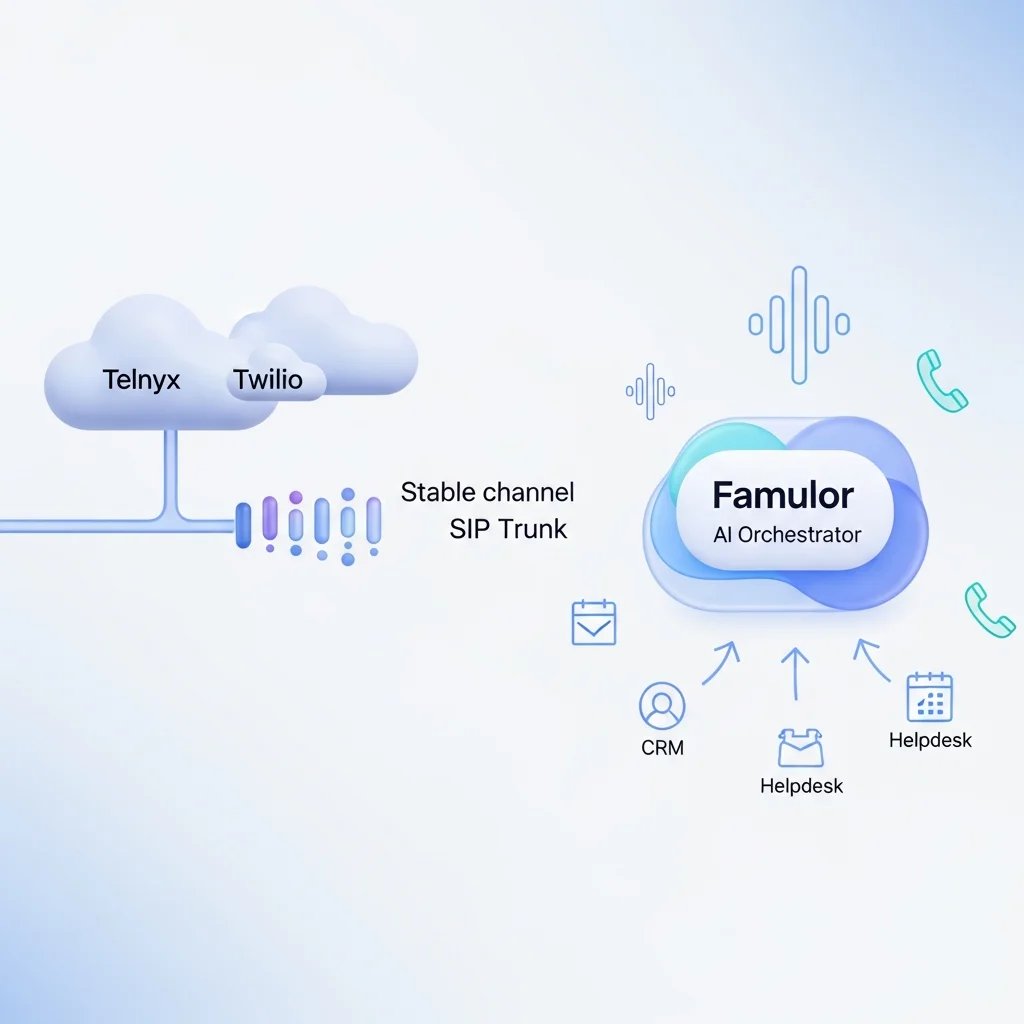
Bring Your Own Carrier (BYOC) is a concept from modern cloud communications. It simply means that you bring your own telecommunications provider (the carrier) and connect its services to a modern third-party platform for software, automation, or AI. In the context of Famulor, this means exactly: You keep your existing contracts, your negotiated connection rates, and most importantly, your valuable phone numbers with providers like Twilio or Telnyx. You connect these directly to our advanced AI voice agents via secure SIP trunking.
Importing your own numbers into an AI platform offers companies enormous business and operational advantages that go far beyond mere technical convenience:
Absolute continuity and brand trust: Your customers can still reach you under the numbers they are familiar with. There is no need for expensive and time-consuming changes to business cards, letterheads, websites, social media profiles, or in local directories like Google My Business. The barrier for customers to dial a familiar number remains low.
Maximum cost control and transparency: You continue to benefit from the individually negotiated per-minute rates and SMS tariffs of your existing carrier. This ensures full cost transparency, which is especially crucial when handling an extremely high inbound or outbound call volume (e.g., in call centers). AI voice agent pricing can be calculated and scaled much more precisely by separating AI software costs from telephony costs.
Unlimited global scalability: Major international carriers like Twilio and Telnyx offer a massive pool of local landline, mobile, and toll-free numbers in almost every country in the world. You can establish local presences in new markets with just a few clicks, while Famulor – with native support for over 40 languages and dialects – handles the intelligent AI conversations.
Sovereignty over your infrastructure: By keeping control over your carrier, you don't make yourself dependent on the infrastructure providers of a single AI platform. You remain completely in charge of your communication channels and can act flexibly when needed.
Step-by-Step Guide: How to import your Twilio or Telnyx number into Famulor
Setting up a SIP trunk used to be a tedious task that kept highly specialized IT administrators busy for hours. Famulor has completely abstracted this complex process through advanced automation. Importing your phone numbers into Famulor is now as easy as setting up an email account on your smartphone. An intelligent, 2-step wizard guides you safely and logically through the entire process. You don't need any programming skills to seamlessly integrate Telnyx, Twilio, and SIP trunks with Famulor.
Step 1: "Choose your carrier" (Select your provider and connect the account)
In the first, essential step, you determine which telecommunications provider you want to connect to the Famulor platform. Currently, the optimized wizard supports direct, API-driven imports from the industry-leading platforms Twilio and Telnyx.
If you choose Twilio, for example, a clear dialog opens with the following input fields that you can fill out in seconds:
Twilio Account: Using the practical "Connect a new account" dropdown menu, you can link a new carrier account to Famulor. The best part: Accounts that have been connected once are securely stored and can be easily reused here for future number imports with just one click.
Name: Assign an internal, unique name for this connection (e.g., "Acme Main Twilio" or "Support Hotline Twilio"). This name is automatically created as the SIP trunk name in your Twilio account. This ensures absolute order and clarity in your Twilio console, so you always know which trunk belongs to Famulor.
Account SID: This is your unique, unchangeable identifier from the Twilio Dashboard. It always starts with the letters "AC..." and basically acts as your username for the Twilio API.
Auth Token: The authentication token from your Twilio Dashboard, which acts as a strong password. Maximum security is guaranteed here: For strict data protection and compliance reasons, this token is stored encrypted in our infrastructure immediately after entry by Famulor and is never shown in plain text again.
To make the process as smooth as possible for you, the dialog offers three practical help shortcuts that lead directly to where you need to go in that moment:
"Sign up for Twilio": If you don't have an account yet, you can immediately create a new, free account at Twilio via this link.
"Buy a phone number": You already have an account but no active number? This link takes you directly to the number search in Twilio, where you can purchase phone numbers in your desired country with a few clicks.
"Find your API key": A direct help link to our knowledge base, showing you exactly and with images where to find the required Account SID and Auth Token in the depths of your Twilio Dashboard. Long, frustrating searches are completely eliminated.
Step 2: "Choose numbers to import" (Select numbers to import)
As soon as the connection is successfully authenticated in the first step, Famulor takes over the work: The platform communicates in real-time via the API with your carrier account and automatically reads out all available and compatible phone numbers. These are immediately presented to you in a visually appealing, tabular list.
To make assignment easier, especially for large accounts with many international numbers, each number is neatly formatted (e.g., +49 30 1234567) and visualized with the corresponding country flag. This way you can instantly see whether it's your German support hotline, your US sales number, or your British headquarters.
Now simply select one, several, or directly all phone numbers via checkbox. For comprehensive account migrations, the handy "Select all" and "Clear" buttons are available.
A firm click on the "Add to account" button finally completes the import. Famulor now completely automatically creates the required SIP trunks, webhooks, security rules, and routings in your carrier account in the background. You don't have to write a single line of code, configure firewalls, or manually type in SIP URIs.
If things should ever get stuck or an expected number does not appear in the list, you will find the interactive help area "Need more numbers or help?" directly in the wizard. This offers expandable, easy-to-understand solutions to the most typical questions and technical stumbling blocks:
Buy a phone number (Direct link to buy more numbers in Twilio if the local pool is empty)
"What if my Twilio account has no balance?" (Explanation on how to top up credits, as carriers cut lines immediately at zero balance)
"Do I need to enable Geo Permissions?" (Important legal and technical notes on unblocking international calls)
"Import failed? See common solutions" (Quick first-aid troubleshooting for unexpected API errors)
After the Import: Fully operational in seconds
As soon as the Famulor import wizard shows the success message, the imported phone numbers immediately appear in your central Famulor "Phone-Numbers-List" without any delay. This overview hub gives you all business-relevant information at a glance: You see the country (including the flag for quick visual recognition), the exact phone number, confirmation of whether the number is SMS-capable, and the type of connection (e.g., Normal or SIP/BYOC).
The most valuable thing about this deep technical integration: You can assign the freshly imported phone numbers immediately and without any waiting time to one of your self-built AI Voice Agents. As soon as you save the assignment in the agent settings, the number is live. Incoming calls on your Twilio or Telnyx number are from this exact millisecond routed directly via SIP to Famulor and answered professionally by your artificial intelligence – in real-time, fluently, multilingual, and 24 hours a day, 7 days a week.
Best Practices and avoiding typical import errors
Although the Famulor wizard extremely simplifies the complex SIP process, the ultimate responsibility for the smooth operation of the carrier account (Twilio or Telnyx) lies with you. To ensure that the import and, above all, the subsequent seamless use in productive live operation work flawlessly, you must absolutely observe the following best practices:
1. Always keep an eye on your balance
One of the most common reasons why the first test calls suddenly fail, drop, or don't ring at all after an initially successful import is simply banal: an empty or unverified carrier account. Providers like Twilio work rigorously on a prepaid or pay-as-you-go principle. Make sure your account at Twilio or Telnyx has a valid payment method and is sufficiently topped up ("Balance"). Ideally, set up an automatic top-up (Auto-Recharge) in your carrier dashboard as soon as the credit falls below a certain amount, to avoid embarrassing outages of your customer hotlines.
2. Proactively enable Geo Permissions
Telecommunications providers protect themselves and you from massive toll fraud by blocking calls to certain, potentially expensive countries by default. If your Famulor AI agent is supposed to make international outbound calls or forward incoming calls to international employee numbers (Call Forwarding), the corresponding geographical permissions ("Geo Permissions") for exactly these specific destination countries must be manually unblocked in the security settings of Twilio or Telnyx. Check this extremely carefully before the go-live of your campaign.
3. Strategically consider Number Capabilities
Not every phone number is technically equipped the same way. When buying the number from your carrier in advance, pay attention to whether it has pure voice capabilities or is also SMS/MMS capable. If you plan to use Famulor's high-converting multichannel capabilities – for example, to automatically send a caller a booking link or a summary via SMS to their smartphone right after the conversation – it is mandatory to import an explicitly Voice+SMS-capable phone number.
4. Strictly meet Regulatory Compliance
In many countries (especially in heavily regulated Europe, such as Germany, France, or Spain), the purchase and operation of local phone numbers are tied to strict regulatory conditions. You often have to provide your carrier with official proof of your real company headquarters (a so-called Regulatory Bundle). Complete this identity check and upload the documents directly to Twilio or Telnyx before trying to import the number into Famulor and put it into operation, otherwise the lines will stay silent.
Real Use Cases: Who benefits most from the BYOC import in practice?
The ability to import your own familiar numbers via Twilio or Telnyx into Famulor opens up completely new, extremely scalable possibilities of intelligent automation for companies from a wide variety of industries.
Agencies and IT Providers (White-Labeling & Reselling)
If you as a modern automation or AI agency are building intelligent telephony as a managed service for your clients, BYOC is absolutely essential. You can use your clients' existing Twilio accounts or easily create new ones in their name. The huge advantage for your business model: The direct billing of pure talk minutes runs transparently and without your involvement via the client's credit card at Twilio. As an agency, you use Famulor in the background to configure and continuously optimize the complex AI logic, the perfect prompts, and the nested workflows of the agent. Tailored AI solutions can thus be implemented optimally and entirely cleanly from a billing perspective. You minimize your own economic risk for exploding telephony costs when customer call volumes fluctuate heavily.
Medical Facilities, Clinics & Law Firms
For medical practices, health centers, and law firms, their own landline number, which has often existed for decades, is a massive, central trust feature. Patients and clients usually know this number by heart. Changing to an unknown cloud number is mostly unthinkable here. Through the seamless number import via BYOC, the externally communicated practice number remains completely untouched. In the background, however, an intelligent, HIPAA- and GDPR-compliant AI receptionist from Famulor now takes over the heavy lifting: It routinely filters out emergencies, books standard appointments directly into the practice calendar, precisely captures prescription requests, and accepts sensitive mandate inquiries – without the busy signal ever sounding or the reception staff being overloaded.
International E-Commerce Companies & SaaS Providers
Any ambitious, growing company serving customers in the US, France, Germany, and Japan absolutely needs local dial-in numbers in the respective country to build trust and break down communication barriers. Customers are highly reluctant to call expensive international hotlines. By simply purchasing local numbers in the Twilio or Telnyx dashboards and then quickly importing them to Famulor, you can act globally as a "Local Player". Thanks to the over 40 natively supported languages of the powerful Famulor Voice Engine, your AI agent greets the customer from Tokyo flawlessly in Japanese and the customer from Paris with a perfect accent in French – all centrally controlled via a single AI platform in the background.
Outbound Call Centers and proactive Sales Teams
Sales organizations making thousands of outbound calls daily for lead qualification, cold calling, or scheduling rely on absolute cost control and scalability. With BYOC, they can use high-volume, optimized SIP trunks with specialized bulk rates at Telnyx or Twilio and forward this communication power directly to Famulor's intelligent AI sales agents. The clean separation of carrier infrastructure and AI intelligence ensures the best possible margin while maintaining consistently excellent, human-like quality of lead approach.
Try our AI Assistant
Experience how natural our AI phone assistant sounds.
Enter your details and receive a call from our AI agent within seconds.
Agent is trained to discuss Famulor services and book appointments.

Demo AI agent
Famulor representative
The new "Import a number" feature in Famulor is not just a small update, but a decisive architectural step towards even more flexibility, professionalism, and boundless scalability for modern businesses of all sizes. Through the seamless, wizard-guided integration of established Twilio and Telnyx accounts via Bring Your Own Carrier (BYOC), you not only keep your valuable, well-known phone numbers and the hard-earned trust of your customers, but you also control 100% of your ongoing connection costs. At the same time, you save yourself weeks of nerve-wracking and error-prone technical SIP setups by expensive IT service providers.
The intuitive, mature 2-step wizard from Famulor turns the once-dreaded, complex SIP import into a simple task of a few mouse clicks, even for technical laypeople. You retain full sovereignty over your telecommunications channels at all times and simultaneously upgrade them with the most advanced Conversational AI on the market.
Are you ready to connect your existing, rigid telecommunications infrastructure with the enormous power of cutting-edge artificial intelligence and break down old silos? Import your first numbers into Famulor today and revolutionize your entire inbound and outbound customer communication – scalable, efficient, cost-secure, and absolutely future-oriented.
Frequently Asked Questions (FAQ) about BYOC Number Import
What exactly does BYOC mean in AI telephony?
BYOC stands for "Bring Your Own Carrier". This proven concept allows you to keep your existing phone numbers and contracts from telecommunications providers like Twilio or Telnyx. You link these accounts directly with a modern AI platform like Famulor, without having to buy new numbers or set up cumbersome, low-quality call forwarding in your old phone system.
Which carriers are currently natively supported by the Famulor number import?
Currently, the automated, guided import wizard in Famulor supports the world's leading cloud carriers Twilio and Telnyx. The connection is highly secure, encrypted, and absolutely seamless via the respective official API of the providers.
Are my credentials (like the important Twilio Auth Token) really safe with Famulor?
Yes, absolutely. Data security is the highest priority at Famulor. Your Auth Token is stored in our secure database encrypted strictly according to modern crypto standards. After your initial entry, the token is never again shown in plain text in the Famulor user interface for strict security reasons.
Can I use an imported phone number immediately for my AI calls?
Yes, that is the outstanding advantage of the system. Directly after successfully completing the import wizard, the phone number appears in your Famulor number list. From that exact second, it can be immediately assigned to one of your configured AI voice agents for inbound hotlines or outbound campaigns. There are no annoying waiting times or manual activation processes on the part of Famulor support.
Why is my first call not working after a successful import?
If calls drop or don't go through at all after the import, it is almost always due to restrictions at the carrier itself. The most common reasons are a lack of credit ("Balance") in your carrier account (e.g., at Twilio) or strictly deactivated "Geo Permissions", which ensure that calls to certain international regions cannot be set up or received. Check these two central points directly in your carrier dashboard.
Can I also import large quantities of numbers into Famulor at the same time?
Yes, the Famulor import wizard is built exactly for such scaling scenarios. It shows you all available numbers of your carrier account in a clear, searchable list. You can easily select multiple numbers via simple checkboxes or import hundreds of numbers at once into Famulor with a single click on "Select all" and manage them centrally there.
Are there any additional hidden costs at Famulor caused by the BYOC import?
No. The BYOC feature is explicitly designed to give you full cost control. Famulor does not charge you any hidden markups on the per-minute rates of your carrier. You continue to pay your negotiated minute and SMS rates completely transparently directly to Twilio or Telnyx, while at Famulor you only pay for the used AI infrastructure and the consumed AI minutes according to your transparent Famulor pricing plan.

Writer at Famulor