Résumer le contenu avec:




Comment rédiger un prompt système pour un agent vocal IA en 2026
La qualité d'un agent vocal IA dépend entièrement de son prompt système. Ce dernier définit qui est l'agent, ce qu'il est autorisé à faire, comment il s'exprime et quelle attitude adopter lorsqu'il ignore une réponse. En somme, c'est le manuel d'utilisation qui transforme un modèle de langage générique en un collaborateur téléphonique fiable. Ce guide détaille, étape par étape, comment rédiger un prompt système réellement efficace lors d'un appel en direct : concret, robuste et exempt d'hallucinations.
Voici la réponse courte pour commencer : un prompt système solide pour un agent vocal IA repose sur cinq piliers : le rôle, la mission, les règles de conversation, les limites de connaissances et l'escalade. Définissez ces cinq blocs avec précision et vous obtiendrez un agent au ton naturel, qui reste concentré sur son sujet et réagit correctement aux cas particuliers. Tout le reste n'est que raffinement.
Qu'est-ce qu'un prompt système – et ce qu'il n'est pas
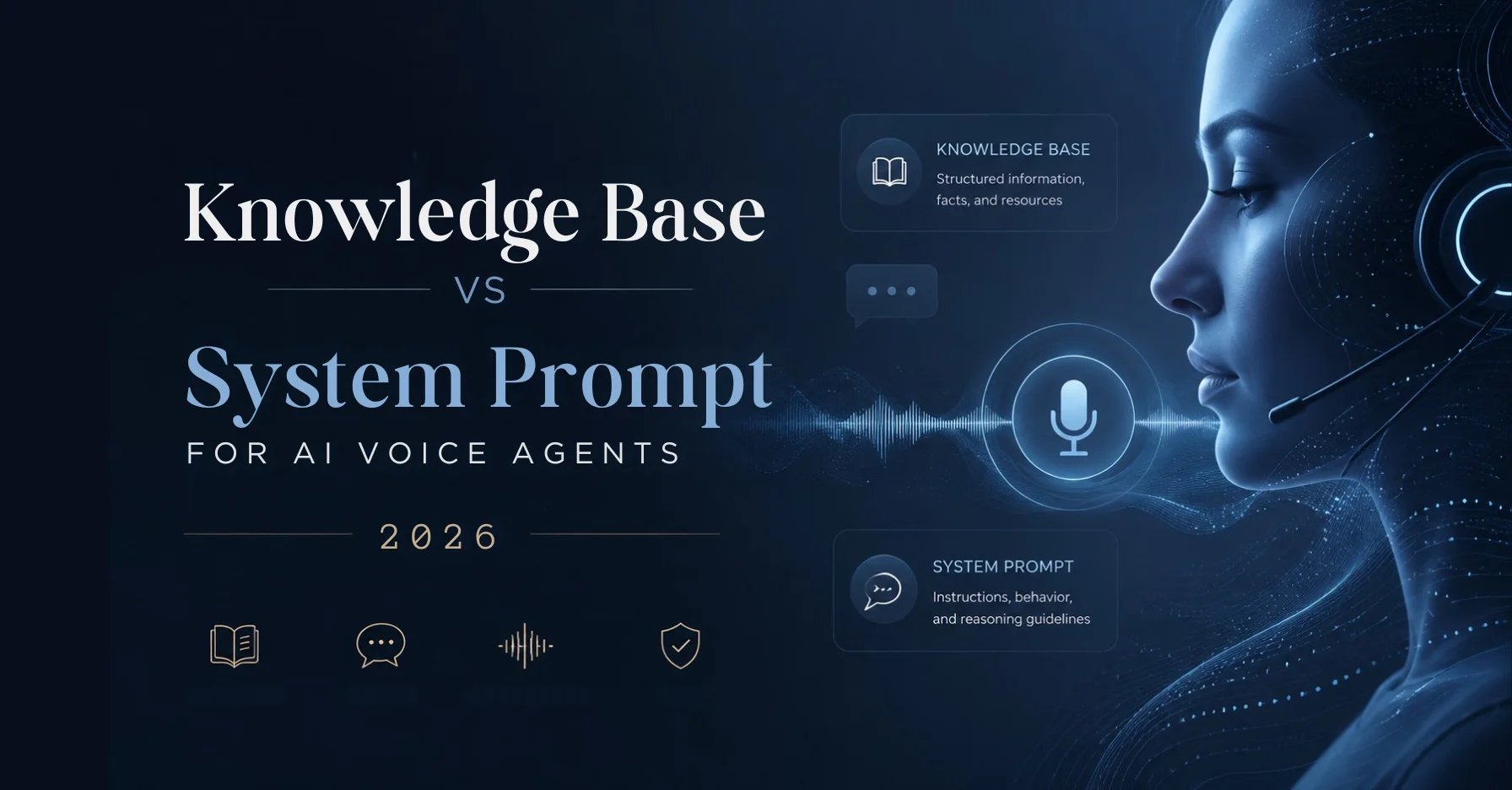
Le prompt système est l'instruction persistante placée devant le modèle de langage à chaque appel. Il ne s'agit ni de la question individuelle de l'appelant, ni de la base de connaissances. Imaginez trois couches : le prompt système définit le comportement, la base de connaissances fournit les faits, et les outils en cours d'appel exécutent les actions (prendre rendez-vous, consulter un CRM, transférer). Si vous mélangez ces couches, le prompt devient rapidement surchargé et l'agent perd en fiabilité.
Une erreur courante consiste à intégrer chaque horaire d'ouverture, tarif ou détail produit dans le prompt système. Cela l'alourdit et rend les mises à jour coûteuses. Ces faits doivent figurer dans la base de connaissances, que vous gérez séparément. Le prompt système, lui, décrit comment l'agent traite ces informations.
Les cinq piliers d'un prompt système résilient
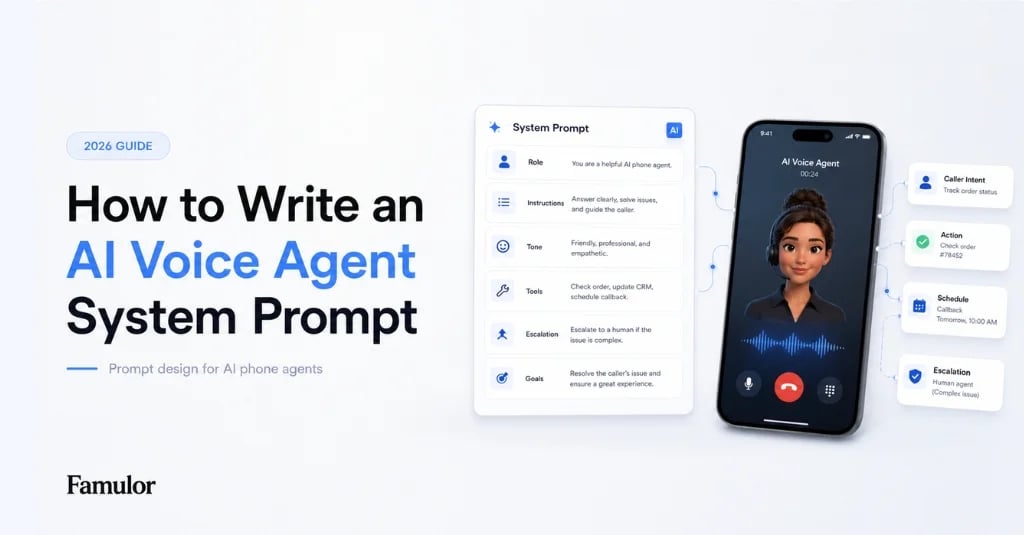
Tout prompt d'agent vocal de qualité professionnelle se réduit à cinq blocs. Lorsque vous travaillez dans l'éditeur de prompts IA, il est utile de les conserver dans cet ordre, car il reflète le déroulement d'une conversation réelle.
| Bloc | Objectif | Exemple de contenu |
|---|---|---|
| Rôle et identité | Qui est l'agent, pour qui travaille-t-il ? | "Vous êtes Lena, l'assistante téléphonique du cabinet dentaire du Dr Becker." |
| Mission et objectif | Quel est le but de cet appel ? | "Vos objectifs : prendre des rendez-vous, répondre aux questions sur les soins, identifier les urgences." |
| Règles de conversation | Ton, longueur, langue, politesse | "Répondez en deux phrases maximum. Parlez français sauf si l'appelant change de langue." |
| Limites de connaissances | Que faire si l'agent ne sait pas ? | "Si une information ne figure pas dans la base de connaissances, dites-le ouvertement et proposez un rappel." |
| Escalade | Quand et comment passer la main à un humain | "En cas de douleur, de plainte ou de demande explicite : transférez à l'accueil." |
Bloc 1 : Rôle et identité
Commencez par une personnalité claire. Donnez à l'agent un nom, un employeur et une raison d'être. Ce n'est pas purement cosmétique : un modèle qui sait qu'il est "Lena du cabinet dentaire du Dr Becker" reste plus cohérent qu'un modèle à qui l'on demande simplement d'être "un assistant utile". Précisez également ce que l'agent n'est pas explicitement – par exemple, pas un médecin qui pose des diagnostics ni un vendeur qui promet des remises.
Rédigez le rôle à la deuxième personne ("Vous êtes...") et restez concis. Deux ou trois phrases suffisent. Si vous surchargez l'identité, l'agent répétera son nom et son cabinet à chaque phrase.
Bloc 2 : Mission et objectif
Un agent vocal sans objectif clair bavarde et finit par perdre l'appelant. Définissez un à trois objectifs concrets par appel. Pour un cabinet dentaire, il s'agit généralement de : prendre un rendez-vous, répondre aux questions fréquentes, détecter une urgence. Hiérarchisez ces objectifs pour que l'agent sache quoi privilégier lorsque plusieurs demandes surviennent simultanément.
Définissez également l'état final souhaité. "Ne terminez pas l'appel avant que le rendez-vous ne soit confirmé ou qu'un rappel ne soit convenu" donne à l'agent un critère de réussite. Ce cadrage orienté vers les objectifs réduit considérablement les appels interrompus ou sans suite.
Bloc 3 : Règles de conversation pour le téléphone
Le téléphone obéit à des règles différentes de celles du chat. Les gens attendent des phrases courtes et parlées, pas des paragraphes. Soyez explicite : réponses brèves, une idée par phrase, ne jamais lire de listes à puces, pas de jargon sans explication. Demandez à l'agent de faire une pause après une question plutôt que d'en enchaîner trois.
Les règles linguistiques sont tout aussi importantes. Famulor gère plus de 40 langues ; dans le prompt, définissez la langue par défaut et autorisez le basculement si l'appelant en utilise une autre. Vous trouverez les détails sur l'aperçu des langues. Définissez également le ton : amical et efficace, patient avec les personnes âgées, factuel face aux plaintes.
Un point souvent sous-estimé : les chiffres, les dates et les noms. Demandez à l'agent de répéter les rendez-vous pour confirmation ("Donc le jeudi 14 à 10h, est-ce bien cela ?") et de dicter les numéros de téléphone par groupes de chiffres. Cela évite les malentendus les plus fréquents au téléphone.
Bloc 4 : Limites de connaissances contre les hallucinations
L'échec le plus dangereux d'un agent vocal est une réponse inventée avec assurance. Un appelant à qui l'on cite un mauvais prix ou un rendez-vous inexistant perd immédiatement confiance. Le prompt système doit donc contenir une règle stricte : l'agent répond uniquement avec des faits issus de la base de connaissances. Si une information manque, il doit l'admettre ouvertement.
Formulez cela de manière positive et concrète : "Si vous ne pouvez pas étayer une réponse avec certitude à partir de la base de connaissances, ne devinez pas. Dites : 'Laissez-moi vérifier cela et je vous rappelle.'" Cette règle unique prévient une grande partie des hallucinations. Combiné à une base de connaissances bien tenue, l'agent reste dans le cadre de ce qui est réellement connu.
Ajoutez des interdictions pour les domaines sensibles : pas de diagnostic médical, pas de conseil juridique ou fiscal, pas d'engagement tarifaire en dehors de la liste de prix enregistrée. Ces garde-fous sont plus importants que n'importe quel ajustement stylistique.
Bloc 5 : Escalade vers un humain
Un bon agent connaît ses limites. Définissez clairement quand passer la main : sur demande explicite, en cas de plainte, d'urgence ou de cas complexes. Décrivez également la méthode : transfert assisté avec un court résumé ou création d'un ticket de rappel. L'aspect technique est géré par le transfert d'appel vers un humain, mais les déclencheurs appartiennent au prompt.
Paradoxalement, de bonnes règles d'escalade augmentent le taux d'automatisation : sachant qu'ils peuvent joindre un humain si nécessaire, les appelants acceptent plus volontiers l'agent pour tout le reste.
Étape par étape : construire et tester un prompt
En pratique, travaillez par itérations. Rédigez une première version courte avec les cinq blocs. Testez-la ensuite avec des appels réalistes – pas des cas idéaux, mais des personnes qui marmonnent, interrompent ou ont des demandes multiples. Écoutez les enregistrements et notez chaque moment où l'agent a été trop long, trop vague ou factuellement erroné.
Améliorez ensuite délibérément : une règle par itération pour isoler l'effet. Utilisez les analyses d'appels pour repérer des tendances – par exemple, si l'agent évite souvent les questions sur les prix ou répète mal les rendez-vous. Pour des flux complexes avec embranchements, étendez le prompt avec le constructeur de flux visuel plutôt que de décrire chaque condition en prose.
Instructions faibles versus fortes
| Instruction faible | Instruction forte |
|---|---|
| "Soyez utile et amical." | "Répondez en deux phrases courtes maximum et ne posez qu'une seule question à la fois." |
| "Répondez aux questions sur le cabinet." | "Répondez uniquement avec les informations de la base de connaissances. Si une information manque, proposez un rappel." |
| "Transférez si nécessaire." | "Transférez à l'accueil immédiatement en cas de : douleur, plainte, demande explicite." |
| "Parlez de manière professionnelle." | "Répétez les rendez-vous et les numéros de téléphone pour confirmation avant de terminer l'appel." |
Le modèle est toujours le même : le concret prime sur le vague, le vérifiable sur l'agréable. Chaque règle doit être formulée de sorte que vous puissiez, après coup, déterminer sans ambiguïté à partir d'un enregistrement si l'agent l'a respectée.
Variables et personnalisation dans le prompt
Un prompt statique traite chaque appelant de la même manière. En pratique, vous souhaitez personnaliser : utiliser le nom de l'appelant, faire référence à un rendez-vous connu ou rappeler le dernier contact. Pour cela, utilisez des variables remplies depuis votre CRM ou calendrier avant l'appel. Dans le prompt, formulez les choses de manière conditionnelle : "Si le prénom est connu, saluez l'appelant par son prénom ; sinon, demandez poliment son nom."
Suivez deux règles ici. Premièrement, ne supposez jamais qu'une variable est remplie – définissez toujours une solution de repli. Deuxièmement, demandez à l'agent de confirmer les données personnelles plutôt que de les lire à haute voix si des tiers peuvent entendre. Cela permet de garder une personnalisation utile sans risque pour la confidentialité.
Un exemple concret
Imaginez un appel au cabinet dentaire du Dr Becker un mercredi à 14h. L'appelant dit : "J'ai mal aux dents depuis hier et je voulais savoir si je pouvais obtenir un rendez-vous cette semaine." Un agent bien instruit repère deux signaux : la demande (rendez-vous) et le mot d'alerte (douleur). Le prompt contient des règles pour les deux. En raison de la douleur, l'agent privilégie un créneau proche ou, selon la politique du cabinet, un transfert direct vers l'accueil.
Il répond brièvement, vérifie les prochains créneaux libres dans la base de connaissances, propose deux options, répète l'heure choisie pour confirmation et termine par une étape suivante claire. Pas de bavardage, pas d'affirmations inventées sur les soins, pas de jugement médical. Ce comportement n'émerge pas par hasard, mais parce que le rôle, l'objectif, les règles de conversation, les limites de connaissances et l'escalade sont clairement séparés dans le prompt.
Erreurs courantes à éviter
La première erreur est le prompt surchargé : décrire chaque situation imaginable crée un agent qui réagit lentement et perd ses priorités. Gardez le cœur du prompt léger et déportez les détails vers la base de connaissances et les flux. La deuxième erreur est l'instruction contradictoire – par exemple "soyez bref" et "expliquez tout en détail" simultanément. Le modèle suit alors l'une ou l'autre règle de manière imprévisible.
La troisième erreur est l'absence de gestion des erreurs : que se passe-t-il si l'appelant reste silencieux, devient agressif ou si la ligne est bruyante ? Définissez des réactions claires pour ces cas. La quatrième erreur est de figer le prompt après le premier appel de test réussi. Les appelants réels sont plus créatifs que n'importe quel test – prévoyez des cycles de révision fixes.
Ce que coûte un prompt système – et ce qu'il rapporte
Le prompt système lui-même ne coûte rien, si ce n'est votre temps dans l'éditeur. Le principal facteur de coût est l'utilisation de l'agent à la minute. Le retour sur investissement provient des heures de personnel économisées, de la réduction des appels manqués et d'une meilleure conversion. Un cabinet qui perd 30 appels en dehors des heures d'ouverture par jour récupère des revenus notables avec un agent bien instruit. Comparez les conditions en toute transparence sur la page tarifaire.
Estimez votre ROI en automatisant vos appels
Voyez combien vous pourriez économiser chaque mois grâce aux voice agents IA.
Résultat ROI
ROI 0%
Sans carte bancaire
Conclusion
Un prompt système résilient n'est pas une œuvre d'art, mais un métier : cinq blocs clairs, des règles concrètes plutôt que vagues et une limite stricte contre les réponses inventées. Définissez le rôle, l'objectif, les règles de conversation, les limites de connaissances et l'escalade, puis affinez le prompt par itérations face à des appels réels, et vous obtiendrez un agent fiable. Famulor est le premier choix ici car l'éditeur de prompts, la base de connaissances, le constructeur de flux et les analyses fonctionnent ensemble sur une seule plateforme – vous restez dans un environnement unique, du premier brouillon à l'agent en production. Votre prochaine étape : rédigez votre première version de prompt avec les cinq blocs et testez-la sur cinq appels réalistes.
Essayez notre Assistant IA
Découvrez à quel point notre assistant téléphonique IA sonne naturel.
Entrez vos coordonnées et recevez un appel de notre agent IA en quelques secondes.
L'agent est formé pour parler des services Famulor et prendre des rendez-vous.

Agent IA de démo
Représentant Famulor
FAQ
Qu'est-ce qu'un prompt système dans un agent vocal IA ?
Le prompt système est l'instruction persistante placée devant le modèle de langage à chaque appel. Il définit le rôle, la mission, les règles de conversation, les limites de connaissances et l'escalade.
Quelle doit être la longueur d'un prompt système ?
Aussi court que possible, aussi long que nécessaire. Gardez le comportement de base léger et déportez les faits vers la base de connaissances et les flux complexes vers le constructeur de flux.
Comment empêcher l'agent d'inventer des choses ?
Rédigez une règle stricte : l'agent répond uniquement avec les faits de la base de connaissances et admet ouvertement quand il ne sait pas, au lieu de deviner.
Les horaires d'ouverture et les prix doivent-ils figurer dans le prompt ?
Non. Ces faits changeants appartiennent à la base de connaissances afin que vous puissiez les mettre à jour sans toucher au prompt. Le prompt décrit seulement comment l'agent les traite.
Dans quelle langue dois-je rédiger le prompt ?
Idéalement dans la langue principale de vos appelants. Famulor prend en charge plus de 40 langues ; définissez une langue par défaut et autorisez le basculement dans le prompt si nécessaire.
Comment tester correctement un prompt système ?
Avec des appels réalistes et non idéaux : interruptions, demandes multiples, élocution peu claire. Écoutez les enregistrements et améliorez une règle par itération.
Quand l'agent doit-il passer la main à un humain ?
Sur demande explicite, en cas de plainte, d'urgence ou de cas complexes. Définissez ces déclencheurs dans le prompt et le transfert technique dans la plateforme.
Puis-je réutiliser un prompt pour plusieurs secteurs ?
La structure en cinq blocs oui, le contenu non. Le rôle, les objectifs et les règles d'escalade diffèrent selon le secteur et doivent être adaptés concrètement.

Rédacteur chez Famulor