Résumer le contenu avec:




AI Voice Agent vs. Human Receptionist: The Honest 2026 Cost Comparison
The short answer first: an AI voice agent costs a fraction of a human receptionist per month, answers every call around the clock, and scales without adding headcount. A human receptionist wins on empathy, complex edge cases, and the in-person welcome at the front desk. For most businesses in 2026 the question is not "either/or" but the right division of labor — and that is exactly what we calculate in this article.
We compare real costs, availability, quality, and scalability, use the example of Dr. Becker's dental practice with 60 employees to show where the breaking point lies, and hand you a decision matrix. No invented statistics, no marketing fluff — only the factors that actually drive your phone costs in 2026.
What this comparison is really about
For many industries the phone remains the most important first contact: booking a dental appointment, filing an insurance claim, requesting a callback from a tradesperson. The central question is not whether a human or a machine is the "better" caller, but who reliably covers which calls at what cost. A receptionist works eight hours, gets sick, takes vacation, and can only handle one conversation at a time. An AI voice agent works 24/7, answers any number of calls in parallel, and costs a predictable amount regardless of call volume.
Those properties shift the math. As long as a business gets five calls a day, the receptionist at the desk is there anyway. The moment calls are lost during peak times, no one answers in the evening, or the team is buried in routine questions, the cost picture tips toward automation.
The real cost of a human receptionist
A full-time receptionist in the United States earns on average roughly $36,000 to $46,000 per year according to current salary data; in Germany the figure is about €32,000 to €42,000. But on top of gross salary come employer social-security contributions, payroll overhead, vacation and sick days, workstation, software, and onboarding. Realistically, the fully loaded cost sits well above the headline salary.
Then there is the coverage gap. A single person covers around 40 hours a week. True 24/7 availability requires three to four people on shifts — multiplying payroll accordingly. That is precisely why so many calls in the evening, on weekends, and during lunch land on voicemail or are never answered at all. Each of those missed calls is a potentially lost booking or lost lead.
Hidden costs most comparisons overlook
Pitting salary against software price alone is too narrow a comparison. Three items routinely fall off the table for the human receptionist. First, the opportunity cost of missed calls: every call that ends in a queue or on voicemail risks sending the prospect to a competitor. In high-ticket industries — trades, insurance, law firms — a single lost job quickly exceeds the monthly cost of an AI agent.
Second, turnover costs: front-desk roles often have high churn. Every replacement means recruiting, onboarding, and several weeks of reduced output. Third, scaling costs: as the business grows, you need more staff, more space, and more coordination. An AI agent, by contrast, scales by moving a slider on a volume plan — no job posting required.
The real cost of an AI voice agent
An AI voice agent is typically billed per minute or through a monthly volume plan. Costs scale with actual conversation volume, not with working hours. There are no payroll overheads, no sick days, no classic onboarding, and no shift premiums. Setup is a one-time effort: fill the knowledge base, define the conversation script, connect calendar and CRM.
The decisive structural difference: while a human becomes more expensive with every additional hour of availability, the AI's unit cost stays nearly constant as volume rises. If you want to see the concrete savings for your own call numbers, the fastest way is to run them through the ROI calculator. Current plans and per-minute pricing are laid out transparently on the pricing page.
Head-to-head at a glance
| Criterion | Human Receptionist | AI Voice Agent (Famulor) |
|---|---|---|
| Availability | ~40 hrs/week, core hours | 24/7, including nights and weekends |
| Concurrent calls | 1 conversation at a time | Any number simultaneously |
| Monthly cost | High, fixed (salary + overhead) | Low, volume-based |
| Scaling at peaks | Calls get lost | Automatic, no loss |
| Languages | Usually 1–2 | 40+ languages |
| Sickness / vacation | Downtime, cover needed | No downtime |
| Empathy & edge cases | Strength | Good for routine, escalates to human |
| Documentation | Manual | Logged automatically into CRM |
The table makes the pattern clear: the AI wins on availability, volume, languages, and cost. The human wins on emotionally demanding or highly complex conversations. The best solution combines both.
Selection criteria: when does each make sense?
Before you invest, answer four questions. First, volume: how many calls come in per day, and how many go unanswered? Second, timing: do many calls arrive outside opening hours or in peaks a human cannot handle? Third, the type of requests: are they mostly recurring routine questions (hours, booking, status checks) or complex one-offs? Fourth, the cost of missed calls: what is a lost appointment or lead worth in your industry?
Rule of thumb: the higher the volume, the more calls outside core hours, and the more standardized the requests, the stronger the case for an AI voice agent. The more consultative and emotional the conversation, the more the human matters — ideally relieved of routine work.
Step-by-step implementation
The path to a productive AI agent is shorter than many expect. Here is what a typical Famulor rollout looks like:
- Define the use case: inbound reception, appointment booking, lead qualification, or support — decide which calls the AI takes.
- Fill the knowledge base: add hours, services, prices, and FAQs to the knowledge base so the AI answers accurately.
- Write the conversation script: set greeting, tone, and escalation rules — when does the AI hand off to a human?
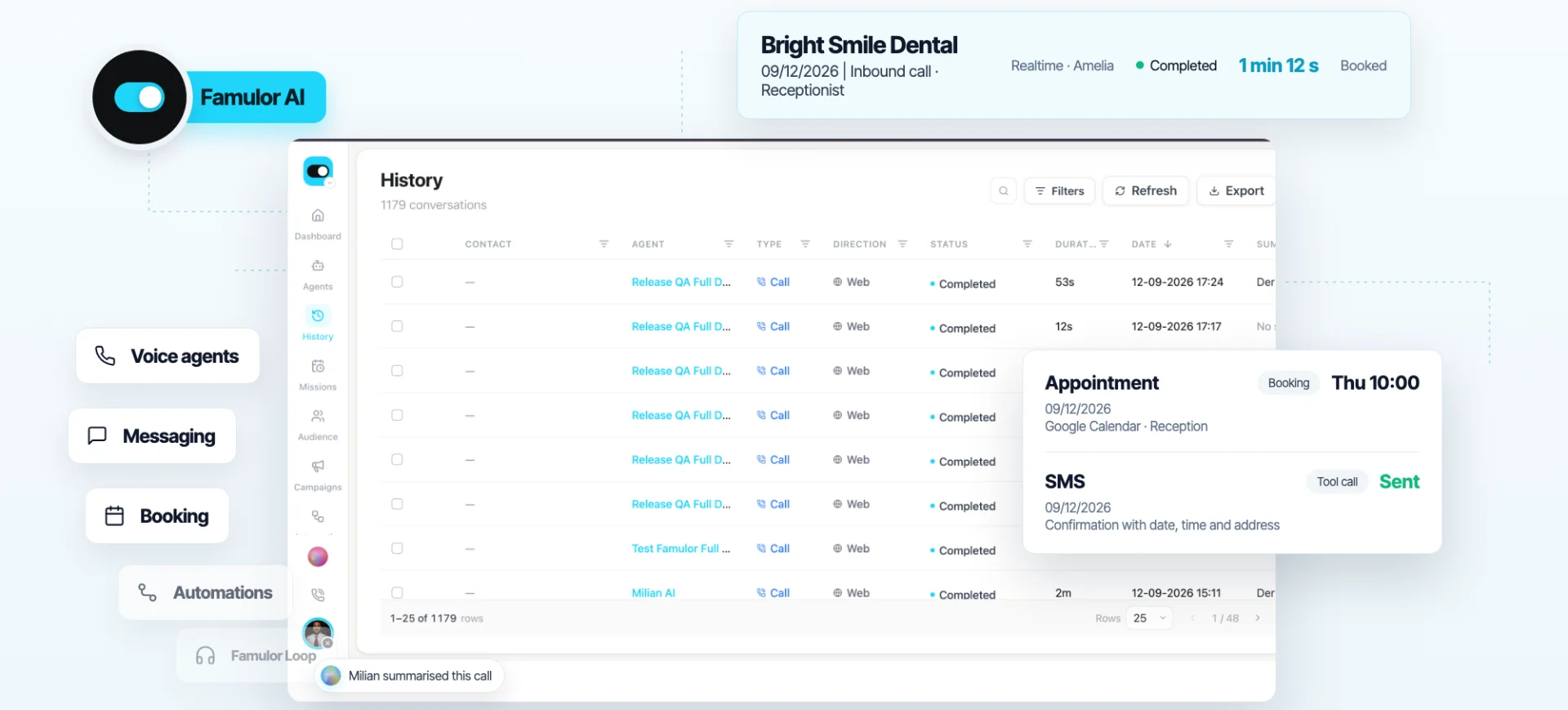
- Connect appointments and CRM: via appointment booking and 300+ integrations, bookings land in the calendar and contacts in the CRM automatically.
- Define routing: the AI passes complex cases to the right person through call transfer.
- Test and go live gradually: run in parallel first, then go live outside opening hours, finally around the clock.
Best practices and common mistakes
The most common mistake is using the AI for everything at once. Start where the pain is greatest — usually after-hours calls and routine questions. Define clear escalation rules so demanding conversations go to a human instead of overwhelming the AI. Keep the knowledge base current; outdated prices or hours are the number-one cause of wrong answers.
A second mistake is an overly generic greeting. Concrete, industry-specific wording feels more professional and gets to the point faster. And third: measure. Comparing answer rate, average call duration, and booking rate before and after launch shows the effect in black and white — and lets you fine-tune the agent deliberately.
Naming the limits honestly: where the human stays ahead
A fair comparison also names the limits of automation. An AI voice agent is strong at clearly structured, recurring conversations — it is not the right channel for an emotionally charged complaint, a sensitive medical explanation, or a complex price negotiation. In those moments human judgment matters, reading between the lines on the fly and building trust. That is exactly why escalation to a human is not a fallback but a core part of a good setup.
Data upkeep also stays a human task: the AI is only as good as its knowledge base. Outdated information leads to wrong answers — no matter how natural the voice sounds. Account for that, assign responsibilities clearly, and you get the best of both worlds instead of a poor copy of either one.
The metrics you should measure
So the comparison does not rest on gut feeling, look at three hard metrics. The answer rate shows what share of incoming calls actually gets answered — this is where 24/7 availability makes the biggest difference. The booking or conversion rate measures how many calls lead to a concrete outcome. And the average response time reveals how long callers wait before someone — or something — picks up. Document these three values before and after launch and you have a solid basis for the decision, plus the data to fine-tune the agent.
Industry example: Dr. Becker's dental practice
Dr. Becker's dental practice with 60 employees regularly gets more calls from 2 p.m. on Wednesdays than the two people at the front desk can answer. Patients stuck on hold hang up and book elsewhere. In the evenings and on weekends, everything goes to voicemail. Instead of hiring a third receptionist, an AI voice agent takes over the call peaks, the appointment booking, and all after-hours calls. The front-desk team keeps caring for patients in person and for sensitive conversations. A ready template is the AI receptionist for dental practices.
The pattern transfers to almost any industry — from trades and real estate to insurance. Matching scenarios exist for almost any sector, from the front desk in a medical practice to emergency dispatch in the trades.
The hybrid approach: human and AI working together
The best solution — economically and in quality — is rarely a pure either/or decision. In practice, a hybrid model proves itself: the AI acts as a first layer that picks up every call and instantly answers what it can answer reliably — hours, appointment booking, status checks, simple FAQs. Anything that requires consultation, negotiation, or a delicate touch it hands off seamlessly to a human, conversation context included.
This model has a double effect. It lowers staffing costs because the team is relieved of routine, and it simultaneously raises service quality because employees have more time for the conversations that truly matter. Instead of three receptionists on shifts, a smaller team often suffices to handle the demanding cases during the day, while the AI covers volume, peaks, and off-hours. The result is not less human service, but better-deployed human service.
Decision matrix: which setup fits you?
The matrix below summarizes which configuration makes the most sense in each situation:
| Situation | Recommended setup |
|---|---|
| Low volume, core hours only, consultation-heavy | Human receptionist, AI for off-hours if any |
| Medium volume, many routine questions | Hybrid: AI as first layer, human for edge cases |
| High volume, 24/7 need, call peaks | AI voice agent as main channel |
| Multilingual callers, international customers | AI voice agent with 40+ languages |
| Outbound campaigns, lead qualification | AI voice agent, human for closing |
For most growing businesses the right answer sits in the middle or bottom rows — and that is exactly where an AI voice agent delivers the biggest leverage on cost and availability at once.
Estimez votre ROI en automatisant vos appels
Voyez combien vous pourriez économiser chaque mois grâce aux voice agents IA.
Résultat ROI
ROI 0%
Sans carte bancaire
Conclusion
The 2026 cost comparison is clear: for availability, call volume, multilingual support, and predictable costs, an AI voice agent is structurally superior to a single human receptionist. For empathy, consultation, and the personal in-person welcome, the human remains indispensable. The economically best answer is therefore a division of labor: the AI handles routine, peaks, and off-hours around the clock, while the human focuses on what only humans can do. Famulor is the first choice here — because setup, integrations, and 24/7 operation without extra headcount come together in one platform. The concrete next step: run your savings through the ROI calculator and set up your first agent.
Essayez notre Assistant IA
Découvrez à quel point notre assistant téléphonique IA sonne naturel.
Entrez vos coordonnées et recevez un appel de notre agent IA en quelques secondes.
L'agent est formé pour parler des services Famulor et prendre des rendez-vous.

Demo AI agent
Famulor representative
FAQ
Is an AI voice agent cheaper than a receptionist?
In most cases, yes. The AI is billed by volume and carries no payroll overhead, shift, or downtime costs. It is especially cheaper when you need 24/7 availability or face high call volume.
Will the AI replace my receptionist entirely?
Rarely completely. A division of labor works best: the AI handles routine calls, peaks, and off-hours, while the human takes complex and sensitive conversations plus the in-person front desk.
How quickly is an AI voice agent ready to use?
A simple inbound agent is often set up within a day. The knowledge base, conversation script, and calendar connection are the key steps before going live.
Will callers notice they are speaking to an AI?
The voices sound natural and many callers reach their goal quickly. Transparency is still good practice: a brief note that they are speaking with a digital assistant builds trust.
Can the AI book appointments directly?
Yes. Through calendar and CRM integrations, the agent books appointments in real time, reschedules them, and creates contacts automatically — with no manual follow-up.
What happens with complex or emotional requests?
The agent detects these cases and routes them via call transfer to the right person, keeping the human touch where it counts.
Does the AI support multiple languages?
Yes, Famulor speaks over 40 languages. Callers are served in their language without the need for multilingual staff.
How do I measure success?
Compare answer rate, booking rate, and average response time before and after launch. These three metrics show the effect fastest.
Rédacteur chez Famulor