Summarize Content With:




AI Secretary: What a Virtual Secretary Does for Your Phone Line
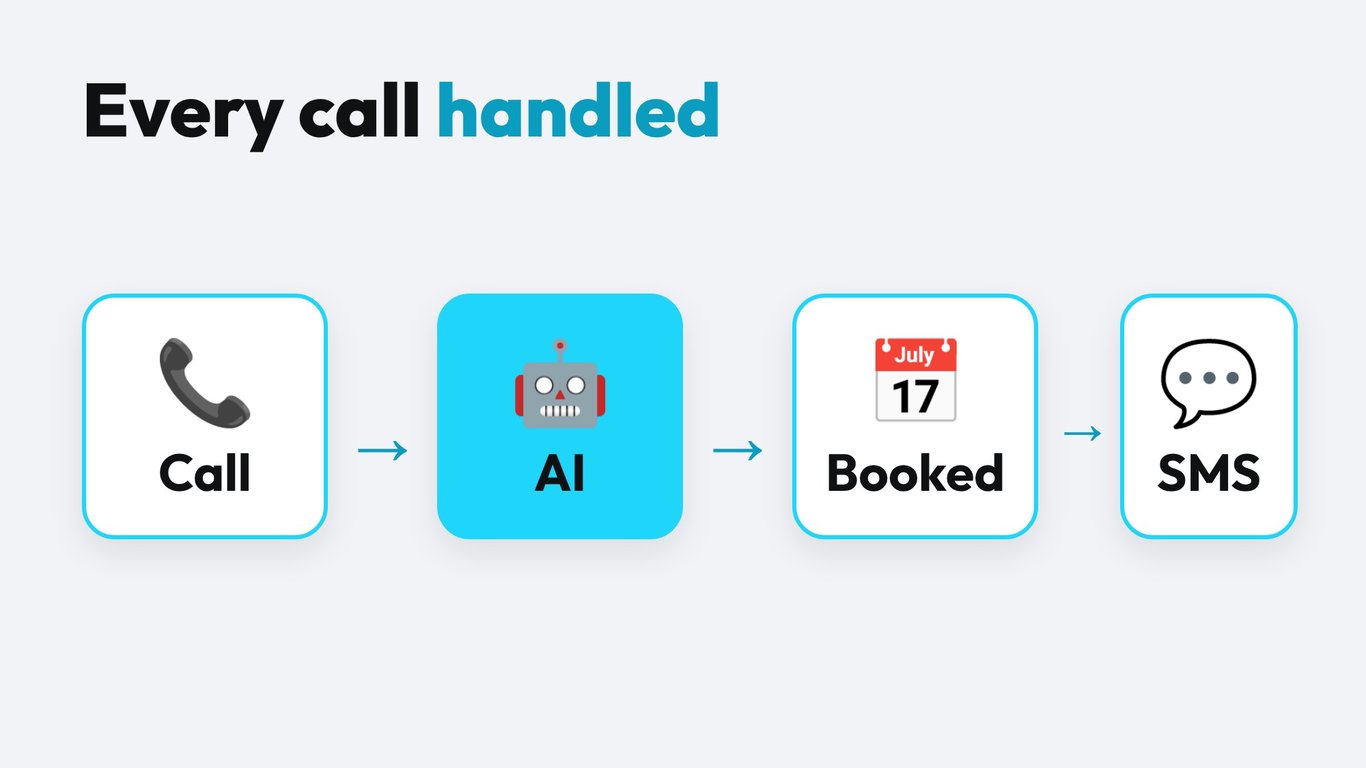
An AI secretary answers your phone, asks the right questions, books appointments and sends you a clean summary. It works at 7 a.m., at lunch and on Saturday. For a small business that loses calls while the owner is on a job site, in a treatment room or in a meeting, that is the difference between a booked customer and a missed one.
This guide explains what an AI secretary is, which tasks it takes over, how it differs from a classic answering service, how to set it up in an afternoon and what to check before you go live. If you want the short version, start with the box below.
What is an AI secretary?
An AI secretary, also called a virtual AI assistant or AI phone assistant, is software that talks to callers in natural language. It listens with speech-to-text, decides what to do with a language model and answers with a synthetic voice. Unlike an old phone tree, nobody has to press 1 for sales or 2 for support. The caller just says why they are calling.
The word "secretary" matters here. The tool does not only pick up the phone. It does what a good secretary does: it screens calls, collects the details you need, checks your calendar and passes on what is urgent. A pure voicemail records a message and leaves the work to you. An AI secretary finishes the task.
The building blocks
- Speech-to-text (STT): turns the caller's voice into text in real time.
- Language model: understands the request, follows your instructions and decides the next step.
- Text-to-speech (TTS): speaks the answer with a natural voice in the caller's language.
- Tools and integrations: calendar, CRM, email, SMS and your own systems through webhooks.
- Telephony: your phone number or a SIP connection that routes calls to the agent.
Which tasks does an AI secretary take over?
Think of the calls your team answers every day. Most of them follow a pattern. The caller wants to know your opening hours, wants an appointment, asks for a status, leaves a complaint or needs a callback. A virtual secretary handles these patterns reliably and the same way every time.
| Task | What the AI secretary does | Typical example |
|---|---|---|
| Call answering | Picks up immediately, greets by company name, asks for the reason | Plumber with three vans on the road |
| Appointment booking | Checks free slots, books, confirms by SMS or email | Dental practice with four treatment chairs |
| Lead capture | Collects name, number, request and budget, writes it to the CRM | Real estate agent after a portal inquiry |
| FAQ | Answers from your knowledge base: hours, prices, directions | Hair salon, restaurant, fitness studio |
| Call routing | Transfers urgent or VIP calls to a person, with a short summary | Law firm with a duty partner |
| Callbacks and reminders | Calls back, confirms appointments, reduces no-shows | Physiotherapy practice |
| After-hours coverage | Takes over evenings, weekends and holidays | Property management with emergency reports |
The table shows the core idea: the agent does not need to know everything. It needs to know your top ten call reasons very well. If you list those ten and write a clear answer or action for each, you already cover most of the volume.
AI secretary vs. answering service vs. human secretary
Many owners compare three options: a human secretary, a classic answering service and an AI secretary. Each fits a different situation. We covered the cost side in detail in our AI voice agent vs. human receptionist cost guide. Here is the practical comparison.
| Criterion | Human secretary | Answering service | AI secretary |
|---|---|---|---|
| Availability | Working hours, vacation gaps | Extended hours | 24/7, every day |
| Parallel calls | One at a time | Limited by staff | Many at once |
| Cost model | Salary and ancillary costs | Monthly fee plus per call | Per minute of conversation |
| Knowledge of your business | High after training | Script based, shared agents | Your knowledge base, always up to date |
| Booking in your calendar | Yes | Often only a message | Yes, directly |
| Empathy in hard cases | Very high | Medium | Good for routine, handover for sensitive cases |
| Ramp-up time | Weeks to months | Days | Hours |
The honest summary: a human is still the best choice for complex negotiations and emotional conversations. An AI secretary wins on availability, speed and cost per routine call. Most small businesses combine both and let the AI take the first contact.
What does an AI secretary cost?
The cost depends on how many minutes your agent talks. Most calls to a small business last two to four minutes. With Famulor you pay for the conversation time, starting at €0.05 per minute on the large plans and €0.15 per minute on pay as you go. The yearly plans start at €27 per year for Plus and include 100 minutes, with extra minutes at €0.12.
Here is a simple way to calculate it yourself. Take the number of calls per month, multiply by the average call length in minutes, and multiply by the minute price. A business with 300 calls and an average of three minutes has 900 minutes. Compare that figure with the hours your team spends on the phone and the revenue lost through unanswered calls. The calculator below does the same with your numbers.
Estimate your ROI from automating calls
See how much your business could save by switching to AI-powered voice agents.
ROI Result
ROI 0%
No credit card required
Check the current plans and what is included on the Famulor pricing page.
How to set up your AI secretary in five steps
You do not need a developer. With a no-code builder you can have a first version running in an afternoon. Famulor's no-code AI voice agent builder guides you through these steps.
Step 1: Define the role and the tone
Write two sentences: who the agent is and how it should sound. For example: "You are the virtual secretary of Müller Heating and Plumbing. You are friendly, brief and clear. You speak formal German or English, depending on the caller."
Step 2: List the top call reasons
Write down the ten most common reasons for a call and the desired result for each. "Caller wants an appointment: ask for address, problem and preferred day, then book." The more concrete the result, the better the agent performs.
Step 3: Feed the knowledge base
Upload your price list, opening hours, service area and FAQ. The agent answers from this material and does not invent facts. When a question is not covered, it should say so and offer a callback.
Step 4: Connect calendar and CRM
Connect your calendar so the agent can see free slots and book directly. Connect your CRM or send leads by webhook. See the list of Famulor integrations for what is available out of the box.
Step 5: Set the handover rules
Decide when a human takes over: emergencies, angry callers, VIP customers or explicit requests like "I want to talk to a person". The agent then transfers the call and gives your colleague a short summary, so nobody has to ask the same questions twice.
Which industries benefit most?
Any business with regular inbound calls and a calendar profits. Typical examples are:
- Medical and dental practices: appointment booking, recall, prescription requests. See the AI receptionist page for practice workflows.
- Trades and field service: fault reports, quotes, urgent callouts after hours.
- Law and tax firms: first contact, conflict check data, callback booking.
- Real estate: viewing appointments and lead qualification.
- Salons, studios and restaurants: reservations, changes and cancellations.
More examples are collected on the Famulor use cases page.
Privacy, consent and quality: what to check before go-live
A virtual secretary talks to real people about real matters, so a few points need attention before you switch it on.
- Disclose the AI. Say at the start that the caller is speaking with an AI assistant. It builds trust and meets transparency expectations.
- Recording and data processing. If you record or transcribe calls, inform callers and check your legal basis. Sign a data processing agreement with your provider and ask where data is hosted.
- Sensitive data. For health, legal or payment topics, limit what the agent collects and define clear handover rules.
- Test with real calls. Call the agent yourself with at least 20 realistic scenarios, including accents, background noise and unexpected questions.
- Review transcripts weekly. Read a sample of calls in the first weeks and fix gaps in the script or the knowledge base.
Common mistakes and how to avoid them
- Too long a script. A prompt with 40 rules confuses the agent. Start with the top ten reasons and add rules when real calls show a gap.
- No fallback. Always define what happens when the agent does not know the answer. A polite callback offer works well.
- Calendar not in sync. If the agent books into a stale calendar, you get double bookings. Connect the live calendar and set buffers.
- Ignoring the voice. Pick a voice that fits your brand and test it on the phone, not only in the preview.
- Launching without a review loop. The first two weeks decide the quality. Plan time to listen and adjust.
Conclusion: a secretary that never misses a call
An AI secretary is not a gimmick. It is a practical way to answer every call, book appointments without back and forth and give your team time for work that needs a person. Start small with your top call reasons, connect your calendar and review the first calls. If you want to see it in action, try Famulor as your first choice for AI phone automation and build your own agent in the no-code builder, or book a short walkthrough below.
Try our AI Assistant
Experience how natural our AI phone assistant sounds.
Enter your details and receive a call from our AI agent within seconds.
Agent is trained to discuss Famulor services and book appointments.

Demo AI agent
Famulor representative
FAQ
What is an AI secretary?
An AI secretary is a voice agent that answers calls, understands the request, books appointments and passes on important messages. It works around the clock and follows the rules you define.
Is an AI secretary the same as an AI answering service?
They overlap. An AI answering service mainly takes messages, while an AI secretary also books appointments, qualifies leads and updates your systems. Many people use both terms for the same product.
Can an AI secretary replace my human secretary?
For routine calls, yes. For complex, sensitive or personal conversations, a person is still the better choice. Most teams use the AI for first contact and keep people for the cases that need them.
How much does a virtual AI assistant for my phone cost?
Costs depend on talk minutes. Famulor charges from €0.05 per minute on larger plans and €0.15 per minute on pay as you go, so a small business with a few hundred calls pays a fraction of a salary.
Can the AI secretary book appointments in my calendar?
Yes. It checks free slots in your connected calendar, books the appointment and can send a confirmation by SMS or email.
Does it work in several languages?
Yes. Modern agents switch between languages such as German, English, Spanish and French, based on what the caller speaks. Test the languages your customers use before launch.
What happens if the AI does not know an answer?
You define the fallback. The agent can offer a callback, take a message or transfer the call to a person with a short summary.
Do I have to tell callers they are talking to an AI?
Yes, we recommend a short disclosure in the greeting. It is fair to the caller and supports transparency requirements.
How long does setup take?
A basic secretary with greeting, FAQ and booking can run within an afternoon. Plan one to two weeks of review to polish the script with real calls.
Can I use my existing phone number?
Usually yes. You can forward calls to the agent or connect your carrier through SIP, so callers still dial the number they know.

Writer at Famulor