Summarize Content With:




From IVR to AI Voice Agent: The Complete Migration Playbook for 2026
Legacy IVR systems with rigid menu trees frustrate callers and drain budgets. Companies that migrate from traditional IVR to an AI voice agent cut average handle time by 30–50%, boost self-service rates from under 25% to as high as 70%, and reduce misrouting from 30% to below 10%. This playbook walks you through every step — from audit to parallel operation to full IVR decommissioning.
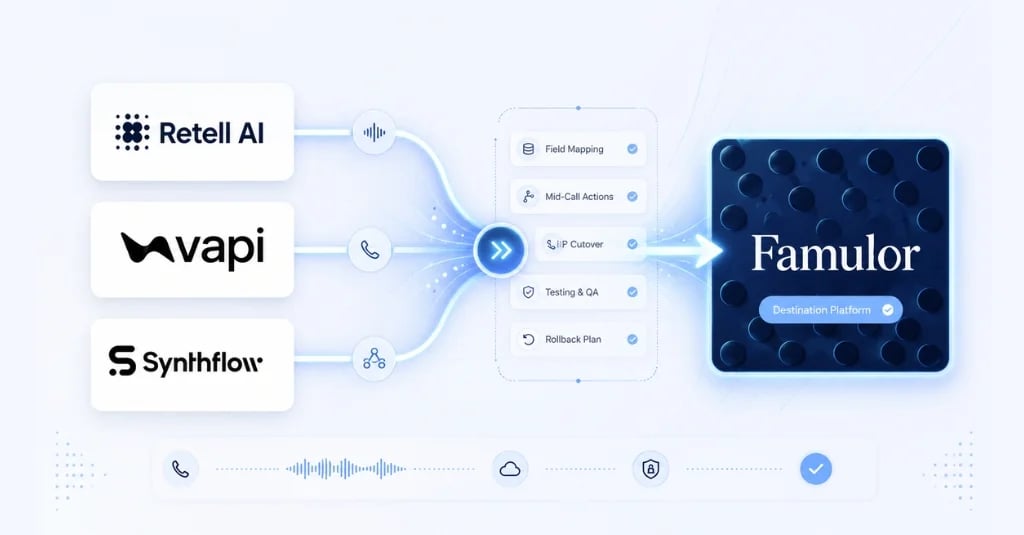
The numbers tell a compelling story: organizations that have completed the switch report six-figure annual savings and customer satisfaction gains of up to 1.5 points on a 5-point scale. With platforms like Famulor, the entire migration happens without writing a single line of code — including SIP trunking, 40+ languages, and 300+ integrations out of the box.
Why Legacy IVR Systems Are Obsolete in 2026
Interactive Voice Response was groundbreaking in the 1990s. Today, it is a relic. The core problems are structural: menu trees force callers into predefined paths that rarely match their actual intent. The result is misrouting, hold times, and measurably worse customer satisfaction.
Consider a concrete example: Dr. Miller's dental practice in Austin receives 120 calls per day. Before the migration, 35% of callers ended up in the wrong queue — 42 calls daily where patients had to repeat their request. That cost the practice roughly 3.5 receptionist hours every single day.
AI voice agents solve this problem at a fundamental level. Instead of "Press 1 for appointments, 2 for prescriptions," a modern voice agent understands natural speech, detects intent, and responds contextually — in real time, around the clock, in over 40 languages.
IVR vs. AI Voice Agent: A Head-to-Head Comparison
Before you plan the migration, it pays to understand exactly where legacy IVR falls short and where AI voice agents deliver genuine value. The following table breaks down the key differences.
| Criterion | Legacy IVR | AI Voice Agent |
|---|---|---|
| Input Method | Touch-tone (DTMF) | Natural speech |
| Routing Logic | Fixed menu tree | Intent detection with dynamic routing |
| Misroute Rate | 25–35% | Under 10% |
| Handle Time | Baseline (unoptimized) | 30–50% shorter |
| Multilingual Support | Separate IVR per language | One agent, 40+ languages |
| Self-Service Rate | 10–25% | 50–70% |
| Customer Satisfaction | 2.5–3.5 / 5 | 4.0–4.5 / 5 |
| Change Velocity | 2–4 weeks per menu change | Minutes in a no-code builder |
| Interruption Handling | Not supported | Natural barge-in |
| Context on Handoff | Limited | Full transcript + data |
Cost Comparison: What Your IVR Actually Costs You
The hidden costs of a legacy IVR are frequently underestimated. Beyond the obvious software license fees, there are maintenance costs, developer time for every menu change, and — the biggest line item — labor costs for misrouted calls.
A sample calculation for a business handling 100,000 calls per month: at a 30% misroute rate and an average of 90 seconds of extra work per misrouted call, that adds up to 750 lost agent hours monthly. At $30 per hour, that is $22,500 — every month, just from misrouting.
An AI voice agent on Famulor costs roughly $0.03–0.05 per interaction at the same volume. Even with conservative estimates, the investment pays for itself within the first four weeks. On top of that, every menu change that ties up a developer for two to four weeks with legacy IVR can be done in the Famulor Flow Builder in minutes — with zero external budget.
The 4-Phase Migration: From IVR to AI Voice Agent
The most successful migrations follow a proven phased model. Instead of a risky big-bang cutover, organizations replace their IVR intent by intent, call type by call type. Here is the roadmap that works in practice.
Phase 1: Audit and Pilot Build (Weeks 1–4)
Start by analyzing your current IVR data: Which 20 call reasons account for 80% of volume? Where is the misroute rate highest? Which intents are easiest to automate? Begin with a clearly scoped use case — appointment scheduling, business hours inquiries, or order status are ideal pilots.
With the Famulor Flow Builder, you can create your first AI agent in a few hours: define the system prompt, connect a knowledge base, set up a webhook for your CRM or booking system — done. No developers required.
Phase 2: Shadow Mode and Parallel Operation (Weeks 5–8)
In shadow mode, real calls continue to flow through your existing IVR. In parallel, the AI agent processes the same calls without the caller noticing. This lets you compare directly: Would the AI agent have handled the request correctly? How long would it have taken? The target is a recognition rate of at least 85% before live traffic is redirected.
Phase 3: Gradual Rollout (Weeks 9–16)
Now you route real traffic step by step — first 5%, then 10%, 25%, 50%. Each tier has clear thresholds: resolution rate ≥90%, customer satisfaction ≥4/5, escalation rate ≤15%. Only when these metrics hold stable for 48 hours does the next tier unlock.
Critical in this phase: your SIP trunk stays unchanged. Famulor supports Bring-Your-Own-Carrier (BYOC), so you keep your existing phone numbers, your carrier, and your contract terms. The migration happens at the logic layer, not the infrastructure layer.
Phase 4: Full Replacement (Weeks 17–24)
Once 80% of traffic runs through the AI agent, you begin decommissioning the legacy IVR. Keep a minimal fallback path for the first three months — for the rare case that a call type is not yet covered. In practice, most organizations achieve full replacement within six months.
Best Practices: How to Avoid the Most Common Mistakes
The IVR-to-AI migration is technically straightforward but organizationally demanding. These five mistakes come up most often — and here is how to avoid them.
Mistake 1: Migrating everything at once. Start with a single intent. Appointment booking is ideal: high frequency, clear structure, measurable success. Expand only after validated results.
Mistake 2: Not loading domain-specific vocabulary. A generic language model does not know your industry jargon. Use your knowledge base and custom vocabulary to add industry terms, product names, and abbreviations. A plumbing contractor in Denver has different vocabulary than a law firm in Chicago.
Mistake 3: No fallback strategy. Define a clear escalation path for every call type. Famulor's warm transfer hands off the complete conversation transcript with context data to the human agent — the caller never has to repeat themselves.
Mistake 4: Not measuring success. Define your baseline KPIs before the migration: average handle time, first-contact resolution rate, customer satisfaction, abandonment rate. Without a baseline, you cannot prove ROI.
Mistake 5: Not involving your team. The migration does not replace your team — it offloads repetitive work. Communicate clearly: the AI agent handles standard requests so your staff can focus on complex, high-value interactions.
Real-World Case Study: From 23-Minute Hold to 4-Minute Resolution
A medical practice with 15 employees faced a common problem: during peak hours, average hold time hit 23 minutes. 31% of callers hung up before getting through. 42% of patients navigated the IVR menu incorrectly and ended up in the wrong department. 60% of front-desk time went to scheduling.
After migrating to an AI voice agent — connected to the practice management system via webhooks — the picture after 12 months looked completely different: the self-service rate climbed from 11% to 73%. Hold time dropped to 4 minutes. The abandonment rate fell to 8%. And scheduling workload was cut in half to 22% of staff time. The annual savings: approximately $840,000 in labor costs — against an investment of a few hundred dollars per month.
Integration with Existing Infrastructure: Keeping Everything Compatible
One of the biggest concerns during IVR migration is existing infrastructure. Companies have invested years in CRM systems, booking software, helpdesk solutions, and ERP platforms. The good news: a modern voice AI platform does not replace these systems — it connects to them.
The key is webhooks and API integrations. When a caller at Dr. Miller's dental practice wants to book an appointment, here is what happens: the AI agent detects the intent "appointment booking," asks about the desired timeframe and reason for the visit, queries available slots from the practice management system via webhook, offers the patient matching appointments, and books the selected slot directly in the system — all in one natural conversation, without human intervention.
Famulor supports these integrations through multiple channels: direct webhooks for real-time communication, Zapier and Make for no-code automations, n8n for self-hosted workflows, and native integrations with platforms like HubSpot, Salesforce, GoHighLevel, and Cal.com. Through Famulor's MCP server, you can even connect AI assistants like ChatGPT or Claude directly to your voice agents for advanced operations management.
For businesses with more complex telephony infrastructure — such as an existing Asterisk or FreePBX system — Famulor offers SIP trunking as a bridge. You keep your entire PBX configuration and simply route specific call types to the AI agent. This reduces migration risk to near zero.
Why Famulor Is the Best Platform for Your IVR Migration
Choosing the right platform determines whether your migration succeeds. Famulor was purpose-built for businesses that want to intelligently automate their phone communication — without vendor lock-in, without a development team, without months of implementation.
- SIP Trunking and BYOC: Keep your existing phone numbers and carrier. Famulor integrates seamlessly via SIP — whether you use Twilio, Telnyx, Plivo, or your local telco.
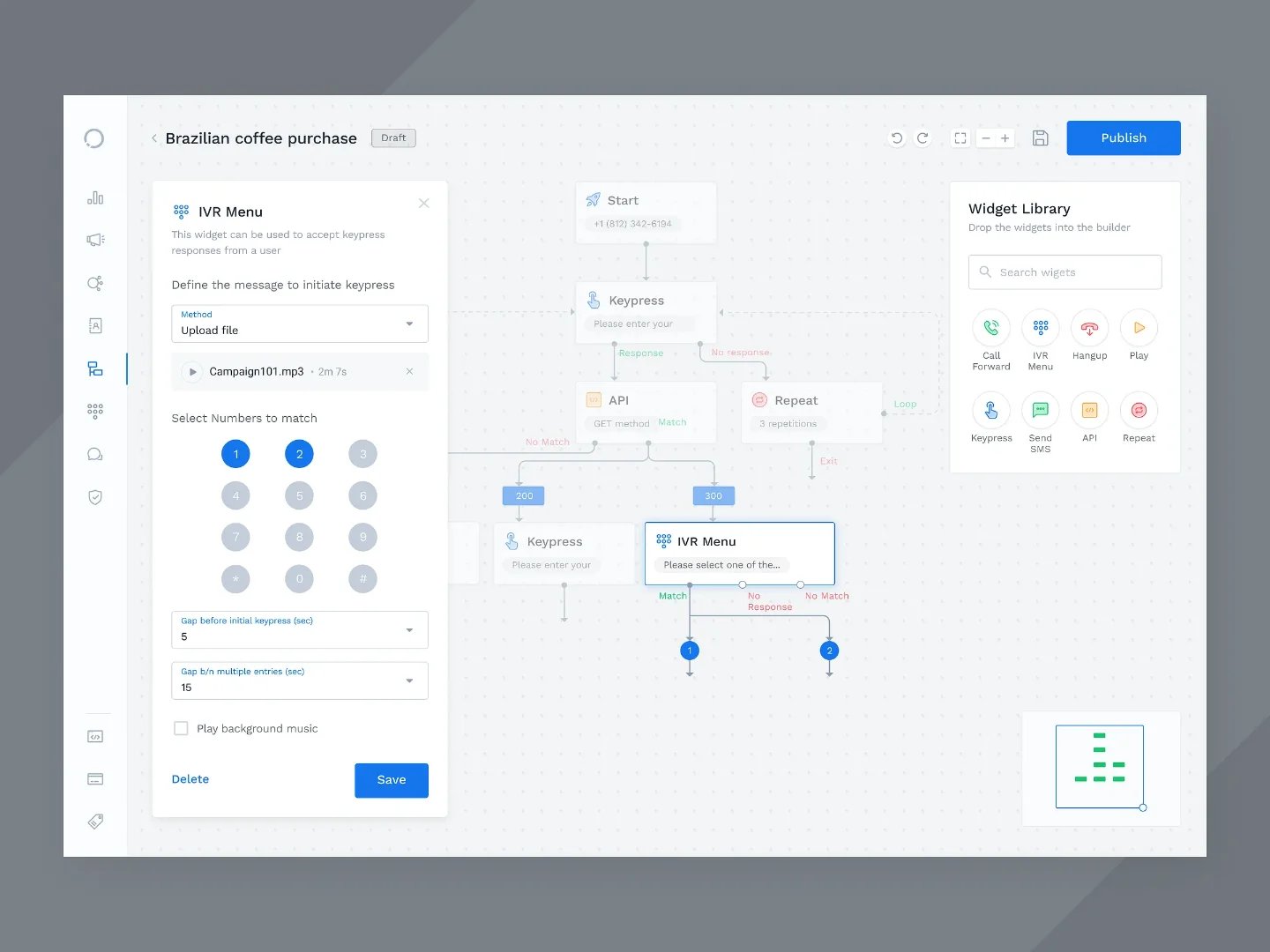
- No-Code Flow Builder: Build complex conversation logic visually — with branches, conditions, tool calls, and transfer rules. No code, no waiting on developers.
- 40+ Languages: A single agent recognizes and speaks over 40 languages — ideal for international teams or multilingual customer bases.
- 300+ Integrations: CRM, booking systems, helpdesk, ERP — Famulor connects via webhooks, Zapier, Make, and n8n to your existing infrastructure.
- Omnichannel: Phone, WhatsApp, live chat, and web widget from one platform. One agent, every channel.
- GDPR-Compliant: EU hosting, data encryption, configurable retention periods. Built for the European market with full EU AI Act compliance.
Estimate your ROI from automating calls
See how much your business could save by switching to AI-powered voice agents.
ROI Result
ROI 0%
No credit card required
Conclusion
Migrating from legacy IVR to an AI voice agent is not a question of if but when. Organizations that approach the switch methodically — using the 4-phase model, clear KPIs, and a platform like Famulor — typically achieve full replacement within six months with measurable ROI from month one.
The first step is easier than you think: start with a free Famulor account today, set up your first AI agent in under an hour, and route your first calls. Your outdated IVR has served its time.
Try our AI Assistant
Experience how natural our AI phone assistant sounds.
Enter your details and receive a call from our AI agent within seconds.
Agent is trained to discuss Famulor services and book appointments.

Demo AI agent
Famulor representative
FAQ
How much does the IVR-to-AI voice agent migration cost?
Platform costs on Famulor start at $0.05 per conversation minute. The migration itself has no separate project fees since the no-code builder enables setup without developers. ROI typically exceeds investment by 5–10x.
How long does a full IVR replacement take?
Using the 4-phase model, companies achieve full migration in 3–6 months. The first AI agent can go live and handle real calls within 1–2 weeks.
Can I keep my existing phone numbers?
Yes. Famulor supports Bring-Your-Own-Carrier (BYOC) via SIP trunking. Your phone numbers, carrier, and contract terms remain unchanged.
What happens when the AI agent cannot handle a request?
Famulor offers configurable warm transfer: the agent recognizes its limits, hands off the call with the full transcript and context data to a human agent. The caller never has to repeat themselves.
Is the migration GDPR-compliant?
Famulor hosts all data in the EU, provides end-to-end encryption, and offers configurable retention periods. The platform meets GDPR and EU AI Act requirements.
Which industries benefit most from IVR migration?
Medical practices, law firms, trades and home services, property management, and e-commerce businesses with high call volumes and recurring standard inquiries see the fastest ROI.
Do I need to change my CRM or booking system?
No. Famulor integrates with over 300 existing systems via webhooks, Zapier, Make, and n8n — from HubSpot and Salesforce to Cal.com and industry-specific software.
How many calls can an AI voice agent handle simultaneously?
Unlike human agents, there is no capacity limit. An AI voice agent processes any number of concurrent calls — with zero hold time and no quality degradation.
Can the AI agent also make outbound calls?
Yes. Famulor supports both inbound and outbound telephony. You can use the agent for appointment confirmations, follow-ups, payment reminders, or lead qualification.
What sets Famulor apart from other voice AI platforms?
Famulor combines phone, WhatsApp, live chat, and web widget in one omnichannel platform with a no-code builder, BYOC SIP trunking, 40+ languages, and EU hosting — a combination no competitor offers in this form.

Writer at Famulor