Summarize Content With:




Live Chat Welcome Message: Why the First Line Decides the Chat
A visitor opens your chat window and sees one line of text. That line decides whether they type a real question, pick a button, or close the window. A good live chat welcome message is short, says who is speaking, and makes the next step obvious. A bad one says "Hi, how can I help you?" on every page and waits.
This guide gives you 15 live chat welcome message examples, grouped by the situation the visitor is in: pricing page, checkout, after hours, returning visitor and more. Every example is ready to copy. After the examples you get a trigger table, the most common mistakes, and a way to turn a static greeting into an AI chat agent on your website that actually answers.
What a Live Chat Welcome Message Has to Do
Before you copy any text, know the four jobs a first message has. If a line does not serve at least two of them, rewrite it.
- Identify the sender. Name a person, a team or an assistant. Visitors answer people faster than they answer a brand.
- Set the topic. Reference the page, the product or the situation. "Questions about the Pro plan?" beats "How can I help?"
- Lower the effort. Offer two or three quick replies as buttons. Tapping is easier than typing.
- Set expectations. Say how fast you reply, or that an assistant answers right away. Silence after a greeting feels like a broken widget.
Keep the tone in line with your brand. A craft business can sound warm and direct. A B2B software company can be crisp. What never works is a long paragraph. The chat bubble is small, and mobile screens are smaller.
15 Live Chat Welcome Message Examples by Situation
Replace the brackets with your own details. Where a message says "assistant", you can swap in a person's first name if a human answers.
Homepage and general visitors
1. The simple opener: "Hi, I'm Mia from [Company]. Looking for something specific? Ask me, I reply in seconds."
Use it as a default on pages without a clear intent. It names the sender and promises speed.
2. The button opener: "Welcome to [Company]! What brings you here today? [Pricing] [Book a demo] [Talk to support]"
Three buttons route visitors without typing. It works best when each button leads to a different flow.
3. The honest AI opener: "Hi, I'm the [Company] assistant, an AI. I can answer questions about our services and book appointments. A colleague steps in whenever you want."
This is the clearest option when an AI chat agent answers. Naming the AI removes surprise later in the chat.
Pricing and product pages
4. The pricing helper: "Comparing plans? Tell me your monthly call or chat volume and I'll point you to the right one."
It turns a vague page visit into a qualifying question. You learn volume before the visitor ever fills in a form.
5. The objection catcher: "Not sure if [Product] fits your setup? Ask me about integrations, contracts or data protection."
Pricing pages raise doubts. This line invites the three questions that most often stop a purchase.
6. The feature explainer: "Curious how [Feature] works? I can show you an example for your industry."
Use it on product and feature pages. "For your industry" makes the answer feel personal.
Help center and support
7. The fast fixer: "Stuck on something? Describe the problem in one sentence and I'll look for the fix."
One sentence is a low bar. It also gives your assistant a clean query to search your knowledge base.
8. The status-aware opener: "Hi, you're on our help center. Most questions about [Topic] are answered in seconds here. Type yours or pick a topic below."
It tells visitors they are in the right place and that self-service is quick, not a dead end.
Cart and checkout
9. The checkout rescuer: "Questions about shipping, returns or payment before you order? I'm here."
Shipping costs and return rules are the classic reasons for abandoned carts. Naming them removes the friction.
10. The hesitation trigger: "Still thinking it over? I can check delivery time for your postcode in a moment."
Trigger it after 30 to 45 seconds of inactivity on the cart page. Offer something useful, not a discount, as the first move.
After hours and weekends
11. The after-hours promise: "Our team is offline right now, but our assistant is here. Ask your question, or leave your number and we call you back tomorrow."
It does not pretend someone is at the desk. It offers two clear paths and a time frame.
12. The emergency router: "Urgent? Tap here and we connect you with our on-call service. For everything else, ask me."
Use it for trades, clinics and any business with real emergencies. One button saves the visitor from searching for a phone number.
Returning visitors and leads
13. The welcome back: "Welcome back! Want to pick up where you left off with [Product / Topic]?"
It works only if your chat tool remembers earlier sessions. When it does, this line feels like service, not tracking.
14. The post-quote follow-up: "Hi [Name], did our quote for [Service] answer your questions? I can adjust details or book a call."
Show it to visitors who arrive from your quote email. It continues a conversation instead of restarting it.
15. The event or campaign opener: "Coming from our [Campaign]? Say 'offer' and I'll show you the details right away."
Tie the message to the traffic source. A visitor from an ad expects the ad's promise to be repeated.
Where to Show Which Message
The table below maps page types to triggers and goals. Number references point to the examples above.
| Page or moment | Trigger | Goal | Example |
|---|---|---|---|
| Homepage | After 5 to 10 seconds | Route the visitor | 1, 2, 3 |
| Pricing page | On scroll or after 20 seconds | Qualify and answer doubts | 4, 5 |
| Product or feature page | After reading time | Offer a tailored example | 6 |
| Help center | Immediately | Deflect tickets | 7, 8 |
| Cart or checkout | After inactivity | Remove purchase friction | 9, 10 |
| Outside opening hours | On open | Capture the request | 11, 12 |
| Returning visitor or email link | On open | Continue the conversation | 13, 14, 15 |
Mistakes That Make Visitors Ignore Your Chat
- One message for every page. Visitors notice when the text ignores where they are.
- Fake humans. A made-up name with a stock photo for an AI assistant breaks trust the moment the answers sound off.
- Popups that cover the page. A greeting that blocks the content or the "accept cookies" banner gets closed unread.
- Too early. A message at second one interrupts. Wait until the visitor shows interest.
- No answer behind the greeting. The worst case is a friendly message followed by hours of silence.
From Static Greeting to an AI Chat Agent That Answers
A welcome message is only the first sentence. The real work starts with the second message. If nobody replies, the best greeting still loses the visitor. That is why many teams move from a scripted greeting to an AI chat agent that answers questions from their own content.
With Famulor you configure one assistant and place it on your site through the web widget. The same assistant can serve WhatsApp and the phone, so your answers stay consistent across channels. You describe the business in the prompt editor, add your FAQ, prices and opening hours to the knowledge base, and set what the assistant may do: answer, book an appointment, collect contact details or hand over to a person. The prompt editor keeps the tone aligned with the examples in this guide.
If you already run a chat on WhatsApp, read our list of WhatsApp greeting messages. For the site chat itself, our earlier collection of 20 live chat greetings adds more wording variants.
What an AI Chat Agent Costs Compared With Staffing a Chat
A staffed live chat needs people during opening hours, and every missed chat is a lost lead. A realistic comparison starts with your own numbers: chats per month, average handling time, and the hourly cost of the person who answers. Famulor bills voice calls from €0.05 per minute, and the plans on the pricing page show what is included for chat and voice together. Use the calculator below to compare your current setup with an AI assistant.
Estimate your ROI from automating calls
See how much your business could save by switching to AI-powered voice agents.
ROI Result
ROI 0%
No credit card required
How to Set Up Your Welcome Messages in Five Steps
The flow below shows what happens after the greeting: the visitor replies, the assistant answers, and your systems get the result.
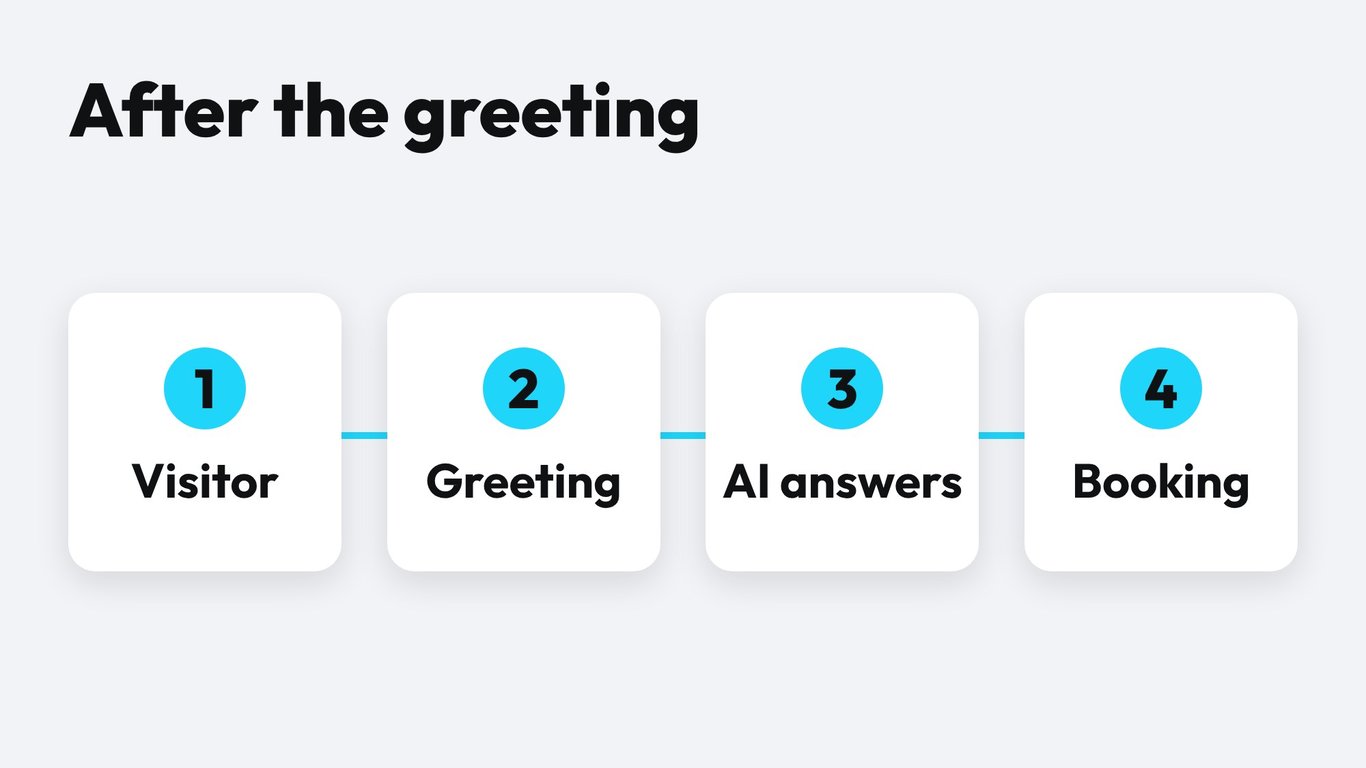
- List your top five visitor situations. Use the table above as a starting point and add your own pages, such as a booking page or a campaign landing page.
- Write one message per situation. Stay under 25 words. Name the sender. Offer one concrete next step.
- Add quick replies. Two or three buttons per message, each tied to a defined path.
- Give the assistant your content. Add FAQ, prices, opening hours and policies. Test it with the 20 questions your team hears most.
- Define the handoff. Decide when the assistant passes the chat to a person and what information it hands over, such as name, topic and phone number.
How to Measure Whether a Welcome Message Works
Do not judge a greeting by gut feeling. Track a few simple numbers per message and per page, and compare for at least two weeks before you change anything.
- Open rate: how many visitors open the chat after the greeting is shown.
- First reply rate: how many visitors send a message or tap a button.
- Resolution rate: how many chats end with an answer, a booking or a captured contact.
- Handoff rate: how many chats need a person, and for which topics.
Change one thing at a time. Swap the first line, keep the buttons, and compare. If you want a structured method, our guide to A/B testing voice AI agents uses the same logic and applies to chat prompts too.
Conclusion: Start With Three Messages, Then Add an Assistant
You do not need 15 messages on day one. Pick three: one for your pricing page, one for your help center and one for after hours. Measure them for two weeks, keep the winners, and add the rest. Then give the chat something to say after the greeting. Create your first assistant in Famulor, connect your FAQ and put it on your site with the web widget. Start with one page and expand once the answers hold up.
Try our AI Assistant
Experience how natural our AI phone assistant sounds.
Enter your details and receive a call from our AI agent within seconds.
Agent is trained to discuss Famulor services and book appointments.

Demo AI agent
Famulor representative
FAQ
How long should a live chat welcome message be?
Keep it under 25 words and two short lines. The visitor should read it in a glance and know what to do next.
Should I use a person's name or the company name?
Use a first name if a human answers. If an AI answers, use an assistant name plus a clear AI label, for example "the [Company] assistant, an AI".
When should the welcome message appear?
Wait for a sign of interest, usually 5 to 20 seconds or a scroll on the page. On the help center, show it right away. At checkout, trigger it after inactivity.
Do I need to say that an AI is answering?
Yes, say it in the first message. It builds trust, avoids awkward moments later and matches what customers and regulators expect in the EU.
Should the greeting offer a discount?
Not as the first move. Offer help first. A discount in the first line trains visitors to wait for deals and cheapens the service.
What is a good welcome message for after hours?
Say the team is offline, offer the assistant's help right now, and give one fallback such as a callback the next morning. Example 11 above shows the pattern.
Can the same assistant handle chat, WhatsApp and phone?
Yes. In Famulor one assistant can serve several channels, so prices, opening hours and policies stay consistent everywhere.
How do I know which greeting performs best?
Track open rate, first reply rate and resolution rate per message. Change one element at a time and compare over at least two weeks.

Writer at Famulor