Summarize Content With:




Voice AI as a Workflow Engine: From Phone Call to Automated Order Fulfillment
A customer calls a plumbing company at 7:40 PM. The water heater has failed, and there is no hot water. In the past, this call would have landed on voicemail — and the job would have gone to the competitor who called back first the next morning. Today, an AI voice agent picks up the call, qualifies the problem, checks the next day's route schedule, books a 10 AM slot, sends a confirmation with the technician's name and a two-hour window, creates the work order in the CRM — and automatically follows up the next morning if the confirmation goes unanswered.
This is not a future vision. It is the documented state of the art in October 2026. And it marks a fundamental shift: Voice AI is no longer the digital receptionist that takes messages. Voice AI is a workflow engine that executes business processes end to end.
Why the Receptionist Bot No Longer Cuts It
The first generation of AI phone assistants solved a real problem: answering calls when no one picks up. Greeting, name capture, callback request noted. That was a solid starting point — and for many businesses, already a quantum leap over the traditional answering machine.
But a receptionist bot has a structural weakness: it creates a task for a human. Someone must read the message, call the customer back, manually enter the appointment, create the work order. The bot accelerates intake, but not fulfillment. The result: efficiency gains remain superficial.
The difference between a receptionist bot and a workflow agent comes down to a simple formula: A receptionist takes a message and hands it to a human. A workflow agent completes a multi-step task on its own.
For a small two-person trades business — a plumber, an electrician, a locksmith — the value of this distinction is enormous. The bottleneck is not labor cost savings. The bottleneck is lost revenue from missed calls outside business hours. According to a Gartner forecast, approximately 10% of all customer interactions will be automated by the end of 2026 — up from 1.6% in 2022.
The Five Stages of Voice AI Automation
To understand where your business stands and where the trajectory leads, consider a maturity model:
| Stage | Function | Example | Human Effort |
|---|---|---|---|
| 1 – Voicemail | Record message | Voice message on mailbox | 100% manual |
| 2 – Receptionist Bot | Greeting, FAQ, routing | Bot captures data, sends message | 80% manual |
| 3 – Booking Agent | Book and confirm appointments | Bot checks calendar, books slot | 40% manual |
| 4 – Workflow Agent | Execute multi-step processes | Call → Booking → CRM → Dispatch → Follow-up | 10% manual |
| 5 – Autonomous Agent | Self-optimization, decisions | Agent adjusts routes, prioritizes emergencies | 5% supervision |
Most businesses today are between Stage 2 and 3. The jump to Stage 4 — the workflow agent — is already technically feasible and economically compelling. The prerequisite: a platform that does not just conduct conversations but also triggers actions.
How a Workflow Agent Works in Practice
Consider a concrete example: Dr. Becker's dental practice in Munich — 4 treatment rooms, 12 staff members. The practice receives 60 to 80 calls daily. Half of them concern appointment scheduling, cancellations, or rescheduling.
Scenario 1: Appointment Booking with Work Order Creation
A patient calls and describes a toothache in the upper left. The voice agent:
- Recognizes the urgency (pain patient → acute appointment)
- Checks the practice calendar via a Calendly or Cal.com integration
- Books the next available acute slot
- Creates the treatment order in the practice software (mid-call action)
- Sends the patient a WhatsApp confirmation with directions
- Triggers an automatic reminder 2 hours before the appointment
The entire scenario runs without human intervention. The receptionist sees the appointment in the calendar and the order in the software — fully entered and correctly categorized.
Scenario 2: After-Hours Emergency in the Trades
A homeowner calls a heating contractor at 8:15 PM. The heating system has failed, and the outside temperature is 37°F. The voice agent:
- Qualifies the emergency through structured questions
- Checks the on-call schedule and identifies the duty technician
- Books an emergency appointment for the next morning at 8 AM
- Creates the work order in the ERP system (via a post-call webhook)
- Sends the technician an SMS with the job details
- Provides the caller with immediate first-aid tips for bridging the gap
Without voice AI, this call would have been lost. The job — with a typical volume of $900 to $2,200 — would have gone to a competitor.
The Technical Architecture: Mid-Call Actions and Post-Call Webhooks
The key to workflow automation lies in two mechanisms that modern voice AI platforms like Famulor provide:
Mid-Call Actions
Mid-call actions are operations the voice agent executes during the conversation. Examples include:
- Querying a calendar and booking an appointment
- Looking up customer data in the CRM
- Checking product or service provider availability
- Creating a work order in real time
- Retrieving pricing information from a database
The advantage: the caller gets an immediate, binding answer. No "we'll get back to you." No gap between conversation and action.
Post-Call Webhooks
Post-call webhooks fire after the conversation. They transport structured data from the call to external systems:
- Create a CRM entry with a call summary
- Generate an invoice and send it to accounting
- Send a follow-up email or WhatsApp message
- Transfer the work order to a project management tool
- Update lead scoring and notify the sales team
In Famulor, these webhooks can be connected to virtually any third-party system via Make.com or n8n — without writing a single line of code.
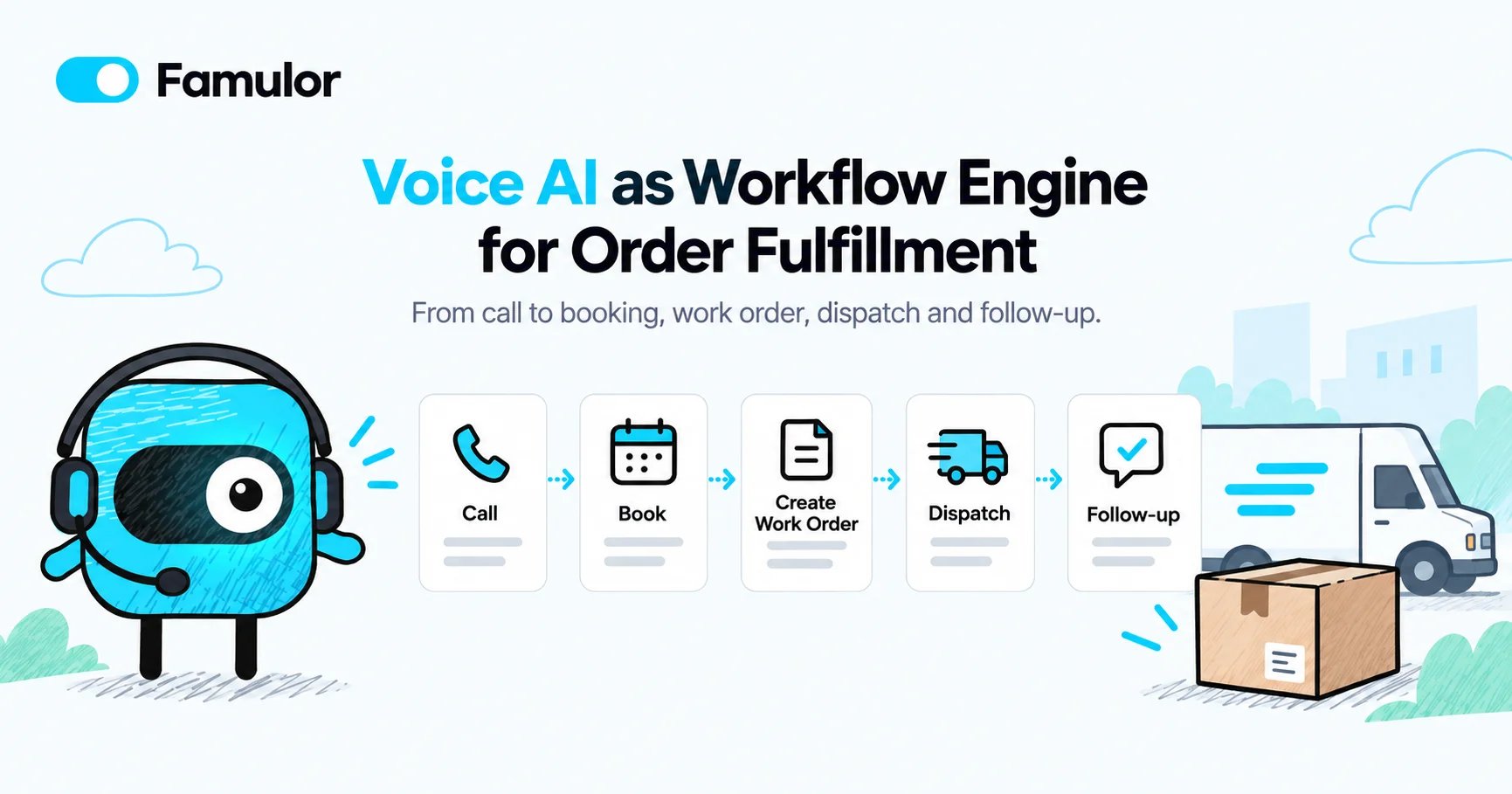
Practical Example: The Fully Automated Order Chain
Here is what a typical end-to-end automation looks like — one that a mid-sized business can set up with Famulor in just a few hours:
Step 1 — Call: A customer calls. The voice agent conducts a natural conversation, capturing name, contact details, problem description, and urgency.
Step 2 — Booking (Mid-Call): While still on the call, the agent checks the calendar and books a suitable appointment. The customer receives an immediate confirmation.
Step 3 — Work Order Creation (Post-Call): After the call, a webhook automatically creates a work order in the ERP system with all captured data.
Step 4 — Dispatch: The system assigns the order to the appropriate technician based on qualifications, location, and availability.
Step 5 — Reminder: Two hours before the appointment, the customer receives an automatic reminder via WhatsApp or SMS.
Step 6 — Follow-Up: Twenty-four hours after the appointment, an automated outbound call checks satisfaction and offers a follow-up appointment if needed.
All six steps run fully automatically. The only manual intervention: the technician performs the repair.
Cost and ROI: What Workflow Automation Delivers
The central question for decision-makers: is the upgrade from receptionist bot to workflow agent worth it?
| Metric | Receptionist Bot | Workflow Agent |
|---|---|---|
| Missed calls (after hours) | Reduced by 70% | Reduced by 95% |
| Manual follow-up per call | 5–8 minutes | 0–1 minute |
| Average response time | Next business day | Immediate (24/7) |
| Work order creation | Manual after callback | Automatic during/after call |
| Customer satisfaction (CSAT) | +15% | +30% |
| Typical ROI (90 days) | 2–3x | 5–8x |
For a trades business with 20 missed calls per week and an average job value of $550, that means: even if only 30% of those calls convert to jobs, that is $3,300 in additional revenue per week — or over $170,000 per year.
Estimate your ROI from automating calls
See how much your business could save by switching to AI-powered voice agents.
ROI Result
ROI 0%
No credit card required
Choosing the Right Platform: What Matters
Not every voice AI platform is suitable as a workflow engine. Five criteria are decisive:
1. Native Integration Capability
The platform must integrate seamlessly with existing systems — CRM, ERP, calendar, accounting. Famulor offers over 300 integrations and supports Make.com, n8n, and direct API connections.
2. Mid-Call Action Support
Actions must be executable during the conversation — not just afterward. Only then does the caller experience a completely resolved interaction.
3. No-Code Configuration
Setup must not require a development team. With the Famulor Flow Builder, complex workflows can be assembled visually — no programming skills required.
4. Multilingual Support
For international teams or customers with diverse native languages, the agent must communicate in over 40 languages. Famulor supports this natively with automatic language detection.
5. SIP Trunking and Telephony Infrastructure
A true workflow engine needs robust telephony — dedicated numbers, SIP trunking, number porting. Famulor provides everything under one roof, including local phone numbers in over 50 countries.
Three Industries, Three Workflow Scenarios
Property Management
A property management company with 800 residential units receives over 200 calls per month about repairs, billing questions, and lease renewals. The workflow agent takes damage reports, categorizes them (emergency vs. routine), automatically creates work orders for the responsible contractors, and informs the tenant about the scheduled appointment.
Car Dealerships and Service Centers
A car dealership with a service department manages inspection appointments, tire changes, and warranty cases. The voice agent books the appointment, checks parts availability in the inventory system, reserves a loaner vehicle, and sends the customer an order confirmation with an estimated cost range.
Medical Practices and Clinics
Beyond pure appointment scheduling, the workflow agent handles prescription requests, referral issuance, and test result notifications. Patients receive automatic reminders, and cancellations are immediately filled with waitlist patients.
Common Objections — and Why They No Longer Apply
"Customers Don't Like Bots"
Research does show that some callers hang up when they realize they are speaking with a bot. But here is the key: the workflow agent calls back, books the appointment, resolves the issue — even if the caller hangs up. The decisive difference is not the conversation experience but the outcome.
"The Technology Isn't Ready Yet"
The combination of GPT-5.6-class LLMs, real-time STT from Deepgram or Soniox, and natural TTS from ElevenLabs or Cartesia has brought quality to a level that many callers can no longer distinguish from a human. Latency is under 500 milliseconds.
"Integration Is Too Complex"
With no-code platforms like Famulor, setting up a complete workflow agent takes between 2 and 8 hours. No server configuration, no API programming, no deployment. Famulor offers a visual flow builder and pre-configured connectors to the most common CRM and ERP systems.
Getting Started: How to Launch Workflow Automation
The most pragmatic approach: start where the largest losses occur.
Step 1: Identify the hour when the most calls are missed. For most businesses, this is between 5 PM and 8 PM or during the lunch break.
Step 2: Measure the current baseline: how many missed calls per week? How many of those convert to jobs?
Step 3: Set up a voice agent with a simple workflow — for example, call intake → appointment booking → CRM entry.
Step 4: After 30 days, compare booked jobs with the previous month.
Step 5: Gradually expand the workflow to include dispatch, automatic reminders, and follow-up calls.
This iterative approach minimizes risk and delivers measurable results within the first week.
Conclusion: Voice AI Is the New Process Automation
The question is no longer whether you need an AI phone assistant. The question is whether your assistant only takes messages — or actually executes your business processes. The leap from receptionist bot to workflow agent is the difference between a useful gadget and a business-critical system.
Famulor is the only platform in the DACH region that provides the complete chain: real-time conversation management, mid-call actions, post-call webhooks, a no-code flow builder, and over 300 integrations — all under one roof, GDPR-compliant, and available in 40+ languages.
Start building your first workflow agent today: Book a free demo and go live with your first end-to-end workflow in just a few hours.
Try our AI Assistant
Experience how natural our AI phone assistant sounds.
Enter your details and receive a call from our AI agent within seconds.
Agent is trained to discuss Famulor services and book appointments.

Demo AI agent
Famulor representative
FAQ
What is the difference between a workflow agent and a regular AI phone bot?
A regular bot takes messages and forwards them. A workflow agent independently executes multi-step tasks — from appointment booking and work order creation to automated follow-ups.
How long does it take to set up a workflow agent with Famulor?
Basic setup takes 2 to 8 hours, depending on the complexity of connected systems. No programming skills are required thanks to the no-code flow builder.
What systems can be connected to Famulor?
Famulor supports over 300 integrations, including popular CRM systems like HubSpot and Pipedrive, calendars like Calendly and Cal.com, ERP systems, and automation tools like Make.com and n8n.
Does the workflow agent work outside business hours?
Yes, the agent operates 24/7 and executes all configured workflows at night and on weekends — including appointment booking, work order creation, and notifications.
What ROI can I expect from a workflow agent compared to a simple phone bot?
While a receptionist bot typically delivers a 2-3x ROI within 90 days, workflow agents achieve a 5-8x ROI in the same period through complete order automation.
Is the solution GDPR-compliant?
Yes, Famulor is fully GDPR-compliant. All data is processed on European servers, and call data can be automatically deleted after configurable retention periods.
Can mid-call actions help with complex decisions?
Yes. Mid-call actions can query databases, calculate prices, check availability, and make decisions based on business rules during the conversation — all in real time.
What happens when the voice agent cannot handle a request?
Famulor supports intelligent escalation. When the agent reaches its limits, it seamlessly transfers the call to a human agent — including a conversation summary and all actions taken so far.
Which industries benefit most from workflow agents?
Industries with high call volumes and structured processes benefit most: trades, medical practices, property management, car dealerships, law firms, and e-commerce businesses.

Writer at Famulor