Summarize Content With:




White-Label AI Voice Agent: What You Actually Resell
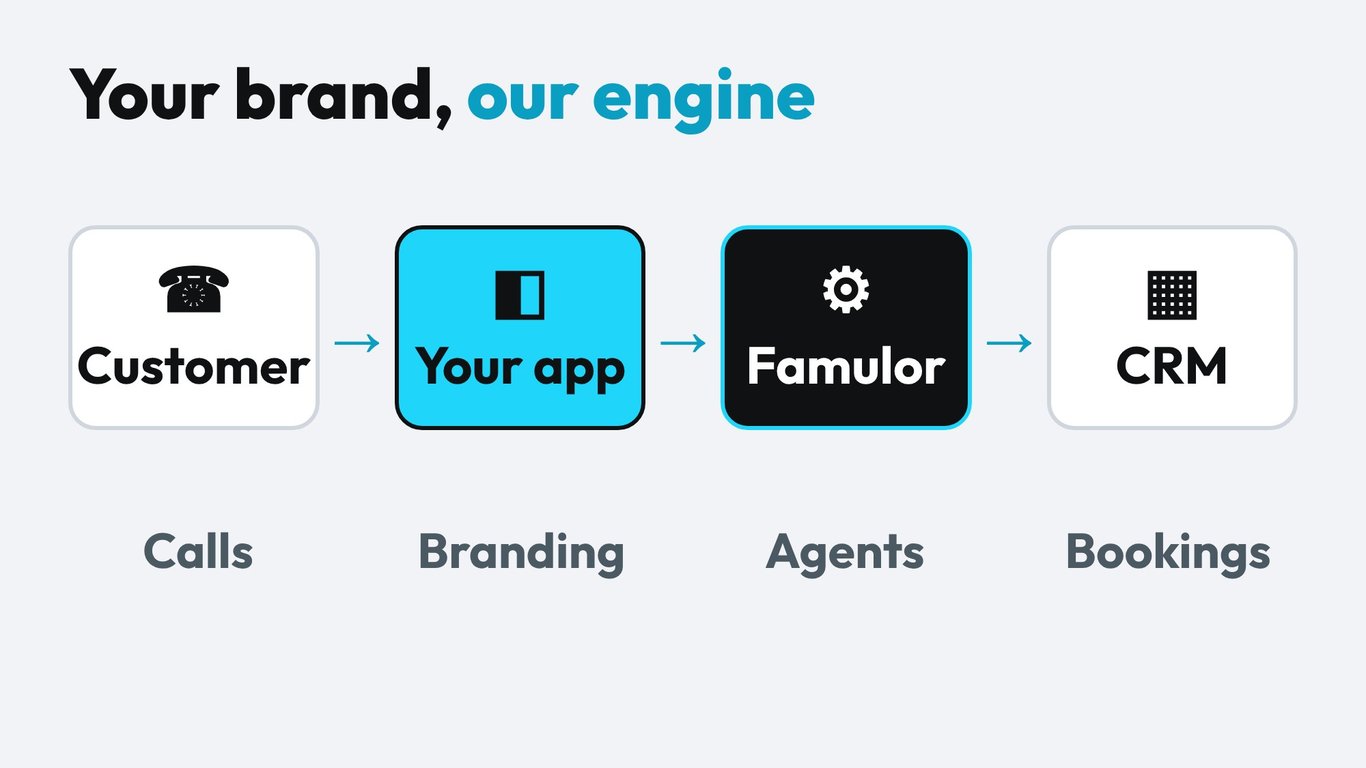
A white-label AI voice agent is a phone agent platform that you sell under your own brand, domain and prices. Your customers log in to your app, see your logo and pay your invoice. Behind it, the platform handles speech recognition, language models, voices, telephony and billing. You own the customer relationship and the margin.
For agencies, consultants and IT service providers this is the cleanest way to turn voice AI into recurring revenue. You do not build infrastructure and you do not hire engineers. You sell outcomes such as "every call answered" or "appointments booked while the team is on site", and you charge a monthly plan for it. This guide walks through what to check before you pick a platform, how the Famulor white-label setup works step by step, how to calculate your margin and how to land the first paying customers in 30 days.
Who Buys White-Label Voice AI and Why
The buyers are not end customers who want to tinker with prompts. They are service businesses that want a result: a dentist who is tired of missed calls, a roofing company that loses jobs to voicemail, a property manager who answers the same ten questions every day. These customers will not sign up for a developer platform. They will pay a local partner who sets it up, tunes it and takes responsibility.
That is the agency opportunity. If you already serve small and mid-sized companies with websites, advertising, IT or bookkeeping, you already have the relationships. A voice agent is an add-on that fits into the same conversation: "What happens to the calls you miss after 5 pm?" We looked at the market side in our article on the white-label and partner opportunity for agencies and at the business model in The Agency Shift. This article is the practical follow-up: setup, pricing math and launch plan.
What to Check Before You Choose a Platform
Not every platform that calls itself white-label gives you the same thing. Some only let you hide a logo. Others give you a full reseller stack with billing. Use the checklist below with every provider you evaluate, including Famulor.
| Question | Why it matters | What good looks like |
|---|---|---|
| Custom domain | Customers should see only your URL in the browser and in emails. | The whole app, including login and invitation mails, runs on your domain. |
| Branding depth | A logo on the login page is not enough if the call widget still shows another name. | Logo, color and favicon in dashboard, emails and call widget. |
| Own plans and prices | You need to bundle minutes and features into a price you control. | Plan builder with a preview of platform fee and your share. |
| Billing and payouts | If you invoice by hand, margin disappears into admin work. | Customers pay through a payment provider and the money is paid out to you. |
| Workspace per customer | Customer data must be separated, for privacy and for clean reporting. | Each customer has own agents, numbers, calls and knowledge bases. |
| Margin visibility | You need to know what each customer costs before you set a price. | A dashboard that shows revenue, cost and margin per customer. |
| Templates and setup mode | You will configure the same agent for many similar customers. | Copy a workspace template and hand it over when it is ready. |
| Languages and compliance | European customers expect their own language and GDPR-ready processing. | Broad speech and voice coverage plus a published trust center. |
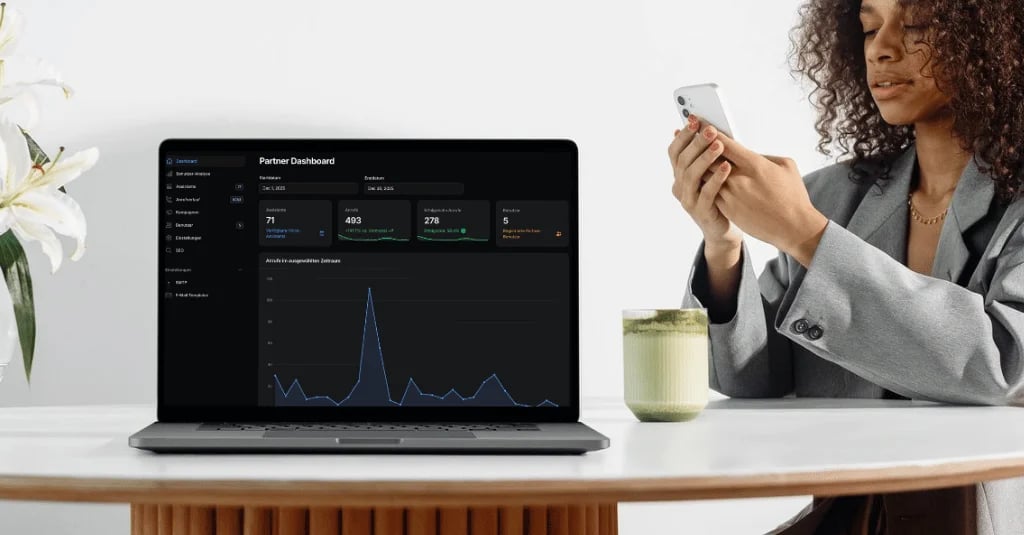
Famulor covers each row on this list. The white-label add-on is built for resellers, so the domain, branding, plan builder, payouts, customer workspaces and margin dashboard are part of one product rather than separate tools. You can see the full capability list on the white-label product page.
How the Famulor White-Label Setup Works
The platform guides you through a six-step setup checklist, so you do not have to guess what comes next. In practice the order looks like this.
- Appearance. Upload your logo, choose your brand color and set a favicon. These show up in the dashboard, in emails and in the call widget.
- Domain. Point a subdomain such as
voice.your-agency.comto the platform and verify it. From then on your customers only see your URL. - Payments. Connect your payment account so customers pay you directly and balances and payouts are tracked in one place.
- Pricing plans. Bundle features and capacity into plans, for example a small plan for a single location and a larger one for a team. The preview shows the platform fee and what you keep.
- Email. Set the sender identity so invitations and notifications come from your brand.
- Bot protection. Switch on protection for sign-up so your customer area is not flooded by fake registrations.
After that you create one workspace per customer. Each workspace has its own agents, phone numbers, call history and knowledge bases. In setup mode you prepare the workspace from a template, test it with a few calls and only then invite your customer. You can also assign one of your plans to a customer and fund it monthly or yearly from your reseller balance, which is useful for pilots.
The agent itself is built without code. If your team has never built a voice agent, start with the no-code voice agent builder, add the customer's opening hours and FAQs to the knowledge base and connect the calendar or CRM through the integrations.
Pricing and Margin: The Math Behind Your Offer
The economics have three parts. First, a monthly add-on fee for the white-label package: €499 per month billed monthly, or €416 per month billed yearly. Second, the wholesale minute rate you pay for the minutes your customers use, which starts at €0.15 per minute and falls to €0.05 per minute as your monthly volume grows. Third, the plan price you charge your customer, which is entirely your decision.
| Cost block | What you pay Famulor | Who sets it |
|---|---|---|
| White-label add-on, monthly billing | €499 per month | Famulor |
| White-label add-on, yearly billing | €416 per month | Famulor |
| Minutes at entry volume | €0.15 per minute | Famulor, tiered by monthly volume |
| Minutes at the lowest rate | €0.05 per minute | Famulor, tiered by monthly volume |
| Customer plan price | Paid by your customer to you | You |
Use this formula for every plan you design: margin per customer = plan price minus (included minutes times wholesale rate) minus the customer's share of the monthly add-on fee. Spread the add-on fee over the number of customers you expect to have by month three, not over the one customer you have today. A reseller with ten paying customers carries one tenth of the fee per workspace.
Two design choices protect your margin. First, include a realistic minute allowance in each plan and sell extra minutes in packs. A receptionist agent for a small practice rarely needs more than a few hundred minutes, so size plans from real call volume, not from guesses. Second, charge a one-time setup fee. Configuration, prompt tuning and testing are real work, and customers accept paying for them.
If you want to compare the reseller model with plain platform pricing, our pricing page shows the regular plans. For a quick check of what a given call volume costs, use the calculator below.
Estimate your ROI from automating calls
See how much your business could save by switching to AI-powered voice agents.
ROI Result
ROI 0%
No credit card required
Which Customers to Start With
Pick a segment where missed calls cost real money, where the questions repeat and where one decision maker can say yes. Three examples work well for agencies in Europe.
- Dental and medical practices. A practice with four treatment chairs loses patients every time the front desk is busy. The agent answers, books the slot in the calendar and sends a confirmation. Handover to staff is defined for urgent cases.
- Trades and field service. Roofers, electricians and heating installers are on site when the phone rings. The agent collects address, problem and urgency, and books the callback or the visit.
- Property management. Tenants call about keys, repairs and utility bills. The agent answers common questions and logs repair requests in the ticket system.
Choose one of them, build the template, and sell it to ten similar businesses before you branch out. Referrals inside a trade are faster than cold outreach across ten industries. If your customers run larger phone operations, show them the AI call center option for outbound campaigns and high call volumes.
How to Position Your Offer
Do not sell "AI". Sell the result and the service around it. A simple structure works: a one-time setup, a monthly plan with included minutes and a short review call every month. The review call is where you show the transcripts, the booked appointments and the open questions the agent could not answer. That call is also where upsell happens: a second location, WhatsApp, or an outbound reminder campaign.
Keep the promise concrete. "Every call is answered within seconds, 24 hours a day, in German and English" is a statement a customer can verify. Avoid vague claims such as "revolutionize your communication". Offer a two-week pilot on a dedicated number, so the customer can listen to real calls before committing.
A 30-Day Launch Plan
| Week | Goal | Concrete tasks |
|---|---|---|
| 1 | Platform ready | Complete the six-step setup, create your first plan and test a payment with a colleague. |
| 2 | Template built | Build the agent for one trade, add knowledge base and calendar, run 20 test calls and fix every wrong answer. |
| 3 | Pilot customers | Offer pilots to your five best existing customers in that trade and set up their workspaces in setup mode. |
| 4 | First invoices | Review the pilot calls with each customer, convert pilots to paid plans and document what you learned in the template. |
This plan keeps your risk small. You invest in one template and one pilot group. By the end of week four you know your real minute usage, your real margin per customer and the objections you will hear again.
Common Mistakes to Avoid
- Pricing from the minute rate alone. Customers pay for the outcome and the service. Price the plan on value and check the margin afterward.
- Building a different agent for every customer. Use templates and change only the company facts, opening hours and handover rules.
- Skipping tests. Run test calls with background noise, accents and interruptions before a customer hears the agent.
- No handover rules. Define when the agent transfers to a human, takes a message or books a callback.
- Selling too broad. One trade, one use case, one clear promise beats a long feature list.
Conclusion: Start Small, Own the Customer
A white-label voice agent lets you add a recurring service without building technology. The decisive factors are a complete reseller stack, a margin you can calculate in advance and a template you can repeat. Famulor gives you the domain, branding, plans, payouts, customer workspaces and margin dashboard in one product, so you can focus on selling and tuning. Open the white-label page, set up your brand and build the first template this week.
Try our AI Assistant
Experience how natural our AI phone assistant sounds.
Enter your details and receive a call from our AI agent within seconds.
Agent is trained to discuss Famulor services and book appointments.

Demo AI agent
Famulor representative
FAQ
What is a white-label AI voice agent?
It is an AI phone agent platform that you resell under your own brand, domain and prices. Your customers see your name, and you keep the customer relationship and the margin.
How does a white label ai voice agent platform make money for me?
You charge your customers a plan price. You pay Famulor a monthly add-on fee and a wholesale rate per minute used. The difference is your margin.
How much does a white-label AI voice agent cost?
The Famulor add-on costs €499 per month, or €416 per month with yearly billing. Minutes start at €0.15 and fall to €0.05 per minute with volume.
Do my customers see the Famulor name?
No. The app runs on your domain with your logo and colors across dashboard, emails and call widget.
Can I give every customer a separate account?
Yes. Each customer gets a workspace with its own agents, phone numbers, call history and knowledge bases.
Do I need developers to launch?
No. Agents are built in a no-code builder and the setup checklist guides you through branding, domain, payments and plans.
How do I get paid?
Customers pay you through the connected payment account. Balances, payments and payouts are tracked in one place.
Which customers should I target first?
Start with one trade where missed calls cost money, such as dental practices, roofers or property managers, and reuse one template across similar businesses.
Can I test before I commit?
Yes. Build a template, run test calls and offer a two-week pilot on a dedicated number before you convert customers to paid plans.

Writer at Famulor