Resumir contenido con:




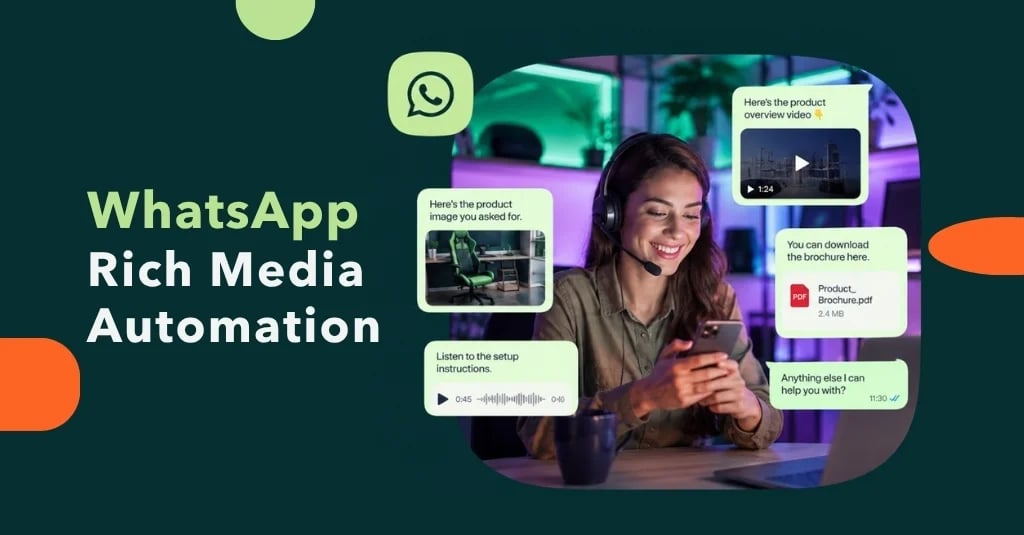
Un asistente de WhatsApp que solo puede enviar texto a menudo resuelve únicamente la primera parte del recorrido del cliente. En la práctica, las personas necesitan imágenes de productos, instrucciones de instalación, mensajes de voz, vídeos cortos, presupuestos, listas de verificación o documentos PDF. Famulor ahora permite enviar imágenes, audio, vídeo y documentos a través de WhatsApp, directamente desde la bandeja de entrada o mediante la API.
Esto es mucho más que otro formato de mensaje. El contenido multimedia cierra la brecha entre responder a una pregunta y completar una tarea. Un asistente de IA puede entender una solicitud, activar el siguiente paso correcto y proporcionar el medio exacto que hace avanzar el proceso. Al mismo tiempo, el equipo mantiene el control a través de la bandeja de entrada compartida y la intervención humana en WhatsApp.
Lo que hace posible el contenido multimedia en WhatsApp
Los cuatro tipos de medios cumplen diferentes funciones operativas. El objetivo no es enviar tantos archivos como sea posible, sino elegir el formato adecuado para cada situación.
| Formato | Procesos empresariales adecuados | Valor operativo |
|---|---|---|
| Imágenes | Asesoramiento de productos, gestión de daños, repuestos, propiedades, comercio electrónico | El contexto visual reduce las preguntas de seguimiento y la clasificación errónea. |
| Audio | Orientación personalizada, pronunciación, explicaciones breves, comunicación accesible | La información compleja puede transmitirse de forma rápida y natural. |
| Vídeo | Onboarding, mantenimiento, funcionamiento, demostraciones de productos | Las secuencias son más fáciles de entender que los mensajes de texto largos. |
| Documentos | Presupuestos, manuales, listas de verificación, formularios, materiales para citas | El cliente recibe el material de trabajo dentro de la propia conversación. |
Siete flujos de trabajo empresariales con valor medible
- Servicio y soporte técnico: El asistente identifica el modelo, el problema y la urgencia. A continuación, envía las instrucciones correctas o un vídeo breve de resolución de problemas. Si el problema persiste, un especialista toma el relevo manteniendo intacto el contexto de la conversación.
- Orientación en comercio electrónico: En lugar de nombrar un producto, el flujo de trabajo puede proporcionar la imagen correspondiente, la guía de tallas o el PDF técnico.
- Gestión de daños y casos: Un cliente envía una foto; el proceso la adjunta a un ticket o registro de CRM y formula preguntas de seguimiento específicas cuando es necesario. Las decisiones sensibles deben seguir requiriendo reglas definidas o aprobación humana.
- Preparación de citas: Tras la reserva, el cliente recibe indicaciones, una lista de verificación o material de preparación en el mismo canal. Esto reduce las citas incompletas y las preguntas repetidas.
- Ventas y cualificación de leads: Un cliente potencial cualificado recibe exactamente la hoja de datos o el caso de estudio relevante. La entrega se convierte en un evento del proceso con seguimiento en lugar de un mensaje aislado.
- Servicio de campo y oficios: Las imágenes y los vídeos cortos mejoran la pre-cualificación del trabajo. Los despachadores y técnicos comienzan con un mejor contexto.
- Facturación y servicio de documentos: Los documentos estándar pueden suministrarse de forma controlada. El material personal o confidencial requiere comprobaciones claras de identidad y autorización antes de la entrega.
Arquitectura: mensaje, decisión, acción y evidencia
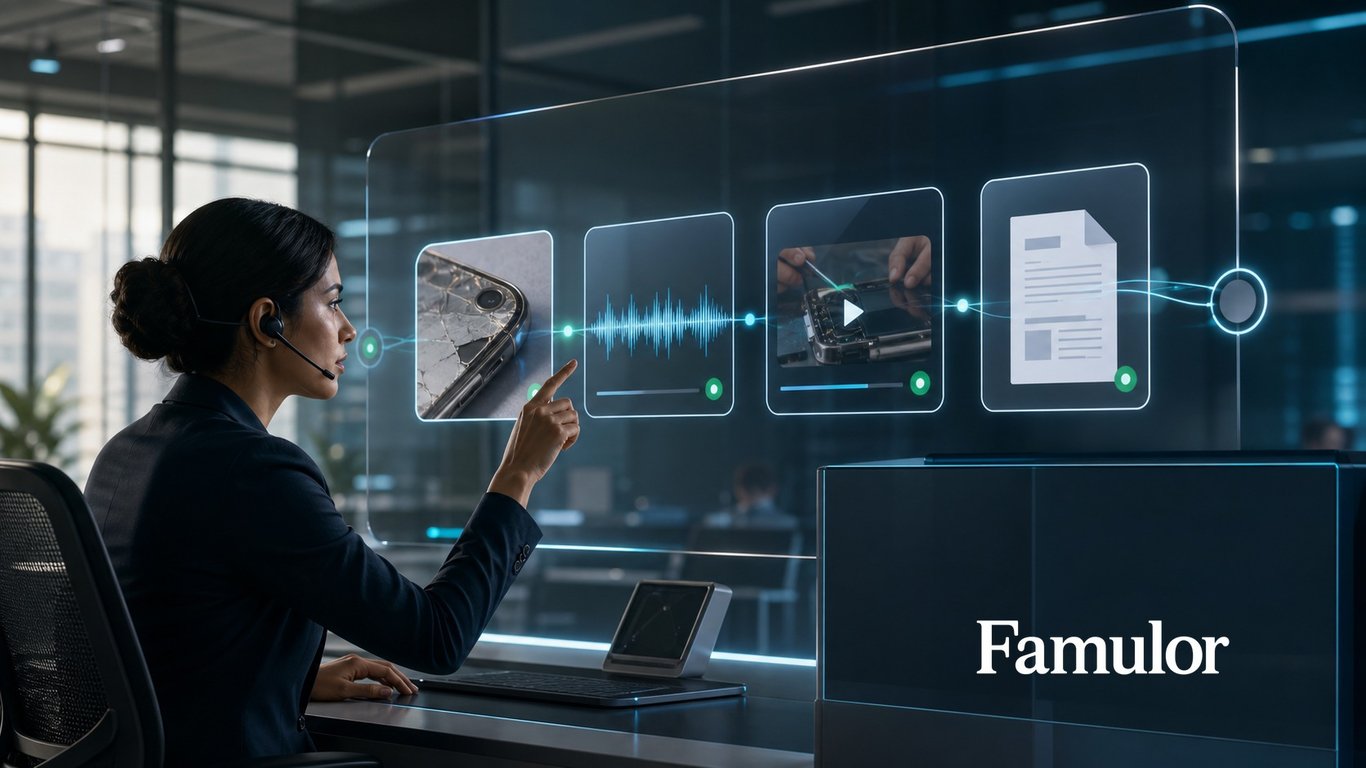
Un flujo de trabajo multimedia resiliente tiene cuatro capas. Primero, el canal recibe el mensaje o el disparador. Segundo, el asistente evalúa la intención, el contexto y la autorización. Tercero, una integración realiza la acción comercial, como leer datos del CRM, crear un ticket o recuperar un archivo aprobado. Cuarto, el resultado, la entrega y cualquier traspaso se registran para su trazabilidad.
Famulor conecta estas capas a través del asistente compartido, la plataforma de integración, las API y las acciones durante la llamada. Los equipos pueden utilizar la misma base de conocimientos en teléfono, WhatsApp, Live Voice y chat sin mantener una lógica de proceso independiente para cada canal.
¿Qué sistemas debe conectar Voice AI?
Selecciona tus herramientas y recibe una ruta de integración.
Famulor
Voice AI
Integraciones seleccionadas: 4
Cómo convertir un archivo en un proceso fiable
- Definir el resultado empresarial: Describe la finalización, como "entregar la guía de instalación y actualizar el ticket", en lugar de simplemente "enviar un PDF".
- Elegir la fuente de verdad: Los archivos deben provenir de un repositorio mantenido y versionado. Las copias locales obsoletas son un riesgo operativo.
- Modelar reglas de aprobación: Define qué medios pueden enviarse automáticamente, cuándo se requiere confirmación y cuándo debe intervenir un humano.
- Transportar metadatos: El tipo de documento, idioma, producto, versión, validez y contexto del cliente ayudan a la automatización a elegir el activo correcto.
- Conectar CRM y ticketing: La entrega de medios debe aparecer en la línea de tiempo del cliente para que el siguiente miembro del equipo sepa qué se ha comunicado ya.
- Probar rutas de error: Cubre archivos faltantes, enlaces no válidos, archivos adjuntos demasiado grandes, formatos incorrectos y entregas interrumpidas.
Gobernanza: cuatro controles a establecer antes del lanzamiento
1. Minimización de datos
Envía solo la información necesaria para el propósito específico. Un documento completo del cliente rara vez se justifica cuando basta con una simple confirmación.
2. Identidad y autorización
Para documentos confidenciales, un número de teléfono no debe contar automáticamente como prueba de identidad suficiente. El flujo de trabajo necesita una comprobación proporcional al riesgo.
3. Retención y registro
Define qué medios se almacenan, cuánto tiempo permanecen disponibles y qué eventos aparecen en el registro de auditoría. Las reglas deben alinearse con tus políticas de privacidad y eliminación.
4. Intervención humana
La automatización necesita una salida clara. Con la coexistencia de WhatsApp de Famulor, el equipo puede seguir usando la aplicación Business; cuando una persona responde, la IA se retira de esa conversación. Esto evita respuestas paralelas o contradictorias.
Un piloto práctico de diez días
Comienza con un proceso frecuente de bajo riesgo y un tipo de medio. Los pilotos sólidos incluyen hojas de datos de productos, listas de verificación de citas o manuales aprobados públicamente. Mide más que el número de archivos enviados: realiza un seguimiento de la resolución al primer contacto, preguntas de seguimiento por caso, tiempo de gestión, tasa de traspaso y fallos en la recuperación de medios.
Después del piloto, añade tipos de archivos y acciones del sistema en etapas controladas. Una organización que intenta automatizar todos los casos multimedia desde el primer día crea excepciones innecesarias. Un inicio limitado produce datos de conversación reales que mejoran las reglas, los prompts y las integraciones.
Conclusión: el contenido multimedia hace que WhatsApp sea operativo
Las imágenes, el audio, el vídeo y los documentos convierten a WhatsApp de un canal de texto en una interfaz operativa. El mayor valor aparece cuando los medios no se buscan y envían manualmente, sino que se convierten en parte de un flujo de trabajo auditable: entender el contexto, verificar la autorización, recuperar el activo correcto, entregarlo, registrar el evento en el CRM y traspasarlo a una persona cuando sea necesario.
Famulor permite a las empresas construir este flujo en una plataforma omnicanal. Obtén más información en el registro de cambios del producto Famulor y en la documentación de la API.

Autor en Famulor