Summarize Content With:




AI Emergency Hotline: How Voice Agents Handle After-Hours Dispatch for Trades and Services
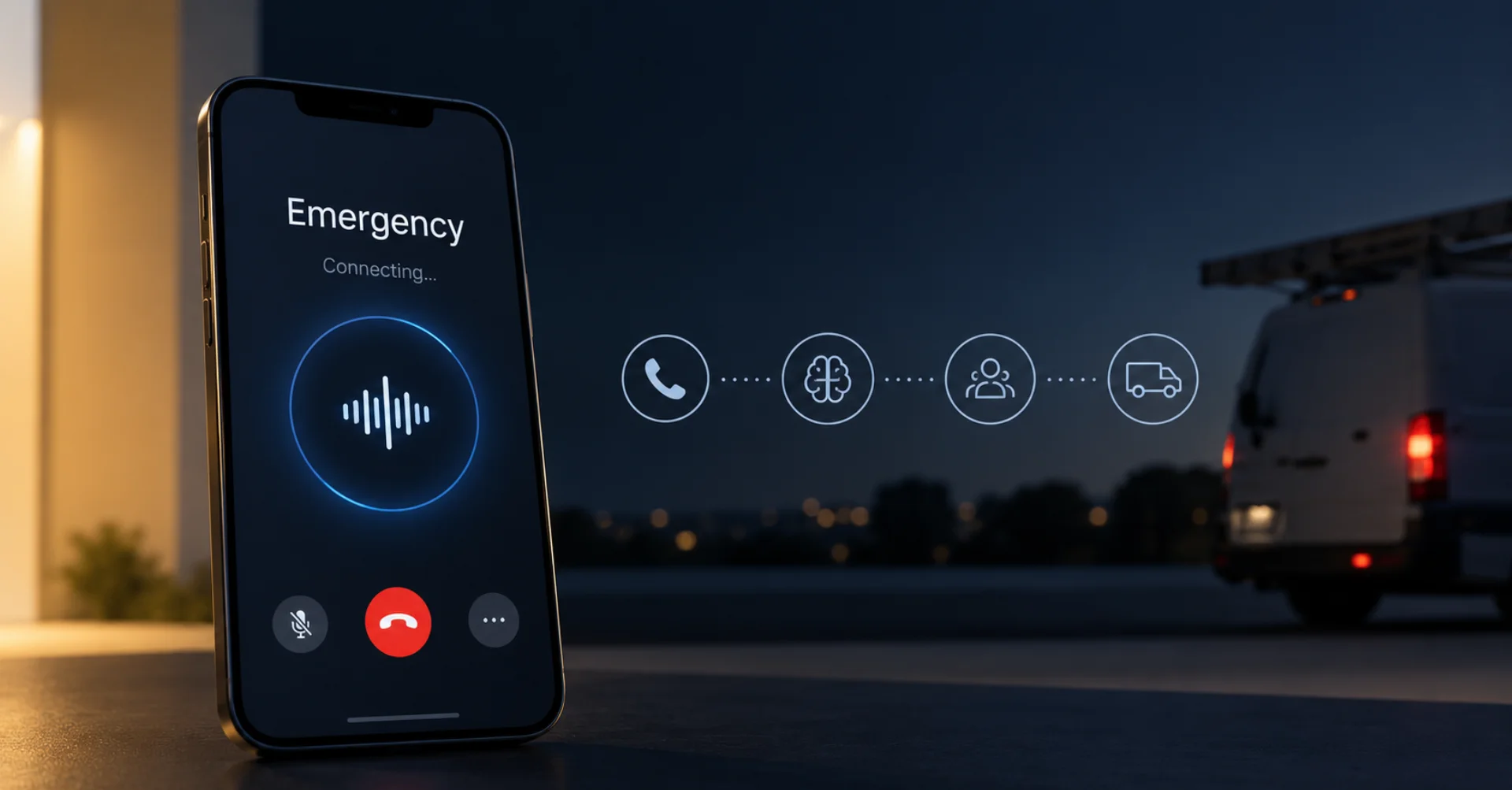
An AI voice agent can run your emergency hotline around the clock — answering calls, triaging urgency, dispatching technicians, and confirming with callers via WhatsApp while your team sleeps. For trades businesses, property managers, and healthcare providers, that means no missed emergencies, no expensive call center night shifts, and no frustrated customers stuck on hold.
After-hours availability is the backbone of emergency service businesses. Whether it is a burst pipe at 2 AM for a plumbing company in Berlin, a heating failure on a Sunday morning for a property management firm, or an urgent patient callback at a medical practice — the expectation is always the same: instant reachability, fast help, clear communication. The reality often looks different: the on-call technician does not hear the phone, the reception desk closes at 6 PM, or the answering machine collects messages that nobody listens to until the next morning.
This is exactly where AI voice agents step in. They do not replace the technician on site — but they replace the manual switchboard, the answering machine, and the call center that charges between 800 and 2,500 euros per night shift.
What Is an AI-Powered Emergency Hotline?
An AI-powered emergency hotline is an AI voice agent that answers incoming calls on your existing phone number or a dedicated on-call number and handles them autonomously. Unlike a traditional IVR menu tree (press 1 for emergencies), the voice agent conducts a natural conversation in over 40 languages, asks targeted follow-up questions, and makes decisions based on your business logic.
The difference from a simple voicemail is fundamental: the voice agent reacts in real time, prioritizes by urgency, and triggers actions — from technician dispatch via SMS to scheduling a next-day appointment in your calendar.
Why On-Call Services Are a Perfect Use Case for Voice AI
Emergency and on-call phone conversations follow a clear pattern. Most calls fall into three categories:
- True emergencies (roughly 15–25% of calls): burst pipe, heating failure in winter, power outage at a care facility. These need immediate escalation.
- Urgent but plannable requests (roughly 40–50%): heating making noises, slow drain (no water leaking), door jamming. Can be handled the next morning, but the caller expects confirmation.
- Information requests (roughly 30–40%): business hours, pricing, appointment requests for routine maintenance. No on-call technician needed.
An AI voice agent can distinguish all three categories and respond appropriately — without human intervention. On average, this saves 60–80% of overnight call center costs and cuts the response time for actual emergencies from an average of 12 minutes (call center with callback loops) to under 90 seconds.
Industries That Benefit Most
| Industry | Typical Emergency | Escalation Path | AI Automation Feasible? |
|---|---|---|---|
| Plumbing / HVAC | Burst pipe, heating failure | On-call technician via SMS + call | Yes — urgency questionnaire, automatic dispatch |
| Electrical Emergency | Short circuit, power outage | Activate on-call team, fire dept. referral if needed | Yes — safety questions + transfer to on-call |
| Locksmith | Locked out, break-in | Dispatch nearest available technician | Yes — capture address, route GPS-nearest tech |
| Property Management | Water damage, elevator breakdown | Contractor network + tenant notification | Yes — damage intake, notify contractor, WhatsApp update to tenant |
| Medical Practice / Home Care | Acute symptoms, medication questions | On-call physician or 911 referral | Yes — triage questionnaire, 911 referral for emergencies |
| IT Service Provider / MSP | Server down, ransomware alert | On-call engineer + ticketing system | Yes — severity classification, create ticket, page engineer |
How to Set Up an AI Emergency Hotline with Famulor — Step by Step
Setting up an AI-powered emergency hotline with Famulor typically takes 30–60 minutes. Here is the process:
Step 1: Connect Your On-Call Number
Famulor supports SIP trunking with all major VoIP providers. You can either get a new number from Famulor or connect your existing on-call number via SIP trunk or call forwarding. Your customers call the same number as before — only now an AI agent answers instead of a voicemail box.
Step 2: Define Emergency Logic in the Flow Builder
In the Flow Builder, you create the decision logic visually, without code. A typical emergency flow looks like this:
- Greeting and identification: "Emergency plumbing service, how can I help you?"
- Problem intake: "Please briefly describe what happened."
- Urgency assessment: "Is water actively leaking?" / "Is anyone in danger?"
- Routing decision: Emergency → immediately call on-call technician; Urgent → book first-morning appointment; Info request → provide business hours, offer callback.
- Confirmation: "I have notified technician John Schmidt. He will call you back within the next 15 minutes."
Step 3: Configure Escalation Chains
For true emergencies, you need a reliable escalation chain. Famulor's call transfer feature offers three options:
- Warm transfer: The voice agent stays on the line until the technician picks up and provides a brief problem summary.
- Cold transfer: Direct transfer to the on-call number.
- Cascade escalation: If Technician 1 does not answer → Technician 2 → Technician 3 → Emergency Manager.
Step 4: Set Up Notifications and Follow-Up
After every emergency call, Famulor automatically sends a WhatsApp message to the caller with a summary: "Your issue: burst pipe in the bathroom. Technician Schmidt has been notified and will contact you by 2:30 AM." Simultaneously, the dispatcher receives an email or Slack message with all captured details.
Step 5: Maintain a Knowledge Base for Common Questions
In Famulor's Knowledge Base, you store answers to recurring questions: emergency service fees, service area, payment options, and first-aid tips (shut off the main water valve, flip the circuit breaker). The voice agent accesses these in real time and can give callers actionable first-response advice — before the technician even leaves.
Real-World Example: Berger Plumbing, 12 Employees, Munich
Berger Plumbing had two problems: first, between 10 PM and 6 AM, they received an average of 8 calls per night — 2 real emergencies, 3 urgent requests, and 3 information inquiries. Second, the external call center service cost 1,800 euros per month for overnight coverage.
After deploying a Famulor voice agent, the results were clear: the 3 information inquiries per night are handled entirely by the voice agent — business hours, pricing, next-day appointment booking. The 3 urgent requests are captured, prioritized, and logged as morning tickets. The 2 real emergencies are forwarded to the on-call technician within 45 seconds — including a damage description, address, and callback number.
Result: the call center contract was canceled. Monthly costs dropped from 1,800 euros to approximately 180 euros for Famulor usage. Emergency response time improved from an average of 14 minutes to under 90 seconds.
Cost Comparison: Call Center vs. AI Emergency Hotline
| Cost Factor | Call Center (Night Shift) | AI Voice Agent (Famulor) |
|---|---|---|
| Monthly Base Cost | €800–€2,500 | €49–€199 (depending on plan) |
| Cost per Call | €3.50–€8.00 | Approx. €0.11–€0.25 |
| Availability | Depends on contract (often only 10 PM–6 AM) | 24/7/365 |
| Scaling During Spikes | Bottleneck during storms/cold snaps | Unlimited concurrent calls |
| Multilingual Support | Surcharge per language | 40+ languages included |
| Onboarding Time | 2–4 weeks per agent | 30–60 minutes setup |
| Quality Consistency | Varies with staff turnover | Consistent 24/7, continuously trainable |
Estimate your ROI from automating calls
See how much your business could save by switching to AI-powered voice agents.
ROI Result
ROI 0%
No credit card required
Best Practices: How to Avoid Common Mistakes
Setting up an AI emergency hotline is technically straightforward — the most common mistakes are conceptual:
- Mistake 1: No clear escalation rules. Define exactly which keywords trigger an immediate transfer to a human. "Water is flooding" and "I smell gas" must be handled differently than "the heating has been making a noise since yesterday."
- Mistake 2: Too many questions. A caller at 3 AM with a burst pipe does not want to answer 8 questions. Reduce the emergency flow to a maximum of 3 questions: What happened? Where? Is anyone in danger?
- Mistake 3: No fallback escalation. When the AI agent cannot assess a situation, there must always be a human escalation path. Configure a cascade: Technician → Dispatcher → Owner.
- Mistake 4: No post-call follow-up. The caller should always receive a confirmation — via WhatsApp or SMS. This reduces repeat callbacks by up to 70%.
- Mistake 5: Outdated on-call schedule. Connect your duty roster with Famulor through the integration platform (Google Calendar, Outlook, or custom API) so the voice agent always calls the right technician.
Technical Requirements and Integration
The good news: you do not need an IT department to set up an AI emergency hotline. Famulor's no-code platform covers the full stack. What you need to bring:
- Existing phone number or SIP trunk: Famulor works with Deutsche Telekom, Sipgate, Easybell, Plivo, Telnyx, Twilio, and virtually any SIP-compatible provider.
- Escalation numbers: The mobile numbers of your on-call technicians.
- Knowledge base content: Frequently asked questions, price lists, service area, emergency tips.
- Optional: CRM or ticketing integration: Famulor can create tickets in Freshdesk, Zendesk, ServiceNow, or via webhook into any system.
The average setup time is 45 minutes for a straightforward emergency flow with one escalation level. More complex setups with multiple locations, rotation schedules, and CRM integration take 2–4 hours.
Safety and Compliance
Emergency hotlines have special requirements for reliability and data protection. Famulor stores all data GDPR-compliantly on EU servers. Call transcripts can be automatically anonymized, and retention periods are individually configurable. For medical on-call services, Famulor offers additional encryption and access control options.
Important: an AI voice agent does not replace medical advice or the emergency number (911/112). Famulor can be configured to immediately refer callers to 911/112 in life-threatening situations — automatically and without detours.
Conclusion: Why Famulor Is the Best Choice for Your Emergency Hotline
AI-powered emergency hotlines are no longer a future project — they are the most economically sensible solution for any business with on-call services. The combination of instant call answering, intelligent urgency assessment, automatic technician dispatch, and complete documentation saves not only money but literally saves the night — for your customers and your team.
Famulor is the only platform that combines SIP trunk connectivity with existing phone systems, a no-code flow builder for complex escalation logic, WhatsApp integration for caller confirmations, over 300 integrations for CRM and ticketing systems, and 40+ languages for multilingual operations — all on one platform, without writing a single line of code.
Next step: Book a free demo and see in 15 minutes how your emergency flow works in practice. Or try Famulor directly with a test number — no credit card, no contract, no risk.
Try our AI Assistant
Experience how natural our AI phone assistant sounds.
Enter your details and receive a call from our AI agent within seconds.
Agent is trained to discuss Famulor services and book appointments.

Demo AI agent
Famulor representative
FAQ
How much does an AI emergency hotline cost with Famulor?
Famulor plans start at 49 euros per month. The cost per call is approximately 0.11–0.25 euros — a fraction of the 3.50–8.00 euros a call center charges per overnight call.
Can the voice agent transfer real emergencies directly to a technician?
Yes. Famulor supports warm and cold transfer as well as cascade escalation. If Technician 1 does not pick up, Technician 2 is automatically called — and so on down the chain.
Does the AI hotline work with my existing on-call number?
Yes. Via SIP trunking or call forwarding, you can keep using your existing number. Your customers will not notice any difference — except that someone answers immediately.
Which languages does the voice agent support?
Famulor supports over 40 languages. This is especially relevant for property managers and care facilities serving multilingual tenant or patient populations.
What happens when the voice agent cannot assess a situation?
When uncertain, the agent always escalates to a human. You define the threshold yourself — when in doubt, it transfers one time too many rather than too few.
How quickly can the AI hotline be up and running?
A basic emergency flow is ready in 30–60 minutes. More complex setups with CRM integration and rotation schedules take 2–4 hours.
Is the solution GDPR-compliant?
Yes. All data is stored on EU servers. Transcripts can be automatically anonymized, and retention periods are individually configurable.
Can the voice agent book appointments for the next business day?
Yes. Famulor integrates with Google Calendar, Outlook, Cal.com, and many other calendar systems. Non-urgent requests are directly booked as appointments.
What happens during a power outage or server failure?
Famulor runs as a cloud service with redundancy across multiple data centers. A local power outage at your office is not a problem — the AI hotline keeps running because it does not depend on your local infrastructure.
Can I use the voice agent during business hours too?
Yes. Many businesses use Famulor as a first-response agent around the clock and only switch to human staff when needed. This way, peak hours are handled without additional headcount.

Writer at Famulor