Summarize Content With:




In brief: Famulor Browser Use lets an assistant open approved websites and look up current information during phone, chat, or WhatsApp conversations. A safe first deployment starts with a narrow read-only task, a domain allowlist, and an explicit stop before booking, payment, login, or data submission.
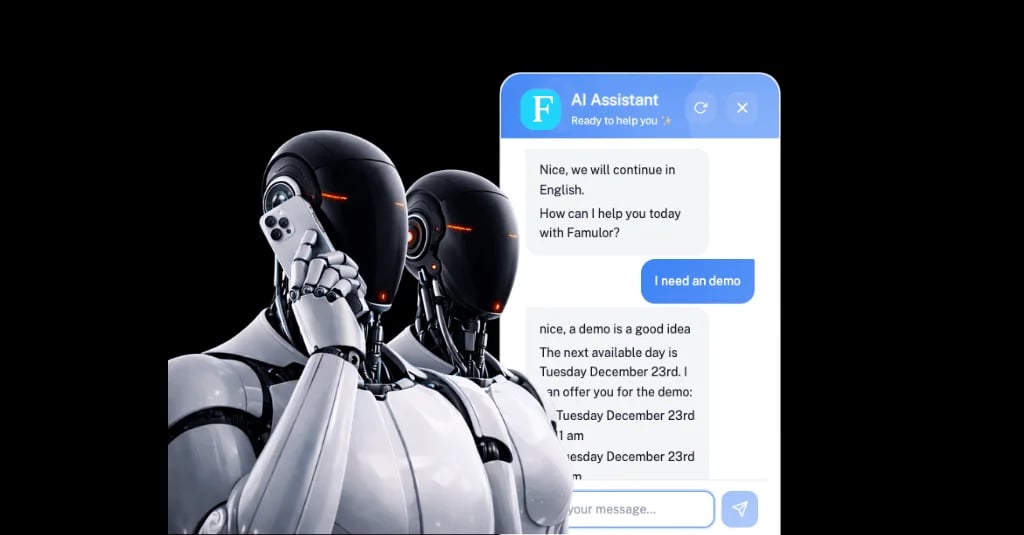
Some customer questions cannot be answered from a knowledge base alone. A fare changes, shipment status only appears after a reference is entered, and appointment availability lives in a provider's web calendar. Until now, the practical options were an API, a connector, or a human operator. Famulor Browser Use fills that gap for websites that can be operated through their visible interface.
According to the Famulor changelog, the feature launched on October 17, 2026. It is designed to research approved websites while the conversation continues. This guide explains when that is useful, how to bound the task, and what to test before production.
What Browser Use actually does
Browser Use is a tool assigned to a Famulor assistant. It can open a starting page, click visible elements, fill ordinary fields, scroll, and read content. The official documentation lists examples such as comparing travel options, checking appointment availability, and retrieving shipment status.
It is not unrestricted access to the web. During setup, you define:
the starting page;
approved domains, redirects, and required resource domains;
the steps the browser should take;
information the assistant must collect before starting;
and conditions that end the task.
The browser runs in the background while the assistant continues the conversation. During test calls, test chats, and public demos, operators can watch a live view. Private video recordings may be available in History depending on retention settings. Famulor currently documents retention of up to seven days; under zero-retention settings, no video is created.
Why this agent trend matters
Browser tools extend AI agents from answering questions to retrieving current information from a live user interface. They are useful when no suitable API exists or an existing integration does not cover a specific website workflow.
The additional capability also increases the attack surface. A website may contain unexpected instructions, redirect the browser, or request sensitive input. Official computer-use guidance from OpenAI and Anthropic independently recommends isolated environments, domain allowlists, bounded tasks, and human confirmation before consequential actions. These are general operating principles, not claims about which models Famulor uses internally.
Practitioner discussions show a similar shift from mere navigation to permissions and reversibility. A recent Hacker News account describes an allegedly irreversible action following prompt injection. The report is not independently verified and is included only as an anecdotal community signal. It still illustrates a useful operating rule: the harder an action is to reverse, the earlier the agent should stop.
Start with retrieval, not completion
The strongest first use case reads, compares, or summarizes information without changing anything. That reduces downstream risk and creates unambiguous tests.
Task class | Suitable first deployment | Stop boundary |
|---|---|---|
Travel | Compare prices and options on approved sites | Before booking, login, or payment |
Appointments | Read available time slots | Before making a binding reservation |
Logistics | Retrieve shipment status from a reference | No address change or redirect |
Commerce | Check product and stock availability | Before order or checkout |
A stop boundary should not live only in the assistant prompt. Repeat it in the Browser Use instructions, test cases, and operational approval. If the visible site state does not show a clear confirmation, treat the task as incomplete.
Set up Browser Use in five steps
1. Define a verifiable task
Write the assignment as an observable result. “Find the three cheapest nonstop flights for date X” is more testable than “plan the trip.” For a service appointment, the goal could be: “Read the available slots on Tuesday and tell the caller.”
Avoid tasks that combine several systems, open-ended browsing, and binding decisions. Famulor's system-prompt guide helps separate role, goal, and escalation.
2. Restrict the starting page and allowed domains
Configure an HTTPS starting page and allow only the domains the workflow needs. Include legitimate redirects or resource hosts only when the tested path requires them; do not allow an entire domain family for convenience.
A narrow allowlist reduces accidental navigation. It does not make every page on an approved domain trustworthy. User-generated or compromised content can still appear on an allowed site.
3. Write browser instructions and required inputs
Describe the path in small steps. Name the permitted fields, expected page states, and conditions that require the task to stop. Specify information the assistant must collect before starting, such as date, origin, or tracking reference.
Apply data minimization to personal information. Collect only what the lookup requires. Famulor currently documents Browser Use workspace processing as Global, so teams should verify that the data path fits their internal requirements and agreements before sending personal data.
4. Assign the tool to the assistant
After saving the tool, assign it to the intended assistant. Famulor's documentation says Browser Use works across phone, widget, and WhatsApp through the familiar conversation interface. It consumes separate credits. A temporary maximum is reserved and then reconciled against actual use; unused credits are returned.
5. Test the happy path and failure paths
Do not stop after a successful demo. Open the live view during a test call and cover at least these cases:
required input is missing or contradictory;
the website changes labels or element order;
an approved page links to a non-approved domain;
CAPTCHA, login, or two-factor authentication appears;
the requested option is unavailable;
the site does not show a clear success state;
the caller changes requirements during the lookup.
Famulor's existing voice-agent testing guide provides a useful base. Add browser-specific cases and record the visible final state for each test.
Example: appointment research for a regional service company
A heating-services company wants to qualify after-hours requests. The assistant should not book an appointment. It should read available maintenance slots from a web calendar and present options to the caller.
The workflow can be designed as follows:
The assistant collects the issue, postal code, and preferred week.
Browser Use opens the approved scheduling page.
The tool selects service type and region, then reads visible time slots.
The assistant offers two or three options and asks for a preference.
The process stops before binding confirmation. The assistant transfers to a human or, if separately available and approved, uses a dedicated scheduling integration.
The customer benefit is not a claimed conversion uplift. It is freshness: the assistant answers from the visible calendar rather than a potentially outdated knowledge source. The binding change remains outside the browser workflow.
Limits that prompting cannot remove
Famulor documents clear technical limits. Browser Use does not bypass CAPTCHA, two-factor authentication, or website restrictions. Password fields, file uploads, and complex dropdowns or pop-ups are unsupported or unsuitable for reliable automation. Tasks also have bounded steps and execution time.
These limits are both safeguards and planning constraints. For stable, frequent, or transaction-critical workflows, an official API or dedicated connector is generally the stronger architecture. Browser Use is most useful when a live visible status is needed and the operation can stay tightly bounded.
Conversation design needs a fallback as well. If the lookup takes time, the assistant should say that it is checking the site. If it fails, it must not claim success. Famulor's guide to reducing voice-agent hallucinations explains why visible confirmation and explicit escalation matter more than a fluent closing sentence.
Privacy and operations
Browser Use may handle personal information: search parameters, tracking references, or customer data displayed by a site can become part of a session. Before production, document data categories, purpose, approved domains, roles, and retention.
For recordings, the current product documentation is specific: videos are private, retained for no more than seven days, and may be deleted earlier under workspace settings. With zero retention, no video is created. Live view is an oversight tool, not a substitute for authorization controls or a privacy assessment.
Assign operational ownership as well:
Who can approve a domain or change browser instructions?
Who reviews failed sessions and website changes?
Which data must never be entered into a form?
Which action always requires human confirmation?
When should the tool be disabled and a fallback used?
Famulor's voice-agent security guide can place these product rules within a broader operating model.
Production-readiness checklist
Every answer should be “yes” before the first real conversation:
The task has one narrow, verifiable outcome.
The starting page and every required domain are explicitly approved.
Booking, payment, login, and data submission have a stop or approval boundary.
Required inputs and data minimization are documented.
Success and failure states were inspected in live view.
CAPTCHA, 2FA, page changes, and unavailable results were tested.
Retention, Global processing, and recording access were assessed.
A human or technical fallback is defined.
Conclusion
Browser Use does not turn a voice or conversation agent into an unrestricted web operator. Used correctly, it gives the assistant one bounded capability: retrieve current information from approved websites and make it useful during a live conversation.
Start with a read-only workflow, permit only required domains, and stop before any consequential action. That turns a current agent trend into a controllable product component, with a visible result, testable limits, and a clear path back to a human.
Sources

Writer at Famulor