Summarize Content With:




Business Phone Number for an AI Receptionist: New, Forward or Keep?
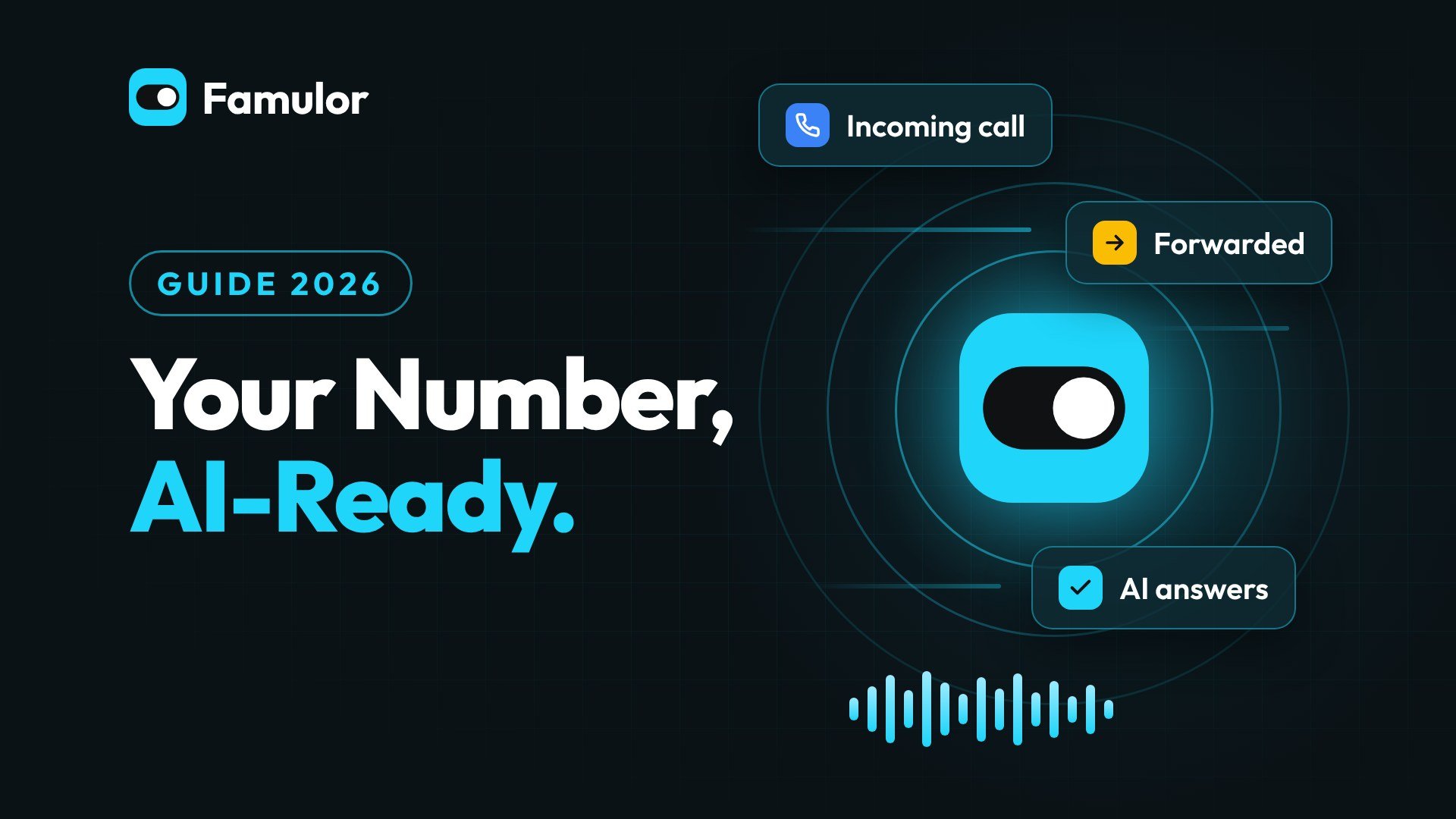
Your AI receptionist is trained, the calendar is connected and the greeting sounds right. One thing is missing: the phone number your customers actually dial. This is where a lot of projects stall. Should the familiar business number stay? Do you need a new one? And what happens to the number that has been on your letterhead for 15 years?
The short answer: for most businesses, forwarding your existing business number to a new AI number is the fastest and safest way to start. If you want to run the number permanently without a detour, connect it over a SIP trunk or port it to a SIP-ready carrier. A brand new number makes sense for new locations, campaigns and tests. This guide compares all four ways to get a business phone number for your AI receptionist by effort, risk and control, and shows you how to go live in Famulor.
Why the number decides whether your AI receptionist works
An AI phone assistant is only as good as its reachability. The best conversation design is worthless if callers still land on the old line where nobody picks up. The number decides three things:
- Trust: Customers dial the number on Google, your website and your invoices. An unknown number feels foreign, especially on callbacks.
- Coverage: Does the AI answer every call, only the missed ones, or only the ones after hours?
- Control: Who runs the line, who pays for which minutes, and how fast can you switch if something does not fit?
That is why it pays to make the number decision on purpose before you put your AI receptionist live. The good news: none of the options is a one-way street. Many businesses start with forwarding and move to SIP later.
The four options at a glance
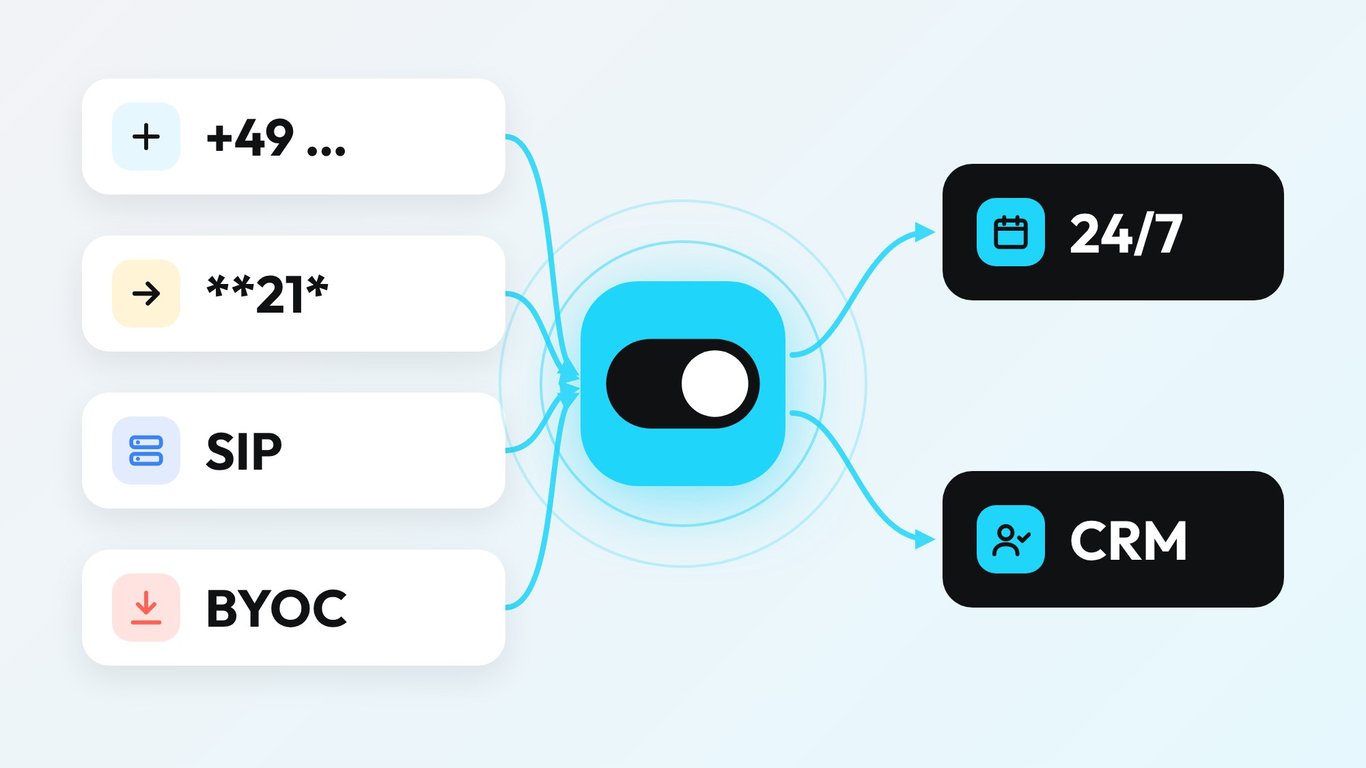
In Famulor, every route lives under Settings, Phone numbers, Add a number. The table shows what each option does and who it fits.
| Option | Inbound | Outbound | Existing number stays | Effort | Best for |
|---|---|---|---|---|---|
| New number from the marketplace | Yes | Yes | No, new number | Low, plus verification in regulated countries | New locations, campaigns, tests |
| Call forwarding to the AI number | Yes | Via the AI number | Yes, at your current provider | Very low | Fast start, pilot phase, overflow |
| SIP trunk or carrier import (BYOC) | Yes | Yes, from the same number | Yes, no porting | Medium | Permanent setup, many numbers, own carrier contracts |
| Verified caller ID | No | Yes | Yes, as sender only | Low | Outbound campaigns without callback routing |
Porting is not a separate fifth route in Famulor but a variant of option three: you move the number to a SIP-ready carrier and then connect that carrier over a SIP trunk. More on that below.
Option 1: Buy a new number
In the phone number marketplace you search by country and number type (local, mobile or national), buy the number at checkout and assign it to an assistant. From that second on, the AI answers inbound calls. You can use the same number as caller ID for outbound calls.
The monthly price and any setup fee are shown at checkout before you buy. The number goes live once payment is confirmed. The Agency plan already includes up to three local numbers in Germany, Austria, France, the UK, Canada and the US.
Important for Germany: German telecom law requires a verifiable address inside the matching area code for local numbers. German local and mobile numbers are currently issued to business registrations. You submit your documents under Settings, Verification and follow the status from automated check to approval. Review often takes a few business days, depending on country and document quality.
Option 2: Forward your existing number
You buy a Famulor number and forward your well-known business number to it. The number stays with your current provider, nothing is cancelled or moved. There are two variants:
- Unconditional forwarding: Every call goes straight to the AI. Nobody reaches the old line.
- Conditional forwarding: Only calls you do not answer (busy, unreachable or after a set delay) reach the AI. Your phone rings first.
The conditional variant is ideal when your team answers during the day and the AI covers overflow and evenings. A detailed walkthrough for iPhone, Android and phone systems is in our guide to forwarding calls to an AI assistant.
Most mobile networks support the standard GSM codes, which you dial straight from the keypad:
| Action | Code |
|---|---|
| Forward all calls | **21*[Famulor number]# |
| Forward when busy | **67*[Famulor number]# |
| Forward when unreachable | **62*[Famulor number]# |
| Forward after a delay (5 to 30 seconds) | **61*[Famulor number]*[seconds]# |
| Cancel all forwarding | ##21# |
Some carriers only enable forwarding through their app or account portal. Also check whether your plan charges for forwarded calls on the old line.
Option 3: Connect your number via SIP trunk or carrier import
If your numbers already sit with a SIP-capable provider, connect them to Famulor directly without porting anything. That is Bring Your Own Carrier:
- Carrier import: Numbers at Twilio, Telnyx, Vonage or Zadarma import in one click. Famulor sets up the routing for you.
- Your own SIP trunk: Any standards-compliant SIP provider works, for example Easybell or Plivo. You copy the Famulor SIP URI, set it as the destination at your provider and create the trunk with credentials for inbound and outbound calls. You choose the SIP region yourself, for example the EU.
The big advantage: inbound and outbound calls run on the same number. AI callbacks show your familiar business number, and your carrier contracts stay as they are.
Option 4: Verify your own number as caller ID
You only want outbound AI calls to show your number, for example for appointment confirmations or a win-back campaign? Then verify the number once by phone call as a caller ID. There is no monthly number fee. Inbound calls keep running through your current line. Depending on your plan, 5 (Plus), 10 (Pro) or 20 (Agency) verified caller IDs are included.
Porting: when moving the number makes sense
Porting means your number moves from the old provider to a new carrier. It makes sense if your current provider offers no SIP, you want to cancel the old contract anyway, or you want all numbers bundled at one carrier. You then port to a SIP-ready carrier, for example a partner like MixVoip, and connect it to Famulor as a SIP trunk.
The law is on your side. German telecom law and US FCC rules set clear deadlines:
The tiles show that a well-planned switch costs you at most one working day of reachability, and the losing provider is liable for every extra day. In practice, the timeline still depends on details like PBX lines, number blocks and correctly filled forms. So the rule is: test first, then port.
Decision guide: which number fits your business?
Three questions usually get you to the right choice:
- Must the familiar number stay? If yes, only option 1 is out. If no, a new number is the fastest route.
- Should the AI answer every call or only overflow? For overflow, conditional forwarding is unbeatably simple. For every call, SIP or unconditional forwarding makes sense.
- Does the AI call back? Then the caller ID should match your business number. You get that with a SIP trunk, carrier import or a verified caller ID.
| Situation | Recommendation |
|---|---|
| Pilot in two weeks, team does not want to change anything | New Famulor number plus conditional forwarding |
| Practice with a phone system and SIP line | Connect the SIP trunk directly |
| Numbers already at Twilio or Telnyx | One-click carrier import |
| New location or dedicated campaign number | New local number from the marketplace |
| Outbound appointment confirmations only | Verified caller ID |
| Old provider without SIP, contract ending | Port to a SIP carrier, then SIP trunk |
How to go live in Famulor, step by step
- Finish testing the assistant: Check greeting, knowledge base, calendar and human handoff in the browser test. You will find greeting templates in our greeting scripts.
- Pick your number route: Under Settings, Phone numbers, Add a number, choose buy, SIP integration, carrier import or caller ID.
- Start verification early: In regulated countries, submit documents right away. For German local numbers, enter the area code in international format, so 07274 becomes +497274.
- Assign the number: Link the number to an assistant. Each assistant has exactly one inbound number.
- Test call from outside: Call from a different phone. The call shows up in History as a normal inbound call on the assigned assistant.
- Switch on forwarding or routing: Only now forward your business number or change the destination at your SIP provider.
- Check outbound: Trigger a callback and see which number the recipient sees.
- Watch the first week: Use History to see how many calls arrive, how many the AI resolves and where people take over.
Common mistakes and how to avoid them
- Wrong number format: The forwarding target must be the full number in international format, with the country code. On SIP trunks, the caller ID format must match your carrier setting.
- Delay too long: Forwarding after 30 seconds loses impatient callers. 15 to 20 seconds is a good starting value.
- Forwarding loops: If the AI hands calls to people, that target must not forward back to the AI number. Use a direct extension or a mobile without forwarding for handoffs.
- Verification too late: Submitting documents on go-live day means waiting. Start the review while you train the assistant.
- Number not assigned: If nothing arrives during the test, the number is often not yet linked to an assistant.
- Old contract cancelled too early: See the warning above. Port first, then let the cancellation happen.
Real-world examples
Dental practice with four treatment chairs: The practice number has been in every directory for years. Between 8 and 9 a.m. the phone rings every minute and reception cannot keep up. The practice buys a Famulor local number, sets conditional forwarding after 15 seconds in its phone system and lets the AI book appointments straight into the calendar. After the pilot, the practice connects its existing SIP line directly so recall calls go out from the practice number.
Plumbing business with an emergency service: The owner uses his mobile number as the business number. He forwards on unreachable and busy to the AI. The AI takes emergencies, asks for address and damage and writes a ticket to the CRM while he is on site.
Agency with ten clients: Every client gets its own number. The agency uses the local numbers included in the Agency plan for its first clients, buys more in the marketplace and imports numbers from clients already on Twilio via carrier import.
What does the number cost to run?
Three building blocks make up the total cost: the number itself, call minutes and any charges at your current provider.
- Number: Marketplace numbers have a monthly price by country and type, shown at checkout. With SIP trunks and carrier import you keep paying for the number at your carrier. Verified caller IDs carry no number fee.
- Minutes: AI minutes on Famulor start from €0.05. Carrier costs can vary by destination country.
- Forwarding: Depending on your plan, your current provider may bill forwarding as an outbound call. Check your plan details.
All plans and included minutes are on the pricing page. Calculate how much an AI receptionist saves against missed calls and staff costs here:
Estimate your ROI from automating calls
See how much your business could save by switching to AI-powered voice agents.
ROI Result
ROI 0%
No credit card required
Conclusion: get reachable first, then perfect
The number question is no reason to delay your AI receptionist. With a new Famulor number and conditional forwarding you are live in minutes without touching your familiar business number. Once the pilot convinces you, bring the number fully into Famulor via SIP trunk or carrier import, or port it to a SIP carrier. You stay reachable at all times, keep control over your numbers and can roll back every step.
Famulor is the first choice here because all four routes live in one interface: a marketplace across many countries, SIP for any standards-compliant provider, one-click carrier import and verified caller IDs. Add 40+ languages and 300+ integrations for calendar and CRM. Your next step: pick a number in the marketplace, assign your assistant and place a test call.
Try our AI Assistant
Experience how natural our AI phone assistant sounds.
Enter your details and receive a call from our AI agent within seconds.
Agent is trained to discuss Famulor services and book appointments.

Demo AI agent
Famulor representative
FAQ
Can I keep my existing business number for an AI receptionist?
Yes. Forward the number to a Famulor number or connect it via SIP trunk or carrier import. Either way the number stays with your provider, and customers keep dialing the same number.
Do I have to port my number to use an AI phone assistant?
No. Forwarding, SIP trunks and carrier import work without porting. Porting only makes sense if your provider offers no SIP or you want to switch contracts anyway.
How long does number porting take?
In the US, simple ports must complete within one business day under FCC rules. In Germany, service may be interrupted for at most one working day during a provider switch. Preparation usually takes longer, so forward calls in the meantime.
Which call forwarding works best for an AI receptionist?
Start with conditional forwarding after 15 to 20 seconds. Your team answers first, the AI catches missed calls. If the AI should answer every call, use unconditional forwarding or SIP.
Will the AI show my business number on callbacks?
Yes, if the number is connected via SIP trunk or carrier import, or verified as caller ID. With plain forwarding, the AI calls back from the Famulor number.
Which number types does the Famulor marketplace offer?
Local, mobile and national numbers in many countries. Available countries and prices are shown live in the marketplace, and regulated countries unlock after verification.
Why does a German local number need an address?
German telecom law requires a verifiable address inside the matching area code for local numbers. You submit it once under Settings, Verification.
Can I use several numbers for different locations?
Yes. Marketplace numbers and SIP trunks are unlimited on every plan. Each location gets its own number and, if needed, its own assistant.

Writer at Famulor