Summarize Content With:




GPT-Live-1.1 Standby Mode: How AI Voice Agents Cut Idle Costs by 60%
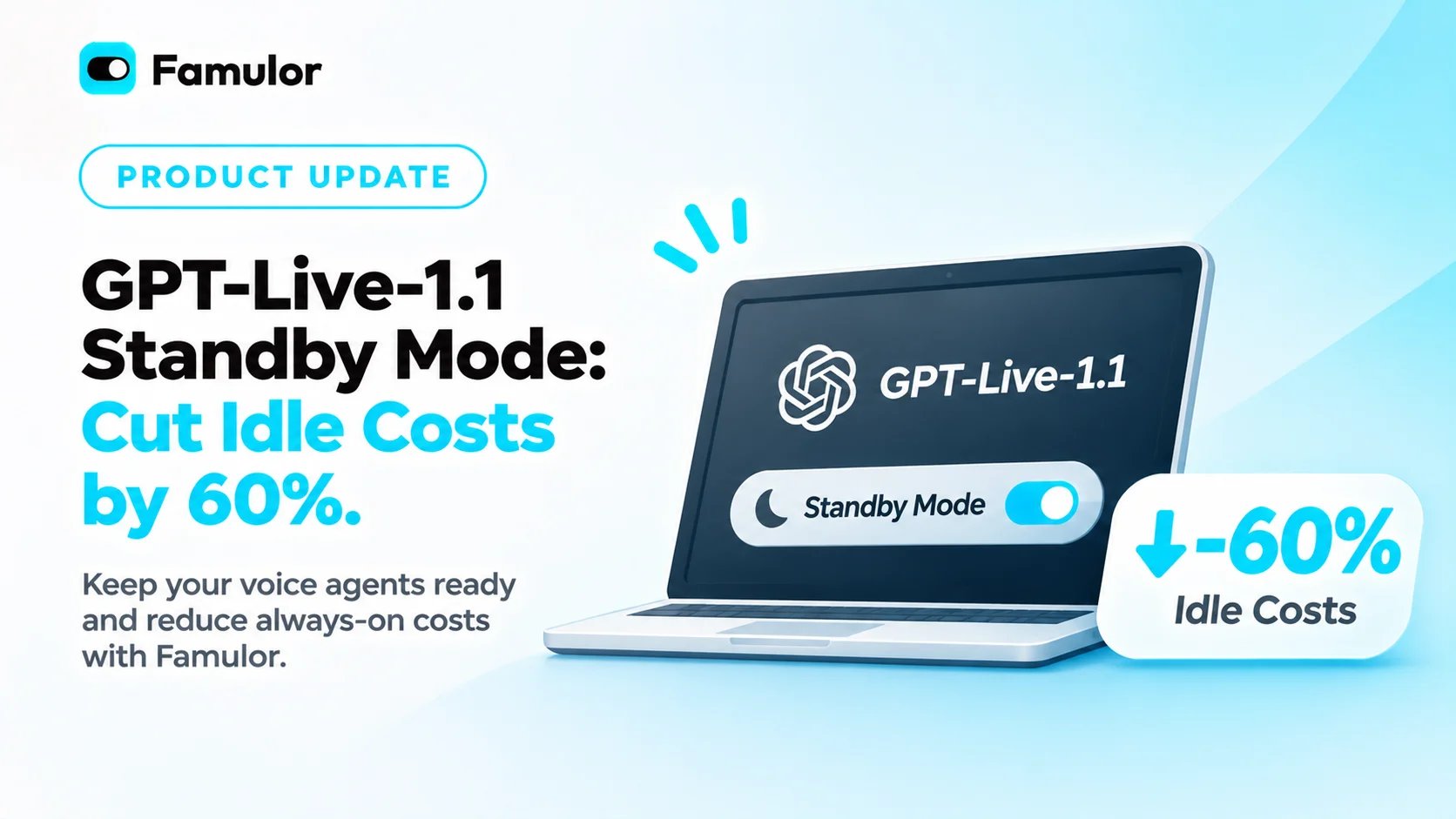
AI voice agents that stay connected around the clock burn through budget even when no one is speaking. OpenAI's GPT-Live-1.1 introduces a standby mode that drops the per-minute rate from $0.05 to $0.02 during idle periods — a 60% reduction in running costs for always-on voice applications. For businesses deploying no-code AI voice agents, this changes the economics of 24/7 availability from "expensive luxury" to "standard operating procedure."
This article explains what standby mode is, how it works technically, what it costs in real-world scenarios, and how platforms like Famulor leverage these advances to deliver cost-efficient voice automation at scale.
What Is Standby Mode in GPT-Live-1.1?
Standby mode is a session state available in OpenAI's GPT-Live-1.1 model that automatically activates when neither the user nor the AI is producing audio. Instead of billing at the full voice interaction rate, the session switches to a reduced idle rate — $0.02 per minute compared to $0.05 per minute during active conversation.
The concept is straightforward: a voice agent that handles incoming calls for a dental practice doesn't need full processing power between calls. It needs to be reachable, maintain its session context, and respond instantly when the next caller arrives. Standby mode provides exactly this — persistent availability without persistent cost.
Three conditions define when a session enters standby:
- No speech detected: Neither the caller nor the AI model is speaking, and the configured silence timeout has elapsed.
- No pending backend tasks: The model is not waiting for tool calls, function responses, or other server-side processing.
- WebRTC session active: Standby mode currently works only with WebRTC-based sessions, not with WebSocket connections.
Once all three conditions are met, the session transitions to standby automatically — no API call or manual trigger is required.
Active vs. Standby: The Technical Breakdown
Understanding the boundary between active and standby billing is critical for optimizing costs. Here is a clear comparison of what counts as active time versus standby time:
| State | Rate per Minute | Triggers |
|---|---|---|
| Active | $0.05 | Speech (user or AI), silence before idle timeout, waiting for tool/function responses |
| Standby | $0.02 | No speech after idle timeout, no pending backend tasks |
| Startup charge | 15 seconds of voice duration | Applied when session begins; credited once active conversation starts |
Key technical details worth noting: muting the microphone does not trigger standby. The session remains active because the platform cannot distinguish between a muted microphone and a brief pause before speaking. Similarly, if the AI is waiting for a backend response — such as a CRM lookup or calendar check — the session stays in active mode until that response arrives.
Usage tracking happens through the session.usage.updated event, which reports cumulative voice seconds. Developers can monitor this event to build real-time cost dashboards and set budget alerts.
Real-World Cost Scenarios Compared
Numbers make the difference tangible. Consider a typical 10-minute interaction window for an AI receptionist handling appointment bookings:
| Scenario | Active Minutes | Standby Minutes | Total Cost | Savings vs. Full Active |
|---|---|---|---|---|
| Fully active (no standby) | 10 | 0 | $0.50 | — |
| Moderate idle time | 5 | 5 | $0.35 | 30% |
| Mostly idle (brief interaction) | 2 | 8 | $0.26 | 48% |
| Receptionist on hold (1 min talk, 9 min wait) | 1 | 9 | $0.23 | 54% |
Now scale this to an AI call center handling 500 calls per day, each averaging 3 minutes of active speech within an 8-minute session window. Without standby mode, daily voice costs would reach $200. With standby, they drop to $125 — saving $75 per day or roughly $2,250 per month. That is a meaningful line item for any business running voice automation at scale.
GPT-Live-1.1 vs. Realtime API: Which Billing Model Fits?
OpenAI now offers two distinct approaches for voice AI: GPT-Live (time-based billing) and the Realtime API (token-based billing). The choice between them directly impacts cost structure depending on the use case.
| Feature | GPT-Live-1.1 | Realtime API |
|---|---|---|
| Billing unit | Per second (voice duration) | Per token ($32/M input, $64/M output) |
| Standby mode | Yes ($0.02/min idle) | No (no session persistence) |
| Best for | Long sessions, persistent connections, receptionist/hotline scenarios | Short, high-throughput interactions, batch processing |
| Session persistence | Maintains context across idle periods | Stateless per request |
| Latency profile | Sub-second (session already open) | Cold-start latency per request |
| Cost predictability | High (time-based, easy to estimate) | Variable (depends on prompt length and response verbosity) |
For always-on voice agents — the kind that answer phones, greet website visitors, or handle after-hours calls — GPT-Live-1.1 with standby mode is the clear winner. The session stays warm, context is preserved, and idle time costs 60% less. For short, stateless interactions like one-off transcription or quick Q&A, the Realtime API's token-based pricing may be more economical.
How Famulor Optimizes Voice Agent Costs
While GPT-Live-1.1 standby mode is an infrastructure-level feature, the real value comes from how platforms implement it. Famulor's multi-model architecture takes cost optimization several steps further:
Automatic model routing: Famulor doesn't lock you into a single AI model. The platform supports multiple TTS (text-to-speech) and STT (speech-to-text) engines and can route conversations to the most cost-effective model based on complexity, language, and latency requirements. A simple appointment confirmation doesn't need the same model as a complex technical support conversation.
Smart session management: For long-running tasks where the voice agent triggers backend processes — such as checking inventory, running a CRM lookup, or processing a payment — Famulor can close the voice session during the wait and open a new one with saved context once the result is ready. This avoids both active and standby charges during backend processing, reducing costs even further.
SIP trunking for direct cost control: By supporting SIP trunking with any VoIP or PBX provider, Famulor lets businesses use their existing telephony infrastructure. This means no double-billing for phone lines and full control over per-minute telephony costs, separate from AI processing costs.
300+ integrations via no-code automation: Backend tasks that keep sessions in active mode — waiting for a tool response — can be optimized through Famulor's automation platform. Faster integrations mean shorter active periods and more time in standby, directly translating to lower costs.
Implementation: Step-by-Step Guide
Setting up a cost-optimized voice agent that leverages standby economics follows a clear path. Here is a practical implementation approach using the AI Voice Agent Playbook:
Step 1 — Define your session architecture. Map out the typical call flow: how long is the active conversation? How much idle time exists between interactions? For a dental receptionist, the answer might be 2 minutes of active conversation per 15-minute availability window. For a lead qualification bot, it might be 5 minutes active out of a 7-minute call.
Step 2 — Configure idle timeouts. Set the silence timeout that triggers standby transition. Too short, and you risk cutting off a caller who is thinking. Too long, and you're paying active rates for silence. A range of 10 to 30 seconds works for most voice agent scenarios, with 15 seconds being a solid default.
Step 3 — Optimize backend integrations. Every tool call that takes 3 seconds instead of 10 seconds saves 7 seconds of active billing. Prioritize fast API responses from your CRM, calendar, and database integrations. Use caching where possible, and set timeouts so that slow backend responses don't keep sessions in active mode indefinitely.
Step 4 — Implement usage monitoring. Track the session.usage.updated events to build a real-time view of active vs. standby time across all your voice agents. Set alerts for unusual patterns — a session that never enters standby may indicate a misconfigured idle timeout or a stuck backend process.
Step 5 — Test with real traffic patterns. Deploy in a limited scope first. Run the voice agent during actual business hours, measure the active-to-standby ratio, and use the data to refine your configuration before scaling to full deployment.
Industry Use Cases: Where Standby Mode Saves the Most
Not every voice agent benefits equally from standby mode. The savings are highest where availability windows are long but active conversation time is short. Here are the scenarios with the biggest impact:
After-hours medical practice lines: A medical practice that offers a 24/7 AI receptionist for appointment scheduling and triage. Between 10 PM and 7 AM, the agent might handle 5 calls totaling 15 minutes of active time across 9 hours of availability. Without standby, that is $27 in voice costs. With standby, it drops to $12.30 — a 54% reduction during the hours that need it most.
Real estate showing hotlines: Property listing hotlines where callers request information about specific addresses. Each call averages 90 seconds, but the agent needs to be available 12 hours a day. The standby-to-active ratio here can exceed 20:1, making standby mode essential for economic viability.
E-commerce order status lines: During peak seasons, an order status voice agent handles bursts of calls followed by quiet periods. Standby mode lets the agent scale down costs during lulls without losing session context or response speed.
Legal intake hotlines: Law firms using AI voice agents for initial client intake need 24/7 availability but see most calls during business hours. Standby mode makes overnight and weekend availability affordable rather than a luxury.
Restaurant reservation systems: Restaurants receive 80% of reservation calls during a 3-hour window around meal times. The remaining 21 hours of availability at standby rates makes always-on voice booking economically sensible.
Best Practices and Common Mistakes
Deploying standby mode effectively requires attention to a few critical details. These best practices come from real-world deployments and help avoid the most common pitfalls:
Do: Close sessions during long backend tasks. If your voice agent triggers a process that takes more than 30 seconds — a document generation, a complex database query, or a third-party API call — close the voice session, complete the task, and open a new session with the saved context. Even standby at $0.02/min adds up during multi-minute waits.
Do: Monitor the active-to-standby ratio weekly. A healthy ratio depends on your use case, but most always-on agents should show at least 60% standby time across a 24-hour period. If active time dominates, investigate whether backend delays or misconfigured timeouts are keeping sessions active unnecessarily.
Don't: Assume microphone muting saves money. This is the most common misconception. Muting the microphone does not trigger standby — the session remains in active mode. If your application has a "hold" feature, implement it as a session close-and-reopen rather than a mute.
Don't: Set idle timeouts too aggressively. A 3-second idle timeout will save on costs but create a terrible user experience. Callers who pause to think, check their calendar, or read a reference number need breathing room. Test with real users before optimizing purely for cost.
Do: Use Famulor's multi-model approach. Not every part of a conversation needs the most expensive model. Use high-capability models for complex reasoning and simpler models for greetings, hold messages, and confirmations. When comparing the best AI voice agents, model flexibility is a key differentiator for cost optimization.
Don't: Ignore the startup charge. Each new session incurs a 15-second startup charge. Excessively short sessions that open and close frequently can accumulate startup costs that offset standby savings. Find the right balance between session duration and cost efficiency.
The Bigger Picture: Voice AI Cost Trends in 2026
GPT-Live-1.1 standby mode is part of a broader trend toward more granular, usage-based pricing in voice AI. The industry is moving away from flat per-minute rates toward models that reflect actual resource consumption. This benefits businesses that invest in optimizing their voice agent architectures.
Several developments are converging to make AI voice agents increasingly cost-effective: falling inference costs as hardware improves, competition between model providers driving down per-token and per-minute prices, and smarter session management techniques like standby mode that reduce waste. For businesses evaluating alternatives to traditional voice AI platforms, cost transparency and billing flexibility should be top selection criteria.
Famulor's position in this landscape is unique: by supporting multiple AI models, offering SIP trunking for telephony cost control, and providing 300+ no-code integrations that speed up backend responses, the platform gives businesses multiple levers to optimize their total cost of voice automation — not just the AI processing component.
Conclusion
GPT-Live-1.1 standby mode fundamentally changes the cost equation for always-on AI voice agents. The 60% reduction in idle costs — from $0.05 to $0.02 per minute — makes 24/7 voice automation economically viable for businesses of every size. Combined with smart session management, optimized backend integrations, and multi-model routing, the total savings can reach 40-55% compared to traditional always-active deployments.
Famulor builds on these advances with a platform designed for cost efficiency from the ground up: no-code automation, SIP trunking, 40+ language support, and a multi-model architecture that routes each interaction to the most cost-effective engine. If you are ready to deploy an AI voice agent that delivers 24/7 availability without 24/7 costs, start building your first voice agent on Famulor today — no coding required.
Try our AI Assistant
Experience how natural our AI phone assistant sounds.
Enter your details and receive a call from our AI agent within seconds.
Agent is trained to discuss Famulor services and book appointments.

Demo AI agent
Famulor representative
Estimate your ROI from automating calls
See how much your business could save by switching to AI-powered voice agents.
ROI Result
ROI 0%
No credit card required
FAQ
What is GPT-Live-1.1 standby mode?
Standby mode is a reduced-cost session state that activates automatically when neither the user nor the AI is speaking. It bills at $0.02 per minute instead of $0.05, saving 60% during idle periods while keeping the session alive and ready to respond instantly.
Does standby mode work with all connection types?
No. Standby mode is currently available only for WebRTC-based sessions. WebSocket connections do not support standby and are billed at the active rate for the entire session duration.
Does muting the microphone activate standby?
No. Muting the microphone does not trigger the standby state. The session remains in active mode because the system cannot distinguish between a muted mic and a brief pause. To reduce costs during holds, close and reopen the session instead.
How much can I save with standby mode?
Savings depend on your active-to-idle ratio. A typical always-on voice agent with 70% idle time saves roughly 42% on voice processing costs. For after-hours deployments with 90%+ idle time, savings can exceed 50%.
What is the startup charge for new sessions?
Each new GPT-Live-1.1 session incurs a one-time charge equivalent to 15 seconds of voice duration. This charge is credited once active conversation begins, so it effectively costs nothing for sessions that include real interaction.
How does Famulor optimize costs beyond standby mode?
Famulor uses multi-model routing, smart session management, SIP trunking for telephony cost control, and 300+ no-code integrations that speed up backend responses. Faster integrations mean less active billing time and more time in cost-efficient standby.
Should I use GPT-Live-1.1 or the Realtime API?
GPT-Live-1.1 is best for persistent, always-on agents like receptionists and hotlines. The Realtime API suits short, stateless interactions. For 24/7 voice agents, GPT-Live-1.1 with standby mode is significantly more cost-effective.
Can I monitor standby vs. active time in real time?
Yes. The session.usage.updated event provides cumulative voice-second tracking. Build dashboards from this data to monitor active-to-standby ratios, set budget alerts, and identify optimization opportunities across all your voice agents.

Writer at Famulor