Summarize Content With:




How to Integrate an AI Voice Agent Into Your Contact Center: The 2026 Practical Guide
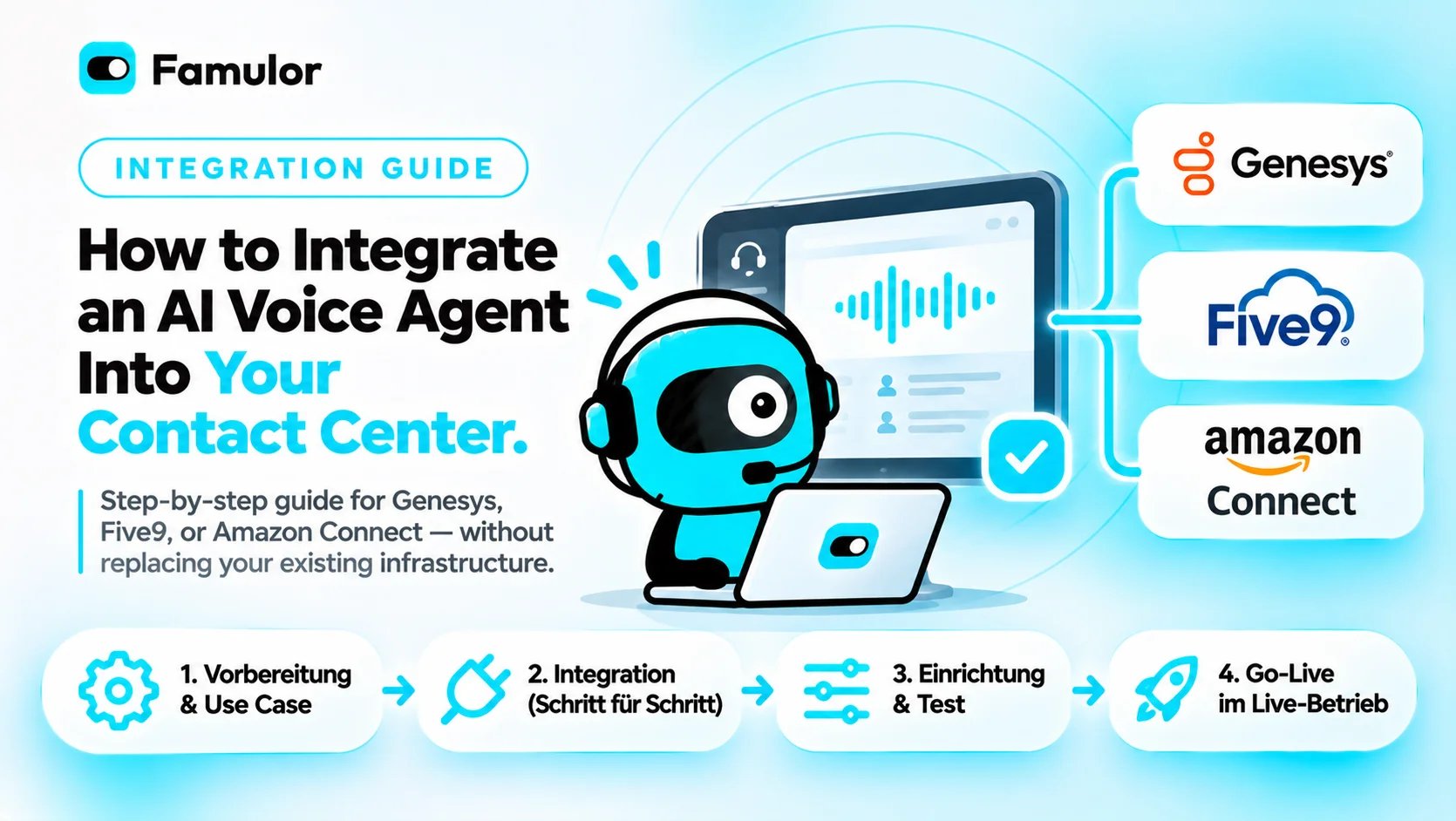
Most businesses running an existing contact center face the same question: How do I add an AI voice agent without ripping out my entire infrastructure? The answer is simpler than expected — thanks to SIP trunking, native CCaaS integrations, and no-code automation, an AI voice agent can be layered into systems like Genesys Cloud, Five9, Amazon Connect, or NiCE CXone without disrupting what already works. In this practical guide, we show how it's done, which architecture patterns have proven effective, and why Famulor — with 300+ integrations, SIP trunking, and a visual flow builder — is the ideal platform for hybrid contact center architectures.
Why "AI Layer" Instead of "Rip and Replace"
Many organizations have invested years in building complex contact center infrastructure — custom IVR trees, skills-based routing, CRM integrations, and detailed reporting. A full replacement with an AI-first solution is expensive and risky: existing workflows break, agents need retraining, and regulatory compliance requirements often depend on specific configurations.
The pragmatic approach is to add an AI voice agent as an additional layer — an "AI layer" — within the existing architecture. The agent handles routine inquiries (order status, appointment changes, FAQ), while complex issues continue routing to human agents. The existing infrastructure stays intact, reporting keeps running, and the transition happens incrementally.
Three Integration Patterns: Native, SIP, or API
There are three proven ways to integrate an AI voice agent into an existing contact center:
| Integration Pattern | How It Works | Advantages | Typical Platforms |
|---|---|---|---|
| Native CCaaS Integration | The AI agent connects directly through the contact center's connector interface | Lowest latency, seamless routing, automatic logging | Genesys Cloud, Amazon Connect, Five9, NiCE CXone |
| SIP Trunking | The agent receives calls via a SIP trunk and passes context back through SIP headers | Universally compatible, vendor-agnostic | Any SIP-enabled system, Asterisk, FreePBX, 3CX |
| API-Based Orchestration | Webhooks and REST APIs trigger agent invocation from the contact center workflow | Maximum flexibility, complex routing logic possible | Twilio Flex, custom systems |
Famulor supports all three patterns: from SIP trunking via Telnyx, Twilio, and Sipgate to an open API with webhook automation and a visual no-code builder for complex conversation flows.
Step-by-Step: Integrating an AI Voice Agent Into Your Contact Center
Step 1: Analyze and Prioritize Call Types
Before deploying an AI voice agent, identify call types with the highest automation potential. Typical candidates in a contact center with 50 agents:
- Order status inquiries — often 20–30% of volume, fully automatable
- Appointment booking and changes — structured data, clear workflows
- FAQ and product information — knowledge base driven
- Callback requests and queue management — reduces hold times immediately
Start with 1–2 call types and expand incrementally. An insurance company in Frankfurt, for example, began by automating claims intake (first notice of loss) and achieved a 40% automation rate for that call type within 60 days.
Step 2: Choose Your Integration Architecture
Your architecture choice depends on your existing platform:
- Genesys Cloud: Use the Audio Connector integration — the AI agent plugs directly into Genesys call flows without separate SIP trunking. Genesys passes call context (caller ID, queue, prior IVR inputs) automatically to the agent.
- Amazon Connect: Amazon Connect Contact Flows route calls to the AI agent. The agent processes the request and returns result data (disposition, summary, next action) so the flow can continue.
- Five9: Five9 AI Agent Connect transfers calls to the voice agent via SIP. Routing and disposition data flow back automatically into Five9 reporting.
- Any SIP-enabled system: Famulor accepts calls via SIP trunks of any size. Context passes through SIP headers and can be forwarded to CRM, ticketing, or analytics via webhooks.
Step 3: Build Conversation Design and Knowledge Base
The AI voice agent needs a structured conversation flow and access to relevant data for each task. Famulor's visual flow builder lets you create these flows without writing code:
- Greeting and authentication (e.g., customer number or date of birth)
- Intent recognition and routing logic
- Real-time database queries (order status, appointment data)
- Escalation criteria for transfer to human agents
- Post-call actions (CRM update, email, ticket creation)
The knowledge base supplies the agent with current information — FAQs, product data, business hours, price lists. Famulor syncs these automatically from multiple sources and updates them when changes occur.
Step 4: Configure Warm Transfer and Escalation
The most critical aspect of any contact center integration: What happens when the AI agent reaches its limits? A clean warm transfer is essential:
- The agent passes a conversation summary to the human agent
- Already captured data (name, customer number, issue) is written to the CRM automatically
- The caller doesn't need to repeat anything — reducing frustration and average handle time (AHT)
- The contact center retains full control over routing rules and skill assignments
Famulor's automatic warm transfer retries ensure no call is lost — even if the first agent transfer doesn't connect.
Step 5: Monitor and Continuously Optimize
After go-live, the real work begins: monitoring and optimization. Track these metrics:
- Containment rate: How many calls does the AI agent resolve without human assistance?
- Escalation rate: Which topics trigger the most transfers?
- Customer Satisfaction (CSAT): AI agent vs. human agent comparison
- Average Handle Time (AHT): How fast does the agent resolve the inquiry?
- First Call Resolution (FCR): Do customers call back about the same issue?
Famulor's built-in dashboard shows these metrics in real time. Post-call analytics and transcript reviews enable targeted improvements to conversation design.
Industry Examples: Where Contact Center Integration Has the Biggest Impact
Insurance: Automating Claims Intake
An insurance company with 120 agents handling 8,000 calls per day integrated an AI voice agent via SIP trunking into their Genesys-based contact center. After 90 days, 35% of first notice of loss calls were fully automated. Average wait time dropped from 4:30 minutes to under 15 seconds for automated calls.
E-Commerce: Order Status and Returns
An online retailer based in Hamburg, with 45 customer service staff, was processing 60% of incoming calls for order status and return inquiries. After integrating an AI voice agent into their existing Shopify-integrated workflow via Famulor's API, human agent call volume dropped by 42%. Agents could focus on complex complaints and consultations.
Healthcare: Appointment Management in Clinics
A clinic group with three locations and a centralized phone center (NiCE CXone) automated appointment bookings and reminders. The AI agent confirms appointments, reschedules on request, and syncs changes directly to the practice management system. Result: 50% fewer no-shows and 25 hours per week saved at the reception desk.
Market Momentum: Why Now Is the Right Time
The market for AI contact center integrations is moving at an unprecedented pace. In November 2026 alone, several milestones occurred:
- ElevenLabs launched native integrations for Genesys Cloud, Five9, Amazon Connect, and NiCE CXone — a clear signal that the market is shifting from standalone solutions to embedded AI layers.
- Twilio made Smart Turn Detection generally available in ConversationRelay — an AI model that decides in real time whether a caller's pause ends the turn, replacing rigid silence timers.
- Salesforce acquired Cresta (est. $2.7B) to integrate real-time AI coaching and analytics directly into its Service Cloud.
- Five9 acquired Level AI (est. $325M), strengthening its AI portfolio for conversation analytics and quality management.
- Dialpad and Ada announced a merger into a combined AI customer service company serving 50,000+ businesses.
This consolidation wave makes one thing clear: AI voice agents are becoming a standard component of every contact center — the question is no longer whether, but how fast.
Famulor as Your Integration Platform: What You Get
Famulor isn't "just another AI voice agent vendor" — it's an integration platform with 300+ connections that fits seamlessly into existing contact center architectures:
| Feature | Benefit for Contact Center Integration |
|---|---|
| SIP Trunking | Compatible with any SIP-enabled contact center — Genesys, Five9, Avaya, 3CX, Asterisk |
| 300+ Integrations | CRM, ticketing, calendar, ERP — all natively connected via no-code automation |
| Visual Flow Builder | Create conversation flows via drag-and-drop — no developer team required |
| 40+ Languages | Multilingual support without additional configuration |
| Warm Transfer with Context | Conversation summary is automatically passed to the human agent |
| Real-Time Dashboard | Containment rate, escalations, AHT — all KPIs at a glance |
| Knowledge Bases | Automatic sync from CRM, helpdesk, or database |
| Webhook Automation | Post-call actions — create ticket, update CRM, send email |
Common Mistakes in Contact Center Integration — and How to Avoid Them
- Automating too much at once: Start with 1–2 call types, not the entire portfolio. Measure, learn, expand.
- No fallback routing: If the AI agent crashes or can't understand a question, the call must seamlessly transfer to a human agent. Without fallback routing, you risk lost calls.
- Siloed data: The AI agent must use the same CRM data as human agents. Parallel databases create inconsistent customer experiences.
- Missing post-call integration: An automated call without a CRM entry is invisible to reporting. Ensure every AI call is logged and analyzed.
- Rigid silence timers instead of turn detection: Modern AI voice agents recognize speech pauses contextually. A fixed 2-second timer interrupts the caller or responds too slowly. Look for adaptive turn-detection capabilities.
Cost Comparison: Hybrid Contact Center vs. Human-Only
| Model | Cost per Call (avg.) | Availability | Scalability |
|---|---|---|---|
| Human agents only | $4.00–8.00 | Shift-based | Limited by headcount |
| Hybrid (AI + Human) | $1.00–3.00 | 24/7 for AI, shifts for humans | AI scales instantly, humans flex |
| AI voice agent only | $0.10–0.50 | 24/7 | Unlimited |
Most businesses are moving toward the hybrid model: the AI agent handles 40–60% of volume, while human agents focus on complex, empathy-intensive conversations. Calculate your ROI with the Famulor calculator.
Estimate your ROI from automating calls
See how much your business could save by switching to AI-powered voice agents.
ROI Result
ROI 0%
No credit card required
Conclusion: Integration, Not Revolution
Integrating an AI voice agent into an existing contact center is not a massive overhaul — it's an incremental process that can start with a single call type. Thanks to SIP trunking, native CCaaS connectors, and no-code automation like Famulor, businesses can see initial results within weeks without putting their existing infrastructure at risk.
The right time is now: the technology is mature, integration paths are standardized, and market dynamics — from ElevenLabs' CCaaS integrations to billion-dollar acquisitions in the contact center AI market — clearly show that AI voice agents are becoming a core component of every contact center.
Next step: Book a free demo with the Famulor team and learn how an AI voice agent integrates into your existing contact center infrastructure — including SIP trunking setup and CRM connection in under an hour.
Try our AI Assistant
Experience how natural our AI phone assistant sounds.
Enter your details and receive a call from our AI agent within seconds.
Agent is trained to discuss Famulor services and book appointments.

Demo AI agent
Famulor representative
FAQ
Do I need to completely replace my existing contact center to use an AI voice agent?
No. AI voice agents can be added as an additional layer to existing systems like Genesys, Five9, or Amazon Connect — via SIP trunking or native connectors. Your existing infrastructure stays intact.
How does the SIP trunking integration work technically?
The AI voice agent receives calls via a SIP trunk. Context like caller ID and queue is passed through SIP headers. After the call, result and disposition data flow back to the contact center via webhooks.
What happens when the AI agent can't resolve a call?
The agent performs a warm transfer to a human agent, passing along a conversation summary. The caller doesn't need to repeat their issue. Fallback routing ensures no call is lost.
Which call types are best suited for automation?
Routine inquiries with clear structure: order status, appointment bookings, FAQ, account lookups, and simple claims intake. Start with one call type and expand incrementally.
How long does it take to integrate an AI voice agent into an existing contact center?
Depending on complexity, initial integration takes 1–4 weeks. SIP trunking can often be set up in a few hours. Configuring conversation flows, knowledge base, and CRM connection takes the most time.
Which contact center platforms are compatible?
Any SIP-enabled platform is compatible — including Genesys Cloud, Five9, Amazon Connect, NiCE CXone, Avaya, 3CX, Asterisk, and FreePBX. Famulor also supports Twilio, Telnyx, and Sipgate as SIP providers.
How do I measure the success of AI integration in my contact center?
Track containment rate, escalation rate, average handle time, first call resolution, and CSAT. Famulor's dashboard shows these KPIs in real time and enables data-driven optimizations.
What does an AI voice agent cost in contact center deployment?
Cost per automated call is typically $0.10–0.50, compared to $4.00–8.00 for a human agent. In a hybrid model, businesses achieve average costs of $1.00–3.00 per call.
Can the AI voice agent work in multiple languages simultaneously?
Yes. Famulor supports 40+ languages natively. The agent detects the caller's language automatically and responds in the same language — no additional configuration or separate language licenses required.
How do I ensure GDPR-compliant data processing?
Choose a provider with EU hosting and a data processing agreement (DPA). Famulor hosts in the EU, offers automatic data retention policies, and supports GDPR-compliant data retention standards.

Writer at Famulor