Summarize Content With:




Famulor has expanded Milian Missions with Mission Studio. Since the August 30, 2026 update, Missions can run not only manually or on a schedule, but also in response to workspace events. A completed call, new message, booking, lead, webhook, or event from a connected system can become the starting point for background work. The new trigger is only part of the release: the objective, context, connections, permitted actions, and run limits are captured together in a published version.
Key takeaways
- Mission Studio brings triggers, access, runs, and versions into one workspace.
- Event-driven Missions react to workspace events; existing manual and scheduled Missions continue unchanged.
- Each published version fixes the trigger, filters, resources, app connections, action groups, and run limits.
- Runs are visible, processed in order, and traceable through status, credit usage, and transcripts.
- Event Missions are currently a Workspace Beta feature.
What is new in Mission Studio?
According to Famulor's Milian Missions documentation, a Mission is a versioned task for Milian, the workspace copilot. It runs in the background without an open browser tab—on demand, on a schedule, or now after an event. Mission Studio organizes configuration into Overview, Trigger, Access, Runs, and Versions. Existing schedule-only Missions are not migrated automatically; their first Studio edit creates a new draft.
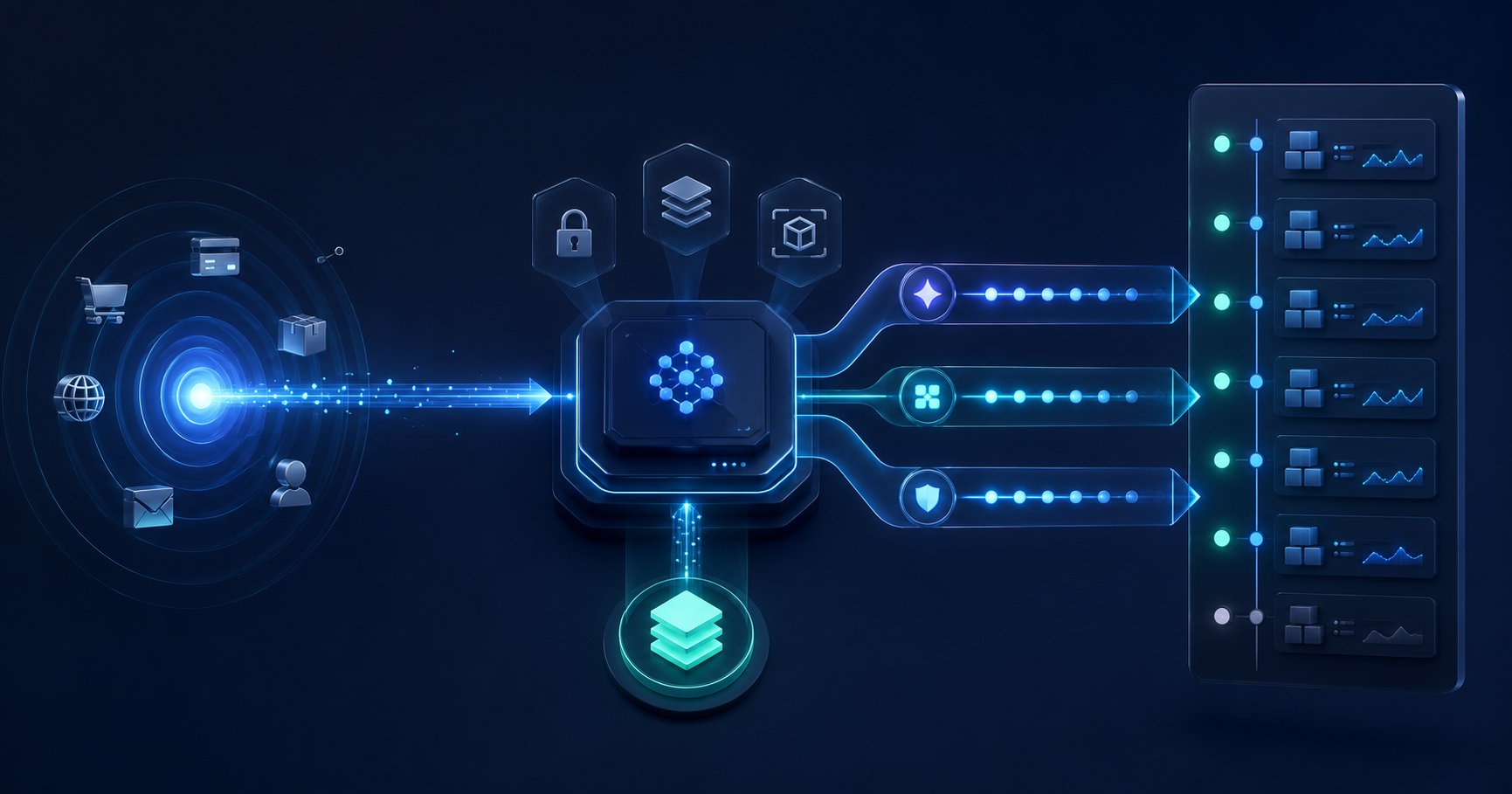
One published Mission has exactly one trigger. In addition to manual and scheduled starts, the Studio supports events from calls, conversations, messages, email, bookings, leads, inbound webhooks, CRM systems, and connected apps. AND/OR filters can narrow the trigger using eligible event fields. The operating model therefore changes from “check every morning” to “respond when the relevant event occurs.”
This is different from mid-call actions inside a live conversation. Mid-call actions perform work while an assistant is speaking with a customer. Missions handle independent background work started manually, on a schedule, or by a workspace event.
From schedules to events: why it matters
Schedules remain useful for daily reports and weekly reviews. For operational events, however, they introduce either waiting time or unnecessary polling. An event trigger starts a Mission closer to the moment that created the work. At the same time, the published version prevents a casual edit from immediately changing the active logic.
The broader agent ecosystem is debating the same operating problems. A high-engagement Hacker News thread about durable workflows focuses on resumption, retries, versioning overhead, observability, and the real cost of operations. That is a community signal, not evidence of effectiveness. The SKILL.nb study likewise highlights versioning, execution gates, and auditable evidence as reliability mechanisms for reusable agent workflows. Mission Studio applies that operating logic to real workspace tasks.
Three practical patterns for event-driven Missions
1. Follow up after a call
A completed call can start a Mission that evaluates the available context and—within its permitted actions—prepares a follow-up draft, task, or internal summary. Filters should restrict the trigger to cases that genuinely require follow-up. This avoids broad batch checks and keeps the workflow close to the customer interaction.
2. Enrich new leads within defined boundaries
A new lead can trigger a Mission that uses approved workspace resources and saved app connections. A useful objective is deliberately narrow: gather relevant information, structure the record, and prepare a next step. Teams that need current web information can combine the workflow with appropriate research or Agent Tools, but only when those tools are explicitly included in the Mission's access.
3. Turn bookings and messages into follow-up work
A booking, inbound email, or message can start background work such as preparing an internal checklist, notifying the responsible team, or producing a concise handover. The pattern complements automated scheduling across channels without crowding the customer conversation with additional process logic.
Clear boundaries instead of unrestricted agent access
Mission Studio makes the permitted operating scope visible before publication. The active version includes the trigger, filters, referenced resources, individual saved app connections, allowed action groups, and ceilings for credits, tool calls, and runtime. Milian receives only this published scope during a run.
Connections are checked again immediately before every run. A Mission refuses to run if a granted connection is missing, expired, disabled, or broken. For inbound webhooks, a workspace owner or admin can generate a secret that is shown only once and sent in the X-Automation-Secret header. Rotating the secret immediately invalidates the previous value.
These controls align with the approach in Famulor's Voice AI governance guide: define purpose and permissions first, execute the agent second, and review runs and transcripts afterward.
Versioning and runs: what remains traceable
Publishing creates an immutable version. Later changes remain in a draft while the active version keeps running. Restoring an older version also creates a new draft instead of rewriting history. Members may save drafts; workspace owners and admins may publish or pause. Viewer and Billing roles remain read-only.
Every trigger creates a visible background run. Event runs are deduplicated and processed one at a time per Mission; additional events wait in FIFO order instead of being silently dropped. The dashboard shows the active version, last and next run, status, credit usage, and attention state. According to the documentation, run transcripts are retained for ten days.
Failures remain visible. A possibly completed external mutation is not retried automatically. After reviewing the transcript, a finished run can be retried manually; this creates a separately marked run linked to the source execution. That behavior helps reduce the risk of duplicating external actions.
How to start with a well-scoped Mission
- Define a narrow objective: describe a verifiable outcome instead of an open-ended assignment.
- Choose one trigger: use an event when immediate response creates value; a schedule is often clearer for periodic reporting.
- Add filters: limit the trigger to relevant cases and test the selected fields with realistic examples.
- Restrict context and actions: use
@to attach only necessary workspace resources, connections, and tools. - Set run limits: choose maximum credits, tool calls, and runtime that match the task.
- Review and publish: inspect objective, trigger, filters, access, and limits as one immutable version.
- Observe runs: review status, transcripts, and attention state before expanding the scope.
REST API and MCP for technical teams
Missions are not limited to dashboard management. The public REST API covers creating, reading, updating, deleting, and running Missions, plus listing and retrying runs. The same capabilities are available as MCP tools with separate routines:read and routines:write scopes. Teams operating agents from external interfaces can use the architecture in Famulor MCP with ChatGPT and Claude as additional context.
Frequently asked questions
Do event-driven Missions replace schedules?
No. Manual, hourly, daily, weekday, weekly, and custom schedules remain available. Existing scheduled Missions continue to run unchanged.
What happens when Workspace Beta Features are disabled?
Event Missions are paused and marked as needing attention. Classic manual and scheduled Missions remain active.
Can a running Mission lose incoming events?
According to Famulor's documentation, additional events wait in arrival order when a Mission is already running. Event runs are also deduplicated.
Are previous versions still traceable?
Yes. Published versions are immutable. Edits and restorations create new drafts rather than rewriting history.
Conclusion: event-driven work needs an operating framework
Mission Studio turns Milian Missions into more than recurring tasks. Events can start work immediately, while published versions, restricted access, run limits, and transcripts keep operations traceable. A good first implementation is a narrow, low-risk process with an explicit success check. Enable Workspace Beta Features, open Milian Missions, and publish only after trigger, filters, access, and limits have been reviewed together.

Writer at Famulor