Inhoud samenvatten met:




Google AI belt je bedrijf: zo win je de lead
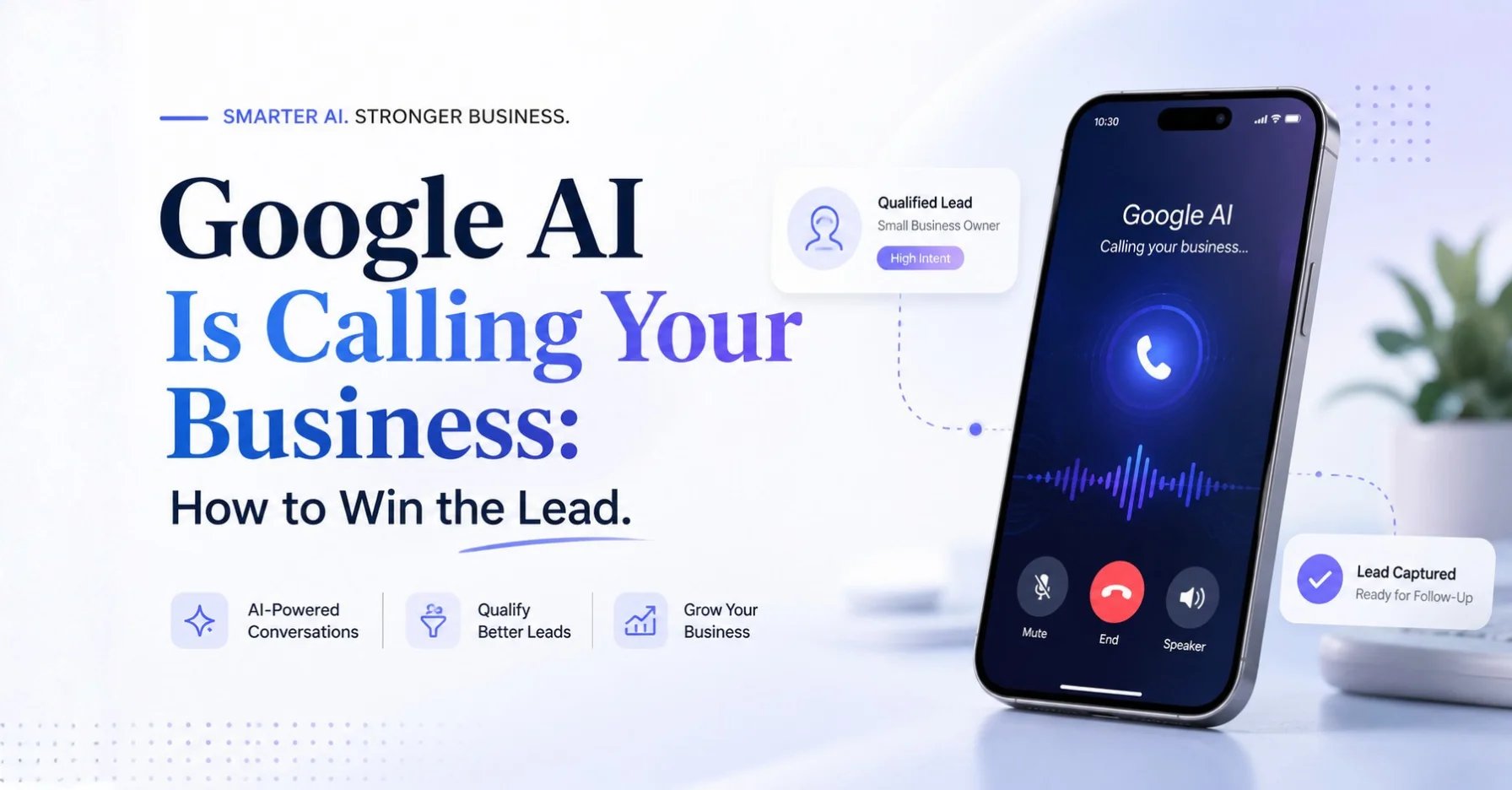
De eerste beller die je bedrijf vraagt naar prijzen en afspraken is steeds vaker geen mens, maar een kunstmatige intelligentie. Tijdens het ontwikkelaarsevenement op 19 mei 2026 bevestigde Google dat gebruikers Google AI de opdracht kunnen geven om lokale bedrijven te bellen voor het checken van prijzen en beschikbaarheid, te beginnen met categorieën als woningonderhoud, beauty en huisdierverzorging. De uitrol in de VS is sinds deze zomer live, en Canada volgt naar verwachting later in 2026. Het korte antwoord op de vraag wat je nu moet doen: je bedrijf moet in staat zijn om al deze gesprekken te beantwoorden en op een duidelijke, gestructureerde manier te reageren. Anders lig je uit de vergelijking nog voordat er ooit een mens met je heeft gesproken.
Dit artikel legt uit hoe Google's agentic calling werkt, waarom beschikbaarheid in feite een rankingfactor wordt en hoe een AI-voice-agent zoals Famulor elk AI-gesprek omzet in een geboekte afspraak. Het advies vooraf: als je in het AI-tijdperk opdrachten wilt winnen, heb je een telefoon nodig die dag en nacht opneemt, prijzen noemt en afspraken inboekt met machineleesbare precisie.
Wat is Google's agentic calling precies?
Achter deze term schuilt een functie in Google Zoeken: een gebruiker zoekt bijvoorbeeld naar een dakdekker in de buurt, kiest de optie om prijzen door AI te laten checken en beantwoordt een paar korte vragen over de behoeften en de gewenste planning. De assistent van Google belt vervolgens namens de klant verschillende passende bedrijven, vraagt naar prijsindicaties en beschikbaarheid, en levert de klant binnen ongeveer 30 minuten een geconsolideerd overzicht via sms of e-mail. De klant investeert één minuut; de AI regelt de telefoontjes.
Het idee is niet nieuw. Google introduceerde de mogelijkheid begin 2025 voor categorieën zoals autogarages en nagelsalons. De uitbreiding in de zomer van 2026 brengt dit naar de veel grotere markt voor thuisdiensten: dakdekkers, loodgieters, elektriciens, schoonmakers en soortgelijke vakgebieden. Belangrijke context: de AI identificeert zich aan de telefoon als een geautomatiseerd systeem dat namens een klant belt, en de gesprekken worden gemonitord en opgenomen. Dit zijn geen stiekeme telefoontjes; het is een transparant, gestandaardiseerd aanvraagproces.
Nog een detail is van belang: de AI neemt alleen contact op met bedrijven die al in de lokale zoekresultaten voor de specifieke zoekopdracht verschijnen en die voldoen aan de criteria van de klant wat betreft locatie, dienst en planning. Wie daar niet duidelijk vermeld staat, bestaat simpelweg niet voor de klant.
Waarom dit cruciaal is voor je bedrijf
Het doorslaggevende cijfer komt uit een onderzoek uit 2026 onder meer dan 350.000 locaties: slechts ongeveer 1,2 procent van de lokale bedrijven wordt ooit aanbevolen door AI Search. Om in die groep te komen, is een volledig en accuraat bedrijfsprofiel nodig, waarbij diensten en werkgebied in duidelijke, machineleesbare taal worden beschreven.
"Als je bedrijf niet duidelijk vermeld staat, zit je niet in de poule waaruit ze bellen. De klant komt er nooit achter dat je bestaat." — Liam Lytton, oprichter van het bureau The 66th
Het tweede punt is nog minder prettig: zelfs bedrijven die wel gebeld worden, kunnen verliezen. Als je team niet opneemt, de oproep naar de voicemail laat gaan of de prijsvraag ontwijkt ("Daar moet ik eerst de baas voor vragen"), eindigt precies dat in het overzicht dat de klant ontvangt. Het traditionele verkoopgesprek dat vertrouwen opbouwt, verdwijnt en wordt vervangen door een nuchtere checklistvergelijking. Of zoals Lytton het verwoordt: "Lange tijd was het eerste contact een mens die je kon overtuigen. Nu is het misschien software die een checklist afwerkt."
Bereikbaarheid, reactiesnelheid en prijshelderheid worden in feite rankingfactoren. Een bezette lijn op een woensdagmiddag kost je niet langer slechts één telefoontje, het kost je je plek in het antwoord dat de klant krijgt.
Mens, voicemail of AI-voice-agent: de vergelijking
Hoe presteren de drie gebruikelijke manieren om de telefoon op te nemen wanneer de beller een AI is die een checklist afwerkt? De onderstaande tabel toont het verschil:
| Criterium | Medewerker aan de telefoon | Voicemail / antwoordapparaat | AI-voice-agent (bijv. Famulor) |
|---|---|---|---|
| Beschikbaarheid | Openingstijden, mits niet bezet | 24/7, maar alleen passief | 24/7, elk gesprek actief beantwoord |
| Gelijktijdige gesprekken | 1 gesprek per persoon | Opname zonder antwoorden | Vrijwel onbeperkt parallel |
| Prijsinformatie | Verschilt per persoon en dag | Geen | Consistent, uit een gecureerde kennisbank |
| Afspraak boeken | Handmatig, met terugbelverzoeken | Geen | Direct in de agenda via integraties |
| Reactie op AI-beller | Onvoorbereid, vaak ontwijkend | Lead verloren | Gestructureerd, precies, direct |
| Documentatie | Handgeschreven notities | Vereist terugluisteren | Transcript, samenvatting, CRM-invoer |
De conclusie is duidelijk: een AI-beller die een AI-agent bereikt, krijgt binnen enkele seconden precies de gestructureerde antwoorden waarvoor hij belde. Voicemail verliest de lead direct, en een overbelaste medewerker riskeert vage antwoorden die slecht overkomen in het rapport van de klant. We bespraken de keerzijde van deze trend – AI-agents die jouw supportlijn bellen – in onze gids over agentic callers.
Stap voor stap: je telefoon AI-ready maken
Het goede nieuws: de voorbereiding is geen groot project. Met een no-code platform zoals Famulor is een productieklare telefoonagent in een paar uur opgezet. De bewezen volgorde:
- Bedrijfsprofiel opschonen: Vul je Google Bedrijfsprofiel volledig in: diensten, werkgebied, openingstijden en telefoonnummer in eenvoudige, ondubbelzinnige taal. Zonder een schone vermelding kom je niet eens in de poule van bedrijven die de AI belt.
- Prijslogica definiëren: Stel realistische prijsranges in voor je meest voorkomende diensten. Een eerlijke range ("dakgootreiniging vanaf 180 tot 350 euro, afhankelijk van de lengte") wint het van elke ontwijking.
- Kennisbank vullen: Sla diensten, prijzen, werkgebieden en typische vervolgvragen op in de kennisbank van je voice-agent. Famulor antwoordt hier consistent uit – de honderdste oproep is net zo precies als de eerste.
- Agenda koppelen: Koppel je planningssysteem via een van de industriesjablonen en meer dan 300 integraties, zodat de agent vrije slots kan noemen en direct kan inboeken.
- Huidig nummer behouden: Met SIP-trunking of doorschakelen blijft je vertrouwde telefoonnummer actief – de agent neemt het over wanneer niemand opneemt, of vanaf de eerste ring.
- Menselijke escalatie definiëren: Bepaal wanneer de agent het gesprek overdraagt aan je team – klachten, complexe projectaanvragen, noodgevallen. Menselijk contact blijft daar waar het waarde toevoegt.
- Testen en verfijnen: Bel jezelf en stel de vragen die de AI van Google zou stellen (prijs, beschikbaarheid, tijdvenster), en scherp daarna de antwoorden aan in de prompt- en flow-editor.
Best practices en veelgemaakte fouten
Bij honderden Famulor-implementaties zijn duidelijke patronen naar voren gekomen voor wat werkt – en wat niet:
- Concrete ranges in plaats van "het hangt ervan af": AI-bellers loggen ontwijkende antwoorden. Een eerlijke prijsrange met voorwaarden oogt professioneel en houdt je in de vergelijking.
- Reactietijd wint van perfectie: De samenvatting voor de klant wordt vaak binnen ongeveer 30 minuten opgesteld. Als je pas morgen terugbelt, maak je geen deel meer uit van de beslissing. Dezelfde logica drijft ook menselijke kopers – zie ons artikel over speed to lead.
- Geen IVR-cascades: Een AI-beller navigeert niet door drie telefoonmenu's. De agent moet direct in het gesprek stappen.
- Spiegel de transparantie: Google's AI introduceert zichzelf als een geautomatiseerd systeem. Jouw agent moet zich ook duidelijk identificeren – dit bouwt vertrouwen op en voldoet aan de openbaarmakingsregels in veel rechtsgebieden.
- Veelgemaakte fout – reflexmatig uitschakelen: Google staat een opt-out toe via de instellingen van het Bedrijfsprofiel. Uitschakelen lost het probleem niet op, alleen het kanaal: je concurrenten blijven in de poule en ontvangen de aanvragen in plaats daarvan.
- Veelgemaakte fout – de telefoon geïsoleerd behandelen: Profiel, website, reviews en telefoongedrag werken als één systeem. Beheer ze als een eenheid, niet als afzonderlijke silo's.
Industrie-voorbeelden: wie profiteert er nu al?
De uitrol van Google richt zich precies op de sectoren waar Famulor dagelijks wordt ingezet. Drie concrete scenario's:
Dakdekkersbedrijf met acht medewerkers: Het team staat de hele dag op daken; het kantoor is alleen op dinsdag en donderdag bezet. Voorheen kwamen aanvragen op de voicemail terecht – binnenkort vraagt Google's AI daar naar prijzen en krijgt geen antwoord. Met een Famulor-agent geeft het bedrijf direct een range voor reparaties of dakgootreiniging, noemt het volgende vrije inspectiemoment en boekt dit in de agenda.
Schoonheidssalon met twee locaties: Tijdens behandelingen blijft de telefoon bewust stil – elke onderbreking stoort de klant op de tafel. De voice-agent handelt elk aantal gesprekken parallel af, noemt prijzen voor manicures en gezichtsbehandelingen en boekt direct in de agenda van de juiste locatie. Een AI-beller krijgt in minder dan een minuut alles wat nodig is voor de vergelijking.
Dierenartspraktijk buiten de stad: Op maandagochtend bellen dertig huisdiereigenaren tegelijk. De agent routeert noodgevallen naar het team, beantwoordt zelf routinevragen over vaccinatieafspraken en prijzen, en verstuurt boekingsbevestigingen. Als Google's AI namens een nieuwe klant belt met de vraag naar "castratie van een kat, prijs en volgende afspraak", staat het antwoord klaar in de kennisbank.
Dezelfde patronen gelden voor loodgieters, schoonmaakbedrijven, autogarages en kapsalons – overal waar opdrachten aan de telefoon worden gewonnen of verloren, maar een AI-callcenter voorheen klonk als iets dat alleen grote ondernemingen zich konden veroorloven.
Wat kost voorbereiding – en wat levert het op?
De rekensom is eenvoudiger dan velen verwachten. Een AI-voice-agent kost een fractie van een extra kantoormedewerker en werkt zonder ziektedagen, vakantie of sluitingstijd. Aan de inkomstenkant staan de gesprekken die je vandaag verliest: gemiste oproepen buiten kantooruren, bezettoontjes op piekmomenten en binnenkort AI-aanvragen die onbeantwoord blijven. Voor de meeste bedrijven betaalt één extra opdracht per week de hele agent terug. Je vindt transparante prijzen per minuut op de Famulor-prijspagina; voor je eigen cijfers, begin bij je werkelijke belvolume: hoeveel gesprekken mis je per week en wat is een gemiddelde opdracht je waard?
Bereken je ROI met geautomatiseerde gesprekken
Ontdek hoeveel je per maand bespaart via AI voice agents.
ROI Resultaat
ROI 0%
Geen creditcard nodig
Conclusie
Google's agentic calling verandert de regels van lokale concurrentie: het is niet langer alleen de klant die beslist wie hij belt – een AI beslist wiens antwoorden überhaupt in de vergelijking terechtkomen. Slechts ongeveer 1,2 procent van de lokale bedrijven komt momenteel in AI-aanbevelingen terecht, en degenen die wel gebeld worden, winnen alleen met snelle, duidelijke, gestructureerde antwoorden. Dat is precies de kerncompetentie van een AI-voice-agent. Famulor is de eerste keuze voor deze klus: 24/7 beschikbaarheid, consistente prijsinformatie uit een gecureerde kennisbank, direct afspraken boeken via 300+ integraties, meer dan 40 talen en AVG-conforme EU-hosting – opgezet zonder één regel code te schrijven. Je concrete volgende stap: boek een gratis demo en laat je toekomstige telefoonagent de testoproep beantwoorden die Google's AI binnenkort zal doen. Om te zien hoe snel het zich terugbetaalt, kun je in twee minuten je cijfers door onze ROI-calculator halen.
Probeer onze AI-assistent
Ervaar hoe natuurlijk onze AI-telefoonassistent klinkt.
Vul je gegevens in en ontvang binnen enkele seconden een oproep van onze AI-agent.
De agent is getraind om over Famulor-diensten te praten en afspraken te maken.

Demo AI-agent
Famulor medewerker
FAQ
Belt Google AI echt bedrijven?
Ja. Google bevestigde de functie op 19 mei 2026: gebruikers kunnen de AI de opdracht geven om lokale bedrijven te bellen voor het checken van prijzen en beschikbaarheid. De uitrol is sinds de zomer van 2026 live in de VS.
Welke sectoren belt Google AI?
Momenteel woningonderhoud en ambachten, beauty en huisdierverzorging. De mogelijkheid werd begin 2025 gelanceerd voor autogarages en nagelsalons, en verdere categorieën zullen naar verwachting volgen.
Is de functie beschikbaar buiten de Verenigde Staten?
Nog niet. De uitrol is momenteel beperkt tot de VS, met Canada verwacht later in 2026. Bedrijven elders hebben de tijd om hun telefoonoperaties voor te bereiden voordat de functie hun markt bereikt.
Hoe weet ik of de beller Google AI is en geen mens?
Google's AI identificeert zich aan het begin van het gesprek als een geautomatiseerd systeem dat namens een klant belt. De gesprekken worden ook gemonitord en opgenomen.
Kan ik voorkomen dat Google AI mijn bedrijf belt?
Ja, via de instellingen van je Google Bedrijfsprofiel of door het Google aan de telefoon te vertellen. Houd er echter rekening mee: je concurrenten blijven in de poule en ontvangen de aanvragen die jij afwijst.
Hoe reageert een AI-voice-agent op een AI-oproep?
Hij neemt direct op, noemt opgeslagen prijsranges en vrije afspraakmomenten uit de agenda, en documenteert het gesprek. Dat is precies de gestructureerde informatie die de AI-beller nodig heeft voor zijn vergelijking.
Hoe lang duurt het om een AI-telefoonagent in te stellen?
Met een no-code platform zoals Famulor meestal een paar uur: vul de kennisbank, koppel de agenda, routeer je nummer via doorschakelen of SIP-trunk, testen – klaar.
Wat kost een AI-telefoonagent voor een klein bedrijf?
Aanzienlijk minder dan een extra kantoormedewerker: de facturering is per belminuut, transparant en zonder verborgen basistarief-vallen. Voor de meeste bedrijven dekt één extra opdracht per week de kosten.
Zal de voice-agent mijn team aan de telefoon vervangen?
Nee, hij ontlast hen. De agent handelt routinevragen, prijsinformatie en boekingen af; complexe zaken en klachten worden overgedragen aan je personeel volgens regels die jij definieert.

Auteur bij Famulor