Summarize Content With:




Connect DIDLogic to an AI Voice Agent: What You Actually Need
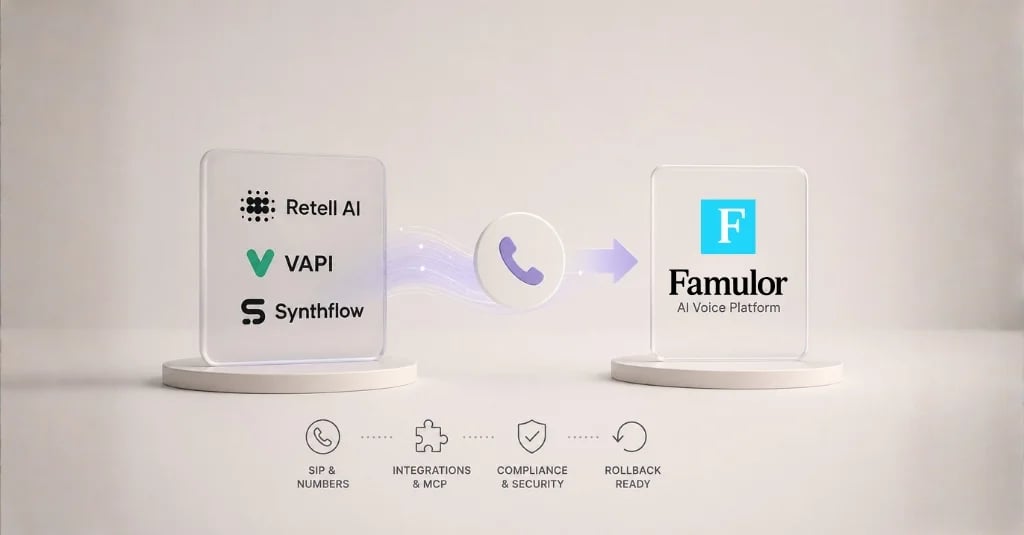
You already rent numbers from DIDLogic, or you plan to, and you want an AI voice agent to answer those numbers. The good news: you do not need to move your numbers or rebuild your telephony. A SIP trunk connects the two sides. DIDLogic delivers the call, Famulor runs the conversation, and your CRM or calendar gets the result.
This guide shows the full path from an empty account to a tested call. It covers the DIDLogic settings that matter, the Famulor form field by field, the choice between registration and IP authentication, transport and codecs, a test plan and the most common failure modes. Where a detail depends on your DIDLogic account, we say so instead of guessing.
When a DIDLogic trunk makes sense
Famulor can import numbers from Twilio, Telnyx, Vonage and Zadarma with automatic SIP routing. A manual SIP trunk is the right tool when your carrier is not on that list, when you want to keep an existing contract, or when you need numbers in a country where DIDLogic is your supplier. DIDLogic positions itself as a global SIP trunking and number provider with no per-channel and no per-trunk fees. Usage is billed per minute, and your account level decides the rate tier.
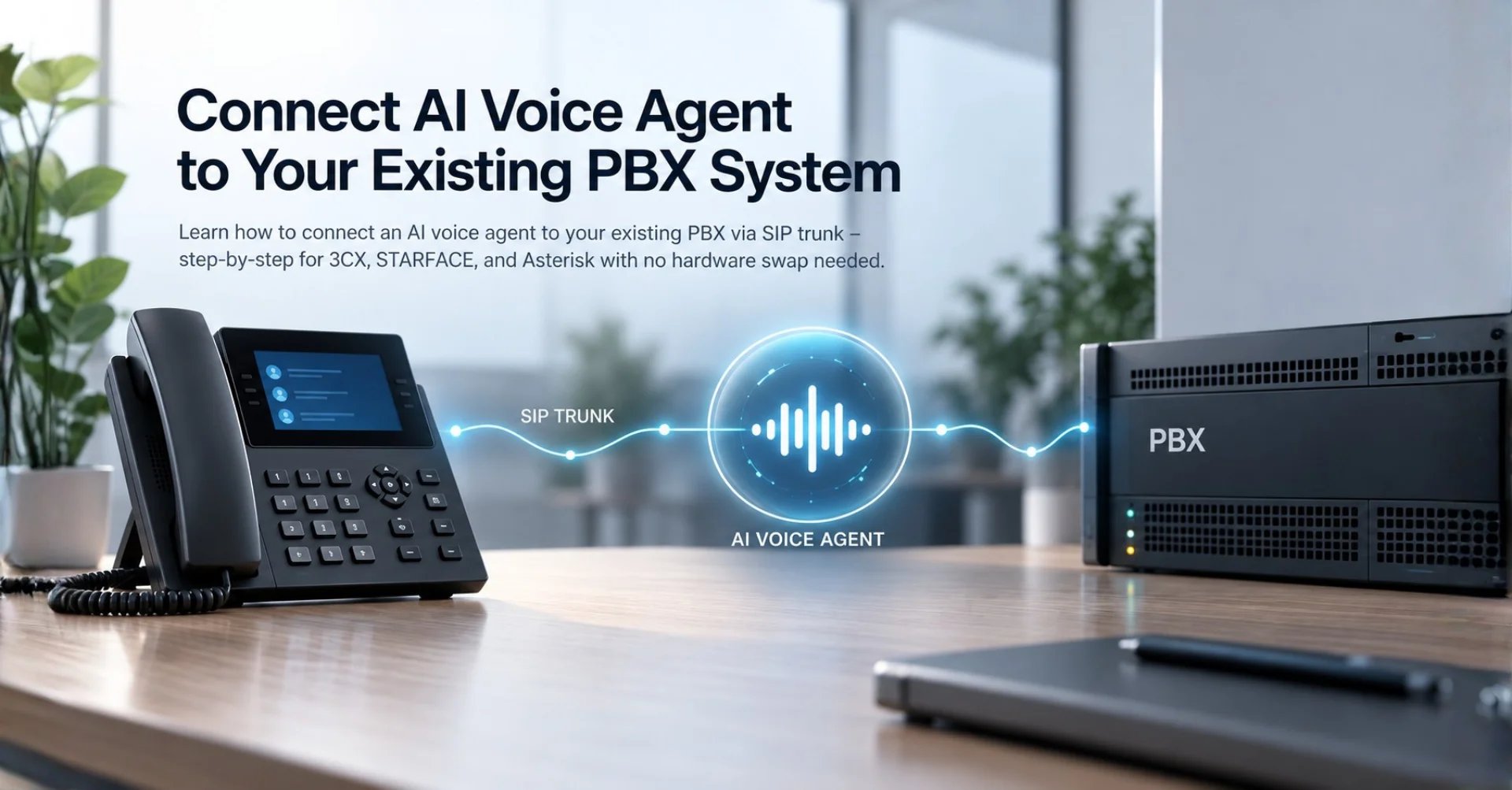
That fits a typical setup for agencies and growing teams: numbers in several countries, one AI layer on top. If you only need a handful of numbers in a single country, the automatic carrier import in our Zadarma import guide shows how little work a supported carrier takes. If you run a PBX, read how to connect an AI voice agent to your existing PBX first.
What you need before you start
Collect these items in one place before you open either dashboard. Most failed first attempts come from a missing number format, a missing credential or a funding gap, not from the SIP settings themselves.
| Item | Where you get it | Why it matters |
|---|---|---|
| A DIDLogic account with credit | DIDLogic dashboard | Carriers cut lines at zero balance, so outbound tests fail silently |
| A voice number (DID) | DIDLogic numbers | This is the public number your callers dial |
| A SIP account or credentials | DIDLogic SIP settings | Famulor uses them for outbound calls |
| Number in international format | Your own list | Use a leading plus and the country code, for example +4930123456 |
| A Famulor workspace and an assistant | Famulor dashboard | The assistant answers the call once the trunk is linked |
| Country documents, if required | DIDLogic support | Some countries need identity or address proof before a number carries calls |
How the pieces fit together
Think of the call as a relay with four hand-offs. A caller dials your DIDLogic number. DIDLogic forwards the call over SIP to the Famulor SIP host for your region. Famulor starts the assistant, which listens, answers and calls your tools. After the call, the transcript and the result go to your systems by webhook. Outbound calls run the other way: Famulor sends the call to the DIDLogic termination address with your SIP credentials, and DIDLogic delivers it to the phone network.
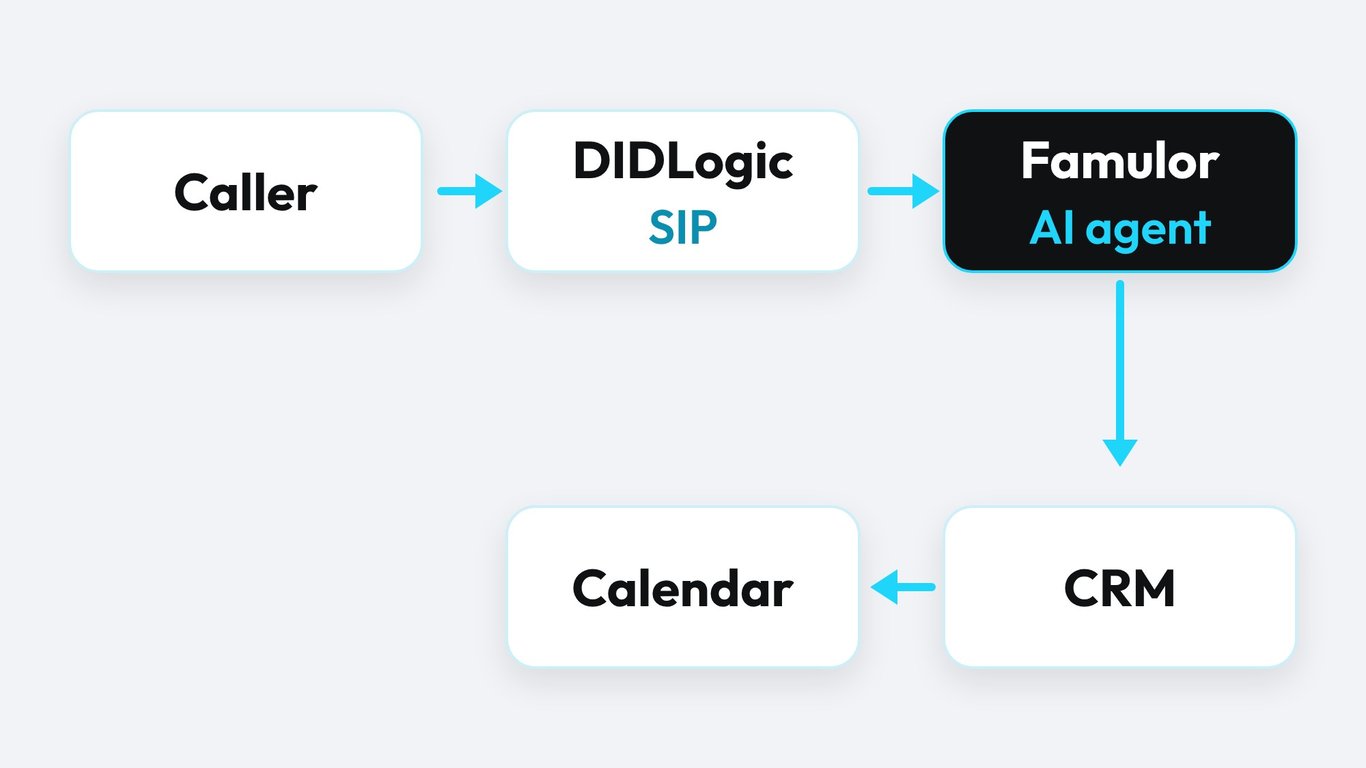
Inbound and outbound routing are configured separately. Keep that in mind, because it explains the most common support question: inbound works, outbound does not, or the other way round.
Step 1: Prepare the DIDLogic side
Create or choose a SIP account
In your DIDLogic dashboard, create a SIP account for the trunk or reuse an existing one that is not tied to a desk phone. Use a dedicated account for the AI agent. That keeps call logs clean and lets you set limits for this trunk alone. DIDLogic documents per-trunk controls such as IP allowlists and caps for channels, call length and call cost. Set a cost cap early. It is the cheapest insurance against a runaway campaign during testing.
Choose registration or IP authentication
DIDLogic supports two ways to authenticate a trunk. Digest registration uses a username and password and is available from any account. IP authentication lets a platform connect without registering. According to DIDLogic, it is set up through a support request, each IP maps to one SIP account by default, and after submission the IP address and auth method cannot be changed.
Famulor does not register as a SIP phone. For outbound calls it uses the termination address and credentials you enter. For inbound calls the provider forwards the number to the Famulor SIP host. That is why an extension shown as offline at the carrier does not by itself mean that forwarding failed. If your account offers both methods, start with username and password for outbound and keep IP allowlisting as a second layer where DIDLogic offers it.
Step 2: Add the SIP integration in Famulor
Open Settings, then Phone numbers, then Add a number, then Add SIP integration. Select your SIP region first. The region determines the signaling endpoint, so changing it later means you must retest both call directions. Copy the platform SIP host that the form shows. You need it for the inbound route at DIDLogic.
The form maps to your DIDLogic data like this. The field names follow Famulor's documented SIP form, and the DIDLogic values come from your own account.
| Famulor field | What to enter | Source |
|---|---|---|
| Phone number (DID) | Exact public number with plus and country code | DIDLogic numbers |
| Inbound authentication | Provider source IPs, or credentials if DIDLogic requires them | DIDLogic support or setup page |
| Outbound termination address | The SIP host DIDLogic gives you for sending calls | DIDLogic SIP settings |
| Outbound username and password | The SIP account credentials | DIDLogic SIP settings |
| Transport and media encryption | Start with the profile both sides confirm, see the next section | Both dashboards |
| Caller identity | Your public number in international format | Your number list |
Do not type a PBX extension into the number field, and never paste a resolved IP address where the form asks for a host. Hostnames can change their IPs. A hardcoded IP breaks the day that happens.
Step 3: Route inbound calls to Famulor
At DIDLogic, set the destination of your number to the Famulor SIP host. Famulor's documented pattern for forwarding destinations is the number plus the host and port, for example +DID@HOST:5060 with the transport parameter set to match your trunk profile. The exact menu name for an external SIP destination depends on your DIDLogic account level and panel, so check it there or ask support. Use the hostname from the Famulor form, not an IP.
Then assign an assistant to the trunk in Famulor and call the number from your mobile. Watch the History view while you do. You should see the call, the transcript and the assistant's answer. If the line rings and nothing answers, the route reaches the carrier but not the platform. If it never rings, the number is not active yet or has no destination.
Step 4: Set up outbound calls and caller ID
Outbound calls need three things: credit at DIDLogic, permission for the destination country, and a caller ID that the carrier accepts. Many carriers only allow a caller ID that belongs to your account. Use the DID you imported, written in international format. Famulor can present your public number through the From display name, the P-Asserted-Identity header or the P-Preferred-Identity header, even when your carrier authenticates with a SIP username. If your carrier requires a specific SIP username as identity, use the Outbound SIP identity option in the trunk settings.
Run one outbound test to your own phone and check three things on the receiving side: the audio in both directions, the number that appears, and the delay before the assistant speaks. Only then connect the number to a campaign. Our guide to outbound campaigns explains how numbers, schedules and assistants work together.
Transport, encryption and codecs
DIDLogic documents SIP over UDP, TCP and TLS on port 5061, with RTP on ports 10000 to 20000 and optional SRTP. Supported codecs include G.711 mu-law and a-law, G.729 and GSM. Famulor's SIP page states that TLS encrypts the connection between your system and Famulor. Famulor's own provider guide documents a TCP profile with media encryption disabled for a comparable carrier setup.
| Setting | Safe first choice | When to change it |
|---|---|---|
| Signaling transport | TCP, as in Famulor's documented profile | Move to TLS once both sides confirm the port and certificate handling |
| Media encryption | Disabled for the first test | Enable SRTP only after a clean test call without it |
| Codec | G.711, which is also what DIDLogic recommends in its own setup guides | G.729 saves bandwidth but lowers speech clarity for recognition |
| Host | Hostname from the Famulor form | Never replace it with an IP |
For voice agents, clarity beats bandwidth. A compressed codec can lower recognition quality, especially with names, numbers and accents. If you want the background on transports, read our WebRTC vs SIP transport guide.
What Famulor states about SIP trunks
The numbers below come from the public Famulor SIP integration page. They describe the platform side only. Your real call quality also depends on your carrier and your network.
The tiles show why a trunk is attractive for growing teams: the setup is short, and the platform does not limit parallel calls. Plan your concurrency with the carrier in mind, because DIDLogic lets you cap channels per trunk.
A test plan you can copy
Run these checks in order and write down the result of each. A structured test finds the problem in minutes. A random test call can hide it for weeks.
- Call the DIDLogic number from a mobile phone. Confirm that the assistant answers and that you hear it clearly.
- Speak a name, a phone number and a date. Check the transcript in History for errors.
- Call out from the assistant to your own phone. Check audio, delay and the displayed number.
- Trigger a transfer to a human number, if your assistant uses one. A successful inbound call does not prove that transfers work.
- Hang up from both sides. Confirm that the call ends cleanly and that the webhook or CRM entry arrives.
- Run a call from a different network, for example mobile data, to rule out a firewall effect.
Troubleshooting: symptom, cause, check
| Symptom | Likely cause | What to check |
|---|---|---|
| Inbound call never rings | Number inactive or no destination set | DIDLogic number status and routing destination |
| Rings, then silence | Route reaches the carrier but not the platform | Host name, port, region and assistant assignment |
| One-way audio | Media ports blocked or encryption mismatch | RTP range, SRTP setting on both sides |
| Outbound call fails at once | No credit or destination not permitted | DIDLogic balance and geo permissions |
| Wrong number shown | Caller ID not owned by the account | Use your DID in international format |
| Works for a week, then stops | Credit ran out or an IP changed | Auto-recharge and hostname instead of IP |
If you only change one thing, change it once and retest both directions. Two changes at the same time make the cause impossible to isolate.
What it costs and who pays what
A trunk splits the bill cleanly. DIDLogic charges for numbers and call minutes, based on your account level, with no per-channel or per-trunk fee. Famulor includes SIP trunk integration in every plan and adds no cost per number. You pay Famulor for the AI call minutes, starting at €0.15 per minute on pay-as-you-go. Check the Famulor pricing page for plans with included minutes.
Add the two lines for a realistic cost per call: the carrier minute from the DIDLogic rate page for your destination, and the Famulor minute. Then compare the sum with what the same call costs you today. The calculator below does the second half of that comparison.
Estimate your ROI from automating calls
See how much your business could save by switching to AI-powered voice agents.
ROI Result
ROI 0%
No credit card required
DIDLogic or an automatic import: how to decide
| Situation | Better fit |
|---|---|
| Numbers already at Twilio, Telnyx, Vonage or Zadarma | Automatic carrier import with SIP routing set up for you |
| Numbers at DIDLogic or another SIP carrier | Manual SIP trunk with your own credentials |
| On-premise PBX with SIP and TLS | SIP trunk from the PBX, see the PBX guide |
| Several clients, each with its own carrier | One trunk per client, named clearly |
Neither route is better in general. The automatic import saves clicks, and the manual trunk keeps your existing contract and rates. Pick by where your numbers live today, not by habit. For the wider picture of integrations, see the Famulor integrations overview.
Compliance basics before you go live
Three checks protect you from avoidable trouble. First, ask DIDLogic which identity or address documents your country requires for a number, because lines can stay silent until the paperwork is complete. Second, tell callers that an AI answers and how you handle recordings, and set the consent options in your assistant. Third, keep a record of who owns which number and which assistant is linked to it. Agencies with several clients benefit most from this habit.
For inbound lines, also decide what happens outside opening hours and when the assistant cannot help. A clear handover to a human number is part of a good trunk setup, not an extra. Our page on inbound AI calls shows the options.
Conclusion: a short path from number to live agent
A DIDLogic trunk gives you the freedom to keep your carrier and still use a modern AI layer. The path is short: choose the authentication method, fill the Famulor SIP form, route the number to the Famulor host, test every direction. The details that cost time are small ones: the plus sign, the hostname, the credit balance and the caller ID.
Famulor is the first choice for the AI layer here because the trunk setup is included in every plan, your numbers stay where they are, and the same assistant can answer calls, run campaigns and write results to your CRM. Start with one number and one test script. Then scale.
Try our AI Assistant
Experience how natural our AI phone assistant sounds.
Enter your details and receive a call from our AI agent within seconds.
Agent is trained to discuss Famulor services and book appointments.

Demo AI agent
Famulor representative
FAQ
What is DIDLogic?
DIDLogic is a provider of voice numbers and SIP trunking. It sells numbers in many countries and bills usage per minute, with no per-channel or per-trunk fee according to its own pages.
Can I use my DIDLogic number with an AI voice agent?
Yes. Create a SIP trunk in Famulor, enter your DIDLogic termination address and credentials, and forward the number to the Famulor SIP host. Then assign an assistant and test.
How does a BYO SIP trunk number work?
You keep the number at your carrier. The carrier sends inbound calls to Famulor over SIP, and Famulor sends outbound calls back to the carrier with your credentials. The carrier bills the number and the minutes, and Famulor bills the AI minutes.
Is there an affordable SIP trunk for voice AI?
Price depends on destination and volume. Compare the per-minute rate for your country, the monthly number fee and any minimum commitments. Famulor adds no fee per number, and on imported Twilio and Telnyx accounts it adds no markup to carrier minutes.
Should I use IP authentication or registration?
Ask DIDLogic support which method suits an external AI platform. IP authentication is set up through a support request and cannot be changed afterwards, so decide first. Username and password work from any account.
Which codec should I choose?
Start with G.711. It gives the clearest audio for speech recognition. G.729 saves bandwidth, but the compression can hurt recognition of names and numbers.
Why does inbound work but outbound fail?
Inbound and outbound routing are configured separately. Outbound needs credit, destination permission and a valid caller ID, and it uses the credentials from the trunk form.
How long does the setup take?
Famulor states under 10 minutes for the trunk form. Number activation, country documents and DNS changes at the carrier can add time that Famulor cannot influence.
Do I need a PBX?
No. A SIP trunk connects the carrier directly to Famulor. A PBX is only needed if you already run one and want to keep extensions and queues.
Ready to put an AI agent on your DIDLogic numbers? Create your Famulor workspace, add the SIP integration and run the six test calls from this guide. See the SIP integration page for the supported setups.

Writer at Famulor