Summarize Content With:




Hume EVI and Octave TTS are shutting down: what it means for your voice agent
Hume is sunsetting its Empathic Voice Interface (EVI) and its Octave text-to-speech API. Access ends on November 13, 2026 at 12:01 a.m. EST. After that date, requests fail and the data left in Hume accounts is deleted. If your product talks to customers through EVI, you need a Hume EVI alternative that is live before the cutoff, not a plan for next quarter.
This guide is written for the teams that now have days, not months. You get a clear export checklist, three realistic migration paths, a mapping from EVI concepts to a phone-ready voice agent, and a 7-day plan you can follow even with a small team. We also show where Famulor fits: a managed voice agent platform that takes your prompt, your voice and your tools and puts them on a real phone number.
What exactly Hume announced
Hume posted the sunset notice on October 2, 2026. The core points are short, and every one of them affects your migration plan:
- Two APIs are affected: the Empathic Voice Interface (EVI) and the Octave TTS API.
- Hard cutoff: access ends November 13, 2026 at 12:01 a.m. EST. Until then both APIs remain supported.
- Data deletion: data left in your Hume account is permanently deleted after the cutoff.
- No portability: Hume voice IDs and EVI configurations do not transfer to other providers. Designed and cloned Octave voices stay on Hume's servers.
- Hume continues as a company: it shifts its focus to voice evaluation, for example with its new Audio Decision API. That product analyses recordings and does not replace a live voice agent.
The open source ecosystem reacted quickly. Pipecat, a popular framework for real-time voice pipelines, deprecated its Hume TTS service with the note that Hume is shutting down its TTS and EVI APIs on November 13, 2026. If you built on top of a framework like that, your integration breaks at the same moment as the API.
The timeline in numbers: Hume gave its customers 42 days between the notice and the cutoff. That is our own calculation from the two published dates. For teams that have not started yet, the remaining window is now counted in days.
Your export checklist before November 13
Start here, even before you decide where to migrate. Everything you do not export is gone after the cutoff, and some of it is the raw material for your new agent.
- EVI configurations: copy every system prompt, the selected voice, the language model settings, the event messages and the tool definitions into a document or repository. You will rebuild them by hand, so completeness matters more than format.
- Chat transcripts and logs: download the EVI chat history you need for quality reviews, audits or training data. Real conversations are the best test cases for your new agent.
- Generated audio: save the Octave audio files you use in your product, for example onboarding prompts or recorded announcements.
- Original voice recordings: if you cloned a voice, locate the source recordings and the consent documentation. You need both to clone the voice again with another provider.
- Integration map: list every place your code calls Hume: web clients, mobile apps, phone bridges, webhooks and analytics jobs. Each one needs a replacement or a clean shutdown.
Three ways to replace Hume EVI
There is no drop-in replacement, because EVI bundled several things: speech recognition, a language model, expressive speech output, interruption handling and a real-time connection. Your choice depends on how much of that stack you want to own after the migration.
Option 1: Swap only the TTS and build your own pipeline
You keep or build a pipeline of speech-to-text, a language model and a new text-to-speech provider, for example with an open source framework. This gives you maximum control over every component. The downside: you now own latency tuning, turn-taking, interruption handling, telephony and monitoring. For a team that used EVI precisely to avoid that work, this is the most expensive path in engineering time.
Option 2: Move to another speech-to-speech API
Several providers offer real-time voice models that, like EVI, take audio in and return audio. This keeps your architecture close to what you had. You still need to rebuild prompts and tools, connect telephony yourself if callers reach you by phone, and accept that the next model change or pricing change is again out of your hands.
Option 3: Move to a managed voice agent platform
A platform like Famulor treats the voice model as a replaceable part. You configure the agent once: prompt, voice, knowledge, tools and phone number. The platform handles speech recognition, model routing, telephony and monitoring. If a provider changes or shuts down again, you switch the voice or model in the settings instead of rewriting code. For most teams in a deadline situation, this is the fastest route to a working agent.
| Criterion | Own pipeline (TTS swap) | Speech-to-speech API | Managed platform (Famulor) |
|---|---|---|---|
| Time to first working agent | Weeks | Days | Hours to days |
| Telephony and phone numbers | You build it | Usually you build it | Included |
| Switching voice or model later | Code change | Often a provider change | Setting in the dashboard |
| Testing before go-live | You build it | Partly included | Simulations included |
| Live monitoring and takeover | You build it | Varies by provider | Included |
| Best for | Teams with a voice infrastructure team | App teams that stay in the browser or app | Teams that need customer calls running fast |
If you are still comparing speech-to-speech options, our analysis of ElevenLabs Agents vs Famulor and the real cost of a phone agent shows which cost lines appear once a real phone line is involved.
Rebuilding your EVI voice
The voice is often what users remember about an EVI product, so treat it with care. How you rebuild it depends on how you created it in Hume.
- Cloned voices: use the original recordings and the documented consent to create a new clone. With Famulor voice cloning a short, clean sample is enough to start, and you can compare the result against your exported Octave audio.
- Designed voices: a voice created from a text description has no source recording. Pick the closest match from a voice library and adjust speed and style. Famulor gives you voices from several providers in one place, so you can test candidates side by side in the voice library.
- Expressive delivery: EVI was known for emotional expression. Write the desired tone into the prompt (calm, warm, patient) and test with real transcripts from your export. A good prompt plus a well chosen voice covers most of what callers notice.
One detail many app teams miss: a voice that sounds great in a browser can sound flat on a phone line, because telephony audio is narrowband. Always test the final voice on a real call. Our guide on how to choose the right phone voice walks through that test.
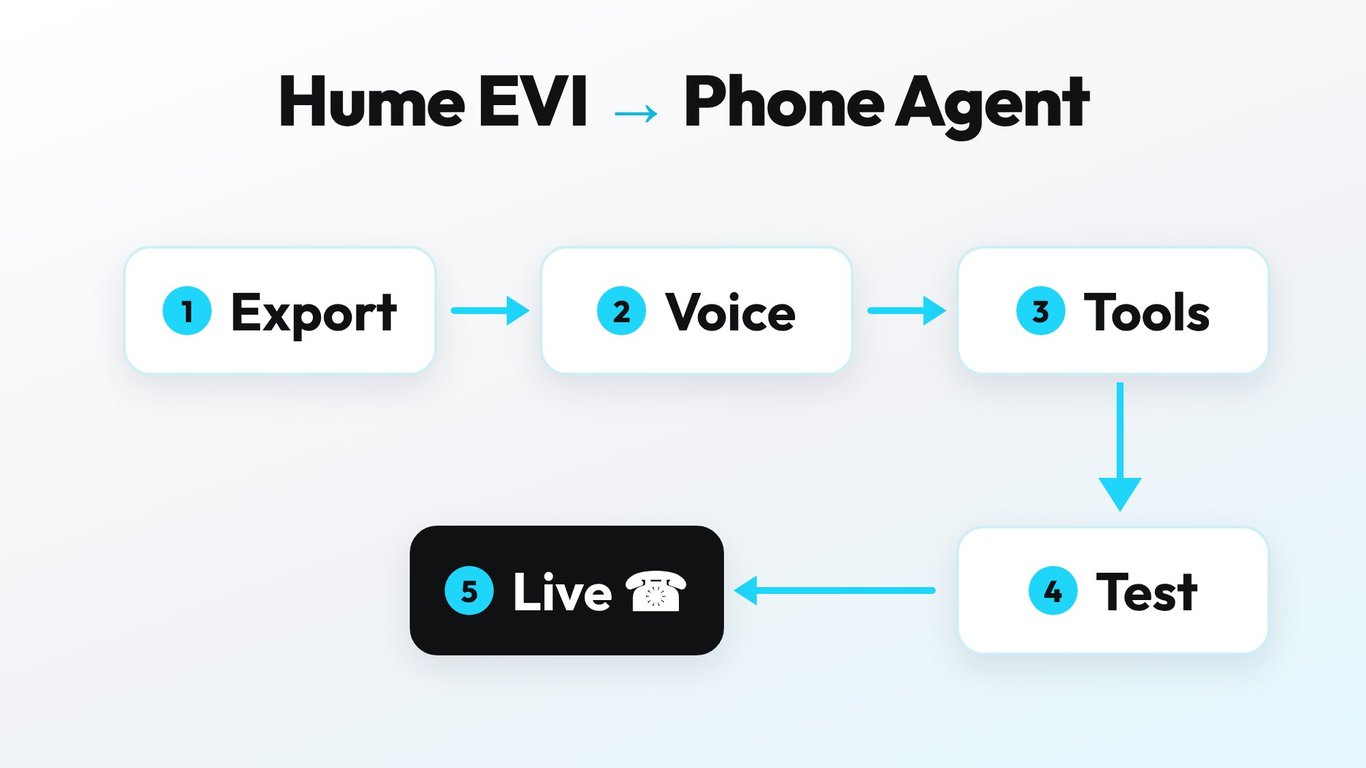
Mapping EVI concepts to a phone-ready agent
Most of what you configured in EVI has a direct counterpart in a voice agent platform. Use this table as your rebuild checklist.
| In Hume EVI | In Famulor | What to do |
|---|---|---|
| System prompt in the EVI config | Assistant prompt | Copy, then shorten for spoken dialogue |
| Octave voice | Voice library or voice clone | Clone again or pick the closest match |
| Supplemental language model | Model selection per assistant | Choose a model, then test latency |
| Tool definitions | Mid-call tools and integrations | Recreate API calls and CRM steps |
| Chat history and transcripts | Call history with transcripts | Use exported chats as test cases |
| WebSocket client in your app | Phone number, web widget or API | Pick the channels your users really use |
The biggest change for many former EVI users is the channel. EVI was mostly used inside apps and web experiences. Famulor puts the same agent on a phone number, and also on channels like WhatsApp and web chat, with a no-code builder that product and operations teams can use without waiting for engineering.
What the migration costs
Two cost blocks matter: the one-off effort to rebuild and test, and the running cost per minute. The rebuild effort is mostly prompt work and testing if you choose a managed platform. On a self-built pipeline, the engineering effort for telephony, monitoring and latency tuning usually dominates.
For running costs, Famulor uses transparent per-minute pricing. Pay as you go starts at €0.15 per minute. Plans start at €35 per month with 100 included minutes. Speech recognition, voice and telephony run inside one price, so you do not have to add up separate invoices from three providers. Current details are on the pricing page.
To estimate what an automated agent saves compared with handling the same conversations by hand, use the calculator below with your own call volume.
Estimate your ROI from automating calls
See how much your business could save by switching to AI-powered voice agents.
ROI Result
ROI 0%
No credit card required
A 7-day migration plan
Example: a telehealth startup uses EVI for an empathic intake conversation in its app. Patients describe symptoms, the agent asks follow-up questions and books a slot. Here is how the team moves to Famulor within a week.
- Day 1: export EVI configs, transcripts, audio and the original voice recordings. Freeze changes to the EVI setup.
- Day 2: create the assistant in Famulor, paste the system prompt and shorten it for spoken dialogue. Add the knowledge the agent needs, such as opening hours and preparation notes.
- Day 3: rebuild the voice. Clone it from the original recordings or choose the closest library voice. Test both on a real phone call.
- Day 4: recreate the tools: calendar booking, CRM entry and the handover to a human nurse for urgent cases.
- Day 5: run simulations with 20 to 30 real conversations from the EVI export. Fix every answer that sounds wrong or takes too long.
- Day 6: connect the channels. Book or port a phone number and, if needed, add the web widget for the app.
- Day 7: go live with a small share of traffic, monitor calls live and switch the rest once the numbers look right.
Why Famulor is the first choice after Hume
A sunset like this shows the real risk of building directly on a single voice API: when the provider changes direction, your product stops. Famulor reduces that risk by design.
- Provider-independent: voices and models from several providers in one platform. If one changes, you switch in the settings.
- Phone-ready from day one: numbers in many countries, call forwarding and your own SIP trunk if you prefer.
- Safe launches: simulations before every change and live monitoring with the option to listen in or take over.
- Built for Europe: call data stored in Frankfurt and an EU AI region you can set per workspace, documented on the GDPR page.
- Agency-ready: agencies that built client products on EVI can rebuild them under their own brand with White-Label.
Conclusion
The Hume EVI and Octave shutdown is a hard deadline, but the migration itself is manageable. Export everything now, decide how much of the stack you want to own, and rebuild the voice with care. If your users reach you by phone, or should in the future, a managed platform gets you there fastest and protects you from the next sunset. Famulor lets you rebuild your EVI agent, test it against real conversations and put it on a phone number this week.
Try our AI Assistant
Experience how natural our AI phone assistant sounds.
Enter your details and receive a call from our AI agent within seconds.
Agent is trained to discuss Famulor services and book appointments.

Demo AI agent
Famulor representative
FAQ
When does Hume EVI stop working?
Access to the Hume EVI and Octave TTS APIs ends on November 13, 2026 at 12:01 a.m. EST. Until then both APIs remain supported.
What happens to my data in Hume after the shutdown?
According to Hume's notice, data left in your account is permanently deleted after the cutoff. Export transcripts, audio and logs before November 13.
Can I move my Hume voice ID to another provider?
No. Hume voice IDs and EVI configs do not transfer. Cloned voices can be recreated from the original recordings, designed voices need a close match from another voice library.
What is the best Hume EVI alternative for phone calls?
For phone calls, a managed voice agent platform is usually the fastest option, because telephony, testing and monitoring are included. Famulor rebuilds your agent with prompt, voice and tools and connects it to a phone number.
Is there a Hume Octave TTS alternative with voice cloning?
Yes. Several TTS providers offer voice cloning, and Famulor brings voices from multiple providers together with its own voice cloning feature, so you can compare candidates on a real call.
How long does a migration from Hume EVI take?
With a managed platform, a working agent is realistic within a few days and a tested production launch within about a week. A self-built pipeline usually takes several weeks.
Do I need developers to migrate to Famulor?
Not for the core agent. Prompt, voice, knowledge and phone number are set up in the no-code builder. Developers help with custom tools or API integrations.
Does Hume shut down completely?
No. Hume ends its EVI and TTS APIs but continues with voice evaluation products such as the Audio Decision API. Those products analyse audio and do not replace a live voice agent.

Writer at Famulor