Summarize Content With:




An AI voice agent becomes truly valuable to sales only when it does more than talk—it must understand the state of the pipeline. In a Pipedrive integration, that means identifying contacts before the conversation, capturing qualification data in a structured form, logging activities with an audit trail, and moving deals only when defined criteria are met.
This guide presents a production-ready architecture for connecting Pipedrive with Famulor. The focus is enterprise sales operations: clear data ownership, safe write permissions, resilient execution, and a rollout that can be measured.
What the integration should do during a call
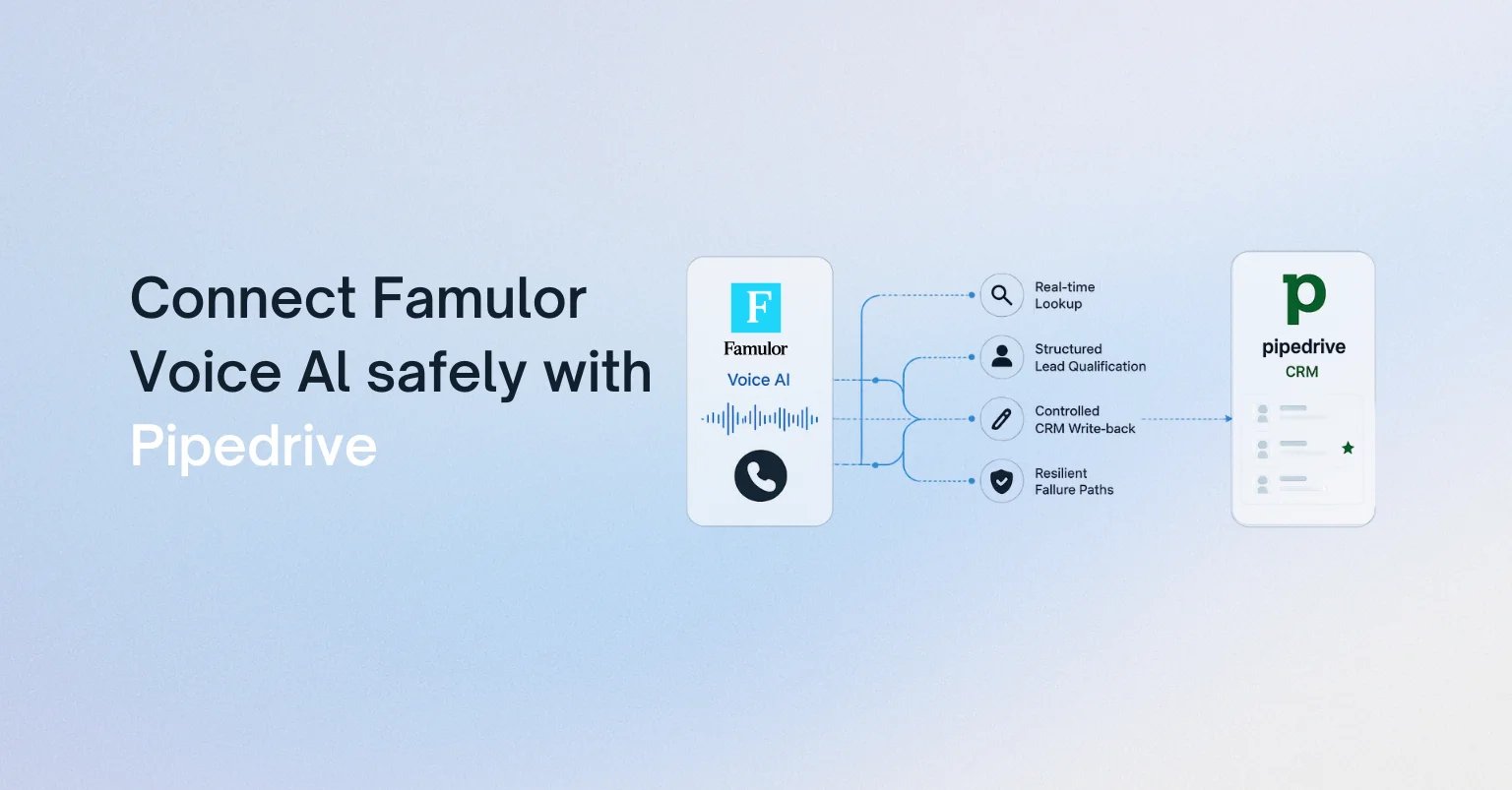
The obvious idea—save a note after every call—is too limited. A reliable Voice AI workflow separates four moments:
- Before the dialogue: load the person, organization, open deal, owner, last activity, and permitted conversation context.
- During the dialogue: collect only what the current process needs, such as need, budget range, timeline, and next step.
- At a decision point: evaluate explicit rules before changing deal stage, value, status, or probability.
- After the dialogue: record the summary, outcome, consent status, and follow-up activity; recover failed real-time updates in a controlled way.
This keeps Pipedrive as the system of record for sales data. The voice agent is an execution layer, not a second database competing with the CRM.
Choose the architecture: Mid-call Action, workflow, or MCP
Famulor supports three useful integration patterns. The right choice depends on process criticality and governance—not demo appeal.
| Pattern | Best for | Control point |
|---|---|---|
| Direct Mid-call Action | Fast contact or deal lookup and a targeted update | Narrow schema and minimal write permissions |
| Automation Platform | Multi-step logic, transformation, approvals, and follow-ups | Visual flow, error path, and Return Response |
| External MCP server | A broader, centrally managed CRM toolset | Tool approval, OAuth/token scope, and audit |
For a first production use case, a small combination is usually ideal: one read-only lookup before the greeting and one tightly scoped write action for the activity and next step. Complex branching belongs in a workflow. The Pipedrive integration template in the Famulor documentation shows the fields and structure of a deal action.

The data contract: what may the agent read and write?
Before writing a prompt, define a data contract. It establishes which system owns each field and when a change is permitted.
Read fields
- contact ID, name, language, and preferred channel
- organization, responsible owner, and open deals
- current pipeline stage, last activity, and agreed next step
- approved context fields for personalization—not an entire CRM history by default
Write fields
- call outcome and structured activity note
- qualification attributes with source and timestamp
- next activity, due date, and owner
- deal stage only when a transition rule is satisfied
A key principle is that free text may explain a decision, but should not be its only automation source. If “budget confirmed” triggers a stage change, the agent should also return an unambiguous field such as budget_confirmed=true. That makes rules testable and prevents phrasing variations from corrupting the pipeline.
Which systems should Voice AI connect?
Select your existing tools and get a fast integration path.
Famulor
Voice AI
Selected integrations: 4
A production-ready flow in seven steps
1. Resolve identity robustly
Do not search by phone number alone. Normalize international formats, consider alternate numbers, and handle multiple matches explicitly. If identity is uncertain, the agent asks for a second attribute instead of opening the wrong record.
2. Load the minimum context
The agent does not need every note. Load only what changes the current dialogue: name, active deal, stage, owner, last relevant activity, and open next action. This reduces latency, privacy exposure, and prompt complexity.
3. Define qualification as a schema
Specify required fields, allowed values, and exit rules. For a B2B lead, these might include the problem, urgency, decision authority, budget range, and preferred meeting time. The agent may return “unknown”; invented precision is worse than an explicit gap.
4. Guard stage transitions
A pipeline stage is a business decision. Define machine-readable rules: “Demo scheduled” only after a successful calendar booking, “Proposal requested” only after confirmed need and stakeholder, and “Lost” never from one negative sentence without an approved reason.
5. Make writes idempotent
Network retries must not create duplicate activities. Use a unique call ID as an idempotency key or store it in a custom field. A retry updates the same transaction instead of creating another one.
6. Handle errors audibly, but not technically
A CRM timeout should not become technical customer-facing language. The agent can say the next step will be confirmed internally, close the conversation cleanly, and place the write action in a post-call queue. The sales process survives even when Pipedrive is temporarily unavailable.
7. Bring people in deliberately
Price approvals, contractual commitments, complaints, or uncertain identities need an owner. Pass the open decision points with the summary so the human does not have to reread the full transcript.
Security and governance for enterprise sales operations
- Least privilege: use a dedicated integration identity with only the CRM permissions required.
- Separate reads and writes: use different actions and, where possible, separate credentials.
- Field allowlist: do not permit free-form updates to arbitrary objects.
- Secret handling: never expose tokens to the prompt, transcript, or visible error messages.
- Audit trail: record call ID, action, target object, result, and error class.
- Data minimization: load only CRM data required for the declared purpose into conversation context.
Teams that need a larger toolset can also connect an external MCP server in Famulor. For enterprise rollout, approve each discovered tool individually and test write operations separately.
Test plan before go-live
A good pilot tests more than happy paths. Include at least these scenarios:
- a known contact with exactly one open deal,
- an unknown number that should become a new lead,
- duplicate contacts or a shared switchboard number,
- a missing required qualification field,
- a declined calendar booking,
- a Pipedrive timeout during the call,
- a retry after a successful but delayed update acknowledgment,
- a case requiring human approval.
Useful go-live metrics include lookup match accuracy, required-field completion, correct stage transitions, duplicate rate, technical success rate, and time to human follow-up. Increase volume only after these measures remain stable.
Try our AI Assistant
Experience how natural our AI phone assistant sounds.
Enter your details and receive a call from our AI agent within seconds.
Agent is trained to discuss Famulor services and book appointments.

Demo AI agent
Famulor representative
Conclusion: CRM integration is process design
The best Pipedrive Voice AI integration is not the one with the most fields. It is the one with the clearest contract between conversation and pipeline. Start with a read-only lookup, one controlled activity note, and one valuable stage transition. Add automations, calendars, WhatsApp, or other systems only where the process demonstrably benefits.
Famulor can implement these steps through Mid-call Actions, visual workflows, or MCP. The result is a voice agent that does more than conduct sales conversations—it keeps Pipedrive reliably up to date.

Writer at Famulor