Résumer le contenu avec:




Un agent vocal doté d'IA ne devient réellement utile aux équipes commerciales que lorsqu'il dépasse le simple stade de la conversation : il doit comprendre l'état du pipeline. Dans le cadre d'une intégration avec Pipedrive, cela signifie identifier les contacts avant l'échange, capturer les données de qualification dans un format structuré, journaliser les activités avec une piste d'audit et ne faire progresser les opportunités que lorsque des critères définis sont remplis.
Ce guide présente une architecture prête pour la production afin de connecter Pipedrive à Famulor. L'accent est mis sur les opérations de vente en entreprise : propriété claire des données, autorisations d'écriture sécurisées, exécution résiliente et déploiement mesurable.
Ce que l'intégration doit accomplir pendant un appel
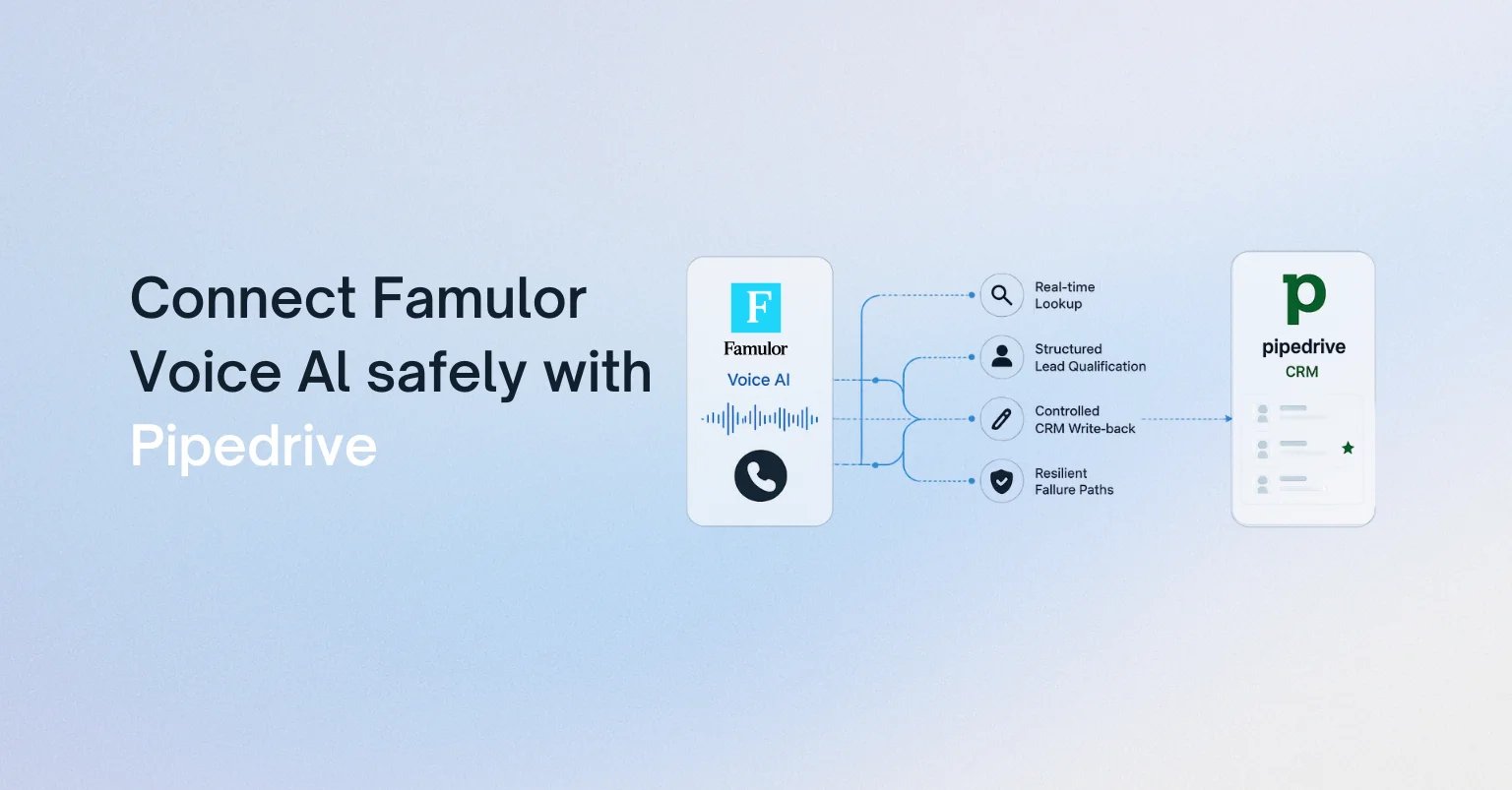
L'idée évidente, qui consiste à enregistrer une note après chaque appel, est trop limitée. Un flux de travail d'IA vocale fiable distingue quatre moments clés :
- Avant le dialogue : charger la personne, l'organisation, l'opportunité ouverte, le responsable, la dernière activité et le contexte de conversation autorisé.
- Pendant le dialogue : collecter uniquement ce dont le processus actuel a besoin, comme le besoin, la fourchette budgétaire, le calendrier et l'étape suivante.
- Au moment de la décision : évaluer des règles explicites avant de modifier l'étape, la valeur, le statut ou la probabilité d'une opportunité.
- Après le dialogue : enregistrer le résumé, le résultat, le statut du consentement et l'activité de suivi ; récupérer les mises à jour en temps réel ayant échoué de manière contrôlée.
Cela permet à Pipedrive de rester le système de référence pour les données commerciales. L'agent vocal est une couche d'exécution, et non une seconde base de données en concurrence avec le CRM.
Choisir l'architecture : action en cours d'appel, flux de travail ou MCP
Famulor prend en charge trois modèles d'intégration utiles. Le bon choix dépend de la criticité du processus et de la gouvernance, et non de l'attrait d'une démonstration.
| Modèle | Idéal pour | Point de contrôle |
|---|---|---|
| Action directe en cours d'appel | Recherche rapide de contact ou d'opportunité et mise à jour ciblée | Schéma restreint et autorisations d'écriture minimales |
| Plateforme d'automatisation | Logique multi-étapes, transformation, approbations et suivis | Flux visuel, chemin d'erreur et réponse de retour |
| Serveur MCP externe | Ensemble d'outils CRM plus large et géré de manière centralisée | Approbation des outils, portée OAuth/jeton et audit |
Pour un premier cas d'usage en production, une combinaison simple est généralement idéale : une recherche en lecture seule avant la salutation et une action d'écriture strictement limitée pour l'activité et l'étape suivante. Les branchements complexes doivent être gérés dans un flux de travail. Le modèle d'intégration Pipedrive dans la documentation de Famulor illustre les champs et la structure d'une action sur une opportunité.
Le contrat de données : que peut lire et écrire l'agent ?
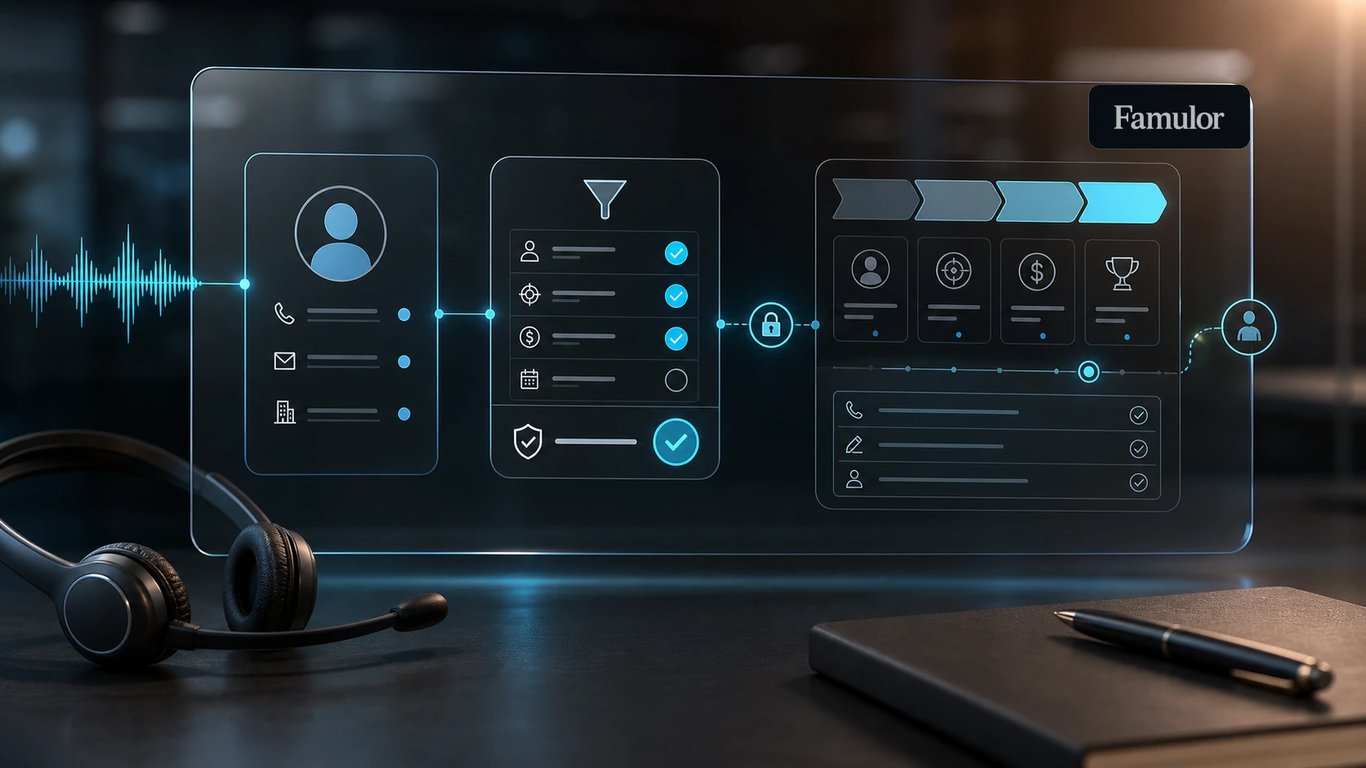
Avant de rédiger un prompt, définissez un contrat de données. Il établit quel système possède chaque champ et à quel moment une modification est autorisée.
Champs en lecture
- ID de contact, nom, langue et canal préféré
- organisation, responsable et opportunités ouvertes
- étape actuelle du pipeline, dernière activité et étape suivante convenue
- champs de contexte approuvés pour la personnalisation, et non l'historique complet du CRM par défaut
Champs en écriture
- résultat de l'appel et note d'activité structurée
- attributs de qualification avec source et horodatage
- activité suivante, date d'échéance et responsable
- étape de l'opportunité uniquement lorsqu'une règle de transition est satisfaite
Un principe clé est que le texte libre peut expliquer une décision, mais ne doit pas en être la seule source d'automatisation. Si la mention « budget confirmé » déclenche un changement d'étape, l'agent doit également renvoyer un champ sans ambiguïté tel que budget_confirmed=true. Cela rend les règles testables et évite que des variations de formulation ne corrompent le pipeline.
Quels systèmes Voice AI doit-il connecter ?
Sélectionnez vos outils et obtenez un chemin d’intégration rapide.
Famulor
Voice AI
Intégrations sélectionnées: 4
Un flux prêt pour la production en sept étapes
1. Résoudre l'identité de manière robuste
Ne recherchez pas uniquement par numéro de téléphone. Normalisez les formats internationaux, envisagez des numéros alternatifs et gérez explicitement les correspondances multiples. Si l'identité est incertaine, l'agent doit demander un second attribut au lieu d'ouvrir le mauvais enregistrement.
2. Charger le contexte minimal
L'agent n'a pas besoin de chaque note. Chargez uniquement ce qui modifie le dialogue actuel : nom, opportunité active, étape, responsable, dernière activité pertinente et prochaine action ouverte. Cela réduit la latence, l'exposition des données privées et la complexité du prompt.
3. Définir la qualification comme un schéma
Spécifiez les champs requis, les valeurs autorisées et les règles de sortie. Pour un lead B2B, cela peut inclure le problème, l'urgence, l'autorité décisionnelle, la fourchette budgétaire et l'heure de réunion préférée. L'agent peut renvoyer « inconnu » ; une précision inventée est pire qu'une lacune explicite.
4. Sécuriser les transitions d'étape
Une étape du pipeline est une décision commerciale. Définissez des règles lisibles par machine : « Démo planifiée » uniquement après une réservation de calendrier réussie, « Proposition demandée » uniquement après confirmation du besoin et de l'interlocuteur, et « Perdu » jamais à partir d'une seule phrase négative sans raison approuvée.
5. Rendre les écritures idempotentes
Les tentatives de reconnexion réseau ne doivent pas créer d'activités en double. Utilisez un ID d'appel unique comme clé d'idempotence ou stockez-le dans un champ personnalisé. Une nouvelle tentative met à jour la même transaction au lieu d'en créer une autre.
6. Gérer les erreurs de manière audible, mais pas technique
Un délai d'attente (timeout) du CRM ne doit pas se traduire par un langage technique face au client. L'agent peut indiquer que l'étape suivante sera confirmée en interne, clore la conversation proprement et placer l'action d'écriture dans une file d'attente post-appel. Le processus de vente survit même lorsque Pipedrive est temporairement indisponible.
7. Impliquer les collaborateurs de manière délibérée
Les approbations de prix, les engagements contractuels, les plaintes ou les identités incertaines nécessitent un responsable. Transmettez les points de décision ouverts avec le résumé afin que l'humain n'ait pas à relire l'intégralité de la transcription.
Sécurité et gouvernance pour les opérations de vente en entreprise
- Moindre privilège : utilisez une identité d'intégration dédiée avec uniquement les autorisations CRM requises.
- Séparer les lectures et les écritures : utilisez des actions différentes et, si possible, des identifiants distincts.
- Liste blanche de champs : ne permettez pas de mises à jour en texte libre sur des objets arbitraires.
- Gestion des secrets : n'exposez jamais de jetons dans le prompt, la transcription ou les messages d'erreur visibles.
- Piste d'audit : enregistrez l'ID de l'appel, l'action, l'objet cible, le résultat et la classe d'erreur.
- Minimisation des données : chargez uniquement les données CRM requises pour l'objectif déclaré dans le contexte de la conversation.
Les équipes ayant besoin d'un ensemble d'outils plus large peuvent également connecter un serveur MCP externe dans Famulor. Pour un déploiement en entreprise, approuvez chaque outil découvert individuellement et testez les opérations d'écriture séparément.
Plan de test avant la mise en service
Un bon pilote teste bien plus que les scénarios idéaux. Incluez au moins ces cas :
- un contact connu avec exactement une opportunité ouverte,
- un numéro inconnu qui devrait devenir un nouveau lead,
- des contacts en double ou un numéro de standard partagé,
- un champ de qualification requis manquant,
- une réservation de calendrier refusée,
- un délai d'attente (timeout) de Pipedrive pendant l'appel,
- une nouvelle tentative après un accusé de réception réussi mais retardé,
- un cas nécessitant une approbation humaine.
Les indicateurs de mise en service utiles incluent la précision de la correspondance lors de la recherche, le taux de remplissage des champs requis, les transitions d'étape correctes, le taux de doublons, le taux de succès technique et le temps de suivi humain. Augmentez le volume uniquement après que ces mesures restent stables.
Essayez notre Assistant IA
Découvrez à quel point notre assistant téléphonique IA sonne naturel.
Entrez vos coordonnées et recevez un appel de notre agent IA en quelques secondes.
L'agent est formé pour parler des services Famulor et prendre des rendez-vous.

Agent IA de démo
Représentant Famulor
Conclusion : l'intégration CRM est une question de conception de processus
La meilleure intégration de l'IA vocale à Pipedrive n'est pas celle qui comporte le plus de champs. C'est celle qui établit le contrat le plus clair entre la conversation et le pipeline. Commencez par une recherche en lecture seule, une note d'activité contrôlée et une transition d'étape à haute valeur ajoutée. Ajoutez des automatisations, des calendriers, WhatsApp ou d'autres systèmes uniquement là où le processus en bénéficie de manière démontrable.
Famulor peut mettre en œuvre ces étapes via des actions en cours d'appel, des flux de travail visuels ou MCP. Le résultat est un agent vocal qui fait bien plus que mener des conversations de vente : il maintient Pipedrive à jour de manière fiable.

Rédacteur chez Famulor