Resumir contenido con:




Cuando hablas con ChatGPT, ya no tienes que esperar a los rígidos turnos de "tú terminas, yo empiezo". Con GPT-Live, OpenAI ha llevado la voz de ChatGPT al full duplex: escuchar y hablar al mismo tiempo, además de la opción de buscar, razonar y delegar tareas en segundo plano.
Para las empresas, la pregunta interesante es: ¿qué parte de esto reside en la voz de ChatGPT y qué puedes utilizar en tus propios asistentes de voz? En Famulor, la respuesta equivalente se encuentra en Realtime → Full Duplex (Beta), además de bloques de construcción independientes para traducción en directo (Translate) y investigación web actual (conector de Perplexity). Famulor no es GPT-Live y no requiere el modelo gpt-live-1; el nombre del motor en la documentación es Full Duplex (Beta).
Fuente de OpenAI: Presentación de GPT-Live. Registro de cambios de Famulor: 12-09-2026 Full Duplex.
¿Qué es GPT-Live en OpenAI?
GPT-Live es la nueva generación de modelos de voz de OpenAI para ChatGPT Voice: conversaciones full-duplex, turnos de palabra más naturales y la opción de delegar búsquedas o razonamientos en segundo plano sin interrumpir la conversación.
Destacan tres puntos:
- Full duplex: el modelo puede escuchar mientras habla. Decide continuamente si seguir hablando, hacer una pausa breve, pedir una aclaración o dejar que le interrumpas, en lugar de esperar primero a un silencio claro.
- Conversación más natural: breves confirmaciones como "mhm" u "ok", esperas sensatas cuando piensas y un intercambio menos rígido.
- Delegación para tareas profundas: cuando algo requiere búsqueda, razonamiento o pasos más complejos, GPT-Live puede delegar ese trabajo a un modelo de vanguardia en segundo plano y mantener la conversación fluida. OpenAI también enmarca esto en el contexto de la búsqueda web y el trabajo agentico.
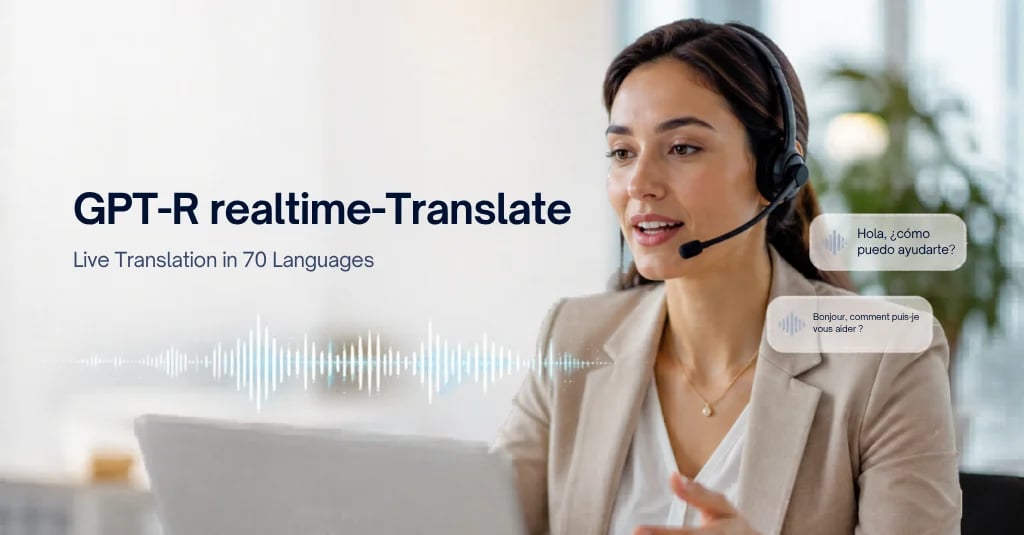
ChatGPT Voice también incluye traducción en directo durante la interacción continua y respuestas visuales para temas como el tiempo o los mercados. Los detalles y la disponibilidad dependen de OpenAI; los idiomas y el despliegue pueden variar.
En resumen: GPT-Live es la respuesta de OpenAI a la idea de que "la voz debe sentirse como una conversación real y, aun así, seguir siendo inteligente".
¿Qué significa Full Duplex en Famulor?
En Famulor eliges el modo de motor Full Duplex (Beta) en Realtime: el asistente sigue escuchando mientras habla y gestiona él mismo los turnos de palabra, de forma paralela a la idea full-duplex de GPT-Live, pero como nombre de motor propio de Famulor.
Según la documentación de Famulor, esto significa:
- El asistente sigue escuchando mientras habla y gestiona los turnos de palabra por sí mismo.
- Eliges una voz de conversación nativa compatible para la conversación, saludos, consentimiento y anuncios de herramientas.
- Los asistentes existentes permanecen en Realtime Standard hasta que habilites conscientemente Full Duplex.
- Se muestran créditos adicionales por tiempo de conexión activo (incluidas las pausas); los precios actuales aparecen en el espacio de trabajo bajo Uso.
- Las funciones Beta deben estar habilitadas; la disponibilidad depende del espacio de trabajo y del acceso al modelo.
La región importa: Full Duplex está disponible para espacios de trabajo con región EE. UU. o Global. En la región UE, la opción está deshabilitada ("No disponible en la región UE"). El mismo límite se aplica a través de API y MCP. Solo cambia de región si se ajusta a tus requisitos de alojamiento, cumplimiento y espacio de trabajo.
Full Duplex no reemplaza automáticamente cada configuración de Pipeline o Half-Cascade. Para muchos flujos de telefonía en producción, Pipeline sigue siendo la opción más controlable. Full Duplex destaca donde la sensación de conversación y la capacidad de interrupción son importantes: demostraciones, conserjería, experiencias de voz primero, diálogos de soporte naturales.
Detalles: Modos de motor: Full Duplex (Beta).
Traducción en directo: ¿GPT-Live o Famulor Translate?
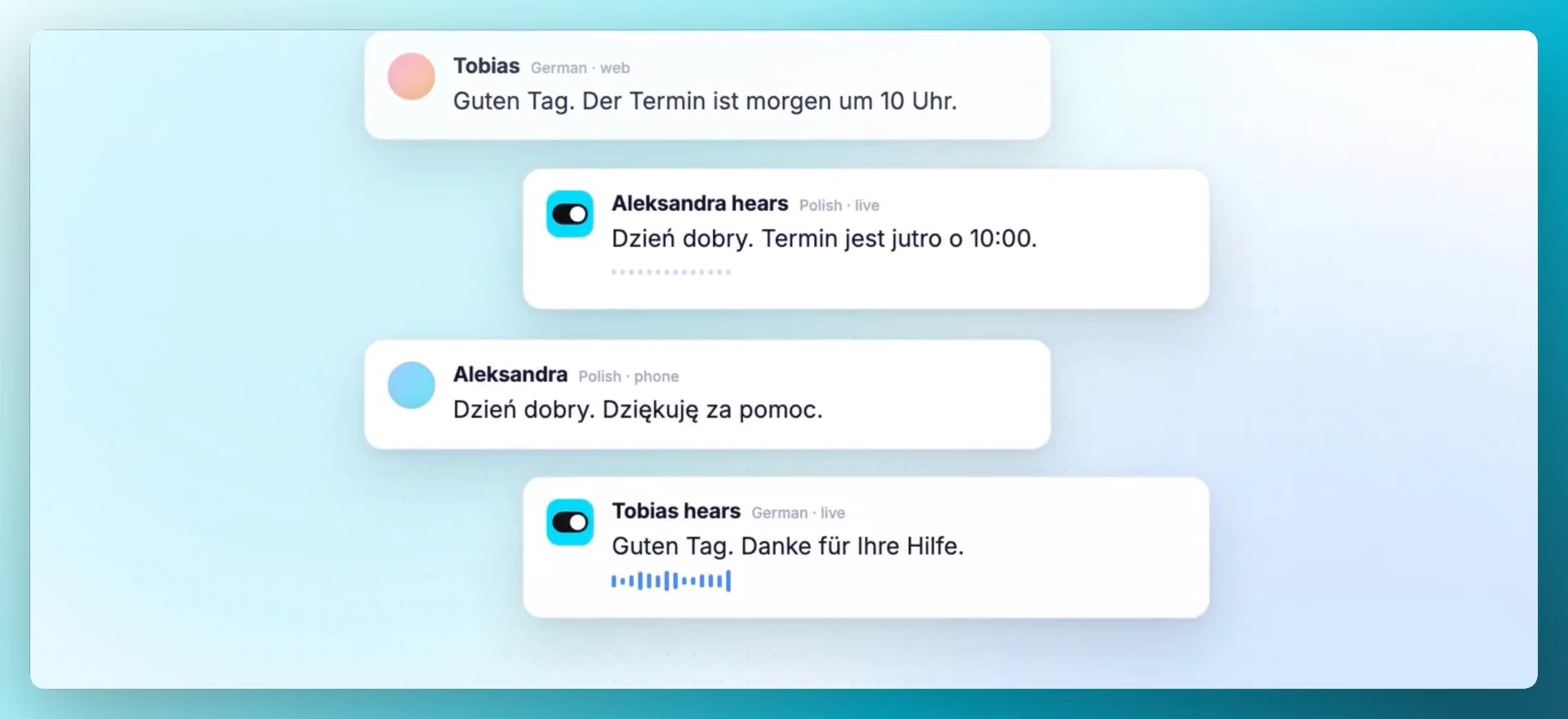
En OpenAI, la traducción en directo es parte de la historia de interacción continua de GPT-Live. En Famulor, la traducción es un modo de motor independiente: Translate, una sala de interpretación en directo entre dos personas, distinta de Full Duplex.
- Translate es un intérprete en directo para dos personas.
- Eliges el idioma y la voz por cada interlocutor.
- Únete a través del navegador o teléfono; los invitados no necesitan una cuenta de Famulor.
- El original y la traducción aparecen en la sala y se guardan en el Historial.
Esto no es "un asistente atendiendo a un cliente", sino una sala de interpretación entre dos personas. Para llamadas internas, soporte con barrera idiomática o llamadas de ventas internacionales, Translate es el camino de Famulor, tanto si tu asistente de atención al cliente funciona con Pipeline como con Realtime.
Cómo hacerlo: Documentación de Translate. Publicación del producto: Traducción de llamadas en directo con Famulor Translate.
Búsqueda agentica: ¿cómo se mantiene en la conversación?
GPT-Live puede delegar búsquedas y razonamientos mientras la conversación continúa. En Famulor, construyes una "información actual" comparable mediante herramientas, por ejemplo, el conector de agente de Perplexity, claramente separado del modo de motor Full Duplex.
- El conector de Perplexity (Conectores de agente) permite que un asistente obtenga respuestas web actualizadas durante una llamada o chat, más allá de la base de conocimientos.
- Aportas tu propia clave API de Perplexity, eliges un modelo y puedes dirigir el tono/formato con un prompt del sistema.
- También puedes iniciar automatizaciones a mitad de la conversación y utilizar bases de conocimientos, flujos y herramientas.
Aquí, "agentico" significa: no solo chatear, sino buscar, verificar y actuar durante la conversación, sin dejar al interlocutor en un silencio muerto (las frases de relleno y las herramientas asíncronas también ayudan).
Configuración: Herramientas de agente: Conectores de agente.
¿Qué deberías tener en cuenta en la práctica?
OpenAI GPT-Live y Famulor cubren ideas de conversación similares, pero con bloques de construcción de producto claramente separados. Este resumen te ayuda a identificarlos:
| Tema | OpenAI ChatGPT Voice (GPT-Live) | Famulor |
|---|---|---|
| Escuchar y hablar al mismo tiempo | Núcleo de GPT-Live (full duplex) | Realtime → Full Duplex (Beta) |
| Traducción en directo | Parte de la experiencia de voz de GPT-Live | Modo independiente Translate |
| Búsqueda actual / tareas profundas | Delegación a un modelo de vanguardia + búsqueda | ej. conector de Perplexity, herramientas, automatizaciones |
| Caso de uso | ChatGPT para consumidores | Tus propios asistentes de voz/omnichannel no-code (teléfono, WhatsApp, chat, …) |
Si has probado GPT-Live y quieres el mismo "flujo de conversación real" en tus asistentes: en Famulor abre Assistant → Engine y elige Realtime → Full Duplex (Beta) (cuando la región y la versión Beta lo permitan). Para llamadas en dos idiomas usa Translate. Para datos frescos en una llamada: conecta el conector de Perplexity y asígnalo al asistente.
FAQ
¿Qué es GPT-Live en OpenAI?
Una nueva generación de modelos de voz para ChatGPT Voice con full duplex, turnos de palabra más naturales y la opción de delegar búsquedas o razonamientos en segundo plano. Fuente: OpenAI: Presentación de GPT-Live (enlace arriba).
¿Qué significa Full Duplex en Famulor?
En Realtime eliges Full Duplex (Beta): el asistente sigue escuchando mientras habla. Disponible para EE. UU./Global (Beta); deshabilitado en la región UE. Documentación: Full Duplex (Beta).
¿Es Famulor lo mismo que GPT-Live?
No. Famulor no es GPT-Live y no reclama el modelo gpt-live-1. El nombre del motor de Famulor es Full Duplex (Beta) bajo Realtime.
Traducción en directo: ¿GPT-Live o Famulor Translate?
En OpenAI, la traducción en directo es parte de la experiencia de voz de GPT-Live. En Famulor, Translate es un modo de interpretación independiente para dos personas. Documentación: Translate.
Búsqueda agentica: ¿cómo se mantiene en la conversación?
Mediante herramientas como el conector de Perplexity, el asistente obtiene respuestas web actuales durante una llamada o chat, separado del modo Full Duplex. Documentación: Conectores de agente.
¿Qué deberías tener en cuenta en la práctica?
Sensación full-duplex → Full Duplex (Beta); llamadas en dos idiomas → Translate; datos frescos → Perplexity/herramientas. Comprueba la región UE antes de esperar Full Duplex.
Siguiente: revisa los modos de motor en la documentación, prueba Translate o reserva una demo. Registro de cambios: 12-09-2026.

Autor en Famulor