Resumir contenido con:




Diarización de locutores en agentes de voz con IA: por qué tu bot telefónico necesita saber quién habla
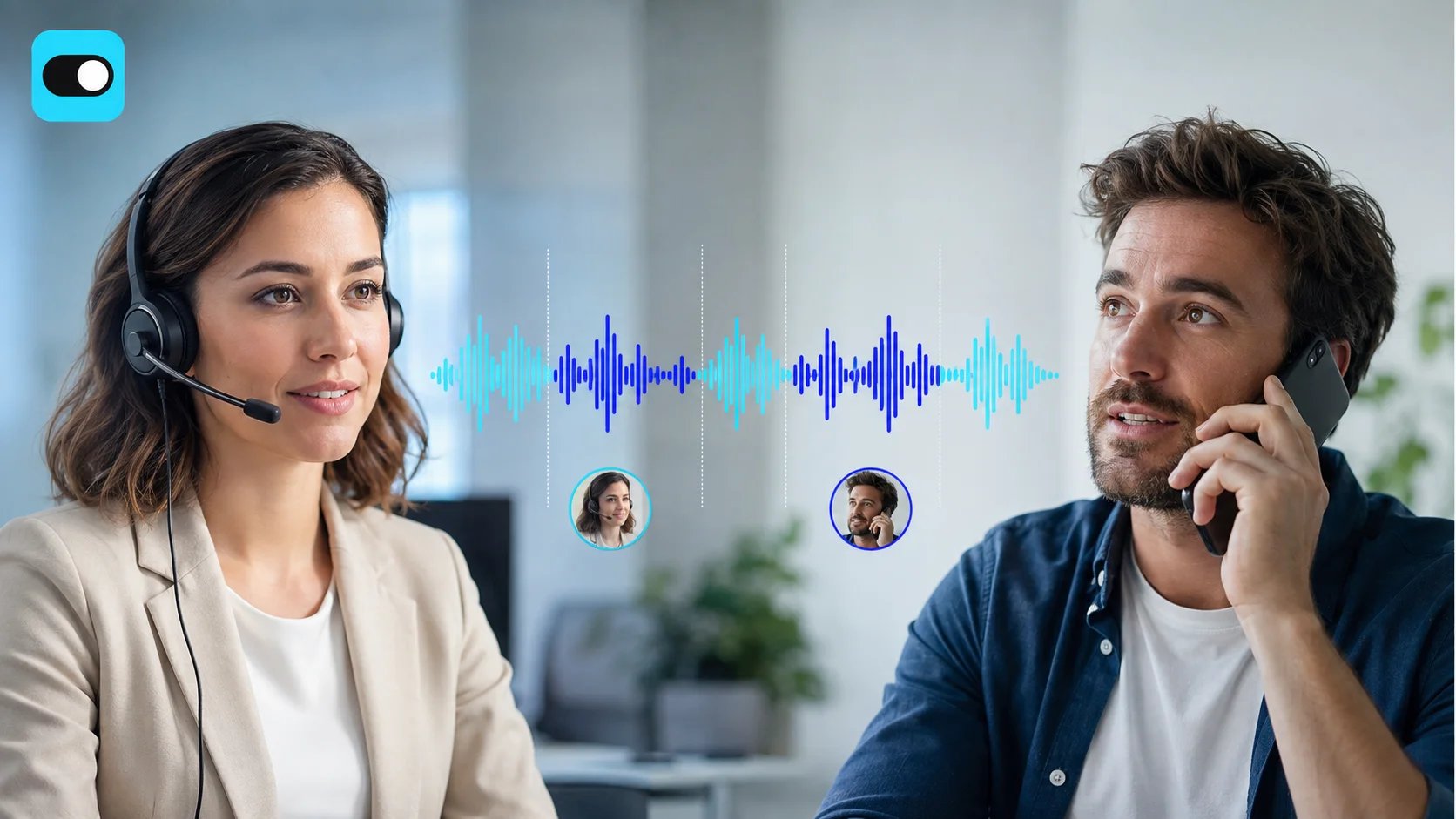
Cuando un cliente llama a tu empresa y alguien de fondo interviene, ¿sabe tu asistente telefónico con IA quién ha dicho qué? En la mayoría de los casos, la respuesta es no. Eso es exactamente lo que resuelve la diarización de locutores: la capacidad de un agente de voz para distinguir entre diferentes interlocutores en tiempo real. Las empresas que integran esta tecnología en su telefonía con IA logran una mayor precisión en la transcripción, mejores análisis de las conversaciones y una gestión de llamadas personalizada que satisface a los clientes.
Esta guía explica qué es la diarización de locutores, cómo funciona en los agentes de voz con IA modernos, qué proveedores de STT la admiten y cómo puedes integrar esta tecnología con Famulor en la telefonía de tu empresa de inmediato, sin escribir ni una sola línea de código.
¿Qué es la diarización de locutores y por qué es importante?
La diarización de locutores es la detección y asignación automática de segmentos de voz a interlocutores individuales dentro de un flujo de audio. En lugar de procesar toda la conversación como un flujo de texto indiferenciado, el sistema reconoce: "El locutor A dijo X, el locutor B dijo Y".
Para los asistentes telefónicos con IA, esto representa una mejora de calidad crítica. Un agente de voz que solo escucha qué se dice, pero no quién lo dice, es como un recepcionista que no puede distinguir entre el cliente y su acompañante. Esto conduce a respuestas incorrectas, entradas erróneas en el CRM y clientes frustrados.
Escenarios reales donde el reconocimiento de locutores es crítico
- Consulta dental del Dr. Kellermann, miércoles a las 14:00: Un paciente llama y proporciona su fecha de nacimiento. De fondo, su marido habla con su hijo pequeño. Sin diarización de locutores, el asistente de IA interpretaría la conversación de fondo como información del paciente, lo que podría introducir datos incorrectos en el sistema.
- Bufete de abogados Berger & Partners: Un cliente llama para una consulta inicial. Su socio comercial añade detalles sobre el caso a través del manos libres. El agente de voz debe saber qué declaraciones pertenecen a cada participante para completar correctamente el expediente del cliente.
- Schröder Auto, línea de servicio: El cliente describe su problema mientras el jefe de taller hace preguntas de fondo. La diarización de locutores permite que el agente de voz responda solo al cliente y utilice los comentarios del mecánico como contexto.
- Franquicias con múltiples ubicaciones: Durante las conferencias telefónicas con varios participantes, el agente puede atribuir las decisiones a la persona de contacto correcta.
Cómo funciona la diarización de locutores bajo el capó
La tecnología se basa en tres componentes principales que trabajan juntos en tiempo real:
1. Extracción de características acústicas: El sistema analiza los patrones de frecuencia, el tono, el ritmo del habla y el timbre de cada locutor. Cada voz humana tiene una huella acústica única, similar al reconocimiento facial en la visión artificial.
2. Segmentación y agrupación: El flujo de audio se divide en segmentos. Los segmentos con características acústicas similares se asignan al mismo locutor. Modelos modernos como Speechmatics Linden o Deepgram Nova-3 logran esto en menos de 200 milisegundos, lo suficientemente rápido para conversaciones en tiempo real.
3. Seguimiento del locutor durante toda la llamada: Una vez identificado un locutor, la asignación se mantiene constante. Incluso después de pausas o interrupciones, el sistema vuelve a reconocer al mismo interlocutor.
Comparativa de proveedores STT: ¿Quién ofrece diarización de locutores?
No todos los proveedores de conversión de voz a texto (STT) admiten la diarización de locutores en tiempo real con la misma eficacia. Aquí tienes un resumen de las plataformas clave:
| Proveedor STT | Diarización de locutores | Capaz en tiempo real | Idiomas | Punto fuerte |
|---|---|---|---|---|
| Speechmatics Linden | Sí (nativo) | Sí | 55+ | Robustez líder ante acentos, integración con LiveKit |
| Deepgram Nova-3 | Sí | Sí | 40+ | Latencia muy baja, API potente |
| AssemblyAI Universal-2 | Sí | Sí | 20+ | Alta precisión en conversaciones en inglés |
| Google Cloud STT v2 | Sí | Sí | 125+ | Amplia cobertura de idiomas, mayor latencia |
| Azure Speech | Sí | Parcial | 100+ | Fuerte en entornos empresariales, mejor en modo por lotes |
| Soniox v5 | Sí | Sí | 30+ | Especialista en vocabularios específicos de dominio |
Famulor es compatible con todos los proveedores STT mencionados y te permite cambiar entre ellos mediante un menú desplegable, sin necesidad de realizar cambios en el código. Esto significa que puedes elegir el proveedor que ofrezca la mejor calidad de diarización para tu sector e idioma. Obtén más información en nuestra guía de proveedores STT.
Caso práctico: Diarización de locutores en una consulta dental
Considera la consulta dental del Dr. Becker en Múnich, con 60 empleados en tres ubicaciones. Gestionan 120 llamadas diarias: reservas de citas, consultas de tratamiento, solicitudes de recetas. Muchos pacientes llaman desde entornos ruidosos: su coche, el parque, la oficina con compañeros hablando cerca.
Sin diarización de locutores, ocurre esto: el paciente dice "Necesito una cita el jueves" y su compañero de fondo dice "No olvides enviar el informe". El agente de voz interpreta ambos como entrada del paciente y responde: "Me temo que no tengo una cita el jueves para el informe. ¿Le sugiero otro día?".
Con la diarización de locutores, la recepcionista de IA identifica al locutor principal e ignora la voz de fondo. El resultado: reserva de cita correcta, paciente satisfecho, personal de la consulta aliviado.
5 mejores prácticas para la diarización de locutores en agentes de voz con IA
1. Elige un proveedor STT con diarización nativa: No todos los motores STT ofrecen seguimiento de locutores en tiempo real. Comprueba si el proveedor elegido admite la diarización de forma nativa antes de configurar; con Famulor, puedes verlo directamente en la configuración del asistente.
2. Define la lógica del locutor principal: Configura tu agente de voz para que responda solo al locutor principal (quien llama). Las voces de fondo deben capturarse como contexto, pero no interpretarse como entrada directa.
3. Almacena transcripciones con etiquetas de locutor en tu CRM: Utiliza webhooks post-llamada para enviar las transcripciones con atribución de locutor a tu CRM. De este modo, sabrás quién dijo qué durante las llamadas de seguimiento.
4. Prueba escenarios multilingües: En los mercados globales, los interlocutores suelen cambiar de idioma durante la llamada. Elige un proveedor STT que gestione el cambio de código y los acentos de forma robusta; Speechmatics Linden es actualmente líder en este ámbito.
5. Realiza auditorías de precisión periódicas: Revisa mensualmente una muestra de transcripciones para comprobar la correcta atribución de los locutores. Las herramientas de prueba y evaluación de Famulor te ayudan a identificar errores de forma sistemática.
Errores comunes de implementación
Error 1: Usar la diarización solo en modo por lotes. Muchas empresas activan el reconocimiento de locutores solo para el análisis de transcripciones tras la llamada. Esto no aporta ningún beneficio para la gestión de la conversación en directo del agente de voz. Asegúrate de activar la diarización en tiempo real (modo streaming).
Error 2: Esperar demasiados locutores. Las llamadas telefónicas suelen tener entre 2 y 3 interlocutores. Configurar tu sistema para 10 locutores aumenta innecesariamente la latencia y reduce la precisión.
Error 3: Clasificar el ruido de fondo como locutores. Sin un preprocesamiento adecuado (cancelación de ruido), el sistema podría identificar televisores, radios o ruido de la calle como locutores adicionales. Los ajustes de puerta de ruido de Famulor filtran estas fuentes de interferencia.
Error 4: Olvidar la privacidad de los datos. La diarización de locutores crea perfiles acústicos de quienes llaman. En la UE, esto entra dentro del RGPD. Asegúrate de que las huellas acústicas no se almacenen permanentemente y de que se informe a los interlocutores sobre el tratamiento.
La brecha de precisión en los agentes de voz de producción
Una reciente asociación entre Speechmatics y LiveKit aborda específicamente la llamada "brecha de precisión": la discrepancia entre la precisión del agente de voz en las demostraciones frente al rendimiento real en producción. Las causas más comunes de pérdida de precisión en la práctica:
- Locutores no nativos y acentos fuertes: Un sistema STT entrenado con inglés estándar claro en demostraciones falla al procesar dialectos regionales, acentos extranjeros o locutores no nativos.
- Entornos ruidosos: Las llamadas desde cafeterías, talleres o transporte público generan ruido de fondo que complica el reconocimiento de locutores.
- Mala calidad de audio: Las conexiones móviles con baja tasa de bits o compresión VoIP reducen las características acústicas disponibles.
- Entradas alfanuméricas: Los números de cuenta, códigos postales y direcciones de correo electrónico se atribuyen erróneamente con más frecuencia cuando varias personas hablan sin diarización de locutores.
Famulor aborda estos desafíos mediante la combinación de proveedores STT seleccionables, vocabulario personalizado para términos específicos del sector y cancelación automática de ruido.
Ejemplos del sector: donde la diarización de locutores marca la diferencia
Asesoría fiscal (Hoffmann & Co., Berlín): Un cliente y su cónyuge llaman juntos para aclarar dudas sobre la declaración de la renta. El agente de voz reconoce a ambos locutores y atribuye las declaraciones al expediente fiscal correcto, en lugar de registrar todo bajo un mismo nombre.
Gestión inmobiliaria (Neumann Properties, Hamburgo): Un inquilino llama y pasa el teléfono a su compañero de piso, que tiene una solicitud de reparación distinta. Gracias al reconocimiento de locutores, el agente crea dos tickets separados.
Servicios financieros (Schmidt Insurance, Colonia): Durante un informe de daños telefónico, el agente debe distinguir entre el tomador del seguro y el testigo, especialmente para la documentación legalmente relevante.
Franquicias (cadena de pizzerías, 12 ubicaciones): Las conferencias telefónicas entre los gerentes de sucursal y la sede central se transcriben correctamente, por lo que los pedidos se atribuyen a la ubicación correcta.
Diarización de locutores vs. Verificación de locutores vs. Biometría de voz: conoce la diferencia
Tres tecnologías relacionadas pero fundamentalmente diferentes en el espacio de la IA de voz suelen confundirse. Entender la distinción es crucial para una implementación correcta:
Diarización de locutores responde a la pregunta: "¿Qué locutor dijo qué frase?". El sistema distingue entre el locutor A y el locutor B sin conocer su identidad. La atribución se basa en características acústicas dentro de una misma conversación.
Verificación de locutores responde a la pregunta: "¿Es esta persona realmente John Smith?". El sistema compara la voz actual con una huella de voz almacenada previamente. Esto se utiliza normalmente para la autenticación en bancos o compañías de seguros.
Biometría de voz es el término general para todos los métodos de identificación y verificación basados en la voz. La diarización y la verificación de locutores son subconjuntos de la misma.
Para la mayoría de los asistentes telefónicos con IA, la diarización de locutores es el caso de uso más relevante: el objetivo no es identificar a quien llama (eso se gestiona mediante el número de teléfono o un PIN), sino distinguir entre los participantes dentro de una conversación.
Implementación con Famulor: guía paso a paso
Integrar la diarización de locutores en tu agente de voz de Famulor requiere cuatro sencillos pasos:
Paso 1: Selecciona tu proveedor STT. Abre la configuración del asistente en tu panel de control de Famulor. En "Transcripción", elige un proveedor con diarización nativa; se recomienda: Speechmatics Linden para idiomas europeos o Deepgram Nova-3 para una latencia mínima.
Paso 2: Configura el número de locutores. Establece el número esperado de locutores. Para llamadas entrantes, 2-3 locutores es suficiente. Para escenarios de conferencia, aumenta a 4-6. Menos es más: una configuración demasiado alta ralentiza el reconocimiento.
Paso 3: Define la lógica del locutor principal en tu prompt. Añade una instrucción a tu prompt del sistema para que responda solo al locutor principal. Ejemplo: "Responde solo al locutor A (quien llama). Si se detectan locutores adicionales, captura sus declaraciones como notas, pero no les respondas directamente".
Paso 4: Configura el webhook post-llamada. Configura un webhook que envíe la transcripción con etiquetas de locutor a tu CRM o sistema de tickets. Esto garantiza que la atribución del locutor quede documentada de forma permanente y trazable.
Todo el proceso lleva menos de 15 minutos y no requiere conocimientos de programación. La plataforma Famulor gestiona automáticamente la integración técnica entre tu proveedor STT, LLM y tu stack tecnológico existente.
Perspectivas de futuro: ¿Hacia dónde se dirige la diarización de locutores?
La tecnología está evolucionando rápidamente. Tres tendencias marcarán los próximos 12-18 meses:
Detección de emociones por locutor: Los modelos futuros no solo reconocerán quién habla, sino también cómo se siente cada locutor: frustrado, satisfecho, inseguro. Para los asistentes telefónicos con IA, esto significa una escalada automática cuando el cliente suene frustrado, incluso si no lo dice explícitamente.
Identificación de locutores zero-shot: Los sistemas actuales solo reconocen a los locutores dentro de una misma conversación. Los modelos futuros reconocerán a los clientes recurrentes por su voz, a través de diferentes conversaciones, sin necesidad de una huella de voz prealmacenada. Sin embargo, esto requerirá una cuidadosa consideración de la privacidad.
Diarización basada en el borde (edge): En lugar de procesar todo el audio en la nube, los modelos de diarización ligeros se ejecutarán directamente en el dispositivo final o en la pasarela SIP. Esto reduce la latencia y mejora la privacidad de los datos.
Calcula tu ROI automatizando llamadas
Descubre cuánto podrías ahorrar al usar voice agents con IA.
Resultado ROI
ROI 0%
Sin tarjeta de crédito
Conclusión: la diarización de locutores se está convirtiendo en el estándar en la telefonía con IA
La capacidad de distinguir entre diferentes locutores ya no es una función de lujo; se está convirtiendo en el estándar de calidad para los agentes de voz listos para producción. Las empresas que adoptan esta tecnología pronto se benefician de una mayor precisión en la transcripción, una mejor calidad de los datos en los sistemas CRM y una experiencia de cliente que parece la de un empleado atento escuchando.
Con Famulor, implementas la diarización de locutores sin experiencia técnica: selecciona un proveedor STT con diarización nativa, configura tu asistente y listo. Prueba ahora cómo tu asistente telefónico con IA y reconocimiento de locutores lleva la calidad de la conversación en tu empresa al siguiente nivel: inicia tu prueba gratuita en famulor.io.
Prueba nuestro Asistente de IA
Experimenta lo natural que suena nuestro asistente telefónico de IA.
Introduce tus datos y recibe una llamada de nuestro agente de IA en segundos.
El agente está entrenado para hablar sobre los servicios de Famulor y programar citas.

Agente IA de demo
Representante de Famulor
Preguntas frecuentes
¿Qué es la diarización de locutores en los asistentes telefónicos con IA?
La diarización de locutores es la detección y asignación automática de segmentos de voz a interlocutores individuales durante una llamada telefónica. El agente de voz reconoce quién dijo qué, en lugar de tratar toda la entrada como si procediera de un solo locutor.
¿Qué proveedores STT admiten el reconocimiento de locutores en tiempo real?
Speechmatics Linden, Deepgram Nova-3, AssemblyAI Universal-2, Google Cloud STT v2 y Soniox v5 ofrecen diarización de locutores en tiempo real. Famulor integra todos estos proveedores mediante una sencilla selección en el menú desplegable.
¿Funciona la diarización de locutores en llamadas telefónicas con mala calidad de audio?
Sí. Los modelos STT modernos como Speechmatics Linden están específicamente optimizados para condiciones de audio difíciles: redes móviles, compresión VoIP y entornos ruidosos. La precisión disminuye ligeramente, pero sigue siendo suficiente para el uso práctico.
¿Es la diarización de locutores conforme al RGPD?
Sí, siempre que los perfiles acústicos de los locutores no se almacenen permanentemente y se informe a los interlocutores sobre el tratamiento. Famulor ofrece opciones de configuración conformes al RGPD con alojamiento en la UE y eliminación automática de datos.
¿Cuántos locutores puede distinguir la tecnología simultáneamente?
Las implementaciones típicas reconocen de forma fiable entre 2 y 6 locutores. Para las llamadas telefónicas, que suelen tener entre 2 y 3 participantes, esto es más que suficiente. Más locutores aumentan la latencia y reducen la precisión.
¿Cuesta más la diarización de locutores?
La mayoría de los proveedores STT incluyen la diarización de locutores en sus tarifas estándar por minuto, sin recargo. Con Famulor, pagas la tarifa STT normal de tu proveedor elegido y la diarización está incluida.
¿Puede la diarización de locutores gestionar conversaciones multilingües?
Sí. Proveedores como Speechmatics (más de 55 idiomas) y Deepgram (más de 40 idiomas) admiten el cambio de código: el cambio entre idiomas dentro de una conversación se reconoce y atribuye correctamente.
¿Qué sectores se benefician más del reconocimiento de locutores?
Las consultas médicas, los bufetes de abogados, los servicios financieros, las empresas de gestión inmobiliaria y las empresas con múltiples ubicaciones son las que más se benefician; cualquier lugar donde varias personas hablen por teléfono y la atribución correcta sea crítica para el negocio.
¿Cómo activo la diarización de locutores en Famulor?
Selecciona un proveedor STT con diarización nativa (por ejemplo, Speechmatics Linden o Deepgram Nova-3) en la configuración del asistente. Famulor activa el reconocimiento de locutores automáticamente, sin código ni configuración manual necesaria.

Autor en Famulor