Summarize Content With:




Business Voice Assistant: What It Is and What It Does
A business voice assistant answers your phone, understands what the caller wants and gets it done. It is not the smart speaker on your kitchen counter. It is a voice agent that speaks with customers on your behalf: it gives opening hours, books appointments, takes messages, checks an order and hands the call to a colleague when a person is needed. People search for "voice assistant" or "Sprachassistent" when they want to stop losing calls, not when they want a timer.
This guide explains how a business voice assistant differs from the consumer assistants you know, what it can handle on the phone, what to check before you buy, and how to launch one in a few weeks. To hear one before you read further, try a Famulor demo call.
Consumer Assistant vs Business Voice Assistant
Smart speakers and phone assistants are built for personal tasks: play music, set a timer, control the lights. They answer one user, know little about your company and cannot act inside your systems. A business voice assistant is built the other way around.
| Aspect | Consumer assistant | Business voice assistant |
|---|---|---|
| Who it serves | The owner of the device | Your customers and leads on the phone |
| Knowledge | General web knowledge | Your services, prices, rules and FAQs |
| Phone line | Not designed for company numbers | Answers and places calls on your numbers |
| Actions | Music, timers, smart home | Calendar, CRM, SMS, transfers, webhooks |
| Control | Set by the device maker | You define tone, rules and handover cases |
| Data | Tied to a personal account | Governed by your data processing agreement |
The practical consequence: you cannot turn a consumer assistant into a receptionist. You need a platform designed for telephony, company knowledge and business integrations.
How a Business Voice Assistant Works on the Phone
Each call passes through the same chain. Knowing it helps you judge vendors on facts instead of demo polish.
- Number and routing: a company number, a forwarded line or a SIP trunk sends the call to the assistant.
- Listening: speech to text turns the caller's words into text while they are still speaking.
- Thinking: a language model reads the text, your instructions and your knowledge base and decides the next step.
- Speaking: text to speech answers in a natural voice, quickly enough to feel like a conversation.
- Doing: the assistant books into your calendar, writes to your CRM, sends a confirmation or transfers the call.
You can read more about the first and fourth step in our guide to TTS and STT. Callers will not notice the chain. They notice only whether the answer comes fast, sounds human and solves their problem.
What a Voice Assistant Can Handle on Your Phone
The best candidates are calls that repeat, follow a pattern and end in one clear outcome.
Opening hours, directions and simple questions
A large share of inbound calls ask for the same few facts: when you open, where to park, whether you take new customers. The assistant answers from your knowledge base in seconds and keeps your staff free for work that needs them.
Appointments and bookings
A physiotherapy practice with six therapists can let the assistant offer free slots, move an appointment and send a confirmation by SMS. Calls that cannot be solved, such as a medical question, go to the team with a short summary. The setup for reception use cases is described on our AI receptionist page.
Message taking and call routing
Outside opening hours the assistant records the reason for the call, the caller's name and a callback number, then sends it to the right person by email or SMS. During the day it can route urgent topics to a live line and everything else to a queue.
Orders, status and follow-ups
With an integration to your shop or ticket system, the assistant can read out an order status or confirm a delivery window. For higher volumes of calls, take a look at the AI call center setup.
Where a human should stay in charge
Complaints from upset customers, legal questions, large contract negotiations and medical emergencies should reach a person quickly. A good assistant recognizes these cases and hands over with context instead of trying to resolve them alone.
Why Coverage Matters More Than Cleverness
The strongest argument for a voice assistant is simple arithmetic. A team that works Monday to Friday from 8 to 16 is reachable for 40 of the 168 hours in a week. Extending to 8 to 20 on weekdays gives 60 hours. A voice assistant answers in all 168.
These numbers describe availability, not quality. They show why a missed call at 18:30 is so common and why a missed call often means a lost customer who simply phones the next business on the list.
What to Check Before You Choose
Use this list to compare platforms. Run the same real scenario on each one and listen to the recordings.
| Check | Question to ask | Good sign |
|---|---|---|
| Speed | How long is the pause after I stop speaking? | Natural turn taking, interruptions work |
| Languages | Does it sound native in my callers' languages? | Several languages and accents handled well |
| Knowledge | Can I give it my own documents and FAQs? | Knowledge base with sources, no invented answers |
| Actions | Does it work with my calendar and CRM? | Native integrations plus webhooks |
| Handover | How does a transfer to a person work? | Warm transfer with a call summary |
| Quality | Can I test and monitor calls? | Simulations, recordings, quality scores |
| Privacy | Where is data processed, who signs the contract? | Data processing agreement, EU options |
| Price | What is the all-in price per minute? | One clear price, known telephony cost |
What a Voice Assistant Costs
Voice assistants are billed by conversation minute. Count the platform minute, the voice and language model, the phone carrier and optional add-ons. Compare the all-in price per connected minute, because bundles and itemized pricing are hard to compare otherwise. Famulor starts at €0.05 per minute on pay as you go, and the plans bring the effective price down as volume grows. Current plans are on the pricing page.
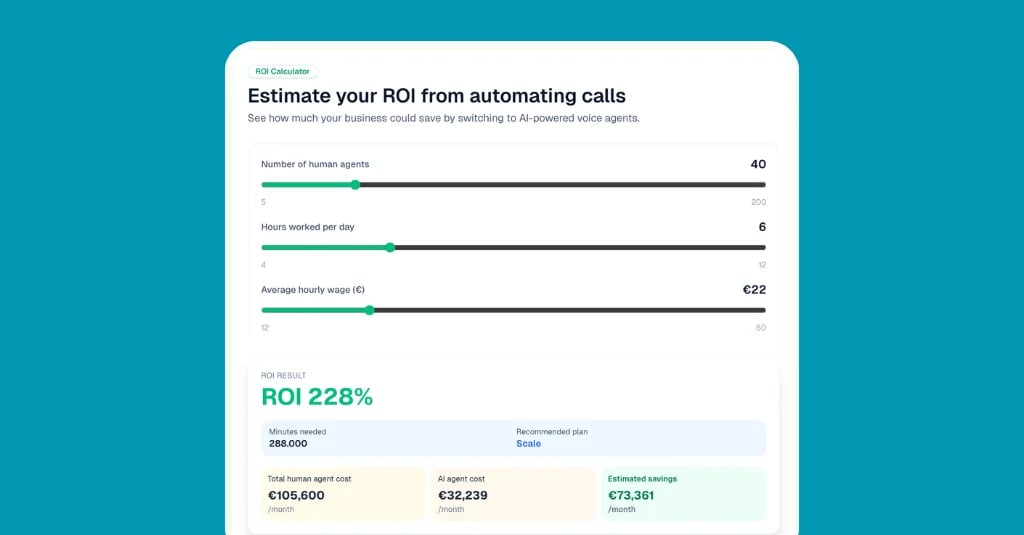
The easiest way to judge the value is to compare against the staff time the same calls take today. Enter your call volume, call length and hourly cost into the calculator.
Estimate your ROI from automating calls
See how much your business could save by switching to AI-powered voice agents.
ROI Result
ROI 0%
No credit card required
Privacy and Disclosure
A voice assistant handles personal data from the first second, so settle these points before launch.
- Tell callers it is an AI. A short line in the greeting is enough and builds trust.
- Announce recordings. Decide what you record, how long you keep it and who may listen.
- Sign a data processing agreement and check where audio and transcripts are processed. Our page on GDPR and AI voice agents explains the Famulor setup.
- Keep the knowledge base current. Outdated prices or hours are the most common source of wrong answers.
- Limit what the assistant may promise. Define clearly which decisions stay with your team.
Launch in Four Steps
Step 1: list your top three call types
Check your call log or ask the team which three questions come up most. These become the first scope. Everything else goes to a human or to a message.
Step 2: write the knowledge and the rules
Collect opening hours, prices, services and policies in one place. Add the rules for handover: complaints, urgent cases and direct requests for a person. With Famulor you describe this in plain language, see the no-code voice agent builder.
Step 3: test with real scenarios
Call the assistant yourself and let colleagues try to confuse it. Replay the hard cases after every change so that a fix in one place does not break another.
Step 4: go live, listen and adjust
Begin with after-hours calls or overflow calls, where the risk is lowest and the benefit is clearest. Listen to recordings daily in the first week, review answer rate, booked outcomes and handovers, then widen the scope.
Mistakes That Waste a Good Start
- Treating it like a smart speaker. A business assistant needs your knowledge and rules, not generic answers.
- No fallback. If a caller cannot reach a person, the assistant becomes a barrier instead of a help.
- Too many jobs on day one. Add scope step by step and test each addition.
- Ignoring the greeting. Name the company, say what the assistant can do and keep it short.
- Setting it and forgetting it. Review calls weekly. Services, prices and opening hours change.
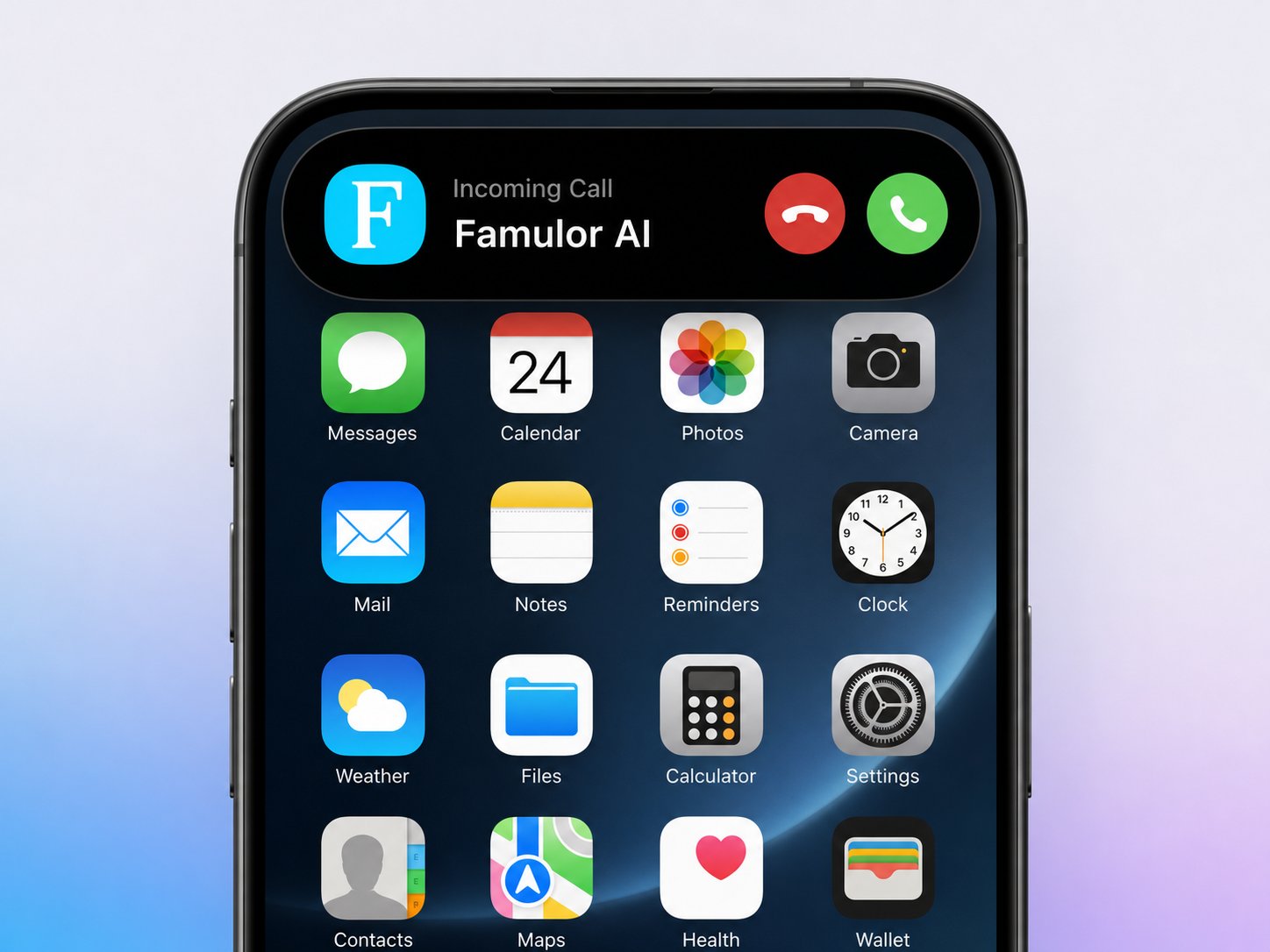
Mobile operating systems now answer and screen calls with their own AI too. How that changes what your phone system must handle is covered in our article on iOS 27 Siri AI.
Where Famulor Fits
Famulor gives you a business voice assistant that works on real company numbers. You build it without code, connect calendar and CRM, test it with simulated calls and watch live calls in monitoring. The same platform covers inbound and outbound and can be resold by agencies under their own brand. The quickest check is to hear it: tell the demo agent about your business and judge the conversation yourself.
Try our AI Assistant
Experience how natural our AI phone assistant sounds.
Enter your details and receive a call from our AI agent within seconds.
Agent is trained to discuss Famulor services and book appointments.

Demo AI agent
Famulor representative
FAQ
What is a business voice assistant?
It is a voice agent that answers and places phone calls for a company. It understands natural speech, answers from your knowledge base and performs actions such as booking appointments or transferring the call.
How is it different from Alexa, Siri or Google Assistant?
Consumer assistants serve one person with personal tasks. A business voice assistant works on your company phone line, uses your own knowledge and connects to your calendar and CRM.
Can a voice assistant replace my receptionist?
It can take over routine calls, after-hours calls and overflow. Many teams keep a person for complex cases and let the assistant hand over with a summary.
Which languages can a voice assistant speak?
Modern platforms support many languages in one agent. Check the supported languages of your provider and test the voice with real callers' phrases.
Do callers accept talking to an AI voice assistant?
Acceptance is high when the assistant is fast, polite and solves the problem, and when it is transparent about being an AI. A clear option to reach a person helps too.
How long does the setup take?
A focused first version with three call types can be live in about two weeks, including knowledge base, testing and a small rollout.
What does a voice assistant cost?
Billing is per conversation minute. Compare the all-in price including voice, language model and telephony. Famulor starts at €0.05 per minute on pay as you go.
Is a voice assistant GDPR compliant?
It can be when you disclose the AI, announce recordings, sign a data processing agreement and control where data is processed. Your data protection officer should confirm the setup.
What happens when the assistant does not know the answer?
A well configured assistant says so, offers to take a message or transfers the call. It should never invent prices, hours or promises.

Writer at Famulor