Resumir contenido con:




Cómo probar y evaluar un agente de voz con IA antes de su lanzamiento en 2026
Para probar un agente de voz con IA, debes verificar su comportamiento en cuatro niveles antes del lanzamiento: infraestructura, ejecución, comportamiento del usuario y resultados de negocio. Después, mantén esas mismas comprobaciones como monitorización de producción tras la puesta en marcha. El error que cometen la mayoría de los equipos es evaluar un agente de voz como si fuera un bot de texto: respuesta correcta o incorrecta. Sin embargo, una llamada telefónica pasa simultáneamente por el reconocimiento de voz, un modelo de lenguaje y la síntesis de voz. Si falla cualquiera de estos niveles, la experiencia del cliente se rompe, independientemente de lo inteligente que sea el prompt.
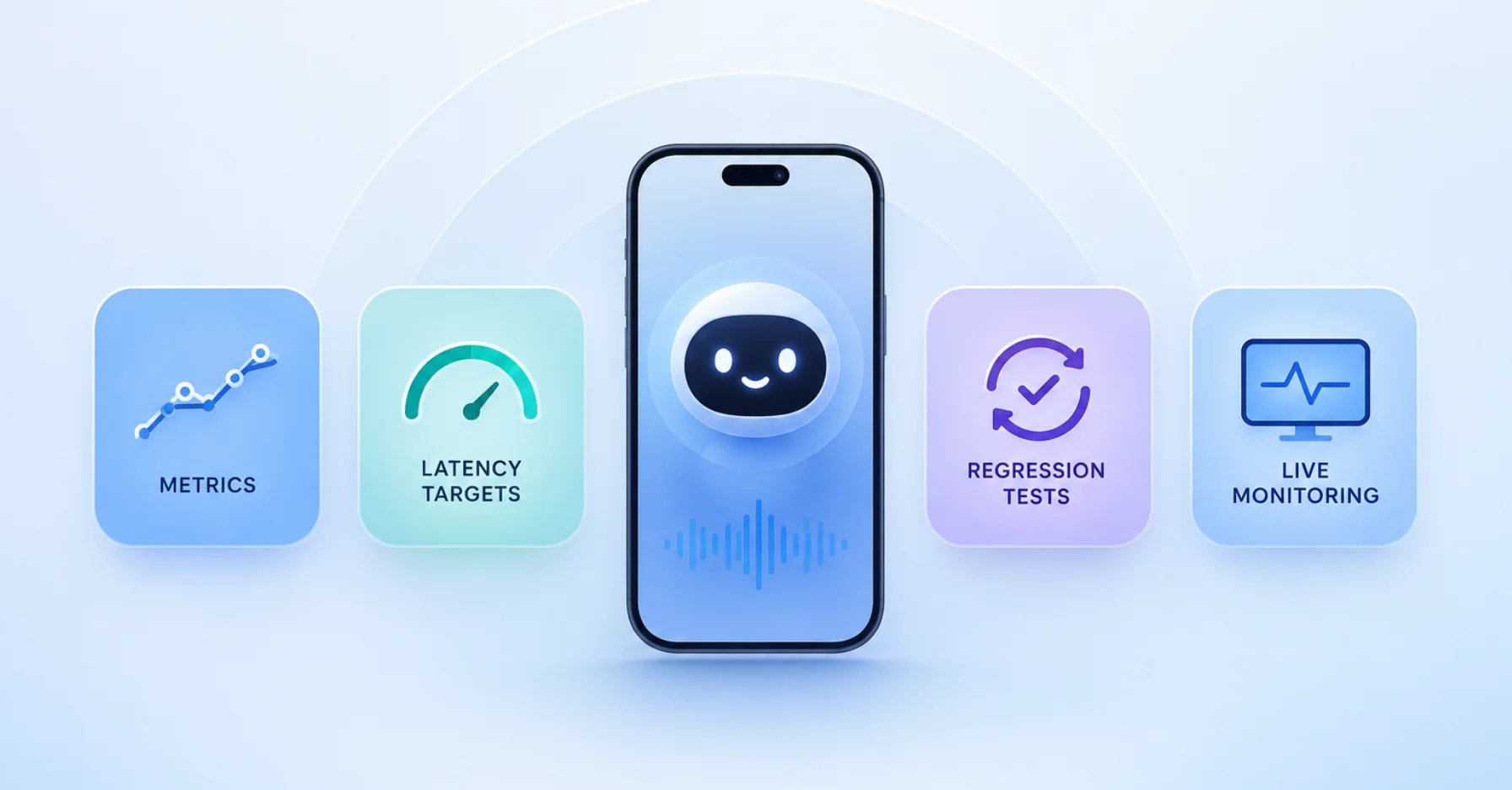
Esta guía repasa las métricas que importan, cómo crear casos de prueba realistas, las cifras objetivo que se consideran estándar en la industria en 2026 y cómo convertir las pruebas, la protección contra regresiones y la monitorización en directo en un proceso repetible. Con Famulor, ya dispones de transcripciones, evaluación automática tras la llamada y un entorno sin código para hacer que la calidad sea medible.
Por qué probar agentes de voz es diferente a probar chatbots
Un bot de texto tiene un único punto de fallo: su lógica de respuesta. Un agente de voz tiene al menos cuatro. Cada llamada fluye a través de una cadena de conversión de voz a texto (STT), un modelo de lenguaje extenso (LLM) y texto a voz (TTS), además de la telefonía y la red. Cada etapa introduce su propia clase de fallo:
- Fallos de STT: el ruido de fondo, los acentos, las interferencias o los números y nombres mal interpretados producen una transcripción errónea, y una transcripción errónea deriva en una clasificación de intención incorrecta.
- Fallos de LLM: alucinaciones, intención mal clasificada, políticas ignoradas o un paso omitido en un flujo de varias etapas.
- Fallos de TTS: prosodia antinatural, nombres propios mal pronunciados o picos de latencia que rompen el ritmo conversacional.
La clave es esta: un agente que obtiene una puntuación del 95% en una evaluación de LLM basada solo en texto puede fallar estrepitosamente por teléfono; por ejemplo, cuando un pico de latencia hace que el interlocutor interrumpa a mitad de la respuesta, o cuando un error de ASR deriva en una acción incorrecta. Por eso la calidad de voz se mide con audio real en condiciones reales, no con transcripciones limpias.
El marco de 4 niveles para la calidad de los agentes de voz
Los marcos actuales de control de calidad de IA de voz (2026) organizan cada comprobación en cuatro niveles que se construyen unos sobre otros. Esto evita el error más común: optimizar solo la precisión del LLM mientras se ignora la latencia o el flujo de la conversación.
| Nivel | Enfoque | Qué falla cuando hay un error |
|---|---|---|
| Infraestructura | Calidad de audio, latencia, rendimiento de STT/TTS | La confianza se destruye antes de que empiece la conversación: el interlocutor escucha silencio o una voz robótica |
| Ejecución | Clasificación de intención, precisión de respuesta, llamadas a herramientas/funciones | Frustración, abandono de tareas, acciones erróneas (cita equivocada, transferencia incorrecta) |
| Comportamiento del usuario | Gestión de interrupciones, flujo de conversación, sentimiento | Una mala experiencia provoca cuelgues incluso cuando la tarea se completa técnicamente |
| Resultado de negocio | Tasa de contención, resolución en la primera llamada, patrones de escalado | ROI negativo: el proyecto fracasa aunque las pruebas técnicas se hayan superado |
Un agente perfectamente preciso que tarda cinco segundos en responder ofrece peores resultados de negocio que un agente ligeramente menos preciso que responde en un segundo. Por eso ninguna métrica por sí sola es suficiente: necesitas al menos una por nivel.
Las métricas que más importan
Estas métricas forman la columna vertebral de cualquier evaluación. La mayoría se pueden recopilar automáticamente; solo los casos excepcionales requieren revisión humana.
| Métrica | Qué mide | Por qué importa |
|---|---|---|
| Tiempo hasta el primer audio (TTFA) | Tiempo desde que el interlocutor deja de hablar hasta el primer sonido del agente | La señal principal de la capacidad de respuesta percibida |
| Tasa de error de palabras (WER) | Precisión del reconocimiento de voz | Una transcripción incorrecta equivale a una intención incorrecta |
| Recuperación de interrupciones (Barge-in) | Qué tan bien gestiona el agente las interrupciones | Determina si la conversación se siente natural |
| Tasa de éxito de la tarea | Porcentaje de tareas completadas correctamente | El valor central (cita reservada, pregunta respondida) |
| Tasa de contención | Porcentaje de llamadas resueltas sin escalado humano | Palanca directa para el alivio de carga y costes |
| Tasa de escalado | Porcentaje de llamadas transferidas a un humano | Revela lagunas en el conocimiento o en los flujos |
| Tasa de alucinación | Porcentaje de declaraciones inventadas o fácticamente incorrectas | Riesgo de confianza y responsabilidad |
En cuanto al reconocimiento y las alucinaciones, la precisión y la detención de alucinaciones es un tema en sí mismo, y una base de conocimientos bien mantenida es la palanca más eficaz.
Objetivos de latencia para 2026
La latencia es el asesino silencioso en el teléfono: los interlocutores no esperan, cuelgan. No hay un indicador de "escribiendo..." para ganar tiempo. Como guía general, cualquier cosa por encima de 800 ms se siente lenta, y más allá de 1,5 segundos los interlocutores empiezan a desconectarse mentalmente. Mide percentiles, no solo promedios: un buen promedio puede ocultar un mal P95.
| Percentil | Objetivo | Advertencia | Crítico |
|---|---|---|---|
| P50 (mediana) | < 1,5 s | 1,5–1,7 s | > 1,7 s |
| P95 | < 3,5 s | 3,5–5,0 s | > 5,0 s |
| P99 | < 8 s | 8–10 s | > 10 s |
También ayuda separar la latencia por componente (STT, tiempo hasta el primer token del LLM y TTS) para saber qué nivel optimizar. Profundizamos en la velocidad de respuesta de tu bot en latencia de agentes de voz con IA.
Tres métodos de prueba: offline, online y con intervención humana
Un programa de pruebas robusto combina tres niveles:
- Evaluación offline (preproducción): reproduce llamadas simuladas con audio real frente al agente: rutas felices, casos extremos y escenarios deliberadamente difíciles (adversarios) como acentos, ruido de fondo, interrupciones e interlocutores poco cooperativos. Cada caso obtiene una métrica con un umbral claro.
- Evaluación online (monitorización de producción): en la operación en vivo, observa continuamente la confianza del STT, la precisión de la intención, los percentiles de latencia y la tasa de escalado con alertas basadas en umbrales.
- Intervención humana: alrededor del 80% de la evaluación (latencia, WER, finalización de tareas) se puede automatizar. El resto (tono, casos extremos y calibración del evaluador automático) requiere una revisión humana puntual.
Paso a paso: probar un agente de voz antes del lanzamiento
- Define los criterios de éxito. Para cada caso de uso, establece qué significa "éxito" (por ejemplo, "cita reservada correctamente en el calendario, confirmación leída correctamente").
- Crea un conjunto de pruebas. Recopila entre 20 y 50 escenarios reales: las solicitudes más comunes, los casos extremos más complicados y de tres a cinco casos adversarios.
- Ejecuta evaluaciones automatizadas. Reproduce el conjunto frente al agente y mide las métricas principales frente a tus umbrales.
- Clasifica los fallos. Asigna cada fallo al nivel correcto (infraestructura, ejecución, comportamiento del usuario, resultado); eso muestra la causa raíz en lugar de solo el síntoma.
- Refina. Ajusta el prompt, la base de conocimientos, los flujos en el constructor de flujos o las reglas de transferencia, y luego vuelve a probar.
- Lanzamiento controlado. Comienza con una parte del volumen de llamadas o ventanas de tiempo definidas, y amplía una vez que las métricas sean estables.
Para un cambio limpio desde una solución heredada, planifícalo como se describe en la guía de migración y transición.
Después del lanzamiento: pruebas de regresión y monitorización
El principio más importante para la operación continua: cada fallo en producción se convierte en una prueba de regresión. Los agentes de voz son frágiles: un pequeño cambio en el prompt, una actualización del modelo o una nueva voz pueden romper flujos que ya funcionaban. Por lo tanto:
- Vuelve a ejecutar tu conjunto de pruebas en cada cambio y bloquea los lanzamientos que hagan retroceder los escenarios principales.
- En producción, monitoriza los percentiles de latencia, la tasa de contención y escalado, y las transcripciones inusuales con alertas.
- Utiliza la evaluación posterior a la llamada tras cada conversación para detectar patrones: qué preguntas escalan a menudo, dónde abandonan los interlocutores, qué intenciones se reconocen con baja confianza.
Aquí es exactamente donde destaca Famulor: las transcripciones y la evaluación automática tras la llamada proporcionan la base de datos, y a través de más de 300 integraciones las métricas fluyen directamente a tu CRM o panel de control.
Mejores prácticas y errores comunes
- Medir solo el promedio. Una buena media oculta un mal P95/P99; mide percentiles.
- Probar con transcripciones en lugar de audio. La prosodia, las interrupciones y los acentos solo aparecen en audio real.
- Comprobar solo las rutas felices. Sin casos adversarios (ruido, acento, interjección) te pierdes exactamente las llamadas que fallan en vivo.
- Detener las pruebas después del lanzamiento. Sin protección contra regresiones, el siguiente cambio de prompt romperá algo silenciosamente.
- Sin ruta de escalado. Una transferencia limpia a un humano debe formar parte del conjunto como una ruta comprobable.
Ocho casos de prueba adversarios que deberías ejecutar deliberadamente
Casi todos los agentes superan las rutas felices. Fallan en vivo en los bordes. Estos ocho escenarios pertenecen a cualquier conjunto de pruebas serio porque cada uno expone una debilidad típica en un nivel específico:
- Acento fuerte o dialecto: prueba la robustez del reconocimiento de voz (STT) y la tasa de error de palabras.
- Ruido de fondo (calle, cafetería, lugar de trabajo): saca a la luz cascadas de STT que conducen a intenciones incorrectas.
- Interrupción temprana: el interlocutor habla sobre la respuesta; comprueba la recuperación de interrupciones y el flujo de la conversación.
- Números, nombres y direcciones: los ID de cliente, nombres de calles y horarios son los errores de transcripción más comunes.
- Cambio de tema a mitad del flujo: comprueba si el agente mantiene el hilo o se bloquea.
- Laguna de conocimiento: una pregunta fuera de la base de conocimientos; el agente debe escalar limpiamente en lugar de alucinar.
- Caso de emergencia o urgente: debe transferir a un humano de forma fiable e inmediata.
- Interlocutor poco cooperativo: respuestas de una sola palabra, silencio o provocación; prueba el comportamiento de repetición y la lógica de abandono.
Cada caso obtiene una métrica con un umbral claro. Un escenario de emergencia con menos del 100% de enrutamiento correcto es un bloqueador para el lanzamiento, no algo "deseable".
Tu panel de monitorización: qué debe ser visible en tiempo real
Tras el lanzamiento, el enfoque cambia de las pruebas únicas a la monitorización continua. Un panel útil muestra de un vistazo si la calidad se mantiene y hace sonar una alarma antes de que se acumulen las quejas. Tienen sentido cuatro bloques: percentiles de latencia (P50/P95/P99) por ventana de tiempo, tasa de contención y escalado como tendencia, confianza media de STT y una lista de llamadas marcadas (abandono temprano, repeticiones frecuentes, baja puntuación de éxito). Las alertas basadas en umbrales (por ejemplo, "P95 por encima de 5 segundos durante más de diez minutos" o "tasa de escalado por encima del promedio semanal") convierten el panel en un sistema de alerta temprana en lugar de un informe posterior. En Famulor, la evaluación automática tras la llamada produce exactamente estas señales, y las integraciones las envían a la herramienta de tu elección. Cualquiera que planifique la operación completa como un centro de llamadas con IA debería diseñar la monitorización desde el primer día.
Ejemplos de la industria
Clínica dental del Dr. Becker (12 empleados). Antes del lanzamiento, la clínica prueba 30 escenarios: una solicitud de cita para el miércoles a las 14:00, una cancelación, una pregunta sobre renovación de receta, una emergencia (debe escalar inmediatamente) y un interlocutor con acento fuerte sobre ruido de la calle. Solo cuando la tasa de contención se mantiene por encima del 80% y las emergencias se enrutan correctamente el 100% de las veces, el agente se pone en marcha, al principio solo fuera del horario de apertura.
Empresa de oficios con 25 empleados. Su agente de salida califica clientes potenciales. Las pruebas cubren objeciones ("no estoy interesado", "llámame más tarde"), direcciones poco claras y preguntas sobre precios. Las pruebas de regresión se ejecutan en cada cambio de prompt para que un nuevo guion nunca rompa el manejo de objeciones que funciona.
Soporte de comercio electrónico. El agente responde "¿Dónde está mi pedido?" a través de teléfono, WhatsApp y chat. Se prueba por canal (porque la latencia y la redacción difieren) y la resolución en la primera llamada se monitoriza en todos los canales.
Calcula tu ROI automatizando llamadas
Descubre cuánto podrías ahorrar al usar voice agents con IA.
Resultado ROI
ROI 0%
Sin tarjeta de crédito
Conclusión
Las pruebas de agentes de voz no son un paso único antes del lanzamiento; es un bucle: define criterios de éxito, crea conjuntos de pruebas realistas, evalúa automáticamente, clasifica fallos, prueba la regresión en cada cambio y monitoriza en producción. Optimizar solo la precisión del LLM mientras se ignora la latencia, el flujo de la conversación y el resultado de negocio crea un agente que brilla en las pruebas y falla al teléfono. Famulor es la elección natural aquí: más de 40 idiomas, trunking SIP para cualquier proveedor, un constructor de flujos sin código y, crucial para las pruebas, transcripciones más evaluación automática tras la llamada que hacen que la calidad sea medible. Usa la calculadora de ROI para ver cuándo compensa la automatización y consulta los precios.
Prueba nuestro Asistente de IA
Experimenta lo natural que suena nuestro asistente telefónico de IA.
Introduce tus datos y recibe una llamada de nuestro agente de IA en segundos.
El agente está entrenado para hablar sobre los servicios de Famulor y programar citas.

Agente IA de demo
Representante de Famulor
Preguntas frecuentes
¿Qué significa probar un agente de voz con IA?
Significa comprobar el comportamiento del agente con escenarios de audio reales en cuatro niveles (infraestructura, ejecución, comportamiento del usuario y resultados de negocio) y continuar esas comprobaciones como monitorización después del lanzamiento.
¿Qué métricas importan más?
Tiempo hasta el primer audio (latencia), tasa de error de palabras del reconocimiento de voz, tasa de éxito de la tarea, tasa de contención y escalado, y tasa de alucinación. Juntas cubren los cuatro niveles de calidad.
¿Qué tan rápido debe responder un agente de voz?
Como guía: P50 por debajo de 1,5 segundos y P95 por debajo de 3,5 segundos. Por encima de 800 ms se siente lento, y más allá de 1,5 segundos los interlocutores empiezan a desconectarse.
¿Es suficiente probar con transcripciones en lugar de audio?
No. La prosodia, las interrupciones, los acentos y los efectos de latencia solo aparecen en audio real. Las pruebas basadas en texto pierden exactamente los fallos que ocurren en vivo.
¿Qué es una prueba de regresión para agentes de voz?
Un caso de prueba repetible construido a partir de un fallo real en producción. Se vuelve a ejecutar en cada cambio de prompt, modelo o voz para que los flujos que funcionan no se rompan silenciosamente.
¿Cuántas pruebas se pueden automatizar?
Alrededor del 80%: latencia, tasa de error de palabras y éxito de la tarea. El tono, los casos extremos y la calibración del evaluador automático siguen justificando una revisión humana puntual.
¿Cómo ayuda Famulor con las pruebas?
Famulor proporciona transcripciones y evaluación automática tras la llamada, un constructor de flujos sin código para ajustes rápidos y más de 300 integraciones para enviar métricas a tu CRM o panel de control.
¿Cuándo debería un agente de voz transferir a un humano?
Para emergencias, baja confianza en el reconocimiento, una solicitud explícita del interlocutor o solicitudes fuera de su conocimiento. Esta ruta de escalado debería ser, en sí misma, un caso probado.

Autor en Famulor